Cluster – A Bold Portfolio WordPress Theme
100% Original fileUnmodified copy of the developer's release
DeveloperCodestag
Up to dateOriginal released Jan 2, 2019 · File last updated Oct 25, 2026
About this product
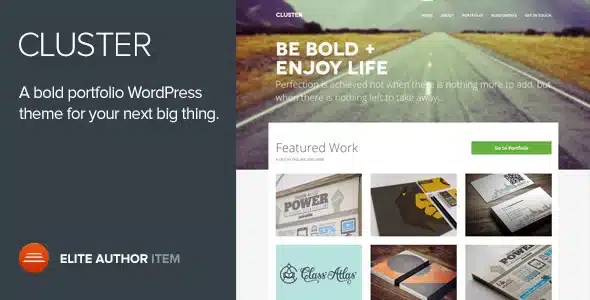
Cluster Theme 2.0.4 is a portfolio theme for designers, photographers, illustrators, small studios and freelancers who want a flat, bold look and a site that is easy to rearrange. The homepage is assembled from widgets, so you decide which sections show and in what order, and a portfolio page template presents your projects. A regular blog is part of it too, so one site can hold both your work and your writing. The developer builds in a shortcode generator and a set of custom widgets, and the theme is made to work with Elementor, the developer's companion tools plugin and a custom sidebars plugin.
How to install Cluster Theme
- Log in to GPLGuide, open this product and click Download under Your downloads.
- In WordPress, go to Appearance, Themes, Add New Theme, click Upload Theme and choose the theme's ZIP from your computer.
- Click Install Now, and when the upload finishes click Activate.
- Install the companion plugins under Plugins, Add New Plugin: the developer's tools plugin for extra shortcodes and widgets, and a custom sidebars plugin. The developer lists both as compatible. If WordPress shows a notice about recommended plugins, use that instead.
- Open Appearance, Customize for the theme's settings, such as the accent color and fonts. Each page, post and portfolio item also has a Custom Header Settings panel below the editor.
- Build the homepage under Appearance, Widgets: add the Homepage widgets (Portfolio, Services, Latest Blog Posts, Static Content, Clients) to Homepage Sidebar 1 and drag them into order. Then add a page under Pages, Add New with the Portfolio template.
Features & capabilities
- Homepage sections are widgets for portfolio, services, latest posts, static content and clients, which you reorder by dragging.
- A Portfolio page template, a featured portfolio widget and portfolio filters, with an option to open project links in a new window.
- All ten WordPress post formats are styled: standard, aside, gallery, image, link, quote, video, audio, status and chat.
- A custom header panel on every page, post and portfolio item sets the title, subtitle, background image or slider, opacity and color.
- Settings sit in the Customizer, with an accent color picker and any Google font for body text and headings.
- Page templates for a contact form, full-width pages and archives, plus a widgetized template with its own widget area.
- A shortcode generator for columns, toggles and buttons, and a shortcode for social media icons.
- Custom widgets such as Flickr, Instagram and a Custom Page widget.
- Responsive, retina-ready layouts, with translation files for localizing the theme.
- Works with Elementor and with a custom sidebars plugin for extra widget areas.
Frequently asked questions
Is this the original file?
Yes. Every product on GPLGuide is the developer’s own release, unchanged. The license key comes already activated. If a product does ask for a key, the activation steps appear on its page once you have it.
Is it legal to use a GPL plugin or theme from GPLGuide?
Yes. WordPress plugins and themes are released under the GPL, which lets anyone use, share and change the code. The developer’s support desk and the developer’s own update service are not part of the file; those stay with the developer.
How do I install it?
Log in, open the product page and click Download under Your downloads. For a plugin go to Plugins, Add New Plugin, Upload Plugin, choose the ZIP, then Install Now and Activate. For a theme go to Appearance, Themes, Add New Theme, Upload Theme.
How do updates work?
When a newer version is listed on GPLGuide, download it from the product page and upload it over the installed copy; WordPress offers to replace the old version. Updates are manual.
Can I use it on more than one site?
Yes. The GPL lets you use it on as many of your own sites as you like.
What if the file does not work or a newer version is out?
Tell us on the Request Item page or through Support. We check the file and add the newer version when we have it.