Codiqa – Software, App & Digital Theme
100% Original fileUnmodified copy of the developer's release
DeveloperBoldThemes
Up to dateOriginal released Mar 31, 2023 · File last updated Oct 25, 2026
About this product
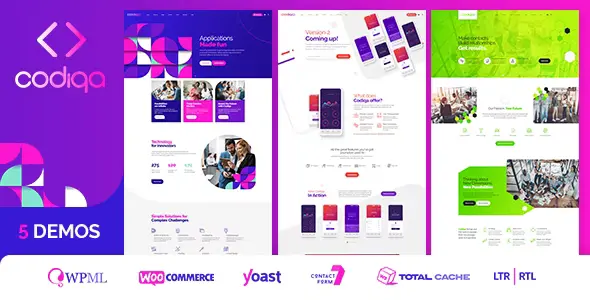
Codiqa Theme 1.1.9 is a WordPress theme for software, app and digital product websites. It suits software companies, startups and app teams that need a site to present a product, and it also fits digital marketing agencies, advertising agencies, business and consulting sites. Five demos cover software, product, social network, application and creative team sites, and a built-in importer loads the one you pick. The developer includes its own drag-and-drop page builder, and lists support for WooCommerce, Contact Form 7 and WPML.
How to install Codiqa Theme
- Check your hosting first. The developer asks for PHP 7.4 or higher, a PHP memory limit of 256M or higher and a maximum upload size of 64M or higher, and recommends WordPress 5.6 or later.
- Log in to GPLGuide, open this product and click Download under Your downloads.
- If the download holds more than one ZIP, unzip it on your computer first and upload the theme's installable ZIP, not the complete archive that holds the documentation.
- In WordPress, go to Appearance, Themes, Add New Theme, Upload Theme, choose the ZIP, click Install Now, then click Activate.
- A notice then asks you to install the required plugins. Select all of them on the Install Required Plugins page, choose Install and click Apply. Install WooCommerce first if the notice says it is required.
- For demo content, start from a clean site: delete the default page, post, contact form and any WooCommerce pages. Open the importer under Tools, click Start the import process, pick a demo and keep the panel open until it finishes.
- After the import, click Select homepage, then Set this homepage. Theme settings live in Appearance, Customize. If inner pages show 404 errors, go to Settings, Permalinks and click Save changes.
Features & capabilities
- Five demos, covering software, product, social network, application and creative team sites, which can also be imported side by side on one site.
- A drag-and-drop page builder with ready elements such as tabs and accordions, counters, progress bars and price lists.
- Eight menu types, from horizontal left, centered and right to vertical left and right, plus a sticky header option.
- A light or dark template skin, with primary and secondary accent colors under General Settings in the Customizer.
- Separate font settings for body text, headings, buttons, supertitles, subtitles and the menu.
- Blog and portfolio layouts with grid gallery, archive and single views, and portfolio filtering.
- WooCommerce shop settings, including sale tag design and sharing options.
- One-page sites: give a section an Element ID and link to it from a custom menu link.
- Any global setting can be overridden on a single post or page.
- RTL layout support and a translation-ready theme.
Frequently asked questions
Is this the original file?
Yes. Every product on GPLGuide is the developer’s own release, unchanged. The license key comes already activated. If a product does ask for a key, the activation steps appear on its page once you have it.
Is it legal to use a GPL plugin or theme from GPLGuide?
Yes. WordPress plugins and themes are released under the GPL, which lets anyone use, share and change the code. The developer’s support desk and the developer’s own update service are not part of the file; those stay with the developer.
How do I install it?
Log in, open the product page and click Download under Your downloads. For a plugin go to Plugins, Add New Plugin, Upload Plugin, choose the ZIP, then Install Now and Activate. For a theme go to Appearance, Themes, Add New Theme, Upload Theme.
How do updates work?
When a newer version is listed on GPLGuide, download it from the product page and upload it over the installed copy; WordPress offers to replace the old version. Updates are manual.
Can I use it on more than one site?
Yes. The GPL lets you use it on as many of your own sites as you like.
What if the file does not work or a newer version is out?
Tell us on the Request Item page or through Support. We check the file and add the newer version when we have it.