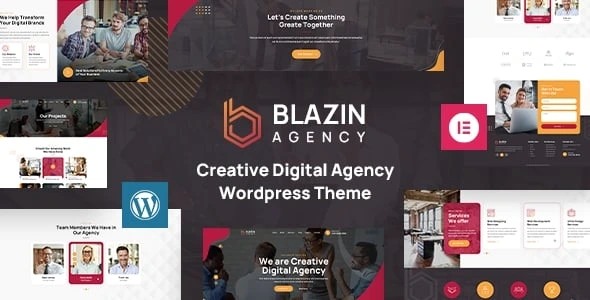
Blazin Agency – Creative WordPress Theme
100% Original fileUnmodified copy of the developer's release
DeveloperDesigning Media
Up to dateFile last updated Oct 16, 2026
About this product
Blazin Agency is a creative WordPress theme for digital agencies, made by Designing Media and built with Elementor. It comes with a ready-made agency home page, service and portfolio sections, team and testimonial carousels, a blog and a shop page, all editable by drag and drop. Our download is version 1.2. On GPLGuide you get the original Blazin Agency theme file to install on your own WordPress websites.
Good for: web design studios, digital marketing agencies, IT service companies, app developers and freelancers who want a polished agency website with service pages and a portfolio, without building every section from scratch.
Requirements: WordPress (the developer's ThemeForest listing names versions 6.4 to 6.9), PHP 7.0 or newer according to the theme's stylesheet, and the free Elementor plugin from WordPress.org. The developer lists both Elementor and Elementor Pro as compatible.
What the Blazin Agency home page includes
The demo has one home page, laid out the way most agency sites are. It opens with a large banner slider and a counter, followed by an About Us block and a "Services We Offer" grid of eight service cards. Below that come a portfolio of recent work, a Who We Are section with your mission and vision, a video block and client testimonials.
Further down are a carousel of your team, a contact form and a footer with useful links, your services, contact details and a newsletter sign-up. Every block is an Elementor section, so you can reorder, remove or restyle it without touching code.
Blazin Agency suits agencies that sell several services, because the home page leads straight into detailed pages for each one. If you prefer a single long page, you can delete the sections you don't need.
Inner pages and service pages
Besides the home page, the demo includes About Us, Our Projects, Our Team, Services, FAQ, Contact Us, Shop and Blog pages. The Services area has eight detail pages ready to edit: Web Designing, Web Development, UI/UX Design, App Development, AI Development, Figma Design, Online Security and SEO.
Services and portfolio items are their own content types in WordPress, each with an Add New screen. That keeps them separate from your blog posts and easy to manage as your list of services and projects grows.
The shop page runs on WooCommerce, and the developer's documentation has a section on adding it. That makes Blazin Agency an option for agencies that also sell templates, courses or service packages online.
Seven custom Elementor widgets
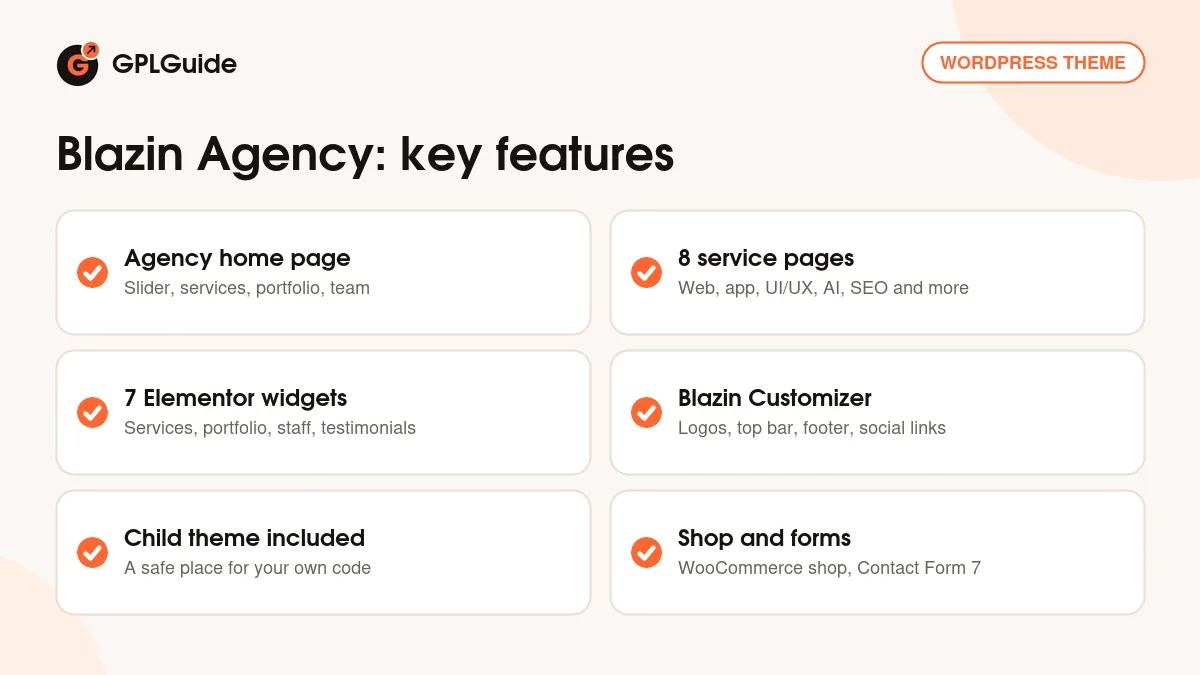
The theme adds its own widgets to the Elementor panel, which is how the demo sections are built. According to the documentation there are seven: Blazin Banner Slider, Testimonial, Services Carousel, Services Box, Portfolio, Staff Carousel and Staff Box.
Because they are normal Elementor widgets, you can drop them onto any page. A landing page for a single service, for example, can reuse the Testimonial and Staff Box widgets so it matches the rest of your Blazin Agency site.
Blazin Customizer and theme settings
Site-wide settings live in Appearance, Customize, Blazin Customizer. There you upload your logo and a retina logo, switch the header top bar on or off, set the copyright text and social links, choose a footer logo and pick which saved Elementor template to use as your footer.
The developer's description also lists a theme options panel, custom page templates, wide and boxed layouts, a full-screen background slider, custom widgets, post formats, 600+ Google Fonts and a box for your own CSS. Contact forms run on Contact Form 7, and a child theme is included for your own code changes.
The theme is translation ready with .pot files and WPML support, according to Designing Media, and the developer says it has been tested on WordPress Multisite.
Optional plugins covered in the documentation
Designing Media's documentation goes beyond the theme itself and includes setup guides for several plugins you might want on an agency site. They cover AI Engine for a ChatGPT-style chatbot or content generator, MC4WP for Mailchimp newsletter forms, Smash Balloon Instagram Feed, Advanced Popups, an event calendar and Elegro Crypto Payment.
None of these are needed to run Blazin Agency. They are there if you want to add a newsletter, a social feed or a chatbot later, and the guides show how they fit into the theme's layout.
Planning your agency site with Blazin Agency
The quickest way to launch is to map your real business onto the demo before you change any design. Start with the eight service pages: keep the ones that match what you sell, rename the rest and delete what you don't offer. Each service then gets its own page that you can link from ads, proposals and emails.
Next, replace the portfolio items with three to six of your best projects. A short description, the client's industry and a strong image for each one is usually enough. Do the same with the team carousel, using real photos, and swap the demo testimonials for quotes from your own clients. Leave a section out rather than fill it with placeholder text.
Finally, set your logo, top bar and footer in the Blazin Customizer, connect the contact form to your email and test the whole site on a phone and a tablet. Blazin Agency is responsive out of the box, but long service names and big headings are worth checking on a small screen before you go live.
Version 1.2 and change notes
The Blazin Agency file on GPLGuide is version 1.2. Designing Media does not publish a changelog for this theme: the ThemeForest page has none, and the online documentation still describes version 1.1 from May 2023. ThemeForest shows that the item was last updated on July 15, 2026.
So there are no official notes on what changed in 1.2. We list the version from the theme file itself, and we will update this page if the developer publishes change notes. If you already run an older Blazin Agency version, you can upload 1.2 over it as described under Keeping it up to date.
Things to know before you choose Blazin Agency
Blazin Agency is an Elementor theme. ThemeForest lists it as not optimized for the block editor (Gutenberg), so plan to build and edit pages with Elementor.
There is one home page design rather than a choice of many. If you want several different starting layouts, compare it with other WordPress themes on GPLGuide before you decide.
Demo imports need decent server limits. The documentation recommends max_execution_time 300, memory_limit 128M, post_max_size 64M and upload_max_filesize 32M, and warns that low limits can cause failed imports and empty pages. If your host keeps these lower, ask them to raise the values before you import.
The developer doesn't mention dark mode, right-to-left (RTL) languages, a mega menu or a header builder anywhere, so don't count on those.
The developer's live demo also runs plugins such as WooCommerce, a wishlist plugin and Slider Revolution. Designing Media doesn't say which of these come with the theme, so install the ones the theme's plugin notice asks for and add others only if you need them.
Blazin Agency from GPLGuide vs a ThemeForest licence
From GPLGuide you get the original Blazin Agency theme file, released under the GPL, to use on your own websites. The theme, its Elementor widgets and its Customizer settings are the same as in the developer's package.
A licence bought on ThemeForest adds six months of support from Designing Media (with an option to extend it) and future updates through your ThemeForest account. If you want the developer to help with your setup, buy it there. If you need the theme itself, GPLGuide gives you the same file at a lower price, on its own or with a GPLGuide membership.
How to install Blazin Agency
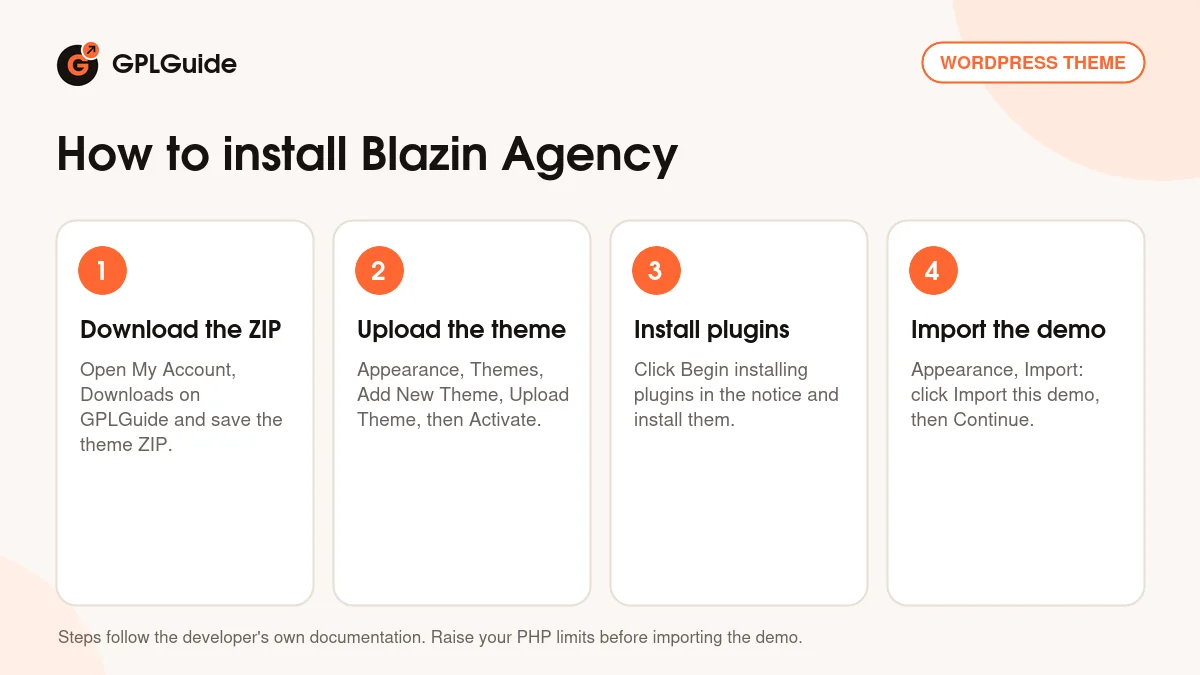
- Sign in to GPLGuide, open My Account, Downloads and save the Blazin Agency theme ZIP. Upload the theme ZIP itself, not a larger package or folder, or WordPress will report that the stylesheet is missing.
- In WordPress go to Appearance, Themes, Add New Theme, Upload Theme, choose the ZIP, click Install Now and then Activate.
- A notice appears with the required and recommended plugins. Click Begin installing plugins, tick them, choose Install and click Apply.
- Go to Appearance, Import and click Import this demo, then confirm with Continue and import.
When the import finishes, set your logo, top bar and footer under Appearance, Customize, Blazin Customizer, assign your Primary Menu under Appearance, Menus, and open any page with Edit with Elementor to replace the demo text and images with your own.
Import the demo on a fresh WordPress site if you can. Demo content adds pages, posts, services and portfolio items, and it is easier to start clean than to sort demo content out of an existing site.
Keeping it up to date
Updates from GPLGuide are manual. When a new version of Blazin Agency is listed here, download it from your account and upload it under Appearance, Themes, Add New Theme, Upload Theme, and WordPress will offer to replace the current version. Keep your own code changes in the child theme so an update never overwrites them, and take a full backup of your site before you replace any theme, so you can roll back if something looks wrong. If you spot a newer version that we haven't added, tell us on the Request Item/Update page.
Questions about Blazin Agency
Which page builder does Blazin Agency use? Elementor. The pages, the footer templates and the seven custom widgets are all Elementor-based, and the developer lists Elementor Pro as compatible.
How do I import the demo? Install the required plugins from the notice that appears after activation, then go to Appearance, Import and click Import this demo. Raise your PHP limits first if your host keeps them low.
Is a child theme included? Yes. The developer's description says a child theme is included, so you can add custom code safely.
Can I translate it? Yes. The theme is translation ready with .pot files, uses the blazin text domain, and the developer lists WPML support.
Can I run an online shop with it? Yes. The demo includes a WooCommerce shop page and the documentation explains how to set it up.
How many home page designs are there? One. The demo has a single agency home page plus the inner pages and eight service pages listed above. Because every section is built with Elementor, you can still rearrange that home page into a different order or duplicate sections to create landing pages of your own.
Where do I change the logo and footer? In Appearance, Customize, Blazin Customizer. You can upload a normal and a retina logo there and choose which saved Elementor template to use as the footer.
Who helps me if the download or install goes wrong? For problems with your GPLGuide download, contact us through the Support page. Help with customizing the theme itself comes from Designing Media with a ThemeForest licence.
Does Blazin Agency work with the block editor? ThemeForest lists it as not Gutenberg optimized. Build and edit your pages with Elementor instead.
Building a site for an agency or studio? See more agency and portfolio themes, browse all WordPress themes on GPLGuide, or check what a GPLGuide membership includes.
Features & capabilities
- Agency home page with slider, services, portfolio, team and testimonials
- Eight ready service detail pages plus About, Team, FAQ, Contact, Blog and Shop
- Seven custom Elementor widgets, including Services Carousel and Staff Box
- Services and Portfolio content types with their own admin screens
- One-click demo import with demo content
- Blazin Customizer for logos, top bar, footer and social links
- Footers built from saved Elementor templates
- Child theme included, translation ready with .pot files and WPML support
- WooCommerce shop page and Contact Form 7 forms
- Responsive layout, wide and boxed layouts, 600+ Google Fonts