WP Eventin Events Manager & Tickets Selling Plugin for WooCommerce
100% Original fileUnmodified copy of the developer's release
DeveloperThemewinter
Up to dateOriginal released Aug 20, 2026 · File last updated Nov 23, 2026
About this product
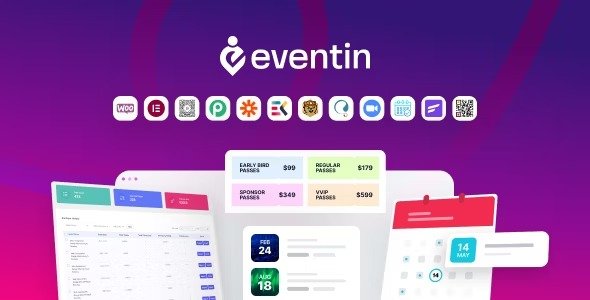
Eventin 4.1.24 is an events plugin for WordPress that lets you publish events, take registrations and sell tickets, with WooCommerce handling the checkout when you want ticket sales to run through your shop. It suits organisers of conferences, workshops, meetups, classes and webinars, and stores that already sell on WooCommerce and want event tickets next to their other products. You add events, speakers and organizers from the Eventin menu in the WordPress sidebar, and visitors find them on event pages and calendar views that you place with shortcodes, blocks or Elementor widgets. Each booking creates attendee records you can manage and export later, and online events can carry a Zoom or Google Meet link for the people who registered.
How to install Eventin
- Install and activate WooCommerce under Plugins, Add New Plugin if you plan to sell tickets through the WooCommerce checkout.
- Make sure the site runs WordPress 6.2 or newer and PHP 7.4 or newer, the minimums the developer lists.
- Log in to GPLGuide, open this product and click Download under Your downloads.
- In your WordPress dashboard go to Plugins, Add New Plugin, Upload Plugin, choose the ZIP, click Install Now, then Activate.
- Open Eventin, Settings in the WordPress sidebar to set up payments, emails and event pages, then create your first event.
Features & capabilities
- Create in-person, virtual and hybrid events with their own event pages.
- Sell free or paid tickets, with WooCommerce taking payment at checkout.
- Take registrations and RSVPs and keep a list of attendees for each event.
- Export attendees, speakers and organizers when you need the data elsewhere.
- Show events on calendars and event pages through shortcodes, blocks or Elementor widgets.
- Attach Zoom or Google Meet details to virtual and hybrid events.
- Offer discount codes with the built-in coupon system.
- Charge tax and VAT on tickets and issue partial refunds.
- Run multilingual event sites with WPML.
Frequently asked questions
Is this the original file?
Yes. Every product on GPLGuide is the developer’s own release, unchanged. The license key comes already activated. If a product does ask for a key, the activation steps appear on its page once you have it.
Is it legal to use a GPL plugin or theme from GPLGuide?
Yes. WordPress plugins and themes are released under the GPL, which lets anyone use, share and change the code. The developer’s support desk and the developer’s own update service are not part of the file; those stay with the developer.
How do I install it?
Log in, open the product page and click Download under Your downloads. For a plugin go to Plugins, Add New Plugin, Upload Plugin, choose the ZIP, then Install Now and Activate. For a theme go to Appearance, Themes, Add New Theme, Upload Theme.
How do updates work?
When a newer version is listed on GPLGuide, download it from the product page and upload it over the installed copy; WordPress offers to replace the old version. Updates are manual.
Can I use it on more than one site?
Yes. The GPL lets you use it on as many of your own sites as you like.
What if the file does not work or a newer version is out?
Tell us on the Request Item page or through Support. We check the file and add the newer version when we have it.