
Honshi – WordPress Simple Portfolio Theme
100% Original fileUnmodified copy of the developer's release
DeveloperNinetheme
Up to dateFile last updated Oct 27, 2026
About this product
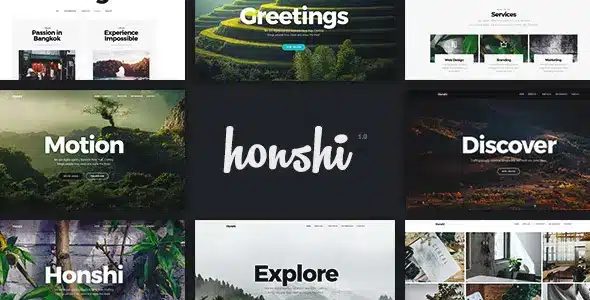
Honshi Theme 2.6.2 is a WordPress portfolio theme for creative work: freelancers, small studios, creative agencies, photographers and anyone who needs a resume or showcase site where projects come first. It gives you many ways to lay out and animate a portfolio grid, open a project in a lightbox or popup, and mix image, video, audio and gallery items, with one page or multi page sites both covered. You build pages with WPBakery or Elementor, so you can work in the editor you already know. The developer ships the theme with a one click demo importer and pre made pages you edit, and supplies Revolution Slider for sliders.
How to install Honshi Theme
- Log in to GPLGuide, open this product and click Download under Your downloads.
- In WordPress go to Appearance, Themes, Add New Theme, Upload Theme, choose the ZIP, click Install Now, then Activate.
- Install and activate the page builder you want to use: the developer supports WPBakery and Elementor, either the standard plugin or Elementor Pro.
- Add Revolution Slider if you want the slider sections, and Contact Form 7 if you need contact forms on your pages.
- Run the one click demo import to load the pre made pages, then set your logo, menu, colors, preloader and footer in the theme's options panel in the dashboard.
Features & capabilities
- More than 40 portfolio layout and animation types
- Project details in a lightbox or an AJAX popup, with video, audio and gallery items
- Over 40 content elements such as tabs, accordions, pricing tables, team, testimonials, counters and Google Maps
- Options panel for preloader, logo, menu, header, footer, breadcrumb and blog settings
- One page and multi page layouts, with a different menu per page set in the page options
- Left, right or full width sidebars and as many custom sidebars as you need
- Google Fonts, custom font uploads and more than 700 vector icons
- WooCommerce ready, so you can sell prints or services next to the portfolio
- RTL support, a .POT file for translation and WPML compatibility
Frequently asked questions
Is this the original file?
Yes. Every product on GPLGuide is the developer’s own release, unchanged. The license key comes already activated. If a product does ask for a key, the activation steps appear on its page once you have it.
Is it legal to use a GPL plugin or theme from GPLGuide?
Yes. WordPress plugins and themes are released under the GPL, which lets anyone use, share and change the code. The developer’s support desk and the developer’s own update service are not part of the file; those stay with the developer.
How do I install it?
Log in, open the product page and click Download under Your downloads. For a plugin go to Plugins, Add New Plugin, Upload Plugin, choose the ZIP, then Install Now and Activate. For a theme go to Appearance, Themes, Add New Theme, Upload Theme.
How do updates work?
When a newer version is listed on GPLGuide, download it from the product page and upload it over the installed copy; WordPress offers to replace the old version. Updates are manual.
Can I use it on more than one site?
Yes. The GPL lets you use it on as many of your own sites as you like.
What if the file does not work or a newer version is out?
Tell us on the Request Item page or through Support. We check the file and add the newer version when we have it.


