
Elementor Pro

100% Original fileUnmodified copy of the developer's release
DeveloperElementor Ltd.
Up to dateOriginal released Oct 13, 2026 · File last updated Oct 16, 2026
About this product
Elementor Pro is the premium add-on for the free Elementor page builder for WordPress, made by Elementor Ltd. It adds the Theme Builder for headers, footers and site templates, the Popup Builder, a full Form widget, Loop Grid, dynamic content, custom code and more than 20 WooCommerce widgets, all inside the editor you already know. This page is for Elementor Pro 4.3.2, released on October 13, 2026. On GPLGuide you download the original plugin file to install on your own WordPress websites.
Good for: designers, freelancers and site owners who already build with the free Elementor plugin and want to design the whole site, not only single pages: headers and footers, blog and archive layouts, popups, lead forms, post grids and WooCommerce shop pages.
Requirements: the free Elementor plugin must be installed and active first, and Elementor asks you to keep both plugins up to date, updating the free one first. The free plugin is at version 4.3.5 right now, released the same day as Elementor Pro 4.3.2. Elementor lists WordPress 6.8 or newer, PHP 7.4 or newer (8.3 or newer strongly recommended), MySQL 5.6 or MariaDB 10.5 or newer, and a WordPress memory limit of at least 256 MB.
What Elementor Pro does
The free Elementor plugin gives you the drag and drop editor and basic widgets for the content area of a page. Elementor Pro hooks into that same editor and opens up the parts of a site the free version can't reach. You design the header, the footer, single post layouts, archive pages, search results and the 404 page yourself.
It also adds a long list of widgets, including Loop Grid, Loop Carousel, Off-Canvas, Posts, Portfolio, Form, Login, Slides, Animated Headline, Hotspot, Price Table, Flip Box, Call to Action, Countdown, Table Of Content, Menu and Taxonomy Filter. Theme widgets such as Site Logo, Post Title, Post Content and Breadcrumbs pull real data into your templates.
Around the widgets sit the site-wide tools in Elementor Pro: Popup Builder, Custom Code, Custom CSS, Custom Fonts and Custom Icons, Role Manager, scrolling effects, Global Widgets and Notes for team feedback. For shops there is a WooCommerce Builder with widgets such as Product Price, Add To Cart, Cart, Checkout, My Account and Menu Cart.
Theme Builder in Elementor Pro: templates and display conditions
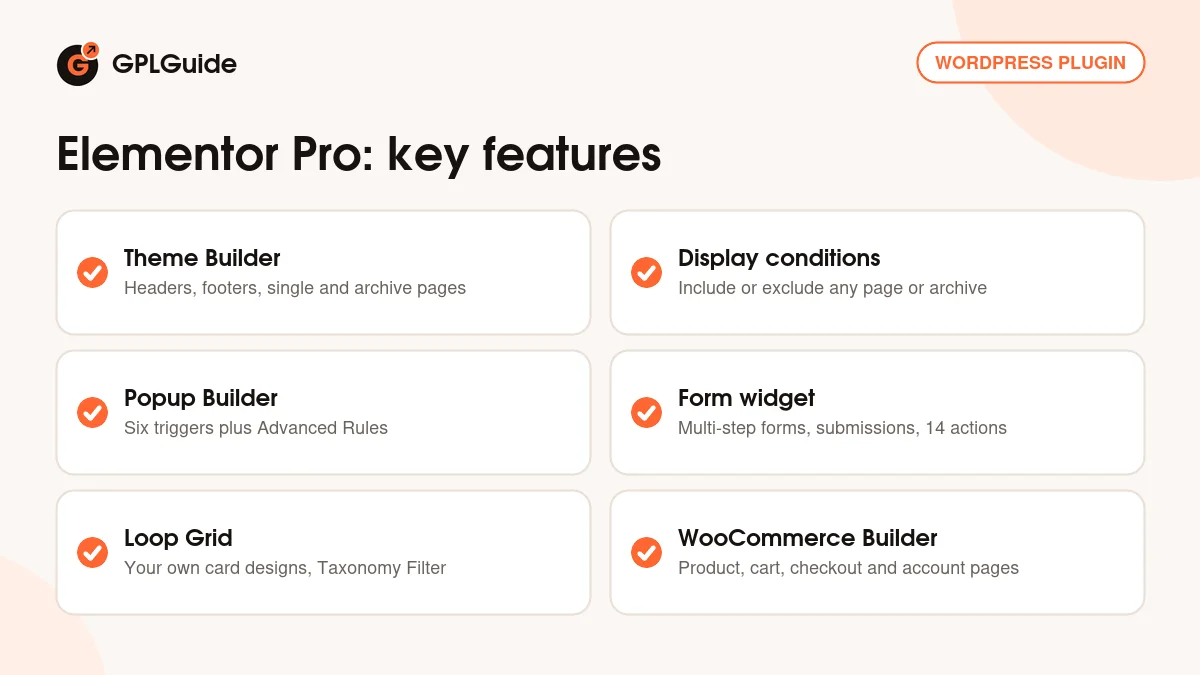
The Theme Builder lives under Templates, Theme Builder. Each template is a site part: a Header, a Footer, a Single Post or Single Page layout, an Archive, a 404 page and, on WooCommerce stores, product and shop templates. You design each part once with theme widgets such as Post Title, Featured Image and Post Info, and Elementor Pro fills in the right content on every page.
Where a template shows up is set with display conditions. When you click Publish, a conditions window opens. Click Add condition, choose Include or Exclude, then pick a target: Entire Site, Singular (for example Front Page, Posts, Pages or 404 Page), Archives (such as Author Archive, Search Results or Categories) or WooCommerce (such as Shop Page and Product Category). You can change them later from the arrow next to Publish.
Two details save a lot of head scratching. A Single Page template only applies to pages that use the Default Template in Page Settings, and the Canvas layout hides the header and footer. Single elements can be hidden too: the Display Conditions icon at the bottom of the panel tests things like Login Status, Role, Day of the week and From URL. Elementor notes that these element conditions don't work well with page caching.
Popups and forms in Elementor Pro
Popups are templates as well. You set the Width, Height, position, Overlay, Close Button and animations, and the Advanced tab adds Automatically Close After, Prevent Closing on Overlay, Disable Page Scrolling and Avoid Multiple Popups. When you publish, Conditions decide the pages, Triggers decide the moment (On Page Load, On Scroll, On Scroll To Element, On Click, After Inactivity or On Page Exit Intent) and Advanced Rules narrow it down, for example Show up to X times or Hide for logged in users.
The Form widget is set up in tabs: Form Fields, Buttons, Actions after Submit, Collect Submissions, Email, Steps Settings and Additional Options. Steps turn a long form into a multi-step form. Actions after submit include Collect Submissions, Email, Email 2, Redirect, Webhook, MailChimp, ActiveCampaign, ConvertKit, MailerLite, Slack, Discord and Popup, and developers can register their own.
Collect Submissions is on by default. Entries are saved under Elementor, Submissions, where you can use Export All to CSV or Export Selected to CSV. If you would rather not store entries on the site, turn Form Submissions off under Elementor, Settings, Advanced.
Loop Grid, dynamic tags and custom code
Loop Grid shows posts, products or categories using a Loop Item template that you design yourself. Pick the template type, then set Columns, Items Per Page, Masonry and Equal height. Apply an alternate template drops a differently designed card into the grid. The Query tab sets the Source, such as Posts, Current Query or Related items, and pagination can be Numbers, Previous/Next, Load on Click or Infinite Scroll. Add the Taxonomy Filter widget and visitors can filter by category or tag.
Dynamic Tags tie it all together. Click the dynamic icon at the top right of a field and fill it with live data, such as the post title or a custom field. Elementor Pro reads ACF Field, Pods Field and Post Custom Field values, so custom post types built with those plugins can appear in your templates.
Under Elementor, Custom Code you add snippets such as analytics scripts without editing theme files. Each snippet gets a Location (the head, the start of the body or the end of the body), a Priority from 1 to 10 where lower runs first, and its own conditions. PHP is not supported there.
Setups you can copy with Elementor Pro
- Agency starter: a Header and Footer published to Entire Site, a Single Post template with Post Title, Featured Image, Post Info and Post Content, and an Archive template with a Loop Grid.
- Exit offer: a popup with a short Form, the trigger On Page Exit Intent and the rules Show up to X times (set to 1) and Hide for logged in users, with MailChimp as an action after submit.
- Closed sign: a banner with Display Conditions on Day of the week and Time of day, so it only shows outside opening hours. It uses the server's clock.
- Magazine blog: a Loop Grid with Masonry, an alternate template every few posts, a Taxonomy Filter on top and Load on Click pagination.
- WooCommerce shop: a product template with Product Images, Product Price and Add To Cart, a Shop Page archive with Archive Products, and Menu Cart in the header.
What's new in Elementor Pro 4.3.2
Elementor Pro 4.3.2 came out on October 13, 2026, the same day as free Elementor 4.3.5. It is a small maintenance release with two fixes: stronger security checks in form handling, and a fix for Loop term filters that could be ignored on some sites.
Version 4.3.1 (September 30, 2026) removed PHP warnings on frontend pages when WooCommerce was active and restored the missing Content and Style controls for Global Widgets. The bigger step was 4.3.0 on September 22, 2026. It extended Elementor MCP with Pro abilities for Theme Builder templates, Popups and Components, and gave loops taxonomy filtering, alternating templates with a set frequency, custom empty states and disabled styling for Previous and Next buttons. Version 4.2.3 (August 31, 2026) updated WordPress compatibility to 7.1.
Good to know before you buy
Elementor Pro is not a standalone builder. It needs the free Elementor plugin installed and active, and the two should be kept current together. Editing works on desktop computers only, not on phones or tablets.
Some parts of the Elementor world run on Elementor's own servers and belong to an Elementor account, not to the plugin file. Elementor AI (AI code, copy, images and layouts) uses credits from an Elementor One plan, and unused credits don't roll over. Cloud Templates are a personal library stored with your Elementor account, with plan limits from 10 to 5,000. The Pro website kits and templates in the online library, and Elementor Hosting, are Elementor's services too.
Elementor MCP connects your own AI tool, such as Claude Code, Cursor or Codex, through a WordPress application password. It needs WordPress 6.8 and both plugins at 4.3.0 or newer, and AI usage costs come from that tool.
Elementor Pro from GPLGuide vs the official subscription
From GPLGuide you get the original Elementor Pro 4.3.2 plugin file, released under the GPL, for your own websites. The file comes with the license key already activated, so there is no key to enter. The Theme Builder, popups, forms, loops, dynamic tags, custom code and WooCommerce widgets in the file work just as Elementor built them.
A subscription bought from Elementor adds what only Elementor can give: help from its support team, the 30-day money-back guarantee on annual plans, updates inside your dashboard, and the services on its servers, such as AI credits, Cloud Templates and the Pro kits library. Elementor's plans start at $60 per year for the Essential plan on one website, and the Advanced plan is $99 per year for three websites. If you need the plugin itself, GPLGuide has the same file, on its own or with a membership.
How to install Elementor Pro
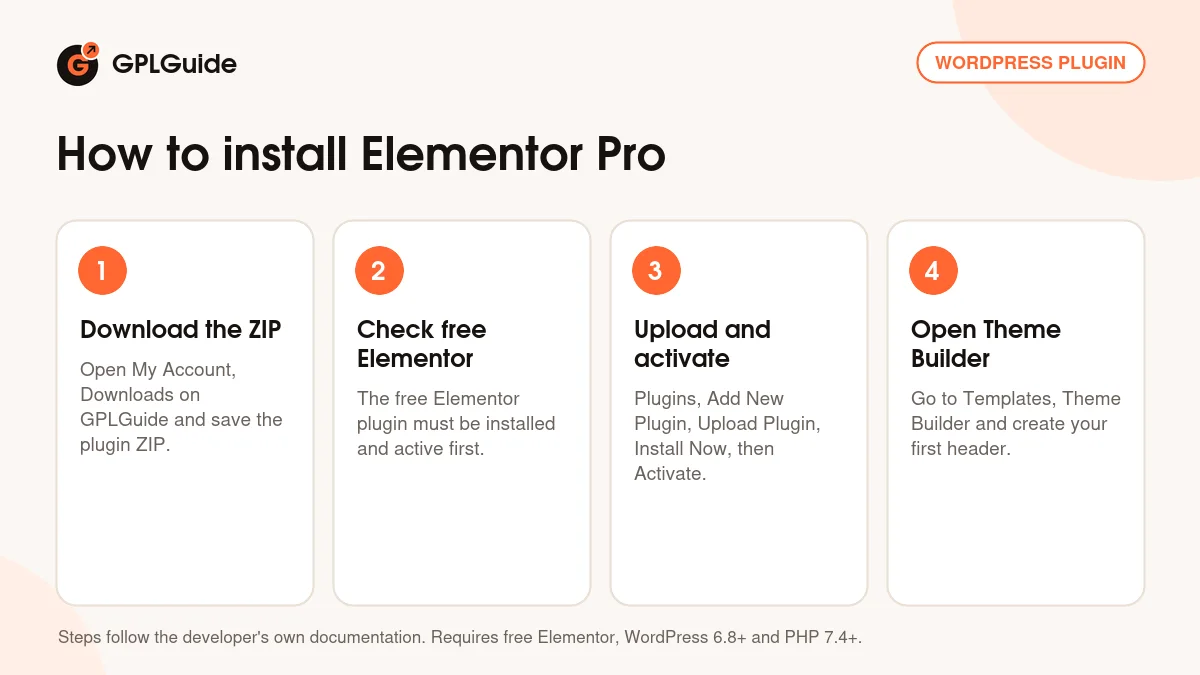
- Sign in to GPLGuide, open My Account, Downloads and save the Elementor Pro ZIP.
- Make sure the free Elementor plugin is installed and active.
- Go to Plugins, Add New Plugin, Upload Plugin, choose the ZIP and click Install Now.
- Click Activate Plugin, then open Templates, Theme Builder.
A good first setup is the header and footer. Add a Header with Site Logo, Menu and a button, and publish it to Entire Site. Do the same for the Footer, then build a Single Post template and publish it for Posts. With those three live, every blog post uses your design. If WordPress mentions a missing style.css file, you uploaded the ZIP as a theme; Elementor Pro is a plugin.
Keeping it up to date
Updates from GPLGuide are manual. When a new version is listed in your account, download it and upload it under Plugins, Add New Plugin, Upload Plugin. WordPress offers to replace the installed copy, and your templates and popups stay on your site. Update the free Elementor plugin first, as Elementor advises. If you spot a newer version that we haven't added yet, let us know on the Request Item/Update page.
Questions about Elementor Pro
Do I need the free Elementor plugin as well? Yes. Elementor Pro is an add-on, so the free plugin must be installed and active first.
Do I have to enter a license key? No. The file comes with the license key already activated, so you can install it and start building.
Is Elementor AI included? Elementor AI runs on Elementor's servers and uses credits from an Elementor One plan on an Elementor account. It is not part of the plugin file.
Can I design WooCommerce product and shop pages? Yes. Elementor Pro has widgets for product pages, the shop archive, cart, checkout and My Account, and conditions such as Shop Page and Product Category.
Where do form entries go? With Collect Submissions on, they appear under Elementor, Submissions and can be exported to CSV. You can also send them by email or to a webhook.
Can a popup show only once per visitor? Yes. Use the Advanced Rule Show up to X times, and Avoid Multiple Popups if you run several.
Can I edit my site on a phone? No. Elementor supports editing on desktop computers only, so plan your design work on a laptop or desktop.
Does Elementor Pro 4.3.2 work with Elementor MCP? Yes. MCP needs Elementor and Elementor Pro 4.3.0 or newer and WordPress 6.8. Switch it on under Elementor, Elementor MCP.
Building with Elementor? Browse more WordPress plugins on GPLGuide, or see what a GPLGuide membership includes. The free Elementor plugin that Elementor Pro needs is on WordPress.org.
Features & capabilities
- Theme Builder for headers, footers, single, archive and 404 templates
- Display conditions with Include and Exclude rules for every template
- Popup Builder with six triggers and Advanced Rules
- Form widget with multi-step forms, saved submissions and many actions after submit
- Loop Grid and Loop Carousel with your own Loop Item designs and Taxonomy Filter
- Dynamic Tags with ACF Field, Pods Field and Post Custom Field support
- Custom Code, Custom CSS, Custom Fonts and Custom Icons
- WooCommerce Builder with product, cart, checkout and My Account widgets