The short answer
- The best landing page plugin for most WordPress sites is Elementor Pro: a drag-and-drop editor with a popup builder and multi-step forms, and the only plugin on all 8 top lists we read.
- Building pages for clients who'll edit them? Beaver Builder Pro is stable, simple to hand over and has its own landing page templates.
- Want to stay in the block editor? Kadence Blocks Pro or Spectra Pro add popups, dynamic content and conditions to the blocks you know.
- Selling a product from the page? CartFlows Pro or FunnelKit Funnel Builder Pro replace the WooCommerce checkout and add order bumps and one-click upsells.
- Only need sign-ups on pages you already have? Convert Pro adds popups, slide-ins and info bars.
Quick picks
| If you need | Pick |
|---|---|
| Most recommended overall | Elementor Pro |
| Client sites that others will edit | Beaver Builder Pro |
| Divi's design tools on any theme | Divi Builder |
| Fast pages that replace the theme | Breakdance Pro |
| Landing pages, popups and stories in one builder | Brizy Pro |
| Block editor pages with popups and conditions | Kadence Blocks Pro |
| Block editor pages with login and loops | Spectra Pro |
| Block editor forms with autoresponders | Otter Blocks Pro |
| WooCommerce funnels with one-click upsells | CartFlows Pro |
| A better checkout for the whole store | FunnelKit Funnel Builder Pro |
| Funnels designed in the builder you already use | WPFunnels Pro |
| Funnels with smart coupons and discounts | SellKit Pro |
| Popups and opt-in forms on existing pages | Convert Pro |
What a landing page is, and does WordPress have them?
A landing page is a page built for one action: join a list, book a call, download a guide or buy one product. Most visitors arrive from an ad, an email or a social post, so the page leaves out the menu, sidebar and other exits and keeps only what helps them decide. Your home page introduces the whole business; a landing page sells one thing.
WordPress can make landing pages without a plugin. Any page in the block editor can be one, and many themes have a blank, full-width template. A plugin earns its place when you want ready landing page templates, forms that send leads to your email tool, popups, timers, A/B tests or a checkout right on the page. If you sell with WooCommerce, a funnel builder goes further and adds offers before and after payment.
What to look for in a WordPress landing page plugin
- Templates you'd actually use. Starting from a finished layout saves hours. Check that the templates fit your kind of offer.
- A blank canvas option. You should be able to hide the theme's header, footer and menu on a landing page.
- Forms that reach your tools. Look for direct connections to your email service or CRM, or webhooks if yours isn't listed.
- Popups and timers. Exit-intent popups and countdowns help on launch and sale pages.
- Testing. A/B split tests tell you which headline or offer wins. Only a few plugins here have them built in.
- Speed on phones. Most ad traffic is mobile, so a heavy page loses visitors before they read the headline.
How we picked the best WordPress landing page plugins
We started from the page builders, block plugins and funnel builders in the GPLGuide library. Then, on 10 November 2026, we read the 8 highest-ranking articles on Google for "best WordPress landing page plugins" that we could open, and noted which plugins each one recommends. A plugin made our list only if:
- It builds or improves landing pages, with layouts, forms, popups or a checkout, not only a single widget.
- It runs inside WordPress. Hosted landing page services keep your pages on someone else's servers, so they're not here.
- Our copy is a recent release, so you aren't starting on old code.
Within each group, picks follow the number of lists that include them. Elementor is on all 8 lists, and Beaver Builder and Divi are on 7 each. The block editor plugins and most funnel builders are on one list or none, which is a gap: they're the better tool for many jobs. No plugin paid to be on this list.
5 page builders for landing pages
Page builders give you full control over the layout, with drag-and-drop editing, templates and site-wide styles. Pick one of these if you design many pages or want the landing page to match the rest of a custom site.

The best all-round landing page builder
1. Elementor Pro
Elementor Pro is the landing page plugin every list we read includes, and for good reason. You design the page in Elementor's drag-and-drop editor, then add the Pro tools that turn it into a lead or sales page: a Form widget with multi-step forms, saved submissions and actions after submit, a Popup Builder with six triggers and advanced rules, and display conditions for every template. The Theme Builder lets you build a header-free layout once and reuse it, and the WooCommerce Builder designs product and checkout pages.
Key features
- Form widget with multi-step forms and saved submissions
- Popup Builder with six triggers and advanced rules
- Theme Builder templates with include and exclude conditions
- Loop Grid, Loop Carousel and dynamic tags for custom fields
- WooCommerce Builder for product, cart and checkout pages
Pros
- The biggest choice of templates, addons and tutorials
- Forms and popups without extra plugins
Cons
- No built-in A/B testing
- Needs a 256 MB memory limit and recent PHP
- Builds: Pages, popups, forms and site templates
- You'll need: The free Elementor plugin

Client sites that others will edit
2. Beaver Builder Pro
Beaver Builder Pro is the calm, reliable builder agencies hand to clients. Its Templates tab opens on Landing Pages, with more groups for content pages, micro pages and prebuilt rows, so a quick landing page is a template, new text and a form away. The Subscribe Form connects to services such as Mailchimp, ActiveCampaign, Brevo, ConvertKit and MailerLite, and can redirect to a thank-you page. A Popup module shows on delay, scroll or exit, and Components lock the design while leaving text editable.
Key features
- Landing Pages, Content Pages and Micro Pages templates
- Subscribe Form with Mailchimp, ActiveCampaign, Brevo and MailerLite
- Contact Form with reCAPTCHA
- Popup module with delay, scroll and exit triggers
- Components, Globals and Global Styles for reusable sections
Pros
- Clean, predictable editor for clients
- Components stop clients breaking the design
Cons
- Fewer built-in widgets than Elementor
- Theme building needs a separate plugin
- Builds: Pages, landing page templates, forms and popups
- You'll need: WordPress 6.8 or newer; any theme
Divi's design tools on any theme
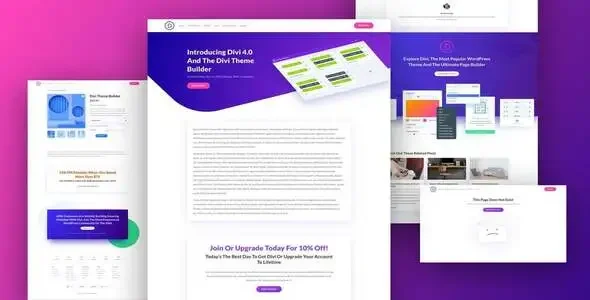
3. Divi Builder
Divi Builder is the stand-alone plugin version of the Divi page builder, so you get Divi's visual drag-and-drop design on the theme you already use. You build landing pages visually, save layouts to the Divi Library or Divi Cloud and reuse them, and set global presets so buttons and headings look the same everywhere. The Theme Builder designs templates, Divi AI writes text and creates images, and the Role Editor limits what each user can change. It works with any theme coded to WordPress standards.
Key features
- Visual drag-and-drop editing with Divi's design tools
- Divi Library and Divi Cloud for saving and reusing layouts
- Global presets for consistent module styles
- Theme Builder and a Theme Builder Library
- Divi AI for text, images and code, plus a Role Editor
Pros
- Keep your current theme
- Saved layouts make a series of landing pages quick
Cons
- Themes that ignore WordPress coding standards can clash with it
- You don't need it if you already run the Divi theme
- Builds: Pages, templates and reusable layouts
- You'll need: A theme coded to WordPress standards; PHP 7.4 or newer

Fast pages that replace the theme
4. Breakdance Pro
Breakdance Pro takes over the job of both your page builder and, by default, your theme, so a landing page carries no theme code at all. Its design library has 1,000+ templates, the popup builder triggers on page load, scroll, inactivity and exit intent or after a form is sent, and the form builder connects to marketing tools, sends webhooks and exports entries. WooCommerce product, cart and checkout pages are styled in the same editor, and AI agents can build pages for you over MCP.
Key features
- Design library of 1,000+ templates
- Popup builder with load, scroll, inactivity and exit-intent triggers
- Form builder with marketing integrations, webhooks and CSV export
- WooCommerce product, cart and checkout styling
- AI agents can build pages, templates and forms over MCP
Pros
- No theme code slowing the page
- Popups and forms built in
Cons
- Disables your theme by default, so move theme code first
- A smaller community than Elementor
- Builds: Pages, popups, forms and templates, with no theme needed
- You'll need: No other plugin or theme; PHP 8.3 recommended

Landing pages, popups and stories in one builder
5. Brizy Pro
Brizy Pro adds a landing page builder, a popup builder, a theme builder, WooCommerce page building and a stories builder to the free Brizy page builder. You design visually, without code, and the contact form builder handles multi-field forms. Dynamic templates cover posts and archives, and the menu extras give you mega menus and sticky headers. It reads custom fields from ACF, Pods, Toolset and Metabox, and the AI integration helps you draft pages.
Key features
- Landing page, popup, theme, WooCommerce and stories builders
- Contact form builder with multi-field forms
- Dynamic templates for posts and archives
- Mega menus, hamburger menus and sticky headers
- Custom fields from ACF, Pods, Toolset and Metabox
Pros
- Simple editor for beginners
- Stories builder for mobile-style pages
Cons
- Needs the free Brizy plugin installed first
- Fewer third-party addons than the big builders
- Builds: Landing pages, popups, theme templates and stories
- You'll need: The free Brizy plugin
3 block editor plugins for landing pages without a page builder
If you already write in the block editor, you don't need a page builder for a good landing page. These plugins add the missing pieces, such as popups, dynamic content and display conditions, to the blocks you know.

Block editor pages with popups and conditions
6. Kadence Blocks Pro
Kadence Blocks Pro turns the block editor into a page builder you'd happily use for landing pages. The Modal block opens any content in a popup from a button, the Video Popup block plays a video from a thumbnail, and Conditional Display shows or hides a block by the rules you set. Dynamic Content fills blocks from post data and custom fields, Query Loop (Adv) controls exactly which posts appear, and the Advanced Slider, Split Content and Image Overlay blocks cover common landing page sections.
Key features
- Modal block for popups opened from a button
- Video Popup block
- Conditional Display for any block
- Dynamic Content from post data and custom fields
- Advanced Slider, Split Content and Image Overlay blocks
Pros
- Fast pages with no page builder code
- Works with any theme
Cons
- No built-in A/B testing or funnels
- Needs the free version installed first
- Builds: Popups, advanced loops, sliders and dynamic content
- You'll need: The free version; WordPress 6.6 and PHP 7.4 or newer

Block editor pages with login and loops
7. Spectra Pro
Spectra Pro adds the blocks a landing page or member page needs to the free Spectra block builder. The Loop Builder lists posts, products or custom post types in grids, the Login and Register blocks put sign-in and sign-up forms on a page you design, and Dynamic Content reads fields from ACF, Pods and Meta Box. It also extends the free version's popup builder and adds a countdown extension for launch and sale pages, plus an Instagram feed block.
Key features
- Loop Builder for posts, products and custom post types
- Login and Register blocks
- Dynamic Content from ACF, Pods and Meta Box
- More popup builder options
- Countdown extension and Instagram feed block
Pros
- Popups and countdowns in the block editor
- Good for member and course sign-up pages
Cons
- Needs the latest free version
- No funnel or checkout tools
- Builds: Loops, login and register forms, popups and countdowns
- You'll need: The latest free version

Block editor forms with autoresponders
8. Otter Blocks Pro
Otter Blocks Pro is the block editor pick for landing pages that collect leads. Its form block gains autoresponder emails, webhooks, extra field types, submission export and an AI autoresponder that replies to each sign-up. Popup and modal blocks show offers and sign-up forms, and visibility conditions can show a block by cart contents, cart value, purchase history or total spent. For shops, the WooCommerce Product Builder designs product pages with blocks and an add to cart button goes anywhere.
Key features
- Form autoresponders, webhooks and submission export
- AI autoresponder for form submissions
- Popup and modal blocks
- Visibility conditions by cart, purchase history and total spent
- WooCommerce Product Builder and add to cart block
Pros
- Lead forms with follow-up emails built in
- Shop-aware conditions for offers
Cons
- Needs the free version installed and active
- Fewer layout blocks than Kadence
- Builds: Forms, popups, WooCommerce blocks and visibility conditions
- You'll need: The free version; WordPress 6.6 or newer
5 funnel and lead capture plugins
A funnel builder joins the landing page to a checkout and the offers around it. Choose one of the first four if you sell with WooCommerce, and Convert Pro if you only need sign-up forms on pages you already have.

WooCommerce funnels with one-click upsells
9. CartFlows Pro
CartFlows Pro adds the selling tools to the free CartFlows funnel builder. You build a funnel from a template, then add an order bump on the checkout step, one-click upsells and downsells after payment, and Dynamic Offers that change with the cart. Split testing compares two versions of a step, Checkout Expiry closes a checkout after a set time, and Instant Checkout speeds up the whole store. Upsells work with Stripe, WooCommerce PayPal Payments, Square, Authorize.net, Mollie, bank transfer and cash on delivery.
Key features
- Order bumps on the checkout step, with conditions
- One-click upsells and downsells after payment
- Dynamic Offers and split testing
- Checkout Expiry and Instant Checkout
- Funnel templates for your page builder
Pros
- Split testing built in
- Upsells on the most common gateways
Cons
- Needs the free CartFlows plugin and WooCommerce
- Other gateways skip the upsell step
- Builds: Funnels with checkout, order bumps, upsells and split tests
- You'll need: WooCommerce and the free CartFlows plugin

A better checkout for the whole store
10. FunnelKit Funnel Builder Pro
FunnelKit Funnel Builder Pro combines opt-in, sales and thank-you pages with the checkout, order bump and upsell tools in one suite on top of the free Funnel Builder. Its store checkout replaces the default WooCommerce checkout across the whole shop, in one or more steps, and order bumps have display rules. One-click upsells show for orders paid through a compatible gateway such as Stripe, PayPal, Braintree or Authorize.net. You design each page in the page builder your site already uses.
Key features
- Opt-in, sales and thank-you pages
- Store checkout that replaces the WooCommerce checkout
- Order bumps with display rules
- One-click upsells on compatible gateways
- Works with the page builder you already use
Pros
- Improves the checkout for every order, not only funnels
- One suite instead of several add-ons
Cons
- Needs the free Funnel Builder plugin
- Email automation is a separate product
- Builds: Opt-in, sales and thank-you pages, checkout, bumps and upsells
- You'll need: WooCommerce and the free Funnel Builder plugin

Funnels designed in the builder you already use
11. WPFunnels Pro
WPFunnels Pro maps each funnel on a drag-and-drop canvas, then lets you design every step in Elementor, the block editor, Divi, Bricks or Oxygen. Pro lifts the free version's limits to unlimited order bumps and one-click upsells and downsells, adds A/B split testing and funnel analytics, and replaces the WooCommerce checkout with custom checkout pages. Lead generation funnels with an opt-in step build an email list without WooCommerce. One-click offers work with Stripe, WooPayments, Mollie and PayPal.
Key features
- Funnel canvas with landing, checkout and offer steps
- Unlimited order bumps and one-click upsells and downsells
- A/B split testing and funnel analytics
- Lead generation funnels with an opt-in step
- Templates synced for Elementor, the block editor, Divi, Bricks and Oxygen
Pros
- The canvas makes the whole funnel easy to see
- Lead funnels work without WooCommerce
Cons
- Needs the free version, and WooCommerce for sales funnels
- Smaller template choice than CartFlows
- Builds: Funnels on a canvas, checkout, bumps, upsells and A/B tests
- You'll need: The free version; WooCommerce for sales funnels
Funnels with smart coupons and discounts
12. SellKit Pro
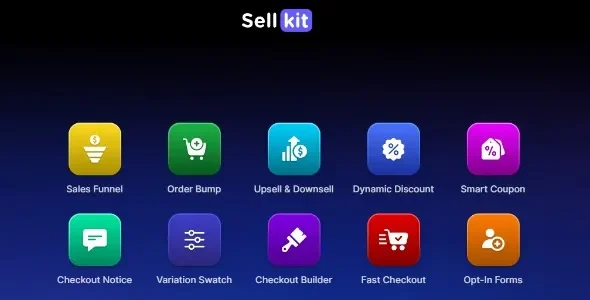
SellKit Pro builds funnels on a visual canvas with conditions and ready templates, then adds one-click order bumps, upsells, downsells and opt-in steps. Its checkout comes in single-step or multi-step layouts with custom fields and address suggestions as customers type. What sets it apart is the marketing layer: smart coupons based on shopping history, dynamic discounts by cart and location, and urgency notices on the cart and checkout. Analytics track visits, orders, revenue and conversion rate per funnel.
Key features
- Visual funnel canvas with conditions and templates
- Order bumps, upsells, downsells and opt-in steps
- Single-step or multi-step checkout with address suggestions
- Smart coupons, dynamic discounts and checkout notices
- Funnel analytics, plus Google Analytics and Meta Pixel
Pros
- Coupons and discounts built into the funnel
- Detailed analytics per funnel
Cons
- Needs WooCommerce and the free version
- Built around Elementor, which is recommended
- Builds: Funnels, checkout, bumps, upsells, coupons and notices
- You'll need: WooCommerce and the free version; free Elementor recommended
Popups and opt-in forms on existing pages
13. Convert Pro
Convert Pro builds popups, info bars, slide-ins, full-screen mats and inline opt-in forms in a drag-and-drop editor, then decides when each one appears, on which pages and for which visitors. Most people start from one of 45+ templates in its Template Cloud and change the words and colors, and a separate mobile editor fixes the design on small screens. It's the quickest way to add sign-ups or an exit-intent offer to landing pages you already built with another tool.
Key features
- Popups, info bars, slide-ins, full-screen mats and inline forms
- 45+ templates in the Template Cloud
- Triggers, page targeting and frequency rules
- Separate mobile editor
- After-post and widget opt-in boxes
Pros
- Works with any page builder or theme
- Good targeting rules for offers
Cons
- Email service connections and A/B tests need the separate Convert Pro Addon plugin
- Not a page builder on its own
- Builds: Popups, info bars, slide-ins and inline forms
- You'll need: No other plugin for the forms; the Convert Pro Addon for email services
All 13 at a glance
| # | Plugin | Best for | Builds | You'll need |
|---|---|---|---|---|
| 1 | Elementor Pro | The best all-round landing page builder | Pages, popups, forms and site templates | The free Elementor plugin |
| 2 | Beaver Builder Pro | Client sites that others will edit | Pages, landing page templates, forms and popups | WordPress 6.8 or newer; any theme |
| 3 | Divi Builder | Divi's design tools on any theme | Pages, templates and reusable layouts | A theme coded to WordPress standards; PHP 7.4 or newer |
| 4 | Breakdance Pro | Fast pages that replace the theme | Pages, popups, forms and templates, with no theme needed | No other plugin or theme; PHP 8.3 recommended |
| 5 | Brizy Pro | Landing pages, popups and stories in one builder | Landing pages, popups, theme templates and stories | The free Brizy plugin |
| 6 | Kadence Blocks Pro | Block editor pages with popups and conditions | Popups, advanced loops, sliders and dynamic content | The free version; WordPress 6.6 and PHP 7.4 or newer |
| 7 | Spectra Pro | Block editor pages with login and loops | Loops, login and register forms, popups and countdowns | The latest free version |
| 8 | Otter Blocks Pro | Block editor forms with autoresponders | Forms, popups, WooCommerce blocks and visibility conditions | The free version; WordPress 6.6 or newer |
| 9 | CartFlows Pro | WooCommerce funnels with one-click upsells | Funnels with checkout, order bumps, upsells and split tests | WooCommerce and the free CartFlows plugin |
| 10 | FunnelKit Funnel Builder Pro | A better checkout for the whole store | Opt-in, sales and thank-you pages, checkout, bumps and upsells | WooCommerce and the free Funnel Builder plugin |
| 11 | WPFunnels Pro | Funnels designed in the builder you already use | Funnels on a canvas, checkout, bumps, upsells and A/B tests | The free version; WooCommerce for sales funnels |
| 12 | SellKit Pro | Funnels with smart coupons and discounts | Funnels, checkout, bumps, upsells, coupons and notices | WooCommerce and the free version; free Elementor recommended |
| 13 | Convert Pro | Popups and opt-in forms on existing pages | Popups, info bars, slide-ins and inline forms | No other plugin for the forms; the Convert Pro Addon for email services |
Every plugin on this list costs $3.99 on its own on GPLGuide (10 November 2026), and all of them come with any GPLGuide membership.
Which of the best WordPress landing page plugins fits your goal
| Your goal | Start with |
|---|---|
| Collect emails for a newsletter or guide | Elementor Pro or Otter Blocks Pro |
| Book calls or consultations | Beaver Builder Pro or Elementor Pro with a booking plugin |
| Sell one product with upsells | CartFlows Pro or WPFunnels Pro |
| Improve checkout for the whole store | FunnelKit Funnel Builder Pro |
| Run a launch with coupons and urgency | SellKit Pro |
| Fast pages without a page builder | Kadence Blocks Pro, Spectra Pro or Breakdance Pro |
| Add sign-ups to pages you already have | Convert Pro |
Why SeedProd, OptimizePress and hosted builders aren't here
SeedProd and OptimizePress are each on 7 of the 8 lists we read. They aren't in our library as current versions, so they aren't on this list. Leadpages, Unbounce and Instapage also show up on several lists, but they're hosted services with monthly plans that keep your pages on their own servers, not WordPress plugins. No plugin was left out for any other reason.
How to build a landing page in WordPress that converts
- One goal per page. Pick one action and remove everything else, including the main menu.
- Match the ad. The headline should repeat the promise of the ad or email that brought the visitor.
- Put the form or button where it's seen. Show it near the top, and again after the main benefits.
- Add proof. Real reviews, numbers and logos near the button do more than a longer description. Our best WordPress plugins for small business list includes a reviews feed.
- Test one change at a time. Change the headline or the offer, not both, so you know what made the difference.
- Check speed on a phone. Compress images, skip autoplay video and keep sliders short; our Elementor slider guide has tips.
How to choose a WordPress landing page plugin
- Name the one action. Decide whether the page collects emails, books calls or sells a product.
- Check what you already use. If your site runs Elementor or the block editor, start with the tools that fit it.
- Selling? Add a funnel builder. For WooCommerce sales, a funnel builder adds the checkout, order bumps and upsells.
- Connect your email tool. Make sure the form sends leads straight to your email service or CRM.
- Build from a template. Start from a landing page template and change the words, images and colors.
- Test and measure. Track sign-ups or sales, then test one change at a time.
Is it legal to get these plugins from GPLGuide?
Yes. The PHP code of a WordPress plugin, including every page builder and funnel builder, is licensed under the GPL, which lets anyone share it and charge for it. Read our GPL license guide for WordPress plugins to see what that covers, and when it's better to buy straight from the developer.
Frequently asked questions
What is the best landing page plugin for WordPress?
Elementor Pro is the best landing page plugin for most WordPress sites, and all 8 top lists we read include it. It adds multi-step forms, a popup builder with six triggers and display conditions to the Elementor editor. CartFlows Pro is the best pick for selling one product.
Is there a free landing page plugin for WordPress?
Free Elementor, Spectra, Kadence Blocks and Otter Blocks are free landing page plugins on the WordPress plugin directory. They build good basic pages. Their Pro versions add popups, advanced forms, conditions and dynamic content, and Elementor Pro, Spectra Pro and Kadence Blocks Pro each cost $3.99 on GPLGuide.
Does WordPress have landing pages?
WordPress has no separate landing page feature, but any page can be a landing page. Build it in the block editor with a blank or full-width template that hides the menu. Plugins such as Elementor Pro and Kadence Blocks Pro add templates, forms and popups for landing pages.
How do I make a landing page in WordPress with Elementor?
To make a landing page in WordPress with Elementor, add a new page, click Edit with Elementor and set the page layout to Elementor Canvas to hide the header and footer. Insert a template, add a Form widget from Elementor Pro, connect your email tool and publish.
Is WordPress good for landing pages?
WordPress is good for landing pages because you own the pages, pay no per-page fees and can connect any form, email or payment tool. A page builder such as Elementor Pro or Beaver Builder Pro makes design quick, and CartFlows Pro adds a checkout and upsells.
What is the difference between a landing page and a home page?
A landing page asks visitors to take one action, such as joining a list or buying one product, and hides the menu and other links. A home page introduces the whole business and links to every section. Most WordPress sites need one home page and several landing pages.
Do I need a funnel builder or a landing page builder?
You need a landing page builder to design pages that collect leads, and a funnel builder when the page sells with WooCommerce. A funnel builder such as CartFlows Pro or FunnelKit Funnel Builder Pro adds the checkout, order bumps and one-click upsells around the landing page.
Can I make a landing page without a page builder?
You can make a landing page without a page builder by using the block editor and a full-width page template. Kadence Blocks Pro adds popups, conditions and dynamic content, Spectra Pro adds login forms and countdowns, and Otter Blocks Pro adds forms with autoresponders.
How do I create a landing page in WordPress for lead generation?
Create a lead generation landing page in WordPress with one headline, a short list of benefits and a sign-up form connected to your email service. Beaver Builder Pro has a Subscribe Form for Mailchimp and MailerLite, and Convert Pro adds exit-intent popups to collect more sign-ups.
Which landing page plugins have A/B testing?
CartFlows Pro and WPFunnels Pro have A/B split testing built in, so you can compare two versions of a funnel step and keep the winner. Most page builders, including Elementor Pro, have no built-in A/B tests and need a separate testing tool.
Can I create multiple landing pages in WordPress?
You can create as many landing pages in WordPress as you like, because each one is a normal page. Save your best layout as a template in Elementor Pro, Divi Builder or Beaver Builder Pro, then reuse it and change only the headline, offer and form.
How we checked this list
Features and requirements come from each plugin's product page on GPLGuide, which follows the developer's own documentation. The list counts come from the 8 highest-ranking articles for "best WordPress landing page plugins" that we could read on 10 November 2026.