Beaver Builder Pro

100% Original fileUnmodified copy of the developer's release
DeveloperFastLine Media
Up to dateOriginal released Oct 8, 2026 · File last updated Oct 16, 2026
About this product
Beaver Builder Pro is the premium version of the Beaver Builder page builder plugin for WordPress, made by FastLine Media, the company behind the Beaver Builder brand. You build pages on the front end by dragging rows, columns and modules into place, and you see the result while you work. This page is for Beaver Builder Pro 2.11.1.2, released on October 8, 2026. On GPLGuide you download the original plugin file to install on your own websites.
Good for: freelancers, small studios and site owners who want a visual drag and drop editor with premium modules, ready templates, reusable sections and site-wide styles, on single sites or on a WordPress Multisite network.
Requirements: WordPress 6.8 or newer, the minimum since version 2.11. The developer says Beaver Builder follows WordPress's own PHP requirements, and the free Lite listing asks for PHP 7.4 or newer. Plan for at least 128 MB of memory (256 MB is better) and keep the WordPress REST API on. It works with almost any theme. Beaver Themer is optional and sold separately.
What Beaver Builder Pro does
Beaver Builder Pro replaces the blank editor screen with a live canvas. Every layout is made of rows, the columns inside them and the modules you drop into those columns. Click any part to open its settings window, change the text, colors, spacing or typography, and the page updates in front of you. When you are happy, you publish.
The premium plugin goes well beyond the free Lite version on WordPress.org. Lite has a small set of modules such as Box, Photo, Button, Heading, Text Editor and Video. Beaver Builder Pro adds modules like Contact Form, Tabs, Content Slider, Pricing Table, Map, Posts and Subscribe Form, plus templates, saved and global content, Global Styles and site-wide settings. Installing the premium version deactivates Lite for you and keeps your layouts.
The "Pro" in the name comes from the developer's older package names. Standard was the page builder plugin alone, Pro added the Beaver Builder Theme and multisite support, and Agency added white labeling and a network-wide settings panel. This listing is the Beaver Builder Pro plugin file, so the theme is a separate download.
Modules, templates and the Content Panel
Everything you add comes from the Content Panel, which has four tabs: Modules, Rows, Templates and Saved. The Rows tab gives you column structures from 1 Column up to 6 Columns, plus sidebar layouts. The Templates tab opens on Landing Pages, with more groups for Content Pages, Micro Pages, Prebuilt Rows and Prebuilt Modules. Click a template and Beaver Builder Pro applies it to the page, ready to edit.
The module index in the developer's docs has 44 entries, from Accordion, Button Group and Callout to Countdown, Gallery, Login Form, Pricing Table, Search, Testimonials and WooCommerce. Box is a container module for flexible layouts. The Loop module is in the list too, but the docs say it needs Beaver Themer, so it does not work with Beaver Builder Pro on its own.
Two modules handle leads. The Contact Form has Name, Subject, Email and Phone fields, a Terms and Conditions Checkbox and Google reCAPTCHA (V2 or V3), and sends messages to the address in Send To Email. The Subscribe Form connects to services such as MailChimp, ActiveCampaign, AWeber, Brevo, ConvertKit, MailerLite and MailPoet.
Saved content, Globals and Components
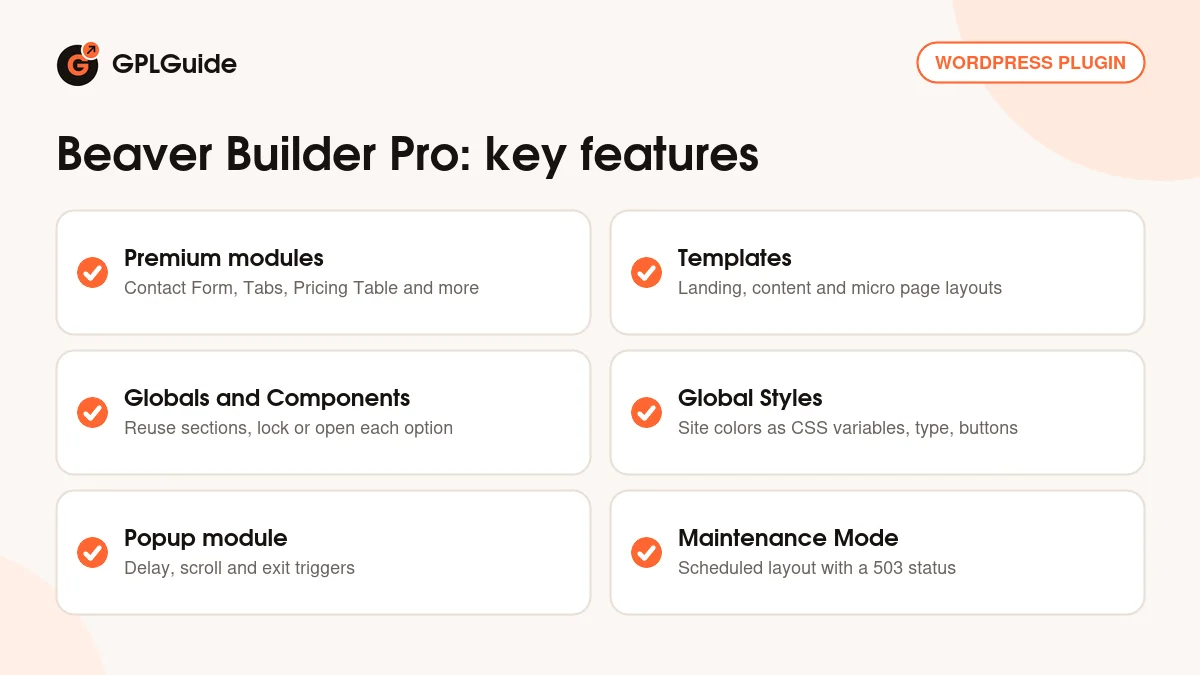
Reusable content is where Beaver Builder Pro saves the most time. Open the settings of any row, column or module, click Save As... and pick a Type. A Template is a plain copy that is no longer linked once you place it. A Global stays linked, so when you edit it, every page that uses it changes too. That suits a call to action band you show across the site.
Components sit in between. When you save a Component, each option gets a small socket icon: gray means locked, blue means each page can change it. You might lock the colors and layout of a team card but leave the name, photo and job title editable. Saved items live in the Saved tab and in the Layouts menu in the WordPress admin, and the [fl_builder_insert_layout id="123"] shortcode places them in other content.
Site-wide styles, settings and Maintenance Mode
Global Styles (Tools menu, or Ctrl+G) sets defaults for text, headings, links and buttons, and holds a global color palette. Each color becomes a CSS variable named --fl-global-[name]. Global Settings (Ctrl+U) controls row spacing, the default row Max Width of 1100px and the responsive breakpoints: Large 1200px, Medium 992px and Small 768px by default. It also takes site-wide CSS and JavaScript.
Under Settings, Beaver Builder in the WordPress admin you choose which post types can use the builder, which modules appear, and who can do what in User Access. A role can get Builder Access only, or Unrestricted Editing, Global and Component Editing and Builder Admin as well.
Version 2.11 added a Maintenance tab to Beaver Builder Pro. Pick a Maintenance Layout, choose Bypass Roles, set an optional Schedule, and leave Protect search rankings on so visitors get a 503 status. The same release added the Popup module, with Show On options for Delay, Scroll and Exit, Show Once set to Per User or Per Session, and optional start and end dates.
Page setups you can copy with Beaver Builder Pro
- Quick landing page: start from a Landing Pages template, swap the text and photos, and add a Subscribe Form linked to your MailChimp or MailerLite list. Set the Success Action to Redirect to send people to a thank-you page.
- Site-wide call to action: build one row with a Heading, a short text and a Button, save it as a Global and add it to your service pages. When the offer changes, edit it once.
- Team or service cards: save a Box with a Photo, Heading and Text Editor as a Component. Lock the design, make the photo and text editable, then reuse it for each person.
- Newsletter popup: add a Popup module with Show On set to Scroll, a Show on Percent Scrolled value of 50 and Show Once set to Per User, so returning visitors are not asked again.
- Client-safe editing: give the Editor role Builder Access but not Unrestricted Editing, so your client can change text and images without touching the layout.
Test popups and maintenance mode in a private browser window. Administrators always bypass maintenance mode, so you will not see it while logged in.
What's new in Beaver Builder Pro 2.11.1.2
Version 2.11.1.2 came out on October 8, 2026 as a hotfix. It fixes AJAX results in the Search module, which came back empty for most visitors, and Multisite Network Admin settings that did not save. It also stops Layout Settings from clearing a page's Parent Page, makes the Popup Delay trigger fire when Show Delay is 0, and tidies up Maintenance Mode dates and the preview link.
Version 2.11.1.1 (September 30, 2026) was a security release that fixed a possible SQL injection in the Posts modules autosuggest field and possible shortcode execution in Sidebar module widget output. Version 2.11.1 (September 17, 2026) added an option to hide the theme header and footer in Maintenance Mode, a secret preview URL and Outline Panel auto-scroll. The 2.11 release on July 7, 2026 brought the Popup module, Maintenance Mode, Settings Snapshots and Custom Attributes, and raised the minimum to WordPress 6.8.
Good to know before you buy
Beaver Builder Pro is the page builder plugin only. Beaver Themer, the theme builder for headers, footers and archive layouts, is a separate plugin, and so is the Beaver Builder Theme. The Loop module needs Beaver Themer, and so do site-wide popup layouts.
Beaver Builder AI is not inside this file either. The developer ships it as a separate plugin for its Plus plan and higher, and you connect your own Anthropic, OpenAI or OpenRouter API key. Beaver Builder Cloud, the cloud icon in the editor, needs an Assistant Pro account with the developer.
White labeling through the Branding and Help Button tabs is listed only for the Unlimited license today, and it was an Agency feature in the older plans. Multisite works at the Pro level, but the developer's pages disagree on which plan gets the network-wide settings panel, so do not count on that panel or on white labeling with Beaver Builder Pro.
Beaver Builder Pro from GPLGuide vs the official subscription
From GPLGuide you get the original Beaver Builder Pro 2.11.1.2 plugin file, released under the GPL, to use on your own websites. Everything inside the plugin works the same way: the modules, templates, Globals and Components, Global Styles, User Access, the Popup module and Maintenance Mode.
A license from the developer adds what we cannot pass on: updates inside WordPress through the License tab, Available Downloads such as Beaver Themer and the theme, email support from the Beaver Builder team, the AI plugin on Plus and higher, and a 30-day money-back guarantee on a first purchase. Plans are billed yearly: Starter $89 for one site, Plus $179 for three, Professional $299 for 50 and Unlimited $546. Professional has multisite without white labeling, so it is the closest match to the old Pro level.
How to install Beaver Builder Pro
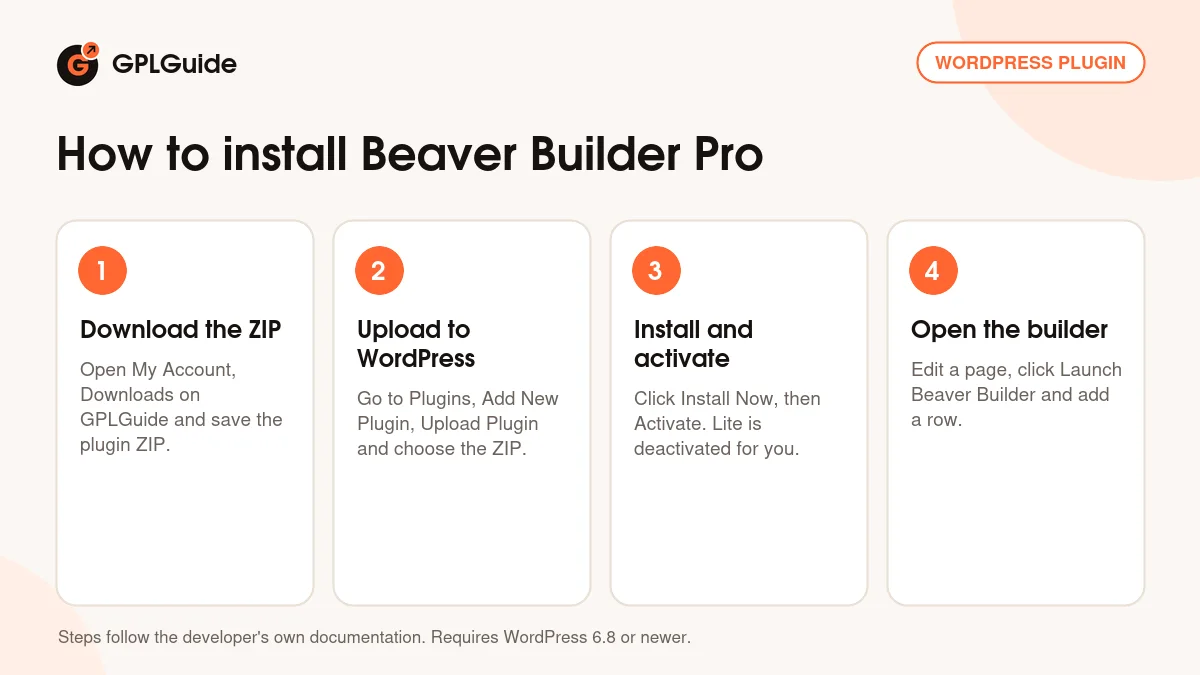
- Sign in to GPLGuide, open My Account, Downloads and save the Beaver Builder Pro ZIP.
- In WordPress go to Plugins, Add New Plugin, Upload Plugin and choose the ZIP.
- Click Install Now, then Activate. If Beaver Builder Lite is installed, it is deactivated for you and your layouts stay.
- Edit a page, click Launch Beaver Builder and drag your first row and modules onto the canvas.
For a good first setup, go to Settings, Beaver Builder, Post Types and switch on the post types you want to build with. Then open the builder, press Ctrl+U to check the row width and breakpoints, and press Ctrl+G to add your brand colors. Build one page from a Landing Pages template and save its call to action row as a Global, and Beaver Builder Pro gives you a base for every page after it.
Keeping it up to date
Updates from GPLGuide are manual. When a new version of Beaver Builder Pro is listed here, download it from your account and upload it under Plugins, Add New Plugin, Upload Plugin. WordPress offers to replace the installed copy, and your layouts and settings stay in place because they are saved in your database. Before a big update you can store a Settings Snapshot under Import / Export. If you spot a newer version that we have not added, tell us on the Request Item/Update page.
Questions about Beaver Builder Pro
Do I need Beaver Builder Lite first? No. Install Beaver Builder Pro directly. If Lite is active, it is deactivated automatically and your Lite layouts are kept.
Does it work with my theme? The developer says it works with almost any theme. The Beaver Builder Theme is optional and a separate download.
Is Beaver Themer included? No. Beaver Themer is a separate plugin for headers, footers and archive layouts, and the Loop module needs it.
Can I use Beaver Builder Pro on a Multisite network? Yes, multisite support is part of the Pro level. White labeling and the network-wide settings panel belong to higher plans.
Does Beaver Builder AI come with it? No. It is a separate plugin for Plus plans and higher, and it uses your own API key.
Can I reuse one section on many pages? Yes. Save it as a Global to keep every copy in sync, as a Component to lock the design but allow content changes, or place it with the [fl_builder_insert_layout] shortcode.
Can I stop clients from breaking a layout? Yes. In User Access, give their role Builder Access without Unrestricted Editing. They can edit content but cannot move rows or change row settings.
Can I build popups without another plugin? Yes. Since version 2.11 the Popup module can open on Delay, Scroll or Exit, or from any link that points to its Popup ID.
Building more sites? Browse other WordPress plugins on GPLGuide, or see what a GPLGuide membership includes if you need several premium plugins. Want to try the editor first? The free Beaver Builder Lite version is on WordPress.org.
Features & capabilities
- Front-end drag and drop editing with rows, columns and modules
- Premium modules such as Contact Form, Tabs, Pricing Table and Subscribe Form
- Landing Pages, Content Pages and Micro Pages templates in the Content Panel
- Saved Templates, linked Globals and Components with editable options
- Global Styles with a color palette exported as CSS variables
- Responsive breakpoints and site-wide CSS and JavaScript in Global Settings
- Popup module and scheduled Maintenance Mode with a 503 status
- User Access roles and multisite support at the Pro level