Advanced Category Listing for Elementor
100% Original fileUnmodified copy of the developer's release
Developercoderkart
Up to dateOriginal released Nov 27, 2024 · File last updated Oct 23, 2026
About this product
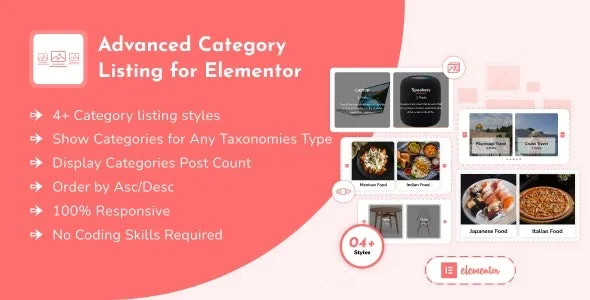
Advanced Category Listing for Elementor 1.0.4 is an Elementor widget that shows your categories as a grid or a slider, with an optional image, short description and post count on each one. It's for sites that want a visual entry point into their content: a shop listing WooCommerce product categories on the home page, a travel blog showing its destinations, or an agency site with project categories. You build and style the listing in the Elementor editor, using the widget's own settings.
What's in the Advanced Category Listing for Elementor download
Our download is the original Advanced Category Listing for Elementor ZIP for version 1.0.4, with the license key already activated. It holds the plugin that adds the widget. Elementor itself is not in the file; you install it from the WordPress plugin screen. Releases the developer made after this version are WordPress and Elementor compatibility checks plus one typography fix, with no new widget options.
Good to know
You need Elementor installed and active; if it's missing, the plugin asks you to install it first. The developer lists it as compatible with WordPress 6.0 and higher, and this version was checked against WordPress 6.7.1. The widget works with Elementor only, not with the block editor or other builders. For a custom taxonomy, register it as hierarchical, or the category image field won't appear. The download is a package: unzip it on your computer first and upload advanced-category-listing-for-elementor.zip, not the whole package.
How to install Advanced Category Listing for Elementor
- If your site doesn't have Elementor yet, install and activate it under Plugins, Add New Plugin.
- Log in to GPLGuide, open this product and click Download under Your downloads.
- Unzip the download on your computer and keep advanced-category-listing-for-elementor.zip ready; upload that file, not the whole download.
- Go to Plugins, Add New Plugin, Upload Plugin, choose advanced-category-listing-for-elementor.zip, click Install Now and then Activate.
- Edit a page with Elementor, search the widget panel for Advanced Category Listing and drag the widget onto the page.
Features & capabilities
- Grid Layout or Slider Layout for each widget, with five ready-made styles to start from.
- Lists terms from any taxonomy: blog categories, WooCommerce product categories or your own.
- Show or hide the image, title, description (with a length limit) and post count.
- Your own wording for the post count, with separate text for one post and for several.
- Order by title, date, menu order, ID or random, ascending or descending, and set how many show.
- Separate column counts for desktop, tablet and mobile, plus row and column gaps in the grid.
- Slider controls for dots, arrows and their icons, slides to show, infinite loop, autoplay speed and pause on hover.
- Style settings for box shadow, borders, padding and image overlay, plus typography and colours; images animate on hover.
Frequently asked questions
Is this the original file?
Yes. Every product on GPLGuide is the developer’s own release, unchanged. The license key comes already activated. If a product does ask for a key, the activation steps appear on its page once you have it.
Is it legal to use a GPL plugin or theme from GPLGuide?
Yes. WordPress plugins and themes are released under the GPL, which lets anyone use, share and change the code. The developer’s support desk and the developer’s own update service are not part of the file; those stay with the developer.
How do I install it?
Log in, open the product page and click Download under Your downloads. For a plugin go to Plugins, Add New Plugin, Upload Plugin, choose the ZIP, then Install Now and Activate. For a theme go to Appearance, Themes, Add New Theme, Upload Theme.
How do updates work?
When a newer version is listed on GPLGuide, download it from the product page and upload it over the installed copy; WordPress offers to replace the old version. Updates are manual.
Can I use it on more than one site?
Yes. The GPL lets you use it on as many of your own sites as you like.
What if the file does not work or a newer version is out?
Tell us on the Request Item page or through Support. We check the file and add the newer version when we have it.