
Apex Notification Bar Responsive Notification Bar Plugin for WordPress
100% Original fileUnmodified copy of the developer's release
DeveloperAccessPress Themes (Access Keys)
Up to dateFile last updated Oct 23, 2026
About this product
Apex Notification Bar 2.1.8 is a plugin that puts a responsive announcement strip at the top or bottom of your WordPress pages. It is made for blogs, shops and business sites that want to announce a sale, a release or a piece of news, or that want to collect email subscribers in a spot every visitor sees. The strip is meant to look right on phones as well as desktop screens, and you can show it on every page or only where it matters.
What's in the Apex Notification Bar download
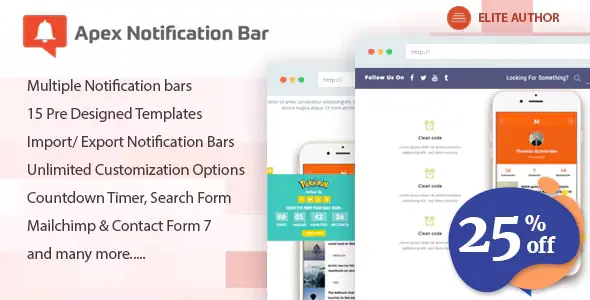
Our download is the original Apex Notification Bar ZIP for version 2.1.8, with the license key already activated. The developer's own listing says the plugin goes beyond a basic bar with 15 templates, several bars on one site, scheduled and page-based bars, left and right positions, a countdown timer, RSS and video popup components, and Mailchimp and Constant Contact connections.
Good to know
The bar stays hidden until you switch the plugin on in its General Settings tab. After that you pick what the bar shows under Components, then set its position and when it appears: always, after a delay, or hidden after a delay. The developer says the plugin works with any theme that follows WordPress theme standards. Subscribers collected through the bar can be exported as a CSV file.
How to install Apex Notification Bar
- Log in to GPLGuide, open this product and click Download under Your downloads.
- In your WordPress dashboard, go to Plugins, Add New Plugin, Upload Plugin and choose the ZIP file you downloaded.
- Click Install Now, wait for WordPress to finish, then click Activate.
- Open the plugin's own menu in the WordPress dashboard, switch the bar on in the General Settings tab, then choose its components, position and visibility.
Features & capabilities
- 15 ready-made bar templates to start from
- Several bars on one site, with date scheduling and page-based display
- Placement at the top (absolute or fixed), at the bottom, or on the left or right
- Text with slider, ticker or scroller effects, buttons, search form and social icons
- Countdown timer, RSS, recent posts, video popup and custom HTML components
- Subscribe form with CSV export, plus Mailchimp and Constant Contact connections
- Close button options and a cookie that keeps the bar hidden for a time you choose
- Google Fonts, colors, background image, custom logo, custom CSS and JS, and import and export of settings
Frequently asked questions
Is this the original file?
Yes. Every product on GPLGuide is the developer’s own release, unchanged. The license key comes already activated. If a product does ask for a key, the activation steps appear on its page once you have it.
Is it legal to use a GPL plugin or theme from GPLGuide?
Yes. WordPress plugins and themes are released under the GPL, which lets anyone use, share and change the code. The developer’s support desk and the developer’s own update service are not part of the file; those stay with the developer.
How do I install it?
Log in, open the product page and click Download under Your downloads. For a plugin go to Plugins, Add New Plugin, Upload Plugin, choose the ZIP, then Install Now and Activate. For a theme go to Appearance, Themes, Add New Theme, Upload Theme.
How do updates work?
When a newer version is listed on GPLGuide, download it from the product page and upload it over the installed copy; WordPress offers to replace the old version. Updates are manual.
Can I use it on more than one site?
Yes. The GPL lets you use it on as many of your own sites as you like.
What if the file does not work or a newer version is out?
Tell us on the Request Item page or through Support. We check the file and add the newer version when we have it.


