AnyWhere Elementor Pro WordPress Plugin

100% Original fileUnmodified copy of the developer's release
DeveloperWPVibes
Up to dateOriginal released Dec 11, 2025 · File last updated Oct 16, 2026
About this product
AnyWhere Elementor Pro is a WordPress plugin by WPVibes that lets you design your own single post, archive, WooCommerce and custom field layouts with the free Elementor page builder. You build a template once, tell it where to appear, and fill it with dynamic widgets that pull in the title, image, ACF fields or product data of the page being viewed. WPVibes now sells it under a new name, Dynific Addons for Elementor. This page is for AnyWhere Elementor Pro 2.29.3, released on December 11, 2025. On GPLGuide you download the original plugin file to install on your own websites.
Good for: Elementor users who want custom templates for posts, custom post types, category pages and the WooCommerce shop without buying Elementor Pro, and developers who build directory, listing or portfolio sites with ACF or Pods fields.
Requirements: The free Elementor plugin. WPVibes says AnyWhere Elementor Pro works with the free version of Elementor, and Elementor Pro is optional. The free AnyWhere Elementor plugin from wordpress.org is not listed as a requirement. No minimum WordPress or PHP version is published, but the troubleshooting guide links activation errors to old PHP and recommends a current version. ACF, WooCommerce, Pods, FacetWP and the other integrations need their own plugins.
What AnyWhere Elementor Pro does
Elementor on its own designs pages one at a time. AnyWhere Elementor Pro adds a theme building layer on top. You create a template in Elementor, choose a Render Mode such as Single Post Template or Taxonomy Archive Template, and the plugin uses your design in place of the theme's layout on those pages. Inside the template you place dynamic widgets that read data from the current post, term, user or product.
The free listing on wordpress.org says the Pro version adds more than 30 widgets. They cover post data, listings (Post Blocks, Post Blocks Adv, Portfolio and Taxonomy Blocks), custom fields (ACF Fields, ACF Repeater, ACF Flexible Content, ACF Gallery, Pods and Custom Field Map) and WooCommerce widgets such as Woo Price, Woo Gallery, Woo Tabs and Woo Add to Cart.
AnyWhere Elementor Pro also extends normal Elementor elements with Dynamic Rules, Dynamic Background and a Background Slider, and adds dynamic tags for ACF fields, ACF options pages and WooCommerce data. Every template gets a shortcode, so you can drop it into a page, a sidebar or a theme file.
Templates, Render Modes and where they appear
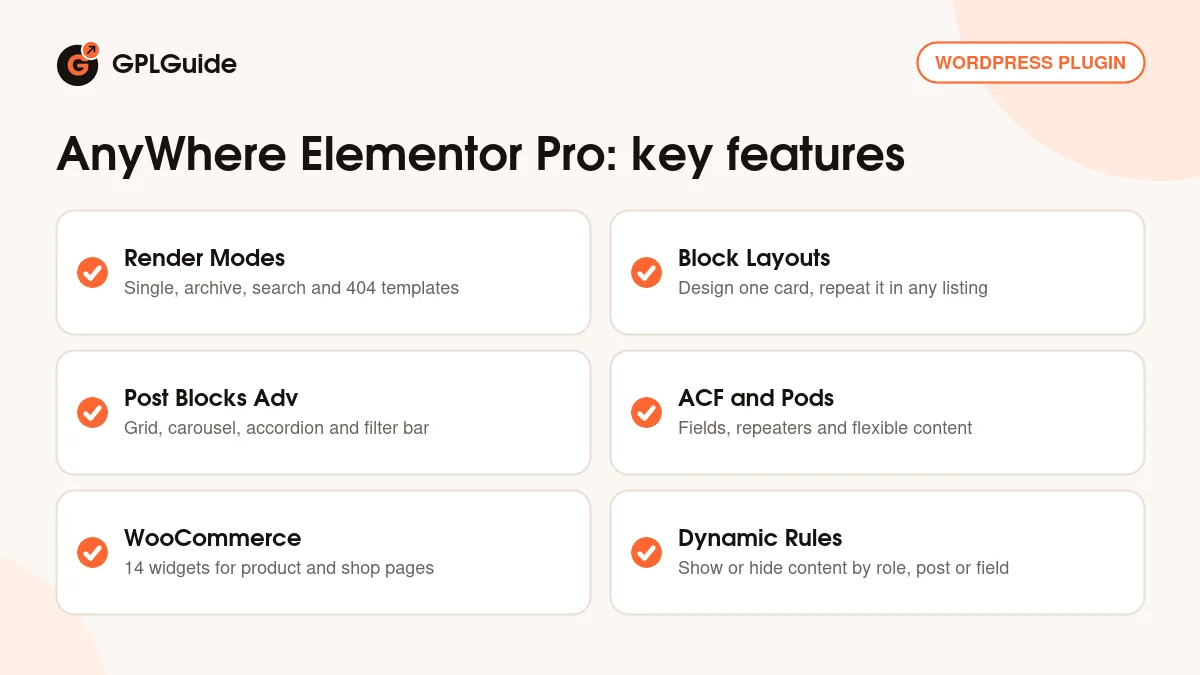
Every design is saved as a template, and its Render Mode decides what kind of page it serves. The options in the developer's docs are Normal, Single Post Template, Taxonomy Archive Template, Post Type Archive Template, Block Layout, 404 Template, Search Template, Author Archive, Date Archive and ACF Blocks for Repeater and Flexible Content fields.
Page templates. A Single Post Template has Post Type and Preview Post fields, so the editor shows real content while you design. A Taxonomy Archive Template uses Taxonomy and Preview Term instead. Tick Auto Apply to make it the default for that post type or taxonomy. The Template setting picks the frame: Theme Default keeps your header, footer and sidebar, Elementor Canvas removes them, and Elementor Full Width keeps the header and footer around a full width content area.
Overrides. A template box on each post lets you choose Global, None or a specific template. On a term edit screen you can set a template for that term's archive and a Singular Template for every post in the term. The most specific choice wins: the post, then the term, then Auto Apply, then your theme.
Normal mode. A Normal template does not replace the page. It goes into a theme hook chosen under Usage Area, and a Rules tab limits it with Apply To (Single Post, Archive, Search, 404, Home), Selected Posts, Excluding Posts, Selected Terms and Excluding Terms. Use it for an author box or a category banner.
Block Layouts and the listing widgets
A Block Layout is a template for one repeating item, such as a post card, a product tile or a team member row. You design it once, then choose it in a listing widget that repeats it for every result. Post Blocks Adv, Taxonomy Blocks, Woo Products, Portfolio, ACF Repeater and ACF Flexible Content all accept one.
Post Blocks Adv is the main listing widget in AnyWhere Elementor Pro. Its Skin can be Grid, Carousel or Accordion, with List, Smart Grid and Checker Board grid layouts, Masonry and an Alt Block Layout for alternating cards. The Query takes posts, pages, custom post types or hand-picked posts, with Taxonomy Query, Order By, Offset and a Query Filter for custom code. You also get AJAX Pagination, Infinite Scroll, a Filter Bar of category or tag tabs and FacetWP support.
For custom fields, ACF Repeater shows each row through a Block Layout, with Default, Accordion or Tabs skins. ACF Fields reads a field from the current post, term, user or options page, with Before Text, After Text and a Fallback for empty fields. One caveat from the docs: nothing stops you pairing a layout with the wrong data, so a Woo Price widget inside a blog loop simply shows nothing.
Dynamic Rules, maps and WooCommerce pages
Dynamic Rules work on a single widget or a whole container. Switch on Enable, pick Show or Hide, set the Relation to all or any, and add rules with a Type, Operator and Value, for example a user role or an ACF value. A Fallback shows other content in its place.
For WooCommerce, the single product page is covered by widgets such as Woo Title, Woo Price, Woo Gallery, Woo Rating, Woo Tabs, Woo SKU and Woo Add to Cart. The shop page is a Post Type Archive template for Products with Post Blocks Adv set to Source Products. The Custom Field Map widget shows an ACF Google Map field on a Google map and needs your own Google Maps API key, entered on the Configuration tab of the plugin settings.
Setups you can copy with AnyWhere Elementor Pro
- Blog post layout: a Single Post Template for Post Type Post with Auto Apply ticked, built from the Title, Post Image, Post Meta, Post Content and Author widgets.
- Category card grid: a Block Layout card with image, title and excerpt, then a Taxonomy Archive Template with Post Blocks Adv on the Grid skin.
- WooCommerce shop: a product card Block Layout with Woo Title, Post Image and Woo Price, then a Post Type Archive template for Products with Show Filter Bar on.
- Team section from ACF: a Repeater field with name, role and photo, a Block Layout bound to it, and the ACF Repeater widget in Accordion or Grid mode.
- Directory with a map: an ACF Google Map field on each listing and the Custom Field Map widget on its Single Post Template.
- Members only block: Dynamic Rules that hide a container from visitors outside a chosen user role, with a Fallback sign-up message.
What's new in AnyWhere Elementor Pro 2.29.3
Version 2.29.3 came out on December 11, 2025. It is a small release: WPVibes lists the plugin rebranding to Dynific Addons for Elementor and a compatibility check. The changelog lists no new widgets or settings for it.
Version 2.29.2 (August 27, 2025) fixed the ACF Repeater widget and Dynamic Rules when Elementor's Element Caching is active, updated the Google Map marker cluster library in Dynamic Map and fixed a hidden group subfield box in ACF Fields V2. Version 2.29.1 (June 17, 2025) fixed ACF Gallery thumbnails, background images after Load More in Post Blocks Adv and an empty Dynamic Rules drop-down. Version 2.29 (March 25, 2025) added group field support for terms in ACF Fields V2.
Good to know before you buy
WPVibes released a newer version, 2.30, on September 16, 2026. Its Preset Query, Preset Rules, Smart Tokens, the [dynific_template] shortcode and the redesigned Create Template window are not part of 2.29.3. In this version you place templates with the [INSERT_ELEMENTOR] shortcode shown on each template.
Much of the depth depends on other plugins. The ACF, Pods, WooCommerce, FacetWP, Search & Filter Pro, WPML and Polylang parts only help if you run those plugins. The map widget needs an API key from your own Google account. The product page still lists Meta Box integration as coming soon.
Since the rebrand, the docs call the plugin Dynific Addons for Elementor and give its widgets a DA prefix, while older tutorials say AnyWhere Elementor Pro and AE. For a fatal error on activation, the developer's first advice is to check your PHP version under Tools, Site Health, Info. The product page mentions no cloud template library, AI tools or other service on the developer's servers.
AnyWhere Elementor Pro from GPLGuide vs the official subscription
From GPLGuide you get the original AnyWhere Elementor Pro 2.29.3 plugin file, released under the GPL, to use on your own websites. Every widget, Render Mode and integration in that file works the same way. The file from GPLGuide comes with the license key already activated, so there is no key to enter after you upload it.
A license bought from WPVibes adds what only the developer can give: help from their support team, their 14-day refund and new versions through their store. Official prices start at $49 per year for the Starter plan on one site and go up to $299 per year for unlimited sites, or $149 to $599 for lifetime plans. If you need the plugin file, GPLGuide offers it on its own or as part of a membership.
How to install AnyWhere Elementor Pro
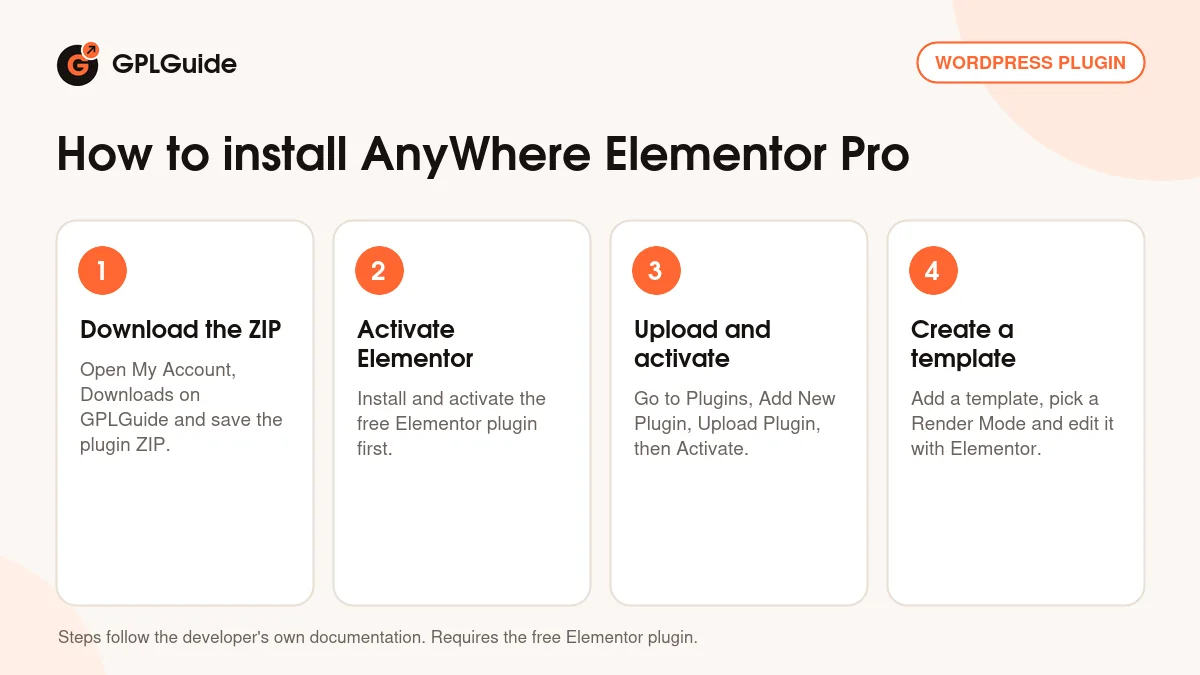
- Sign in to GPLGuide, open My Account, Downloads and save the AnyWhere Elementor Pro ZIP.
- Make sure the free Elementor plugin is installed and active on your site.
- In WordPress go to Plugins, Add New Plugin, Upload Plugin, choose the ZIP, click Install Now and then Activate.
- Open the plugin's templates menu, add a new template, pick a Render Mode and click Edit with Elementor to design it.
A good first setup in AnyWhere Elementor Pro is a Block Layout and a Post Type Archive template for your blog. Design the card with the Title, Post Image and Post Meta widgets, add Post Blocks Adv to the archive template, choose your card as the Primary Block Layout and turn on Pagination. Check it on the front end, then tick Auto Apply. Next, build a Single Post Template with a Preview Post.
Keeping it up to date
Updates from GPLGuide are manual. When a new version of AnyWhere Elementor Pro is listed in your account, download it and upload it under Plugins, Add New Plugin, Upload Plugin. WordPress offers to replace the installed copy, and your templates stay in place because they are saved in your database. If you spot a newer release that we haven't added, tell us on the Request Item/Update page.
Questions about AnyWhere Elementor Pro
Do I need Elementor Pro? No. The developer says AnyWhere Elementor Pro works with the free Elementor plugin. If you have Elementor Pro, you can still use its widgets inside your templates.
Do I need the free AnyWhere Elementor plugin too? The developer does not list it as a requirement. The free plugin, now called Dynific Addons for Elementor, can run alongside the Pro version.
Is AnyWhere Elementor Pro the same as Dynific Addons for Elementor? Yes. WPVibes rebranded it in version 2.29.3 and describes Dynific Addons for Elementor as formerly AnyWhere Elementor Pro.
Can I show a template inside a page or a theme file? Yes. Each template has a shortcode such as [INSERT_ELEMENTOR id="123"] and a PHP equivalent, both shown on its edit screen.
Does AnyWhere Elementor Pro work with ACF Repeater and Flexible Content fields? Yes. It has widgets for both, an ACF Blocks render mode and dynamic tags for repeater, group, flexible content and options page fields.
Is it compatible with WPML and Polylang? The developer lists both. WPML support for the widgets goes back to version 2.6.
Does it work with Elementor's Element Caching? Yes. Support came in version 2.28, and 2.29.2 fixed the remaining caching issues in ACF Repeater and Dynamic Rules.
Building sites with Elementor? Browse more WordPress plugins on GPLGuide, or see what a GPLGuide membership includes if you use several premium plugins. AnyWhere Elementor Pro runs on the free Elementor plugin from WordPress.org.
Features & capabilities
- Single post, archive, search, 404, author and date templates built in Elementor
- Normal mode templates placed in theme hooks with include and exclude rules
- Block Layouts for custom post, product, term and ACF row cards
- Post Blocks Adv with Grid, Carousel, Accordion, Smart Grid and Checker Board layouts
- ACF Fields, Repeater, Flexible Content and Gallery widgets, plus Pods support
- WooCommerce widgets for single product pages and shop archives
- Dynamic Rules, Dynamic Background and Background Slider for Elementor elements
- Works with free Elementor, WPML, Polylang, FacetWP and Search & Filter Pro