
ARForms: WordPress Form Builder Plugin

100% Original fileUnmodified copy of the developer's release
DeveloperCode Canyon
Up to dateOriginal released Aug 31, 2026 · File last updated Oct 23, 2026
About this product
ARForms is a drag and drop WordPress form builder plugin for contact forms, multi-step surveys, order forms with live totals and popup forms that open on a click, a scroll or when someone is about to leave. It suits site owners and freelancers who want one form tool that also keeps the entries and shows simple analytics. This page is for ARForms 7.2.3, released on August 31, 2026. On GPLGuide you download the original plugin file to install on your own WordPress websites.
Good for: small business sites, agencies building client forms, event and RSVP sign-ups, quote requests, job applications, surveys spread over several steps, and lead capture popups that feed an email list.
Requirements: The developer's getting-started guide sets the minimum at PHP 5.6 and WordPress 4.5, and the CodeCanyon item page lists compatibility with WordPress 6.0 up to 7.0. No other plugin is needed for the core form builder. The ARForms file from GPLGuide comes with the license key already activated, so the parts that depend on an active license are ready as soon as you activate it.
What ARForms does
You build forms on a live canvas. Click Add New Form, choose Blank Form, Template or Sample Form, give it a name, pick a style and press Continue. The named templates include Contact Us, Feedback, Registration, RSVP, Job Application, Donation, Request a Quote and Order forms, and the CodeCanyon item page counts more than 50 ready-made templates in all. A Mobile & Tablet preview shows how the layout holds up on small screens.
The field list is long. Beside Single Line Input, Email Address, Phone Number, Drop Down and File Upload, ARForms has Star Rating, Smiley, Like Button, Slider, Spinner, Switch, Color Picker, Matrix, Rich Text Editor, Credit Card and Autocomplete. Layout fields include Section, Page Break, Image, HTML, Repeater and, since version 6.4, an Accordion. Phone fields can show a country flag and use Country wise number validation, which stops a lot of junk numbers early.
Everything a visitor sends lands under Form Entries. Click the eye icon to open an entry, click any value to edit it, and move on with Next Entry and Previous Entry. Entries export to CSV, filter by date and can be marked read or unread. ARForms analytics compares views and entries in Daily, Monthly and Yearly tabs, with bar and line charts and a world map. Mail goes out through SMTP Mail, WordPress Server or PHP Mailer, chosen under Global Settings, Email Configuration.
Conditional logic and Running Total in ARForms
Conditional logic is set form-wise, in one place, rather than field by field. Each rule has a Condition Field made of a field, an operator and a value. The operators are equals to, not equals to, greater than, less than, contains and not contains, and All or Any decides whether every condition must match or just one. The action can be Show Field, Hide Field, Enable Field, Disable Field or Set Value of Field. Set Value works on hidden fields too, which is handy for tagging an entry behind the scenes.
Rules also work on a Section or a Page Break. Put the logic on a Page Break and the whole next step appears or disappears with it. The submit side has its own conditions: Set Conditional Submit Button enables or disables the button, and a redirect can send people to a different URL depending on their answers.
Running Total. The math lives inside an HTML field. Tick Enable Running Total and ARForms places a pair of arftotal tags at your cursor, and the formula goes between them. The Add Field dropdown inserts field references, buttons add plus, minus, multiply, divide and brackets, and Validate Formula flags a broken expression before a visitor sees it. The developer's own example is ([Product:123]*[Qty:125]) + 5. Round Up Total rounds the result, and the total can be used as the price in a payment add-on.
Multi-step forms, repeaters and field options
Multi-step. Drop a Page Break just after the field where one step should end. You then pick Wizard style, with tabs, or Survey style, which shows the steps as a progress bar. Select Wizard Theme offers three looks, and Previous Step Clickable lets visitors jump back to an earlier tab, though only in Wizard style. The bar or tabs can also move to the bottom of the form.
Repeater. A visitor adds the same group of fields again with a plus button and removes a set with a minus button. Think of extra guests on an RSVP. You set a maximum repeatable limit, and since 5.9 a File Upload can sit inside. Password, HTML, Section, Page Break, Credit Card, Signature, Download and Captcha fields can't go in. In Form Entries, View Data opens the repeated rows.
Field options. File Upload has Allowed File type, Enable Droppable Area, Enable Multiple File Upload, Enable Crop & Rotate Image and an option to attach the file to emails. Checkboxes take Max Option Selected and Min Option Selected, and Image Over Checkbox turns options into picture choices. A child dropdown can load its options from a CSV file through Dynamic Option and Select Parent dropdown. You can even pre-fill a field from the page URL with item_meta[field_id] in the query string.
ARForms popup forms and page builders
You don't need a separate popup plugin. The shortcode [ARForms_popup id=1 type='link'] accepts link, button, image, sticky, fly, onload, scroll, on_exit or on_idle as the type, plus onload with on_delay for a timed popup. Extra parameters cover the overlay, is_fullscreen, a position for sticky and fly, on_scroll for scroll depth and inactive_min for the idle timer.
For a form across the whole site, open ARForms, Site wide Popup and click Add new site wide popup. Tick Display form popup on all posts or on all pages, then hide it on the Archive page, 404 page, Front page, Search Result page or for logged-in users. Exclude Page/Post skips chosen pages, and each visitor sees it once per browser session. Since 7.0 you can hide popups on mobile devices, which your phone visitors will thank you for.
Inline forms use [ARForms id=1]. There's a Gutenberg block with a live preview, an Elementor widget that shows a form inline or as a Modal (popup) Window, and dedicated blocks for Divi, Beaver Builder and the Fusion Builder. With Elementor Pro or Beaver Builder Pro you can place a form without typing a shortcode.
Form setups you can copy
- Quote with a live price: a Drop Down for the service, a Number field for quantity and an HTML field with Enable Running Total multiplying the two.
- Event RSVP: the RSVP Form template, a Repeater for guest names with a limit of four, and Restrict Form Entries set to After Maximum Entries with a friendly Restricted Entry Message.
- Job application: the Job Application Form template plus a File Upload with Allowed File type set to PDF and Attach the file in emails switched on.
- Exit-intent newsletter: a two-field form opened with type on_exit and linked to MailChimp or MailerLite in the form's Opt-ins section.
- Long survey: Page Breaks in Survey style, plus Autosave form progress so people can come back and finish later.
- Members-only form: Form Access Control, added in 7.1, limits the form to logged-in users or chosen user roles, and a hidden field with [ARF_current_user_email] records who sent it.
What's new in ARForms 7.2.3
Version 7.2.3 came out on August 31, 2026. The changelog lists one new option: a class selector for popup forms that open from a Link, Button or Image trigger. The rest is minor bug fixes and improvements.
Before it, 7.2.2 (August 5, 2026) updated the GeoIP database. 7.2 (June 20, 2026) added a search box for dropdown fields and an option to auto-delete form entries after a set period. 7.1.3 (June 8, 2026) let select, radio, checkbox, multi-select and autocomplete fields show inside an HTML field and fixed hCaptcha rendering twice. 7.1 (February 12, 2026) brought Form Access Control. The developer has since released 7.2.4 (October 19, 2026), described as minor bug fixes and improvements.
Good to know before you buy
Most payment gateways and many integrations are separate add-on plugins, not part of this ZIP. The developer's add-ons page lists Stripe, Mollie, Razorpay, PayFast and PagSeguro at $18 each, Authorize.net at $16, Signature at $13, PDF Creator at $18, User Signup at $17 and Zapier at $18, among others. What the ARForms core does include, according to the changelog, is built-in PayPal Standard and PayPal Checkout plus built-in reCAPTCHA, Turnstile and hCaptcha options.
Email marketing runs through accounts you already have. Under Global Settings, Opt-ins you connect Aweber, MailChimp, GetResponse, iContact, Constant Contact, MailerLite, Sendinblue, HubSpot, Convertkit or Drip, and ARForms maps First Name, Last Name and Email Address for you. Version 7.0 dropped GVO, Ebizac.com and MadMimi. Captcha keys come from the captcha provider, and any SMTP service is yours.
Two settings need care. Don't store entry in database means entries reach you only by email, so test your mail first. And the Database Connection option under Other Options can write entries to an external table, but you create that table and its columns yourself.
ARForms from GPLGuide vs the official license
From GPLGuide you get the original ARForms 7.2.3 plugin file, with the builder, conditional logic, Running Total, popups, entries and analytics inside. The license key is already activated, so there's nothing to type on the Licensing page. Under Envato's licence for this item, its PHP code is licensed under the GPL.
Buying from the developer gets you what a file can't: their premium technical support, with six months included and an extension to 12 months on CodeCanyon, and the 7 day money-back guarantee they offer for technical problems they can't fix. ARForms Pro costs $39 as a one-time purchase, the same as the Regular License on CodeCanyon, with free lifetime updates.
How to install ARForms
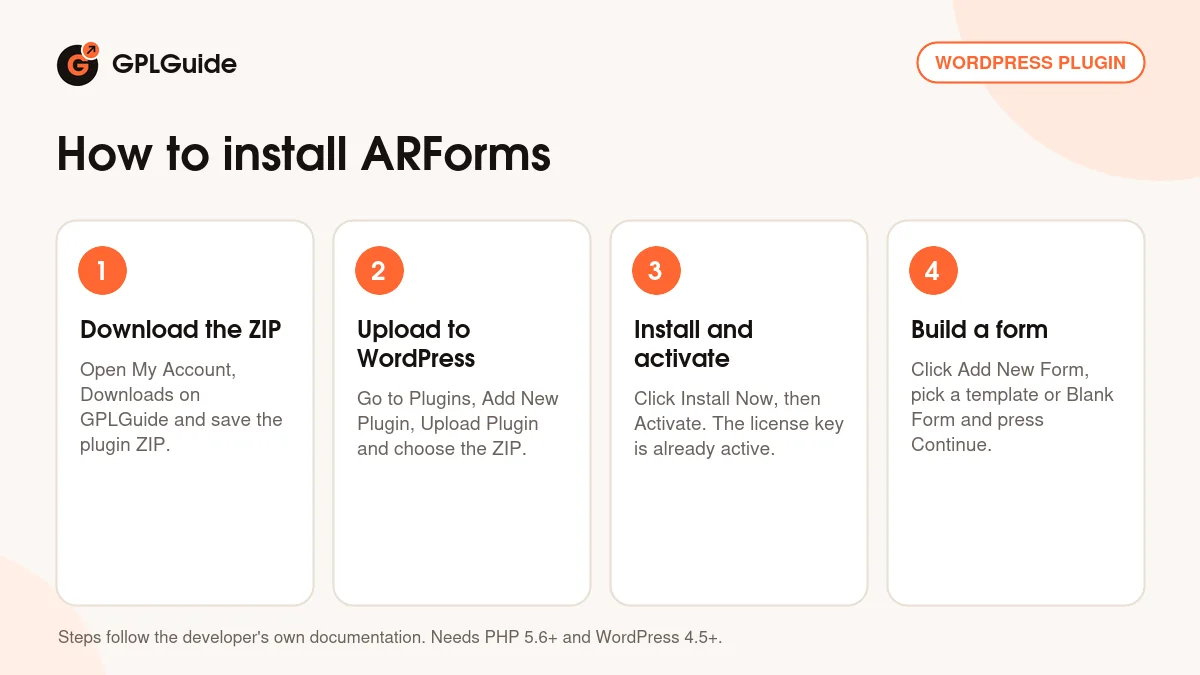
- Sign in to GPLGuide, open My Account, Downloads and save the ARForms ZIP.
- In WordPress go to Plugins, Add New Plugin, Upload Plugin and choose the ZIP.
- Click Install Now, then Activate. A new ARForms menu appears in the admin sidebar.
- Click Add New Form, pick Blank Form or a Template, choose a style and press Continue. The license key is already activated.
For a good first setup, open Global Settings, Email Configuration before anything else and pick SMTP Mail if your host's own mail is shaky. Then build one form from the Contact Us template, switch on the admin notification and send yourself a test entry. Once that email arrives, every later form will deliver the same way.
Keeping it up to date
Updates from GPLGuide are manual. When a newer ARForms version is listed here, download it from your account and upload it under Plugins, Add New Plugin, Upload Plugin. WordPress offers to replace the installed copy, and your forms and entries stay put because they live in the database, not in the plugin folder. If the developer's changelog shows a release we haven't added, such as 7.2.4, let us know on the Request Item/Update page.
Questions about ARForms
Do I need to enter a license key? No. The file comes with the license key already activated, so the built-in options work as soon as you activate ARForms.
Can it take payments? Yes. The changelog lists built-in PayPal Standard since 6.8 and PayPal Checkout since 7.0. Stripe, Authorize.net, Mollie and the other gateways are add-ons the developer sells separately.
Can visitors save a long form and finish later? Yes. Turn on Autosave form progress under Other Options. Save partial form data also keeps half-filled forms, listed under Partially Filled Form entries.
How do I keep spam out? Start with the built-in hidden captcha, which stays on unless you tick Disable Hidden Captcha. If junk still gets through, add the built-in reCAPTCHA, Turnstile or hCaptcha option.
Can I cap the number of submissions? Yes. Restrict Form Entries offers After Maximum Entries, Before Specific Date, After Specific Date and Between Two Dates, each with your own Restricted Entry Message.
Is ARForms ready for other languages? Yes. The CodeCanyon page says it's fully compatible with WPML, ships 12 pre-converted translations and supports RTL layouts.
Who helps if something breaks? The developer, if you hold their license. Support and refunds come only from them.
Building more client sites? Browse more WordPress plugins on GPLGuide, or see what a GPLGuide membership includes if you use several premium plugins.
Features & capabilities
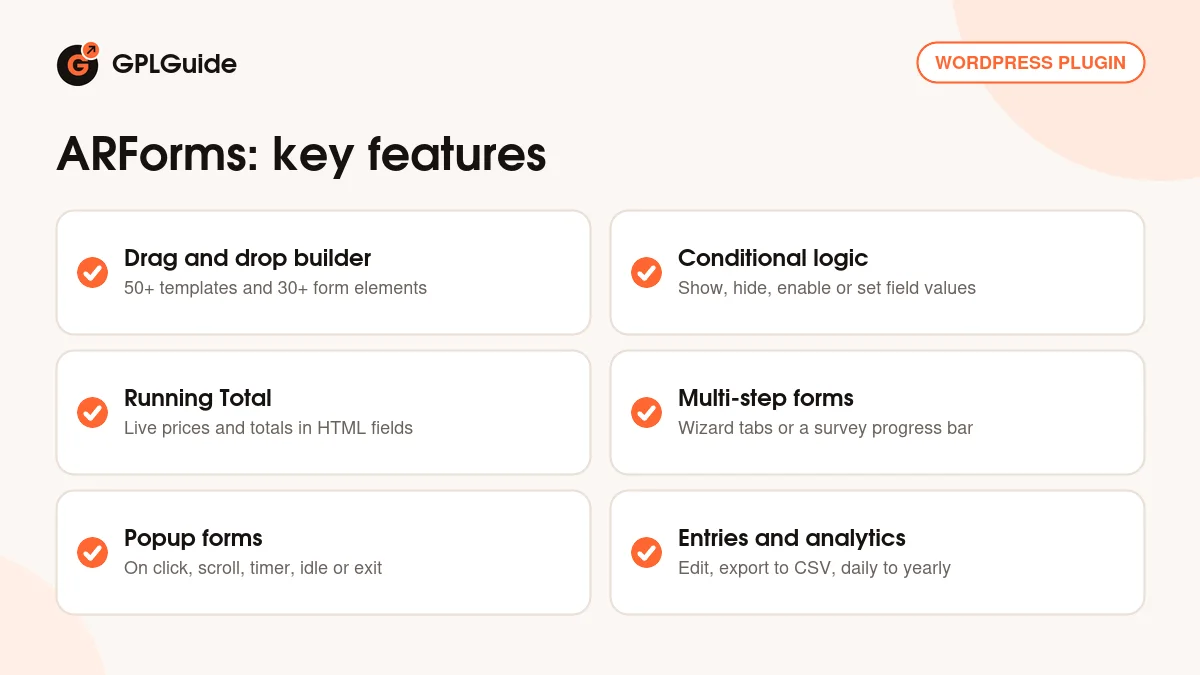
- 50+ form templates and 30+ elements on a drag and drop canvas
- Conditional logic to show, hide, enable, disable or set field values
- Running Total math in HTML fields with formula validation
- Multi-step forms in Wizard or Survey style, plus a Repeater field
- Ten popup display styles, including exit intent, idle, scroll and timer
- Form Entries with editing, CSV export and Daily, Monthly, Yearly analytics
- Built-in captcha, reCAPTCHA, Turnstile, hCaptcha and PayPal payments
- Gutenberg block, Elementor widget and blocks for Divi, Beaver Builder and Fusion


