All In One SEO Pack Pro
100% Original fileUnmodified copy of the developer's release
DeveloperAwesome Motive
Up to dateOriginal released Sep 22, 2026 · File last updated Oct 16, 2026
About this product
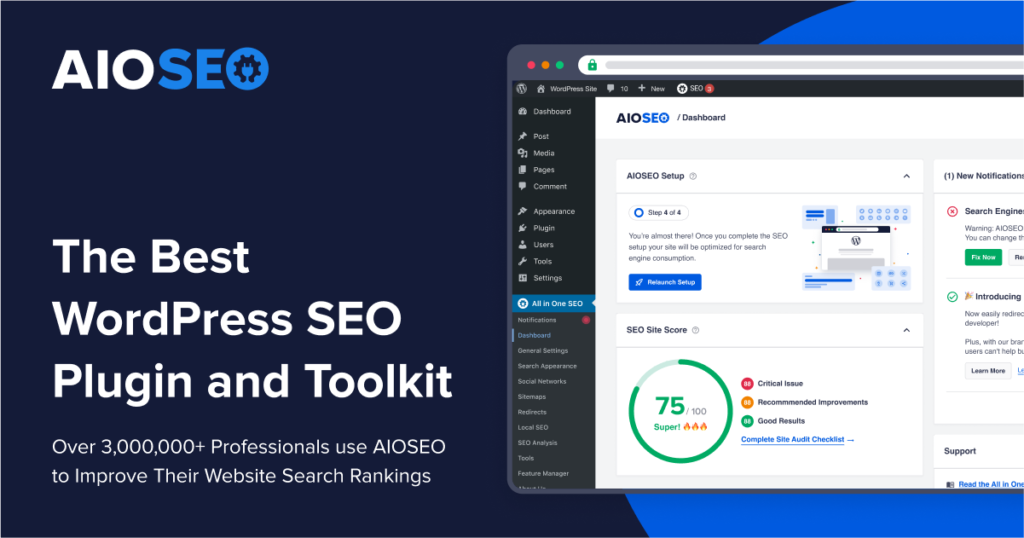
AIOSEO Pro is the premium edition of All in One SEO, the WordPress SEO plugin first released in 2007 and now developed by the All in One SEO team at Awesome Motive. It looks after titles, meta descriptions, schema, sitemaps, redirects, internal links, local business details and search reports from one menu. In our shop it is listed as All In One SEO Pack Pro. This page is for AIOSEO Pro 5.0.2, released on September 22, 2026. On GPLGuide you download the original plugin file to install on your own websites.
Good for: bloggers, small business owners, WooCommerce stores and agencies who want one plugin for on-page SEO, schema, sitemaps and redirects, plus extras such as local SEO, image SEO and Google Search Console reports inside WordPress.
Requirements: WordPress 5.7 or newer and PHP 7.4 or newer. Version 5.0.2 is the release that raised the PHP minimum to 7.4, so check your host first. The free All in One SEO plugin is not required. You can leave it active or delete it, and AIOSEO Pro takes over its settings and SEO data when you activate it.
What AIOSEO Pro does
The plugin adds an All in One SEO menu to WordPress and an SEO panel under every post, page, product and term. In that panel you set the SEO title, meta description, focus keyphrase, social previews and schema for that piece of content. TruSEO, the built-in content analysis, scores the page and lists what to fix, such as keyphrase placement, readability or a missing image alt text.
Across the whole site it builds XML, RSS and HTML sitemaps and an llms.txt file, edits robots.txt, adds breadcrumbs and outputs schema markup. It connects with Google Search Console, Microsoft Clarity, IndexNow and Semrush, and has integrations for Elementor, Divi, SeedProd, Avada, WPBakery, Thrive Architect and SiteOrigin.
The Pro edition adds the bigger modules: the Redirection Manager with 404 tracking, the Link Assistant for internal links, Local SEO, Image SEO, Author SEO for E-E-A-T, video and news sitemaps, SEO Revisions and the Search Statistics reports. Your titles, descriptions and settings are saved in your own WordPress database.
TruSEO, schema and sitemaps in AIOSEO Pro
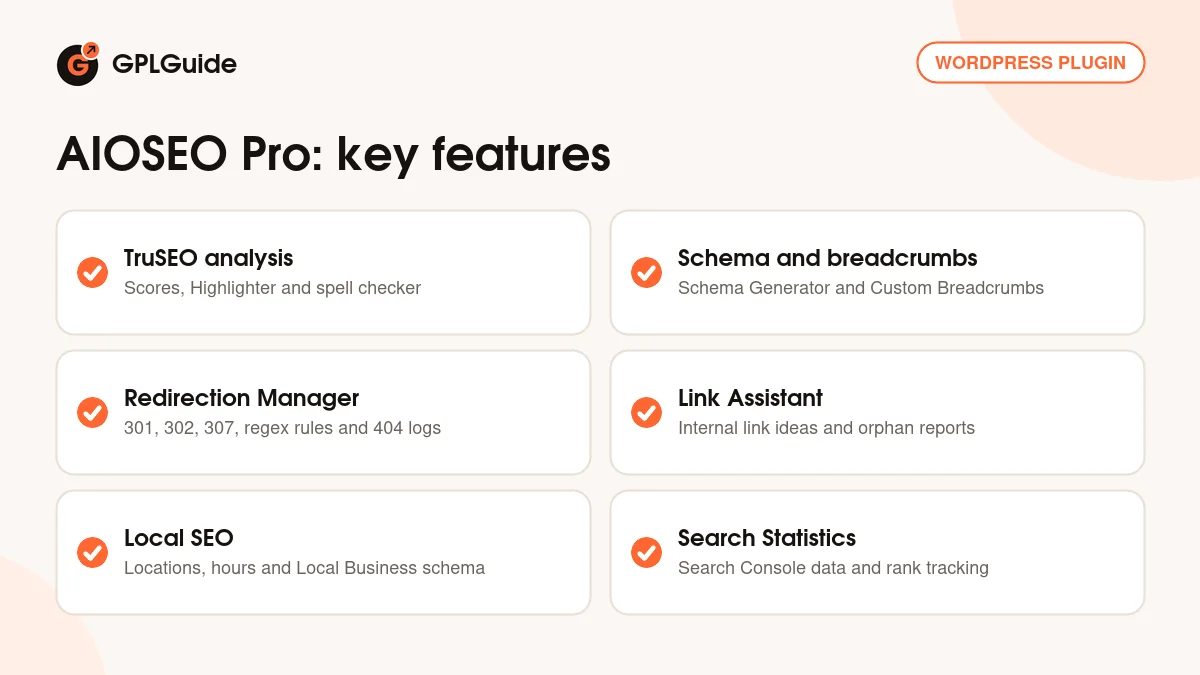
TruSEO was rebuilt in version 5.0.0 (July 30, 2026). The analysis is faster, covers more than ten extra languages and has a new interface. The TruSEO Highlighter flags issues inside your text in both the block editor and the Classic Editor, and a spell checker flags typos while you write. Since 5.0.1 the same analysis also runs on taxonomy terms, starting with WooCommerce product categories.
For structured data you get Smart Schema Markup and the Schema Generator, which lets you add schema to a page without writing code. AIOSEO Pro adds Event schema and Cornerstone Content, so you can mark your key pages. Custom Breadcrumbs output a visible trail plus matching schema.
The sitemaps cover posts, pages and taxonomies, with an RSS sitemap and an HTML sitemap for visitors. AIOSEO Pro adds a Video Sitemap and a News Sitemap with Google News support. Version 5.0.2 fixed several sitemap details, such as excluded terms that still showed up, and made llms.txt follow its specification more closely. The Robots.txt Editor lets you manage robots.txt rules from the dashboard.
Redirects, 404 logs and the Link Assistant
The Redirection Manager handles 301, 302 and 307 redirects. A temporary redirect can switch back after a set time, and a permanent one can be scheduled for a chosen day. Smart Matching Rules cover regex, wildcards and URL parameters. Full Site Redirects move a whole domain, force HTTPS or add or remove www. You can import redirects from other plugins or in bulk from a CSV file.
404 Error Tracking logs missing pages so you can redirect them from the dashboard, and Automatic Redirects suggests a redirect when a post moves or is deleted. Since 5.0.2 the 404 log also records missing images, scripts and stylesheets, and the Default 404 Redirect no longer sends asset requests to an outside address. Redirect logs show hits, user agents, referrers and times.
The Link Assistant in AIOSEO Pro reads your content, finds phrases that match other posts and suggests internal links. You review, edit or dismiss each suggestion. Its reports show orphaned posts, your top linked domains and your affiliate links. In its settings you choose post types, post statuses, excluded posts and ignored words. The developer says it runs inside WordPress with no outside service and works best with English and Block Editor content.
Local SEO, Image SEO and Search Statistics
Local SEO stores your business name, address, phone number and opening hours for one location or several, and outputs Local Business schema. It comes with blocks for business info and locations, so you can show the details on a contact page. The Maps section in the Locations tab lets you drag a marker to your exact spot. Maps need your own Google Maps API key, which you enter once.
Image SEO can fill in alt text and image titles, clean up image file names, strip punctuation and set the casing of these attributes. Author SEO strengthens your author pages for E-E-A-T, and AIOSEO Pro adds Author SEO blocks for showing author details.
Search Statistics brings your Google Search Console data into WordPress. The SEO Statistics view shows impressions, clicks, average position and click-through rate. The Keyword Rank Tracker follows your keywords over time, Content Decay flags posts that are losing traffic, and Index Status shows which pages Google has indexed.
Setups you can copy with AIOSEO Pro
Each of these uses only settings found in AIOSEO Pro.
- New blog: run the Setup Wizard, pick Blog, keep sitemaps and schema on and connect Google Search Console. Write each post with a focus keyphrase and fix what TruSEO flags before you publish.
- Site move or rebrand: add a Full Site Redirect to the new domain, keep 404 Error Tracking on for a few weeks and redirect anything that appears in the log.
- New URL structure: import your old redirect list from a CSV file and use a regex rule for patterns, such as an old date-based permalink format.
- Local business: add each branch as a location with its hours, enter a Google Maps API key and place the location block on your contact page.
- WooCommerce store: run TruSEO on your product categories and turn on Image SEO so product photos get alt text.
- Older content library: open the orphaned posts report in the Link Assistant, add a few links to each post and watch Content Decay for pages that need a refresh.
- News site: switch on the News Sitemap for recent articles and the Video Sitemap if you embed videos.
Finish one setup and check the results in Search Console a few weeks later before you change more.
What's new in AIOSEO Pro 5.0.2
AIOSEO Pro 5.0.2 came out on September 22, 2026. It is a large maintenance release with four updates and around 58 fixes. The updates: PHP 7.4 is now the minimum, admin pages run fewer duplicate database queries, the mobile tabs menu has a visible border and the Taxonomy Name smart tag shows its own placeholder.
The fixes touch nearly every module. Canonical URLs are now correct on paginated static front pages, sitemaps respect the site-wide No Index setting and Multisite got many fixes for network robots.txt and Network Tools. The AI credit counter no longer drops to zero after you generate content, and SEO Revisions, SEO Analysis and the SEO Preview got stronger security and access checks.
Earlier releases: 5.0.1.1 (August 28, 2026) fixed the nofollow, sponsored and UGC link options. 5.0.1 (August 20, 2026) added TruSEO for taxonomy terms. 5.0.0 (July 30, 2026) brought the TruSEO revamp, the spell checker and one-click AI post optimization. The developer has since released 5.0.2.1 and 5.0.3, and their changes are not in this file.
Good to know before you buy
Some parts of AIOSEO Pro rely on services that run on the developer's side. The AI tools, such as AI post optimization and AI-written titles and meta descriptions, spend AI credits from an AIOSEO account. A typical action uses about 10 credits, and credits expire after one year. The Writing Assistant needs a separate paid SEOBoost subscription. Search Statistics pulls data from Google Search Console through a secure OAuth connection set up from AIOSEO.
Several modules ship as addons: Author SEO, Image SEO, IndexNow, Link Assistant, Local SEO, News Sitemap and Video Sitemap. In the developer's docs they are switched on under All in One SEO, Feature Manager, or uploaded as their own ZIP files. This page covers the main AIOSEO Pro plugin, so if an addon you need is not in your account downloads, ask for it on the Request Item/Update page.
Also note that the Link Assistant works best in English and with Block Editor content.
AIOSEO Pro from GPLGuide vs the official subscription
From GPLGuide you get the original AIOSEO Pro 5.0.2 plugin file, released under the GPL, to use on your own websites. The modules inside the file work the same way. The file from GPLGuide comes with the license key already activated, so there is no key to enter.
A plan bought from AIOSEO adds what only the developer can give: their support team, their 14-day money-back guarantee, updates through your AIOSEO account and the AI credits that come with each plan. On October 16, 2026 the Basic plan was $49.50 for the first year for one site (regular price $99 a year), and the Elite plan with Search Statistics was $299.50 for the first year for up to 100 sites (regular price $599).
How to install AIOSEO Pro
- Sign in to GPLGuide, open My Account, Downloads and save the AIOSEO Pro ZIP.
- In WordPress go to Plugins, Add New Plugin, Upload Plugin and choose the ZIP.
- Click Install Now, then Activate Plugin. If the free All in One SEO is active, its settings carry over.
- The Setup Wizard opens. Click Let's Get Started and work through its five steps.
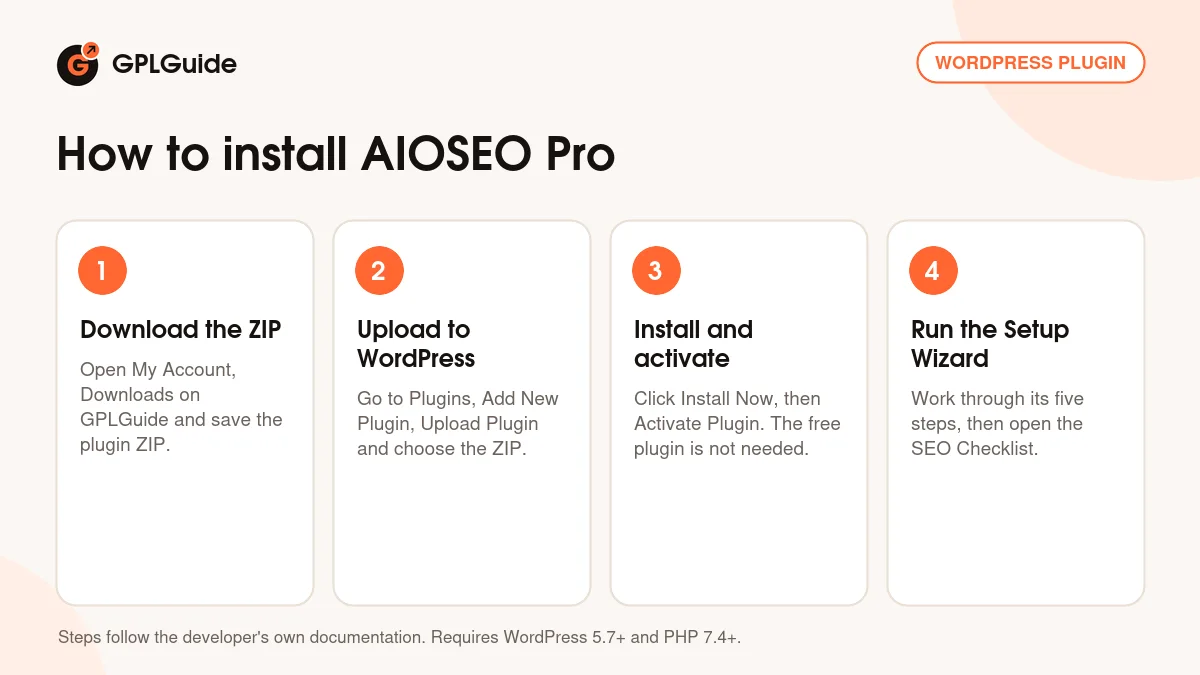
A good first setup: choose your site type and write a clear Home Page Title and Meta Description. Add your logo and social profiles, leave the recommended modules on, set the site to Live Site and connect Google Search Console, or skip that step for now. When the wizard ends, click Go to SEO Checklist and work down the list. Then open your most important page in AIOSEO Pro, set a focus keyphrase and fix what TruSEO flags.
Keeping it up to date
Updates from GPLGuide are manual. When a new version of AIOSEO Pro is listed here, download it from your account and upload it under Plugins, Add New Plugin, Upload Plugin. WordPress offers to replace the installed copy, and your titles, redirects and settings stay in place. If you need a newer version than we list, ask on the Request Item/Update page.
Questions about AIOSEO Pro
Do I need the free All in One SEO plugin as well? No. The developer's install guide installs AIOSEO Pro on its own. If the free plugin is already on your site, you can keep it active or remove it.
Will I lose my settings when I move from the free version? No. When you activate AIOSEO Pro, the settings and SEO data from the free plugin move across without any extra steps.
Can I switch from another SEO plugin? Yes. AIOSEO has an importer for settings and SEO data from other SEO plugins, and the developer has a guide for moving from Yoast SEO.
How do the AI tools work? They spend AI credits from AIOSEO. Credits come with the developer's plans or as pay-as-you-go top-ups, a typical action uses about 10, and they expire after a year.
Does AIOSEO Pro support WordPress Multisite? Yes. It can be network-activated, and 5.0.2 fixed several network issues, such as network robots.txt rules and Network Tools applying settings to the wrong site.
Does it create an llms.txt file? Yes. In 5.0.2 the file follows the llms.txt specification more closely and leaves out taxonomies set to No Index.
Do I need a Google Maps API key? Only if you want maps. The key is for the Google Maps part of Local SEO, and you enter it once in the plugin settings.
Building out your site? Browse more premium WordPress plugins, or see what a GPLGuide membership includes if you use several premium plugins. The free All in One SEO plugin is on WordPress.org.
Features & capabilities
- TruSEO content analysis with the Highlighter and a spell checker
- Smart Schema Markup, the Schema Generator and Custom Breadcrumbs
- XML, RSS, HTML, video and news sitemaps plus an llms.txt file
- Redirection Manager with 404 Error Tracking, regex rules and Full Site Redirects
- Link Assistant with link suggestions and an orphaned posts report
- Local SEO with several locations, opening hours and Local Business schema
- Image SEO and Author SEO for E-E-A-T
- Search Statistics with the Keyword Rank Tracker, Content Decay and Index Status