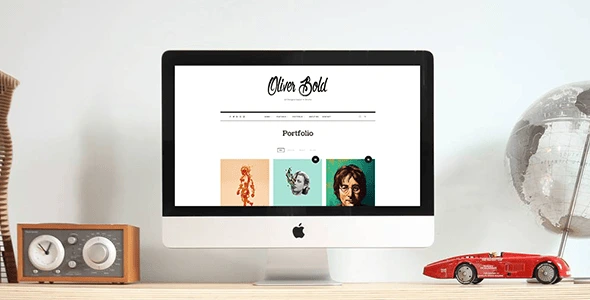
MyThemeShop Builders WordPress Theme

100% Original fileUnmodified copy of the developer's release
DeveloperMyThemeShop
Up to dateOriginal released Feb 25, 2022 · File last updated Oct 28, 2026
About this product
Builders Theme 1.3.14 is a business theme for WordPress made for company and service sites: an interior firm, a tech company or a local business that wants its opening hours and office location on the page. It also styles a WooCommerce shop if you sell online, and with the developer's real estate plugin it can run a property listing site. It suits owners who want a finished layout they fill from the dashboard rather than build page by page. The developer ships it with a one click demo importer and three demo layouts named Interior, Tech and Viral, a Theme Options panel with typography and colour settings, a set of business widgets, and child theme file overrides, so template changes survive updates.
How to install Builders Theme
- Log in to GPLGuide, open this product and click Download under Your downloads.
- In your WordPress dashboard go to Appearance, Themes, Add New Theme, then click Upload Theme at the top of the page.
- Choose the theme ZIP you downloaded, click Install Now and wait for the upload to finish, then click Activate. This version includes fixes for PHP 8.0, so a host on PHP 8.0 is fine.
- After activation open the Install Required Plugins page the theme adds and install the plugins it lists. The developer's SEO plugin is offered there too; you decide whether to install it.
- Open the Theme Options panel the theme adds to the dashboard, run the one click demo importer and pick Interior, Tech or Viral. If the import stops on your server, raise the PHP memory limit and run it again.
- Install WooCommerce under Plugins, Add New Plugin only if you want the shop pages; the theme then styles the shop page, cart buttons and the My Account page without extra setup.
Features & capabilities
- Three one click demos, Interior, Tech and Viral, imported from the theme's demo importer.
- WooCommerce styling for the shop page, product search, layered navigation, Add to Cart buttons and the My Account page, plus the zoom and slider effect on single products.
- Business widgets for opening hours and office location, next to author posts, popular, recent, related and categorized posts, social profiles, tweets and a Facebook like box.
- Ad widgets in the 125, 300 and 728 pixel sizes and an AdSense style ad code widget.
- Homepage slider built on the Owl Carousel library.
- Works with the block editor and with Elementor layouts.
- Child theme file overrides, so you can customise templates without touching the parent theme.
- Browser native lazy loading, alt text on theme images and over 30 extra Google fonts added in this version.
- Property listings with the developer's real estate plugin.
Frequently asked questions
Is this the original file?
Yes. Every product on GPLGuide is the developer’s own release, unchanged. The license key comes already activated. If a product does ask for a key, the activation steps appear on its page once you have it.
Is it legal to use a GPL plugin or theme from GPLGuide?
Yes. WordPress plugins and themes are released under the GPL, which lets anyone use, share and change the code. The developer’s support desk and the developer’s own update service are not part of the file; those stay with the developer.
How do I install it?
Log in, open the product page and click Download under Your downloads. For a plugin go to Plugins, Add New Plugin, Upload Plugin, choose the ZIP, then Install Now and Activate. For a theme go to Appearance, Themes, Add New Theme, Upload Theme.
How do updates work?
When a newer version is listed on GPLGuide, download it from the product page and upload it over the installed copy; WordPress offers to replace the old version. Updates are manual.
Can I use it on more than one site?
Yes. The GPL lets you use it on as many of your own sites as you like.
What if the file does not work or a newer version is out?
Tell us on the Request Item page or through Support. We check the file and add the newer version when we have it.