Juristo – Lawyer & Attorney WordPress Theme

100% Original fileUnmodified copy of the developer's release
Developerwpoceans
Up to dateFile last updated Oct 21, 2026
About this product
The Juristo theme is a WordPress theme for law firms, attorneys and legal consultants who want a site that looks established from the first visit. It's built with Elementor and comes with three home styles, practice area pages, case studies, attorney profiles, a pricing table and a small WooCommerce shop, set up through a one click demo import. This page is for Juristo 1.0.2. On GPLGuide you download the original theme file to install on your own websites.
Good for: small and mid-sized law firms, solo attorneys, family, criminal and personal injury practices, real estate and business lawyers, legal consultants who sell retainer plans, and web designers who build sites for law offices.
Requirements: WordPress and PHP 7.4 or newer. The theme's style.css sets PHP 7.4 as the minimum and lists WordPress 6.7 as tested, while the item page lists WordPress 4.9.x through 7.0.x. Juristo Core and Codestar Framework ship inside the theme. The other required plugins are free: Elementor, Contact Form 7, WooCommerce, MailChimp for WordPress and One Click Demo Import. Elementor Pro is listed as compatible, not as required.
What the Juristo theme does
The Juristo theme gives a law office the pages it usually needs, already designed and linked together. There's a home page in three styles, an About page, a practice area overview with a single page for each area of law, a filterable list of past cases, an attorneys page with full profiles, a pricing table, a blog, a contact page with a Google map and a 404 page.
Every page in the Juristo theme is laid out in Elementor, so you change headings, photos and buttons by clicking on them. The look is calm and formal. Its two Google Fonts are Old Standard TT, a classic serif that suits legal headings, and Mukta, a plain sans serif for reading. Icons come from the Themify and Flaticon icon fonts.
Under the design, the Juristo theme sits on Bootstrap 5, and its site settings live in a theme options panel made with the Codestar framework. In the demo, practice pages sit under /service/, case studies under /project/ and attorney profiles under /team/, and each of the three has its own single page layout.
Three home styles and the practice area pages
Home Style 1 opens with a large photo of a lawyer, the headline "Legal Solutions for a Changing World", a Free Consultation button and a counter for 25 years of experience. Home Style 2 drops the photo for a bold text hero that reads "You Don't Have to Fight Them Alone We Are Here." Home Style 3 puts a white logo in the header and leads with "Creative solutions for legal problems" above a short intro.
Below the hero, the three styles share the same blocks: an About section with two images, a Legal Practice Areas grid of four cards, client testimonials, a Meet Our Experts row of three attorneys, a contact info strip, a Schedule a visit call to action and the latest three blog posts. Picking a style is mostly about the first screen. Choose the one that suits the photos you actually have.
Each area of law gets its own page in the Juristo theme. The demo has Business Law, Family Law, Education Law, Criminal Law and Real Estate Law, each with a featured image, two text sections, a short list, two side-by-side images and a "Questions You May Wonder?" accordion with four questions. A sidebar lists every practice area and holds a contact box with a phone number and a Get A Quote button. Fill that accordion with questions clients really ask on the phone. It answers them before they call.

Cases, attorney profiles and the pricing table
The Juristo theme's Cases page, headed Our Best Work, shows six case studies with a filter bar for All, Business, Criminal, Family Matter and Real Estate. A case page has three text sections, Summary Of The Case Studies, Our Approach And Solution and Challenge Of Cases, followed by a Case Info box. That box lists Client, Attorney, Case, Case Start, Execution Time and Result, so a win reads like a short file note instead of a sales line.
Attorney profiles are the most detailed pages in the Juristo theme. Each lawyer's page has Position, Practice Area, Experience, Address, Phone and Email fields, a row of certificate images, a Personal Experience bio, an Education list, five skill bars with percentages, an Achievements list and a Make an Appointment call to action. The Attorneys page gathers them under Qualified Attorneys and Meet Our Experts.
The Pricing page in the Juristo theme has three plans, Basic, Enterprise and Premium, at $250, $399 and $550 a month in the demo, each with six lines and a Choose Plan button. Few firms publish fees like this, but it suits fixed-fee services such as a monthly legal retainer for small businesses or a set price for drafting a will. If your bar rules limit how you advertise fees, check them before this page goes live.
Theme options, Elementor and the shop
Site-wide settings in the Juristo theme are handled by its options panel. The item page lists unlimited colors, advanced typography and a sticky menu that stays at the top while visitors scroll. You'll learn the exact option names by opening the panel on a test site.
Page content is all Elementor. Forms run on Contact Form 7, newsletter sign-ups on MailChimp for WordPress, and the contact page pairs Email us, Call us and Address blocks with an embedded Google map. The item page mentions a Google map with multiple locations, which is handy for a firm with more than one office.
The Juristo theme's shop runs on WooCommerce, which the plugin installer marks as required: a shop page, a product page and a cart panel in the header. The demo fills it with blazers and coats, but a firm could sell paid consultations, legal guides or document templates there. The blog comes in default (right sidebar), left sidebar and full width layouts, both for the post list and for single posts.
Law firm sites to build with the Juristo theme
Each setup uses only pages and plugins listed for the Juristo theme.
- Solo family lawyer: Home Style 1 with your own portrait in the hero, a Family Law practice page, one attorney profile and a contact page with your office on the map.
- Criminal defense practice: Home Style 2 for its text-only hero, Criminal Law as the first practice card, and case studies that show the Execution Time and Result fields.
- Multi-partner firm: Home Style 3, the full Attorneys page with a profile for each partner, and case studies for each partner's area of law.
- Business law consultancy: the Pricing page for monthly retainer plans, the Business Law page and a Contact Form 7 form for quote requests.
Write the practice pages first. They're the pages people find through search, and the home page cards and footer links point to them anyway.
What's new in the Juristo theme 1.0.2
The changelog on the item page lists only version 1.0.0, from 02 November 2023, so there are no published notes for 1.0.2 and we can't tell you what it changed. The item page shows a last update of 2 February 2026. The developer's live demo was running version 1.0.1 when we checked, and the developer's own shop lists version 1.0.5, also without release notes. A newer release than 1.0.2 may exist, so watch the version number on this page.
Good to know before you buy
We couldn't find public documentation for the Juristo theme, even though the item page calls it well documented. Plan an hour on a test site to learn where the options sit. The style.css lists WordPress 6.7 as tested, so try newer WordPress releases on staging first.
Demo import is the step most likely to trip you up. When a buyer reported a failed import in the item comments, the developer pointed to shared hosting limits and suggested max_execution_time 360, memory_limit 256M, post_max_size 32M and upload_max_filesize 32M. On a cheap plan, ask your host to raise them first.
The Juristo theme's demo copy needs a full rewrite. It contains placeholder phone numbers and emails, a map centered on London next to a California address, a few typos in titles, and a sidebar box that mentions an architecture service. The item page doesn't credit the demo photos or say they're included, so use your own pictures of your team and office. Real portraits build more trust than stock images.
Nothing on the item page points to a service on the developer's servers, such as a cloud template library or an AI tool.
Juristo theme from GPLGuide vs the official subscription
The Juristo theme is sold on ThemeForest, where the Regular License costs $49. It includes future updates through the marketplace and six months of item support from the developer, which can be extended to 12 months for $13.88 (shown as reduced from $32.38 when we checked). The Extended License costs $2,100. Under Envato's licence for this item, its PHP code is licensed under the GPL.
From GPLGuide you get the original Juristo 1.0.2 theme file, with the Juristo Core and Codestar Framework plugins that ship inside it. It comes with the license key already activated, so there's nothing to enter.
Only a ThemeForest purchase gives you the developer's item support, refunds under Envato's rules and updates through your Envato account. That support covers features and bugs, not installation or customization, and replies can take up to 2 business days.
How to install the Juristo theme
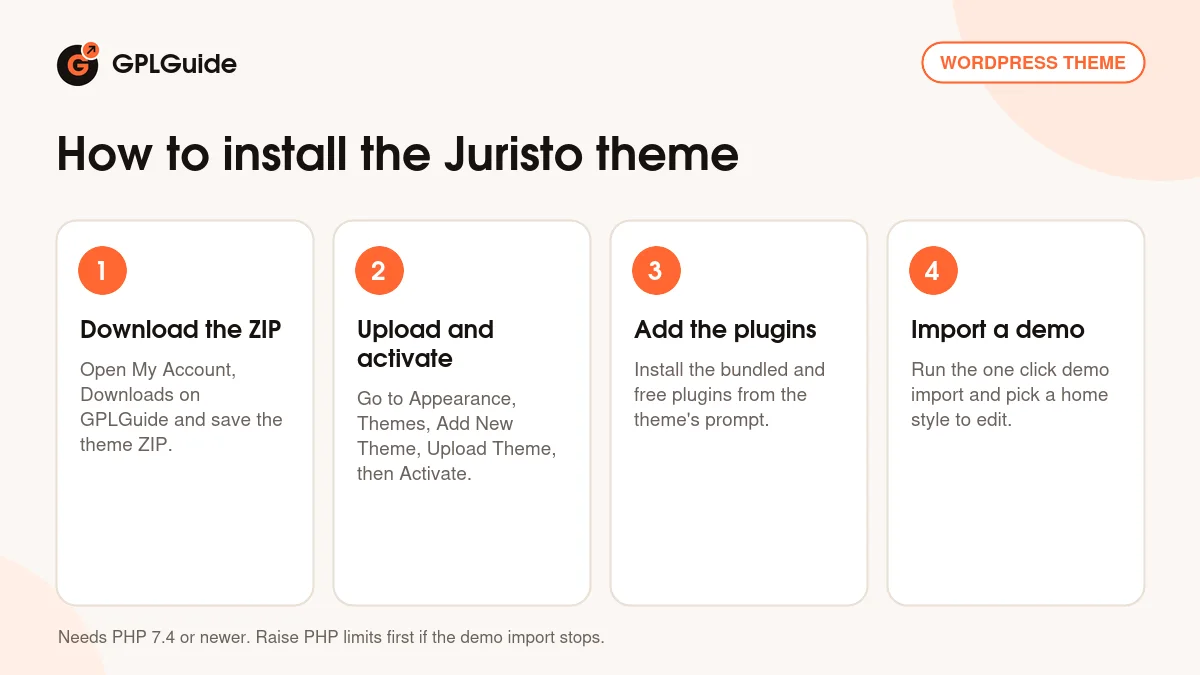
- Sign in to GPLGuide, open My Account, Downloads and save the Juristo theme ZIP.
- Go to Appearance, Themes, Add New Theme, Upload Theme, choose the ZIP and activate it.
- From the theme's plugin prompt, install and activate Juristo Core, Codestar Framework, Elementor, Contact Form 7, WooCommerce, MailChimp for WordPress and One Click Demo Import.
- Run the one click demo import, then open your chosen home style in Elementor and start replacing the demo text.
For a good first setup of the Juristo theme, import the demo on a fresh install and delete the pages you won't use, such as Shop or Pricing. Set your colors and fonts in the theme options next, so every page picks them up. Then rewrite the practice pages, add one attorney profile with a real photo and fill in the Case Info box for two past matters. Put your address on the contact map and send yourself a test message.
Keeping it up to date
Updates from GPLGuide are manual. When a new version of the Juristo theme is listed here, download it from your account and upload it under Appearance, Themes, Add New Theme, Upload Theme. WordPress offers to replace the installed copy, and your Elementor pages, cases and attorney profiles stay in the database. Put any code changes in a child theme so an update doesn't wipe them. If you spot a newer release than ours, tell us on the Request Item/Update page.
Questions about the Juristo theme
Which page builder does the Juristo theme use? Elementor. All demo pages are built with it, and Elementor Pro is listed as compatible but not required.
How many home pages are there? Three. Style 1 has a photo hero with an experience counter, Style 2 a text hero and Style 3 a white logo header.
Can I show past cases? Yes. The Cases page has a filter bar, and each case page has a Case Info box with Client, Attorney, Case Start, Execution Time and Result.
Does the Juristo theme suit a firm with several lawyers? Yes. Every attorney gets a profile page with contact details, education, skill bars and achievements, and the Attorneys page lists them all.
Does the Juristo theme need WooCommerce? Yes. The plugin installer marks it as required, so install it even if you don't plan to sell anything. WooCommerce 7.x and 8.x are the versions listed.
Which PHP version does it need? PHP 7.4 or newer. That's the minimum in the theme's style.css, which also lists WordPress 6.7 as tested.
Why does the demo import stop on my host? Usually server limits. The developer suggests a max_execution_time of 360, memory_limit of 256M and 32M for post_max_size and upload_max_filesize.
Do I need a purchase code? No. The file from GPLGuide comes with the license key already activated.
Building more than one legal or business site with the Juristo theme? Browse the WordPress themes on GPLGuide, add Elementor Pro if you want its extra widgets, or see what a GPLGuide membership includes.
Features & capabilities
- Lawyer and attorney design with three home styles
- Elementor page builder with one click demo import
- Practice area pages with an FAQ accordion and quote sidebar
- Filterable case studies with a Case Info box
- Attorney profiles with skills, education and achievements
- Pricing table, WooCommerce shop and three blog layouts
- Codestar theme options, unlimited colors and a sticky menu
- Bootstrap 5, Contact Form 7 and Google maps with multiple locations