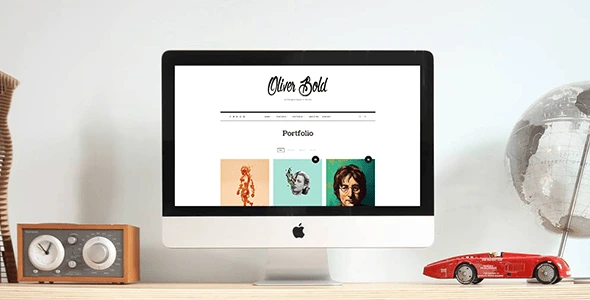
Oliver – Classic Portfolio WordPress Theme
100% Original fileUnmodified copy of the developer's release
DeveloperPixelwars
Up to dateOriginal released Oct 28, 2025 · File last updated Oct 20, 2026
About this product
The Oliver theme is a classic, minimal portfolio theme for WordPress, made for one person who wants to show their work and keep a blog on the same site. Designers, photographers, illustrators and writers get a clean white layout, a portfolio with lightbox formats and plenty of blog layouts. This page is for Oliver 1.2.5, released on October 28, 2025. On GPLGuide you download the original theme file to install on your own websites.
Good for: freelance designers, photographers, illustrators, front-end developers, bloggers who also sell their services, and anyone who wants a personal portfolio with a resume page, a blog and a small shop.
Requirements: WordPress 6.8 or higher and PHP 7.4 or higher, with PHP 8.3 or higher recommended, per the developer's requirements page for its themes. That page also asks for a PHP memory limit of 1024M and an upload max filesize of 128M. The item page lists WordPress 6.5 to 6.9 as compatible, along with WooCommerce 8 and 9 and WPML. The bundled WPBakery Page Builder handles page layouts, and the built-in Oliver Portfolio plugin switches on the portfolio.
What the Oliver theme does
Oliver is a portfolio theme for one person, not an agency. The live demo shows the idea well: a site for a UX designer called Oliver, with an intro block and a View Portfolio button, a row of services, fun fact counters, client logos and the latest blog posts underneath. It's quiet and white, so your projects do the talking.
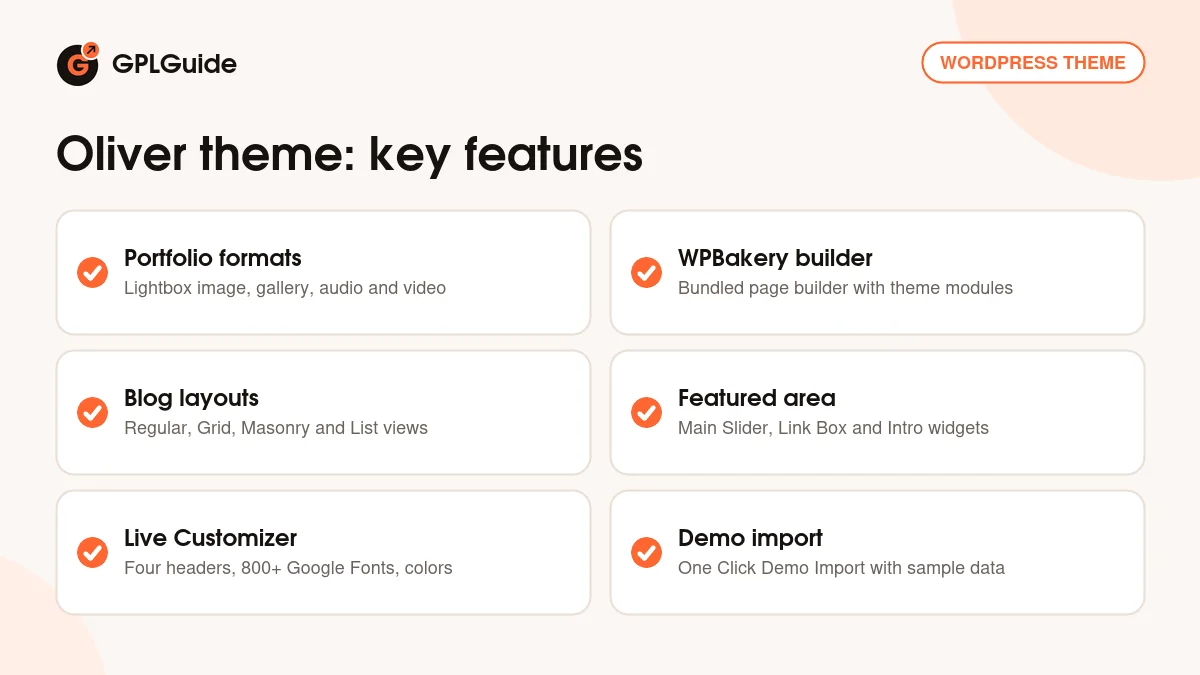
Pages in the Oliver theme are built with WPBakery Page Builder, which comes bundled. The docs were written when that plugin was still called Visual Composer, so don't be thrown by the old name. You add the theme's own modules, such as skills, a timeline, testimonials and services, through the Backend Editor or the Frontend Editor. The look itself lives in the Customizer: fonts, colors, header, blog layout and portfolio grid.
Around that sits a full blog with every post format, a related posts module, a trending posts widget, a Mailchimp for WordPress newsletter form and WooCommerce support for a small shop. The item page lists 800+ Google Fonts, four header variations and unlimited sidebars. The Oliver theme is translation ready with a .po file, and WPML is on its compatibility list.
The Oliver theme portfolio and page templates
Here's what trips people up first: the portfolio isn't switched on by default. Go to Appearance, Install Plugins and install Oliver Portfolio, the theme's built-in portfolio plugin. A Portfolio menu then appears with three entries: Portfolio, Add New and Portfolio Categories.
Each item takes a title, a featured image, a category and a format. Categories become the filter buttons on your portfolio page, and the Excerpt field holds the short line under each title. The Oliver theme offers Standard, Lightbox Image, Lightbox Gallery, Lightbox Audio, Lightbox Video and Custom URL formats, so a project can open a full case study, pop up a gallery or link out to a live site. For audio and video, paste the address into the URL field of the Featured Video box.
To show your work, create a page and pick a template under Page Attributes: Portfolio, Portfolio Narrow or Portfolio Full width, next to Default Template, Medium width and Full width for normal pages. Need two portfolios? Create parent categories under Portfolio Categories and add them to your menu. In Appearance, Customize, Portfolio you then set Page Layout, Grid Type, which changes the image size, and Grid Post Width.
Oliver theme blog layouts and the featured area
The blog is the other half of the Oliver theme. The item page lists Regular, Grid, Masonry and List layouts plus "1st full" versions, where the newest post runs full width above the rest. Each works with or without a sidebar, and archives and search results can use a different layout. On the demo, single posts come in Classic, With Sidebar and Overlay Post styles.
All ten WordPress post formats are supported, from Aside and Chat to Quote and Status. A Gallery Type box shows a gallery as a grid or a slider, and default WordPress galleries turn into collages with a lightbox.
Above the content sits the featured area. Set it up in Appearance, Customize, Widgets, Featured Area with three of the theme's widgets: Main Slider, which shows sticky posts or the latest posts, Link Box and Intro. The Intro widget takes text, an image and a background video, either a self-hosted MP4 or a YouTube or Vimeo embed code. The docs ask you to give each widget a title.
The rest of the Customizer is plain: General with Layout, Fonts, Characters and Colors, then Header, Footer, Blog, Single Post, Meta, Sidebar, Portfolio and Shop. Characters turns on extra character sets, which matters if you write with accented letters. Single Post holds Post Media Width. Set it to Overflow and centered images run wider than the text column.
Shortcodes, widgets and sidebars
The modules on the demo's home and resume pages are shortcodes, and you place them through WPBakery. The docs list [social_icon], [contact_form], [quote], [timeline] with [event_group_title] and [event], [skill], [testimonial], [section_title], [fun_fact], [service] and [client]. The timeline and skill pair suits a resume page like the one on the demo.
Images get a few CSS classes in their advanced options. Add full for a full-width image, zoom for one that enlarges on click with Link To set to Media File, or parallax for a scrolling effect. Small touches, but they make a long case study far less flat.
For sidebars the Oliver theme adds About Me, Social Media Feed and Social Media Icon widgets, plus three default areas: Blog Sidebar, Post Sidebar and Page Sidebar. Portfolio categories and single portfolio items can get their own sidebar under Customize, Sidebar.
Site plans you can copy
Before you import anything, pick eight to twelve of your best projects and write one line about each. That line goes in the Excerpt field under the thumbnail, so it does more work than you'd think.
- Freelance designer: Home with Portfolio as the front page, the Portfolio Full width template, Branding, Web and Print as filters, and a contact page with the [contact_form] shortcode.
- Photographer: a Lightbox Gallery item for each shoot, Grid Type set to larger images and an Intro widget with a short background video.
- Developer or UX designer: Custom URL items that link to live projects, a resume page built with the timeline and skill shortcodes, and the services row on the home page.
- Writer who takes commissions: the 1st full list layout as the blog, Main Slider showing your sticky posts and a portfolio page for published work.
- Illustrator selling prints: WooCommerce for a small shop, the Shop item width set in the Customizer and the cart link in the header.
- Portfolio in another language: translate the Oliver theme with WPML or the .po file, and switch on extra character sets.
Keep the menu short. Work, About, Blog and Contact cover most personal sites, and visitors find the portfolio faster when it isn't buried three levels deep.
What's new in the Oliver theme 1.2.5
Oliver 1.2.5 came out on October 28, 2025. The changelog lists two changes: an updated WPBakery Page Builder, the bundled plugin, and updated WooCommerce template files. It's a maintenance release that keeps shop pages in step with newer WooCommerce versions.
Before that, 1.2.4 (April 10, 2024) also updated the bundled page builder and brought better support for PHP 8. Version 1.2.3 (October 29, 2021) was another page builder update, and 1.2.2 (August 23, 2021) improved WooCommerce cart functionality. The Oliver theme first came out on June 11, 2017.
Good to know before you buy
The Oliver theme is a classic WordPress theme built around WPBakery and the Customizer. Its item page marks it as not Gutenberg optimized, and when a buyer asked for a block editor version the developer said there isn't one. If you plan to design pages in the block editor or in Elementor, look elsewhere.
Updates come slowly. Since 2021 most releases have been page builder and WooCommerce template refreshes, so don't expect new demos. The docs date from 2017 as well: Visual Composer is now WPBakery Page Builder, and the free plugin list still names WP Instagram Widget, while 1.1.8 added Instagram Feed Gallery to the installer.
Cheap shared hosting may struggle with the developer's requirements. The theme ZIP is about 10 MB, and the docs warn that some hosts stop uploads over 8 MB, in which case you install it by FTP or cPanel. Neither the item page nor the docs say whether the demo photos come with the import, so plan to use your own images. We found no service on the developer's servers that the theme depends on.
Oliver theme from GPLGuide vs the official subscription
The Oliver theme is sold on ThemeForest, where the Regular License costs $59 and the Extended License $1999. A Regular License includes future updates through Envato and 6 months of support from the developer, and extending support to 12 months is listed at $41.13. Under Envato's licence for this item, its PHP code is licensed under the GPL.
From GPLGuide you get the original Oliver theme 1.2.5 file, with the same built-in plugin installer, portfolio, widgets, shortcodes and Customizer settings. The license key is already activated, so there's nothing to enter before you start.
A ThemeForest purchase is the only way to get the developer's help in their support forum, refunds under Envato's rules and updates through your Envato account.
How to install the Oliver theme
- Sign in to GPLGuide, open My Account, Downloads and save the Oliver theme ZIP.
- Go to Appearance, Themes, Add New Theme, Upload Theme, choose the ZIP, install it and click Activate.
- Open Appearance, Install Plugins and install WPBakery Page Builder and Oliver Portfolio, plus any free plugins you want.
- Install One Click Demo Import from the same screen, then go to Appearance, Import Demo Data and click Import.

Import the demo on a fresh install, not on a site with content you care about. If the media library already holds images, run Regenerate Thumbnails once, because the Oliver theme uses its own image sizes. Assign your menu under Appearance, Menus, Manage Locations, then replace the demo projects with yours, starting with the featured images. Set Grid Type and Grid Post Width while you have real thumbnails to judge by.
Keeping it up to date
Updates from GPLGuide are manual. When a new Oliver theme release is listed here, download it from your account and upload it under Appearance, Themes, Add New Theme, Upload Theme. WordPress offers to replace the installed copy, and your posts, portfolio items and Customizer settings stay in the database. Back up the theme folder first and keep code changes in a child theme. Spotted a newer version we haven't added? Tell us on the Request Item/Update page.
Questions about the Oliver theme
Which page builder does the Oliver theme use? WPBakery Page Builder. It's bundled with the theme, and the older docs still call it Visual Composer.
Can I design pages in the block editor? Not really. The item page marks the Oliver theme as not Gutenberg optimized, and the demo pages are WPBakery layouts.
Why is there no Portfolio menu? The portfolio plugin isn't active yet. Install Oliver Portfolio from Appearance, Install Plugins and the menu shows up.
How does the demo import work? Through One Click Demo Import. Install it from Appearance, Install Plugins, then click Import under Appearance, Import Demo Data. A manual route through Tools, Import, WordPress uses the XML file in the Sample Data folder.
Are the demo images included? The developer doesn't say. Treat the demo photos as placeholders and upload your own work.
Can I sell prints with the Oliver theme? Yes. WooCommerce is in the built-in installer, and 1.2.5 updated the WooCommerce template files.
What PHP version do I need? PHP 7.4 or higher, and the developer recommends 8.3 or higher. Version 1.2.4 improved PHP 8 support.
Is it translation ready? Yes. It ships with oliver.pot for Loco Translate or Poedit, and WPML is listed as compatible.
Do I need a purchase code? No. Your GPLGuide copy comes with the license key already activated.
Want to compare the Oliver theme with other portfolio designs? Browse the WordPress themes on GPLGuide, or see what a GPLGuide membership includes if you build sites for several clients.
Features & capabilities
- Classic, minimal portfolio and blog design for one person
- Bundled WPBakery Page Builder with the theme's own modules
- Oliver Portfolio plugin with lightbox image, gallery, audio and video formats
- Six page templates, including Portfolio Narrow and Portfolio Full width
- Regular, Grid, Masonry and List blog layouts with 1st full versions
- Featured area with Main Slider, Link Box and Intro widgets
- Four header variations, 800+ Google Fonts and unlimited sidebars
- One Click Demo Import, WooCommerce support and a .po file for translation