Biznov – Business Consulting WordPress Theme

100% Original fileUnmodified copy of the developer's release
DeveloperReacThemes
Up to dateOriginal released Apr 2, 2026 · File last updated Oct 21, 2026
About this product
The Biznov theme is a business consulting WordPress theme for finance firms, advisers, HR and insurance companies, IT consultancies and other corporate service businesses. It is built on Elementor, comes with 10 home page demos and more than 50 inner pages, and gives you 8 header and 7 footer layouts. This page is for Biznov 1.0.7, released on April 2, 2026. On GPLGuide you download the original theme file to install on your own websites, with the license key already activated.
Good for: financial advisers, accounting and tax practices, business consultants, HR and recruitment agencies, insurance brokers, small IT consultancies and freelancers who build corporate sites for clients.
Requirements: WordPress 5.8 or newer (the item page lists 5.8.x up to 7.0.x), PHP 7.4 or greater and MySQL 5.6 or MariaDB 10.0 or newer. The developer recommends 512M for memory_limit, post_max_size and upload_max_filesize, and a max_execution_time of 300. Required plugins: the theme's two core plugins, which come inside the theme, plus Slider Revolution and the theme's mega menu plugin, which its installer downloads from the developer's server. The free ones are Elementor, Redux Framework, Contact Form 7, Breadcrumb NavXT and One Click Demo Import.
What the Biznov theme does
Biznov has one clear job. It gives a consulting or finance business a professional website without building every section from a blank page. You choose one of the 10 home demos, import it in one click and then swap the text, photos and sections in Elementor. Pre-designed About Us, Services and Contact pages are part of the set.
The design work happens in two places. Elementor handles the page layouts, including headers and footers, which the Biznov theme stores as their own post type. A theme options panel built on Redux Framework handles the site-wide settings: logo, top bar, header and footer style, colors, menu settings, blog layout, banner and preloader. The core plugin adds custom Elementor widgets, and the item page lists 3+ service styles, 7+ portfolio styles and 7+ team styles.
Around that sits what a corporate site usually needs: a mega menu through the theme's mega menu plugin, a sticky header, Google Fonts, a Google Map, Font Awesome icons, a modern blog layout and WooCommerce compatibility. The Biznov theme is based on the Underscores starter theme and marked as responsive with W3C valid HTML.
Biznov theme demos, headers and footers
Ten home demos is a generous number at this price. The item page doesn't name them, so pick the one closest to your business in the live preview before you import. The import starts from Appearance, Import demo data, and one click builds your site to match the demo you picked.
Check your PHP limits before that click. The developer's troubleshooting page blames failed imports, white screens and empty pages on low limits. Five minutes of server settings saves a messy half-imported site.
Headers and footers work differently from many themes. They are Elementor templates saved in a Header and Footer post type. To edit them, open Elementor's Settings, tick the Header and Footer post types and save. The Header post type in your dashboard then lists every header layout. Open one with Edit with Elementor and change the logo, menu or buttons by drag and drop. Footers use the same list.
So the 8 header and 7 footer layouts in the Biznov theme aren't locked presets. You can also build a brand new header in the same list and leave the demo header alone until yours is ready. If every page shows a 404 error after the import, go to Settings, Permalinks and save them again.
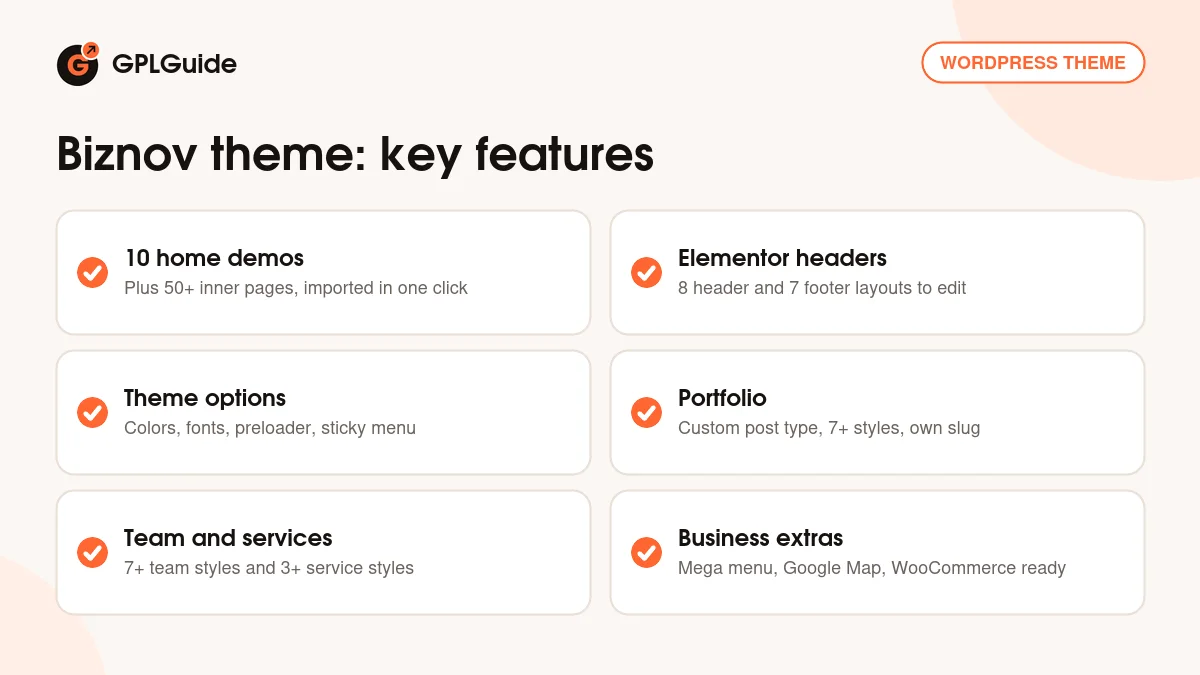
The Biznov theme options panel
Site-wide settings live in the theme options, which run on Redux Framework. The docs split them into four groups. General Sections covers the container size, the favicon and the Enable Sticky Menu switch. Typography sets the body font size and font family, plus heading sizes and colors. General Style holds the primary and secondary colors, and Preloader Style turns the loading screen on or off and sets its background and text colors.
Set the two brand colors before you edit single sections. Change them later and you'll be hunting through every page for leftover demo colors.
The inner page banner, the strip with the page title and breadcrumb, is set from the Style area too, under Breadcrumb. There you turn the breadcrumb style on or off and add a banner background color or image. A calm photo works better than a busy one, since the title sits on top of it. After any change, click Save Changes.
Options for the logo, top bar, menu settings and blog layout are there too, though the docs don't describe them field by field.
Portfolio, team pages and translation
Case studies matter for a consultancy, and the Biznov theme gives them a proper home. Portfolio is a custom post type with 7+ display styles. You edit a portfolio post in Elementor like any page: click a block to change its content and style, or drag in a widget to add a section.
The portfolio slug can be changed. Enter your own slug name, and if your permalinks use Post Name, click Save Changes so the new links work. Renaming "portfolio" to "case-studies" reads far better for a finance firm.
Team pages come in 7+ styles and service sections in 3+ styles. For a firm that sells trust, real photos and short bios are worth the effort.
The theme is translation ready with a PO file. For a site in two or more languages, the docs suggest Polylang or WPML. WPML isn't bundled, so you buy its licence separately.
Site plans to copy with the Biznov theme
Pick the home demo after you've decided what the site has to do. A firm that wants phone calls needs the number in the header and a short form.
- Financial adviser: a home demo with a strong hero, three service boxes for planning, investments and retirement, a team page with qualifications and a Contact Form 7 callback form.
- Accounting and tax practice: one section per service, the modern blog layout for tax deadline posts and a Google Map on the Contact page.
- HR or recruitment agency: a team style for your consultants, portfolio entries used as client stories and a sticky header with an Apply button.
- Insurance broker: one service section per policy type, a top bar with your phone number and opening hours, and a quote request form.
- Business consultancy: case studies as portfolio posts and a mega menu that groups services by industry.
- IT consultancy with fixed packages: WooCommerce for audits or support packs at a set price.
Keep each home page to five or six sections. The demos show what is possible, not what you have to keep.
What's new in the Biznov theme 1.0.7
Biznov 1.0.7 came out on April 2, 2026. It is a maintenance release: the changelog lists compatibility with the latest WordPress, compatibility with Elementor and an update of the bundled plugins. It lists no new demos or settings.
Earlier releases follow a similar pattern. Version 1.0.5 (September 14, 2025) updated Slider Revolution, added compatibility with the latest WordPress and updated the bundled plugins. Version 1.0.4 (December 18, 2024) fixed issues with the latest Elementor. The release listed as 1.02 (August 15, 2024) updated Slider Revolution again, and 1.01 (July 12, 2024) fixed a demo import issue. The first release was June 29, 2024. The changelog has no entries for 1.0.3 or 1.0.6.
Good to know before you buy
The Biznov theme needs its plugins to work properly. Its two core plugins, the Elementor elements plugin and the framework plugin, come inside the theme along with six slider demo files. Elementor, Redux Framework, Contact Form 7, Breadcrumb NavXT and One Click Demo Import are free and required, and a Mailchimp plugin is optional. After you activate the theme, a notice lists them all.
Slider Revolution and the theme's mega menu plugin are marked required too, but they aren't in the ZIP. The theme's plugin installer downloads both from the developer's server. That server answered on October 21, 2026, but it is the developer's service, so a download can fail if it is ever down. Slider Revolution is a premium plugin from another developer. If it won't install, swap the slider hero for an Elementor section.
The item page marks the Biznov theme as not Gutenberg optimized, so keep the block editor for blog posts. The documentation is short: most articles are a line or two plus a screenshot, and a couple still name another theme's options panel. The demo photos are credited to Freepik and Unsplash, so plan to use your own. The item page also mentions a basic child theme, but there isn't one in the Biznov theme ZIP.
Biznov theme from GPLGuide vs the official subscription
On ThemeForest, the Regular License for the Biznov theme costs $49. It includes future updates and 6 months of support from the developer, and you can extend support to 12 months, currently shown at $13.88. The Extended License is $2,799. Under Envato's licence for this item, its PHP code is licensed under the GPL.
From GPLGuide you get the original Biznov 1.0.7 theme file, with the features that come in that file. It has the license key already activated.
Some things come only with a ThemeForest purchase: support from the developer, refunds under Envato's rules and updates through your Envato account. If you'll need help with the demo import or the header templates, buy the licence there.
How to install the Biznov theme
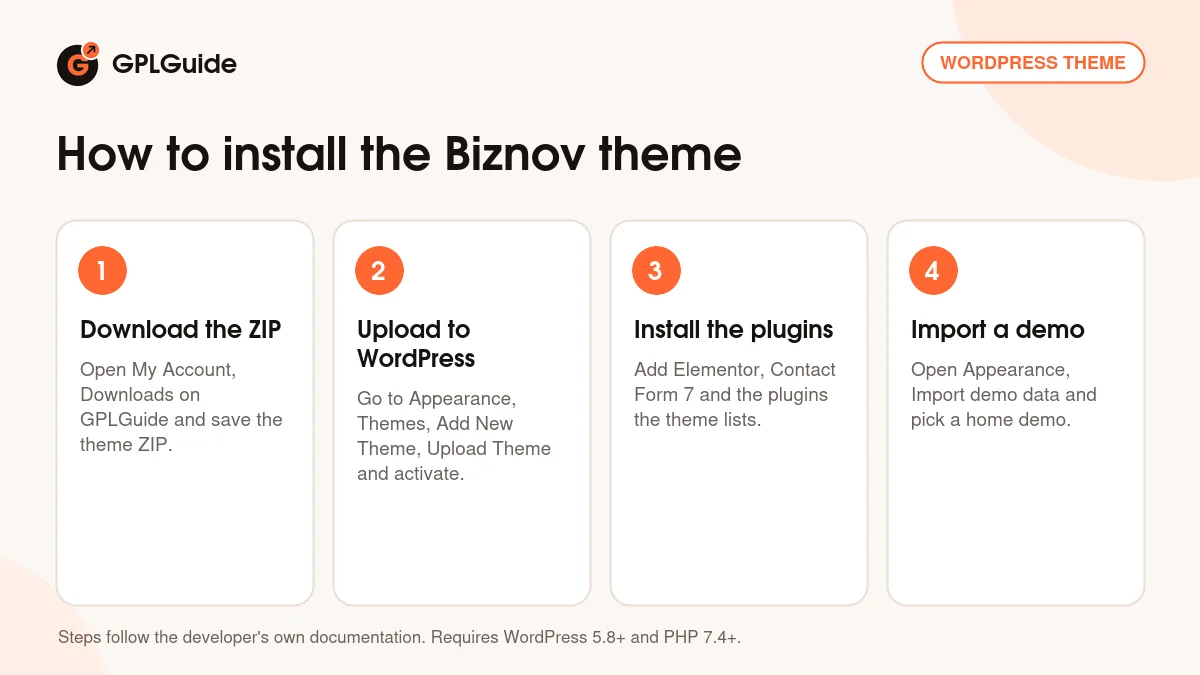
- Sign in to GPLGuide, open My Account, Downloads and save the Biznov theme ZIP.
- Go to Appearance, Themes, Add New Theme, Upload Theme, choose the ZIP, click Install Now and activate it.
- Install and activate the plugins the theme lists in its notice: its two core plugins, Slider Revolution, the mega menu plugin and the free ones.
- Open Appearance, Import demo data and import the home demo you want.
A good first setup starts on the server. Raise the PHP limits, import one demo, then go to Settings, Reading and set the imported home page as your homepage. Set the brand colors, the logo and the favicon. Enable the Header and Footer post types in Elementor and add your phone number to the header. Then replace the demo text and photos page by page, and send yourself a test message through the contact form before you launch.
Keeping it up to date
Updates from GPLGuide are manual. When a new version of the Biznov theme is listed here, download it from your account and upload it under Appearance, Themes, Add New Theme, Upload Theme. WordPress offers to replace the installed copy, and your Elementor pages and theme options stay in the database. The ZIP has no ready child theme, so create one before you change any code. Take a backup first and test the site afterwards. If you spot a newer release that isn't listed yet, say so on the Request Item/Update page.
Questions about the Biznov theme
Which page builder does the Biznov theme use? Elementor. The pages, headers and footers are all Elementor layouts.
Do I need Elementor Pro? No. The developer lists the free Elementor plugin as required and doesn't mention Pro.
How many home pages does it come with? Ten home page demos, plus more than 50 inner pages, 8 header layouts and 7 footer layouts.
Can I sell products with it? Yes. The item page lists WooCommerce compatibility, which suits reports, fixed price packages or paid consultations.
Is the Biznov theme translation ready? Yes. It translates with a PO file, and the docs suggest Polylang or WPML for multilingual sites.
Is Slider Revolution included? Not in the ZIP itself. The theme's plugin installer downloads it, along with the mega menu plugin, from the developer's server.
Does it come with a child theme? No. The Biznov theme ZIP has no ready child theme, so make a small one yourself if you plan to edit code.
Why did my demo import fail? Usually low PHP limits. Raise memory_limit to at least 256M and upload_max_filesize to 512M, then run it again.
Can I get support from the developer? Only with a ThemeForest licence. Developer support isn't part of a GPLGuide download.
Comparing business designs? Browse the WordPress themes on GPLGuide, or see what a GPLGuide membership includes if you build sites for several clients. The Biznov theme is built for the free Elementor page builder.
Features & capabilities
- 10 home page demos and more than 50 inner pages
- 8 header layouts and 7 footer layouts built in Elementor
- One-click demo import from the Appearance menu
- Theme options for colors, typography, preloader and sticky menu
- Portfolio post type with 7+ styles and a changeable slug
- 3+ service styles and 7+ team styles for consulting pages
- Mega menu plugin, sticky header, Google Fonts and Google Map
- WooCommerce compatible and translation ready, with WPML and Polylang support