BWD Popup Plugin for Elementor
100% Original fileUnmodified copy of the developer's release
DeveloperBest WP Developer
Up to dateFile last updated Oct 23, 2026
About this product
BWD Popup 1.8 is a popup plugin for Elementor that opens a modal dialog box on your page, filled with content you design yourself in the Elementor editor. It's for Elementor site owners who want one clear message in front of visitors at the right moment: a sale or coupon on a shop, a newsletter sign-up on a blog, a last offer before someone leaves a landing page. You don't write any code, and the popup can open by itself rather than waiting for a click.
What's in the BWD Popup download
Our download is the original BWD Popup ZIP for version 1.8, with the license key already activated. Elementor itself is not part of the file. This popup is not in the developer's free Elementor addons pack, where it is one of the premium widgets, and the developer's larger paid addons bundle is a separate product that is not in this download.
Good to know
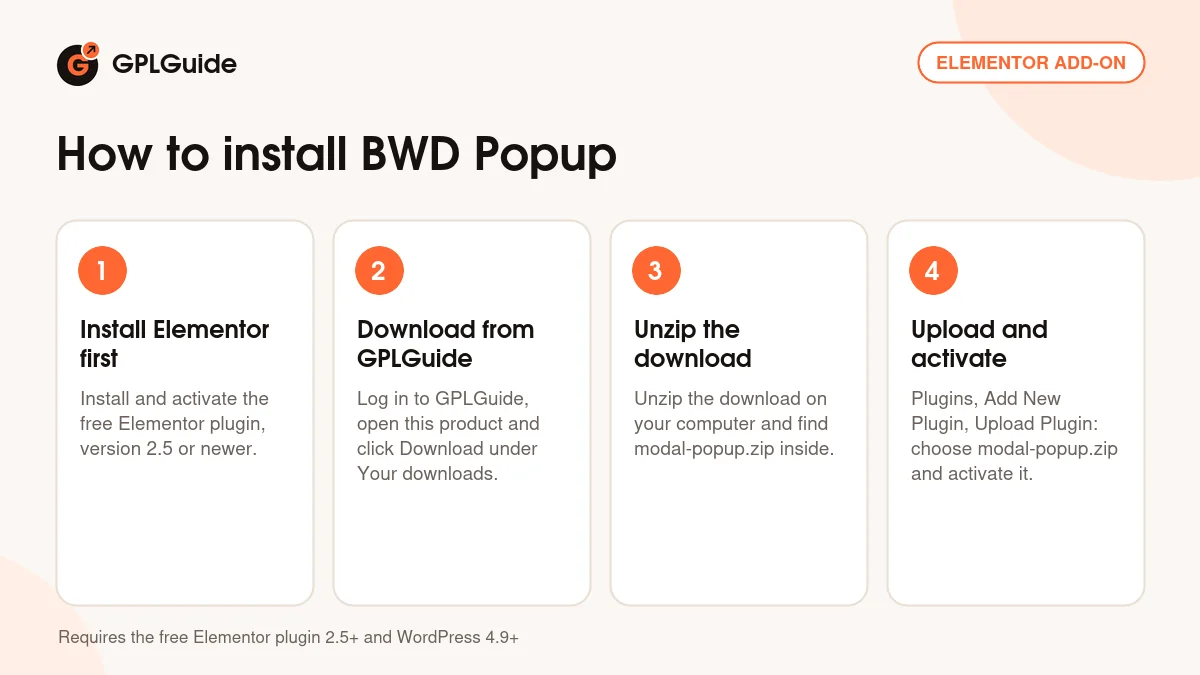
BWD Popup needs the free Elementor plugin, and the developer names Elementor 2.5 or newer. Its compatibility list runs from WordPress 4.9 to 6.9. Unzip the download on your computer first and upload modal-popup.zip, not the whole package. After activation it shows up in your Plugins list as Modal Popup. The popup displays a saved Elementor template, so build and save that template before you set up the popup, then choose it in the popup's settings.
How to install BWD Popup
Features & capabilities
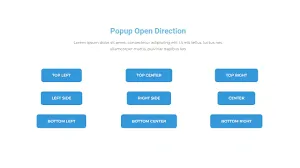
- Nine opening positions: the four corners, the middle of each edge and the centre of the screen
- Four display conditions: on page load, on page scroll, on exit intent and after a spell of inactivity
- Popup content comes from an Elementor saved template, built with the widgets you already use
- Preset dialog designs that you restyle in the Elementor panel
- Responsive layout, so the popup also fits phones and tablets
- Set up in a couple of minutes in the Elementor editor, no code needed
- Works with themes built on Elementor and alongside Elementor Pro
- Translation-ready with an included .pot file
Frequently asked questions
Is this the original file?
Yes. Every product on GPLGuide is the developer’s own release, unchanged. The license key comes already activated. If a product does ask for a key, the activation steps appear on its page once you have it.
Is it legal to use a GPL plugin or theme from GPLGuide?
Yes. WordPress plugins and themes are released under the GPL, which lets anyone use, share and change the code. The developer’s support desk and the developer’s own update service are not part of the file; those stay with the developer.
How do I install it?
Log in, open the product page and click Download under Your downloads. For a plugin go to Plugins, Add New Plugin, Upload Plugin, choose the ZIP, then Install Now and Activate. For a theme go to Appearance, Themes, Add New Theme, Upload Theme.
How do updates work?
When a newer version is listed on GPLGuide, download it from the product page and upload it over the installed copy; WordPress offers to replace the old version. Updates are manual.
Can I use it on more than one site?
Yes. The GPL lets you use it on as many of your own sites as you like.
What if the file does not work or a newer version is out?
Tell us on the Request Item page or through Support. We check the file and add the newer version when we have it.