ARMember – WordPress Membership Plugin
100% Original fileUnmodified copy of the developer's release
DeveloperCode Canyon
Up to dateOriginal released Oct 6, 2026 · File last updated Oct 23, 2026
About this product
ARMember is a WordPress membership plugin that turns an ordinary site into a members-only one, with free and paid plans, recurring subscriptions, signup forms, content restriction, drip content and a front-end panel for members. It's made for people who sell access to articles, videos, lessons or a community, and for developers who build those sites for clients. This page is for ARMember 7.9.1, released on October 6, 2026. On GPLGuide you download the original plugin file to install on your own websites.
Good for: paid newsletters and blogs with a paywall, coaching and course sites, clubs and associations with yearly dues, video and resource libraries, BuddyPress or BuddyBoss communities, and agencies that set up membership sites for clients.
Requirements: WordPress 5.0 or newer, PHP 7.2 or newer and MySQL 5.1.20 or newer, per the developer's getting started guide. Release 7.5 improved compatibility with WordPress 7.0. No other plugin is required. WooCommerce is only needed as a payment method, and BuddyPress, BuddyBoss or bbPress only for their integrations.
What ARMember does
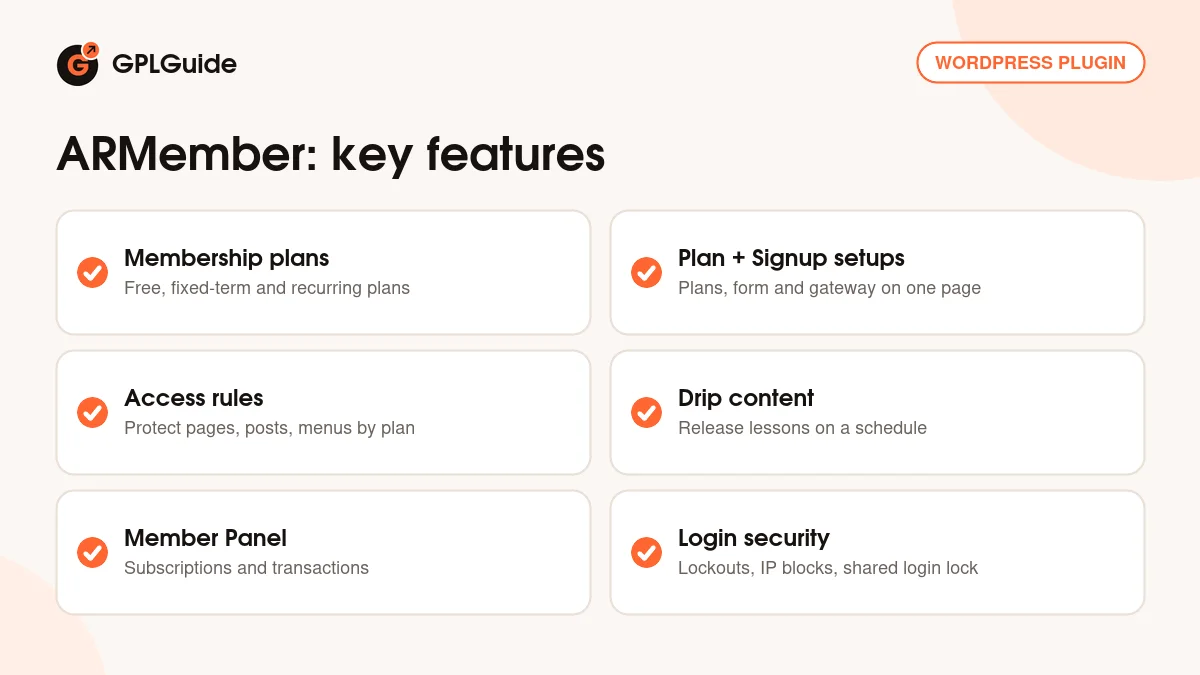
Everything in ARMember hangs off membership plans. You create a plan, give it a price and a duration, and then decide what that plan is allowed to see. Access rules hide pages, posts, categories and menu links from anyone without the right plan, and drip rules release content over time. People join through a setup page that puts plan choice, a registration form and a payment gateway on one screen.
PayPal, Stripe, Authorize.Net, 2Checkout and Bank Transfer are built in, with WooCommerce and myCRED points as extra options and gateway add-ons for Mollie, Razorpay, Square and more. Coupons, invoices and tax, pro-rata billing, pay per post and social login are modules you turn on under ARMember, Addons. Members get login and profile forms, a member directory, membership cards and, since 7.3, a Member Panel.
Membership plans and the ARMember signup page
Plans live under ARMember, Manage Plans. Each has a Plan Name, a Plan Description and a Member Role, the WordPress role the member receives. On a new plan, Inherit Access Rules Of Subscription Plan copies the rules from an existing one. With dozens of protected pages, that saves a lot of clicking.
There are four plan types. A Free plan never expires. Paid plan (infinite) is one payment for lifetime access. Paid plan (finite) runs for a set number of Days, Weeks, Months or Years, counted from the join date (Based On Plan Assigned Date) or ending on one date for everyone (Fix Expiration Date). Subscription/Recurring Payment takes one or more Payment Cycles, so one plan can offer monthly and yearly billing, plus a Recurring Time that is a fixed count or Infinite.
The recurring settings answer the questions members ask later. Trial Period sets a trial amount and length. End Of Term Action blocks access or moves the member to another plan, and Grace Period End of Term adds extra days. Payment Failed Action and Grace Period Failed Payment cover renewals that don't go through. One catch from the docs: Authorize.Net needs cycles of at least 7 days.
To sell the plans, open ARMember, Configure Plan + Signup Page and click + Add New Setup. Choose your plans and gateways, then the Mode of Subscription: Auto Debit only, Semi-Automatic (manual) only, or Both. Pick the registration form, write a payment summary with tags such as [PLAN_NAME] and [PAYABLE_AMOUNT], and turn on Enable Two Steps Sign-up if plan choice needs its own screen. You get an [arm_setup] shortcode for a page or a popup.
A small trick: adding ?subscription_plan=2 to the signup page URL preselects plan 2. Link each pricing table button that way and visitors land on the right plan.
Access rules, drip content and paid posts
The access rules screen lists your content in a grid with a column for each plan. Filter it by Type (Pages, Posts, Custom Posts, Categories, Tags, Taxonomy, Navigation Menus, Special Pages), by Protection and by Plan. Tick a plan to give it access. Protected items also drop out of search results, archives and RSS feeds for people without access.
Two behaviors catch people out on day one. Content that existed before you installed the plugin stays open until you protect it, while new posts pick up the default rules from General Settings. And protection switched on with no plan chosen hides the item from everyone. Check that column before you publish.
For part of a post, wrap the members-only section in [arm_restrict_content plan="1,3," type="hide"] and close it with [/arm_restrict_content]. An [armelse] in the middle shows other text, such as a join link, to everyone else. Use plan="registered," for any logged-in user. Administrators always see everything, so test from a private window.
Drip rules sit under ARMember, Drip Content, Add New Rule. The types are Immediately, After certain time of subscription, Specific date onward (range), After certain time of post is published, and After certain time, post is last modified. Enable Expiration with Hide After removes content again later. Pages, posts, custom post types, WooCommerce products and categories can all be dripped.
Pay Per Post sells single posts or pages through a Paid Post Setup, and Enable Assign Paid Post on a plan gives members paid posts when they buy it.
Forms, the Member Panel and login security
Forms are built under ARMember, Manage Forms with drag and drop preset and custom fields, color schemes, label alignment and Font Awesome icons. Any form can open in a popup with popup="true" on its shortcode. Social Connect adds sign in with Facebook, Google, LinkedIn, Twitter and a few other networks.
The Member Panel, added in 7.3, is the members' own dashboard. It runs on a page with [arm_member_panel] and is set up under General Settings, Member Panel. Its tabs are Subscriptions, Transactions, Edit Profile, Close Account and Change Password, and + Add Custom Tab adds your own content or a link. Panel colors can match your theme.
Security lives in General Settings and the Security Options tab. Maximum Number of login attempts and Lock user temporarily for set the brute force lockout, and Permanent lock user after login attempts deals with repeat offenders. Usernames, emails and IPs can be blocked one per line, and URLs per plan with a * wildcard. You'll also find Hide Admin Bar, Hide wp-login.php Page and Auto Lock Shared Account, which ends a member's other sessions so one login can't be passed around.
ARMember setups you can copy
Each example uses only settings from the developer's documentation.
- Paid newsletter: a monthly Subscription/Recurring Payment plan with a 7 day Trial Period, access rules on your premium category, and [armelse] to show a teaser and join link.
- Yearly association: a Paid plan (finite) with Fix Expiration Date set to December 31, an End Of Term Action that moves people to a free plan, and 14 days of Grace Period End of Term.
- Drip course: one paid plan and drip rules set to After certain time of subscription, so lesson 2 opens after 7 days and lesson 3 after 14.
- Three tiers: Basic, Pro and Team plans in one setup with Enable Two Steps Sign-up, and pricing buttons that add ?subscription_plan= and the plan ID.
- Locked-down login: Hide wp-login.php Page on, Enable ARMember styling on wp-login page with your Login Form Logo, and 5 login attempts before a 30 minute lock.
What's new in ARMember 7.9.1
ARMember 7.9.1 came out on October 6, 2026. It lets you customize the WordPress login page logo and base color, found in General Settings as Login Form Logo and Base Color. When you add a manual payment in the admin, you can now enter a Transaction ID and a Subscription ID, which helps when matching bank transfers to your records. Spam protection for forms was improved, buying a membership through the WooCommerce integration was improved, and the usual bug fixes are in.
Before it, 7.8.2 (September 22, 2026) fixed a security issue in the Avatar field, and 7.8.1 (September 15, 2026) improved Stripe payment failed webhook handling. 7.8 (August 27, 2026) added Wordfence passkey support in the login form, and 7.7 (August 7, 2026) brought two new Member Directory templates. The developer has since released 7.9.1 (October 8, 2026), listed as security and stability improvements.
Good to know before you buy
This is the core plugin with its built-in modules. The bigger extras the developer sells, such as Online Courses, Social Community, Group/Umbrella Membership, Digital Download, Gift Membership and PDF Creator, are separate plugins, so they aren't part of this download. The developer's pricing page puts many of them in its higher plans.
A few modules don't mix. Pro-Rata and Multiple Membership can't run together, and upgrade or downgrade actions are off while Multiple Membership is on. Pro-rata on auto-debit renewals works only with PayPal, Stripe and the PayPal Pro and Paddle add-ons. Through WooCommerce, recurring plans always renew manually and guest buyers don't get a plan, so turn guest checkout off.
Payment gateways, Google reCAPTCHA, social login apps and the email services behind the opt-ins all need your own accounts with those providers.
ARMember from GPLGuide vs the official subscription
From GPLGuide you get the original ARMember 7.9.1 plugin file, with every built-in module in it: drip content, pay per post, pro-rata, coupons, invoices and tax, social login, member directories and the default gateways. The license key is already activated, so the Addons screen works once the plugin is installed. Under Envato's licence for this item, its PHP code is licensed under the GPL.
Buying from the developer gets you what a file can't carry. The CodeCanyon Regular License is $149 with 6 months of the developer's support, extendable to 12 months. The developer's own site sells plans from $89 per year (Standard, one site), with Professional at $139 and Enterprise at $299 per year, premium add-ons in the higher plans and a 14-day money-back guarantee. Support and refunds come only from the developer.
How to install ARMember
- Sign in to GPLGuide, open My Account, Downloads and save the ARMember ZIP.
- In WordPress go to Plugins, Add New Plugin, Upload Plugin and choose the ZIP.
- Click Install Now, then Activate Plugin. On a new site the setup wizard covers general settings, a first plan, payments and content access.
- The license key is already activated, so open ARMember, Addons and switch on the modules you need, such as Drip Content.

For a good first setup, create one free plan and one paid plan, enable a single gateway such as Stripe, and protect one test page. Build a signup setup, put its shortcode on a page and join from a private window. Fixing redirects and messages now beats fixing them after your first real member arrives.
Keeping it up to date
Updates from GPLGuide are manual. When a new version of ARMember is listed here, download it from your account and upload it under Plugins, Add New Plugin, Upload Plugin. WordPress offers to replace the installed copy, and your plans, members and settings stay in the database. The developer recommends backing up the site and database first. Seen a newer version, such as 7.9.1, that we haven't added? Tell us on the Request Item/Update page.
Questions about ARMember
Does ARMember handle recurring payments? Yes. Subscription plans can auto-debit through PayPal, Stripe, Authorize.Net and 2Checkout. Bank Transfer renewals are semi-automatic, so members pay each cycle themselves.
Do I need to enter a license key? No. The ARMember 7.9.1 file from GPLGuide comes with the license key already activated.
Can a member hold more than one plan at a time? Yes, with the Multiple Membership/Plans module. It won't run alongside Pro-Rata, though.
Does it work with WooCommerce? Yes. WooCommerce can be a payment method that sends the plan to the cart, and WooCommerce products can be dripped. Recurring plans paid this way renew manually.
Which page builders does it support? Most common ones. Restriction modules cover Gutenberg, Beaver Builder, Divi, WPBakery, Avada, Oxygen, SiteOrigin and Bricks, and the item page lists Elementor and Elementor Pro as compatible.
Are online courses included? No. Online Courses is a separate premium add-on from the developer.
What happens when a renewal payment fails? The plan's Payment Failed Action runs. On auto-debit plans that's 24 hours after the renewal date with no payment, and Grace Period Failed Payment can add extra days first.
Building a membership site? Browse more WordPress plugins on GPLGuide, or see what a GPLGuide membership includes if you use several premium plugins.
Features & capabilities
- Free, one-time, fixed-term and recurring plans with trials and grace periods
- Plan + Signup setups with two-step signup, coupons and popup option
- Access rules for pages, posts, categories, menus and custom post types
- Drip content by subscription time, date range or publish date
- Member Panel with subscriptions, transactions and custom tabs
- PayPal, Stripe, Authorize.Net, 2Checkout, Bank Transfer and WooCommerce
- Brute force lockout, IP and email blocking and shared login lock
- Pay Per Post, pro-rata billing, invoices, tax and member directories