Advanced Flat Rate Shipping For WooCommerce Pro

100% Original fileUnmodified copy of the developer's release
DeveloperDotstore
Up to dateFile last updated Oct 16, 2026
About this product
Advanced Flat Rate Shipping For WooCommerce Pro is the premium edition of Dotstore's flat rate shipping plugin. It lets you build your own WooCommerce shipping methods, each with a fixed fee, a per item charge, a formula or a set of price rules, and each one only shows at checkout when the cart, the customer and the address match the conditions you choose. This page is for Advanced Flat Rate Shipping For WooCommerce Pro version 4.8.0. On GPLGuide you download the original plugin file to install on your own stores, and it comes with the license key already activated, so there is no key to enter.
Good for: WooCommerce store owners whose shipping costs depend on more than one thing: where the parcel goes, what is in the cart, how heavy it is or who is buying. It suits shops with bulky or fragile items, local delivery areas, wholesale customers on special rates, and stores with seasonal or express options.
Requirements: WordPress, WooCommerce and PHP 7.2 or newer. Dotstore lists the plugin as compatible with WordPress 7.0, WooCommerce 10.9.x and the WooCommerce Checkout Blocks. The free edition on wordpress.org asks for WordPress 5.0 or newer. WooCommerce must be installed and active.
What Advanced Flat Rate Shipping does
Advanced Flat Rate Shipping works on a simple idea. You create a shipping method, give it a title and a base fee, and add rules that decide when it appears. A method can show only for one country, only when a certain product is in the cart, only above a set cart weight or only for one user role. If its rules don't match, the shopper never sees it.
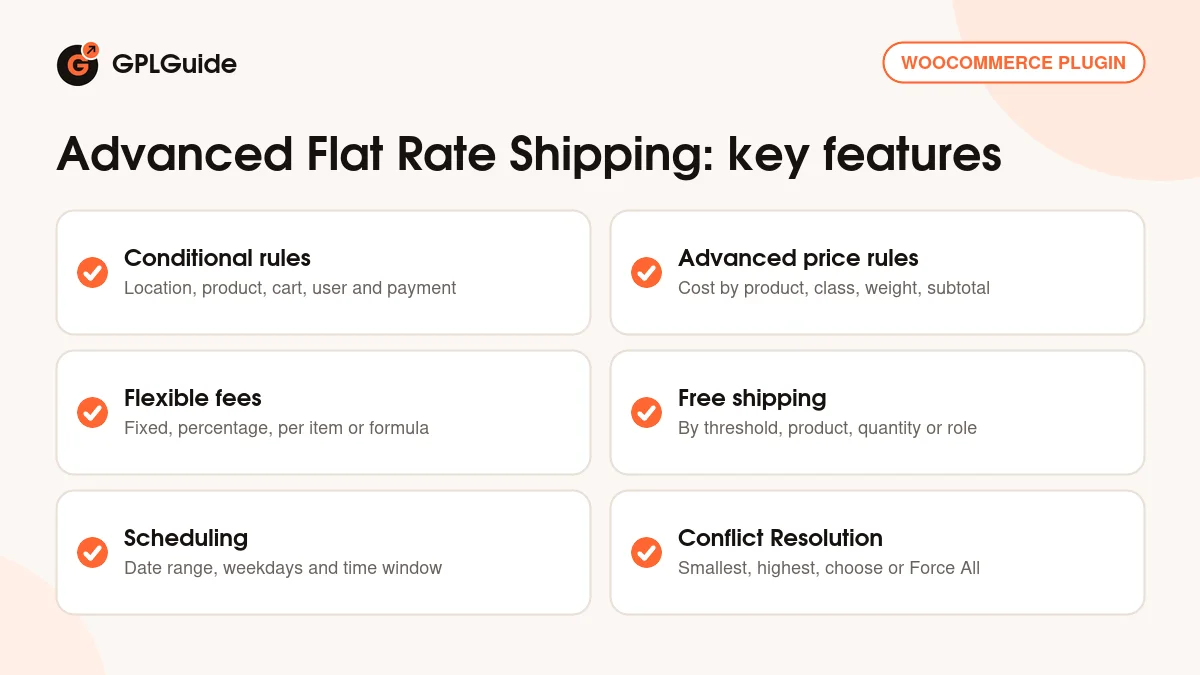
Each method also has its own price logic. Next to the fixed fee you can charge per quantity, use a formula or add Advanced Shipping Price Rules that change the cost by product, category, tag, shipping class, weight or subtotal. The Pro edition allows as many methods and rules as you need, one of the main differences Dotstore lists against the free edition.
When more than one method matches a cart, the Master Settings decide what happens. The customer can choose, Advanced Flat Rate Shipping can apply only the cheapest or the most expensive method, or it can force all matching methods and charge their total.
Shipping rules and conditions in Advanced Flat Rate Shipping
In Advanced Flat Rate Shipping, methods are built under Dotstore, Flat Rate Shipping, Manage Rules. Click Add New, fill in the Shipping Title and the Base Shipping Fee, then add conditions with the Add Rule button. Each condition uses an operator such as equal to, not equal to, less than or greater than or equal to, and you choose whether all of the rules or any one of them must match.
Location. Country, state, county, zip code or a custom zone. Use it for regional prices or local delivery.
Product. Specific products, SKUs, variations, categories and tags. A Cart contains Products (Only) rule is there for carts that hold only the chosen items.
Cart. Cart quantity, cart weight, cart subtotal before or after discounts, cart subtotal excluding tax, a product specific subtotal, coupons and shipping class. Product width, height, length and volume can be checked too.
Customer and payment. Specific users, user roles, the customer's last order total and whether this is their first order, plus the payment method, such as PayPal or Stripe.
Other settings sit beside the rules: Shipping Tooltip, Estimated Delivery Time, Default Selected Shipping, Logged-in Users Only and the Is the Amount Taxable? option. Start Date, End Date, Days of the Week and Time Range limit when Advanced Flat Rate Shipping offers the method at all.
Pricing a method in Advanced Flat Rate Shipping
The Base Shipping Fee can be a plain amount, a percentage or a formula. Dotstore's own example, $10*[qty], charges ten dollars for each item in the cart. Apply per Quantity multiplies the fee by the number of items, while Each Quantity Rule and Each Weight Rule add charges per quantity or per weight bracket for chosen products or categories.
Advanced Shipping Price Rules go further. Each rule has a parameter, a minimum, a maximum and a fee, so you can build tiers. The parameters include Cost on Product, Cost on Category, Cost on Tag, Cost on Shipping Class and Cost on Product Attribute, plus weight and subtotal versions such as Cost on Product Weight, Cost on Shipping Class Weight and Cost on Total Cart Subtotal.
Version 4.5.0 added rules based on cart line items. These count unique products instead of units, so three of the same mug count as one line. Per Cart Line Item Shipping Charges then set a base fee for the first line and an added fee for each extra line.
Free shipping, display and the Master Settings
Allow Free Shipping waives a method's fee when a chosen product is in the cart or the subtotal reaches your threshold. Advanced Flat Rate Shipping can also give free shipping by user role or by product quantity, and leave chosen product categories out. Version 4.5.2 added a free shipping progress bar that shows shoppers how much more they need to spend.
The Master Settings hold the store wide choices, such as radio buttons or a drop-down, and a Conflict Resolution setting for carts where several methods match. Apply Smallest and Apply Highest keep only one, Allow Customer to Choose shows them all, and Force All adds their costs into one line with your own label. Force All can combine only the plugin's methods, plugin and WooCommerce core methods, or all shipping.
Admins also get Import and Export for shipping zones and methods (CSV for methods since 4.3.0) and an Enable Logging option. Dotstore has checked compatibility with WPML, Weglot, Bundle Product For WooCommerce, WooCommerce Subscriptions and Composite Products For WooCommerce.
Shipping setups you can copy
These Advanced Flat Rate Shipping examples only use documented rules and settings. Change the amounts to suit your store.
- Free delivery over a set amount: a fee of 0 and one rule, cart subtotal after discount greater than or equal to 100, so an order that drops below 100 after a coupon pays for shipping.
- Per item rate: a "Standard delivery" method with the formula 4*[qty] as the fee, so every item adds 4.
- Heavy goods surcharge: give bulky products a Heavy shipping class and add a Cost on Shipping Class price rule for it.
- Local delivery: a location rule on your local zip codes, Days of the Week set to the days your van runs and an Estimated Delivery Time such as "next working day".
- Wholesale rate: a cheaper method with a user role rule for your wholesale role and Logged-in Users Only switched on.
Test each method in Advanced Flat Rate Shipping with a real cart and address before you add more.
What's new in Advanced Flat Rate Shipping 4.8.0
This page covers Advanced Flat Rate Shipping version 4.8.0, the newest file we have. When we checked on October 16, 2026, Dotstore's public changelog and product page still listed 4.5.2 as the latest version. The developer had not yet published notes for 4.8.0, so we can't list exactly what changed in it.
The latest entries the changelog does show all come before 4.8.0. Version 4.5.2 (July 7, 2026) added free shipping based on product quantity, the free shipping progress bar, a cart line item rule for the shipping cost and an option to exclude product categories from free shipping, and improved the Advanced Pricing Rules section. Version 4.5.1 (March 18, 2026) fixed small bundle product issues.
Version 4.5.0 (February 10, 2026) brought the cart line item rules, per line item charges and the cart subtotal excluding tax condition.
Good to know before you buy
Advanced Flat Rate Shipping needs WooCommerce, and its methods live on their own screen under Dotstore, Flat Rate Shipping, Manage Rules. Overlapping conditions, several matching methods and free shipping rules can interact, so check the Master Settings and test with real carts before you go live.
A free edition, Flat Rate Shipping Method for WooCommerce, is on wordpress.org. Dotstore lists unlimited methods and rules, scheduling, Force All, Apply Smallest and Apply Highest, import and export, logging and extra conditions as Pro additions.
Licensing, updates and support for the official plugin run through Dotstore's own systems. We found no parts of Advanced Flat Rate Shipping that use AI credits or cloud libraries. Release notes for 4.8.0 were not public when we checked, and the product page shows no price for its Lifetime Access option.
Advanced Flat Rate Shipping from GPLGuide vs the official subscription
Here you get the original Advanced Flat Rate Shipping For WooCommerce Pro 4.8.0 file, released under the GPL, to use on your own stores. Every condition, price rule, free shipping option and master setting in the file works the same way, and our copy comes with the license key already activated.
Dotstore sells the plugin at $179 a year for the Personal plan on one site and $399 a year for the Business plan on five sites, or inside its All Access Bundle at $249 a year. Those plans include updates from Dotstore, email support and a 14-day money-back guarantee, with Elite Support at $99 a year as an add-on. We can't pass on Dotstore's support or refunds. If you need the developer's help, buy from them. If you need Advanced Flat Rate Shipping itself, we sell the same file, on its own or as part of a membership.
How to install Advanced Flat Rate Shipping
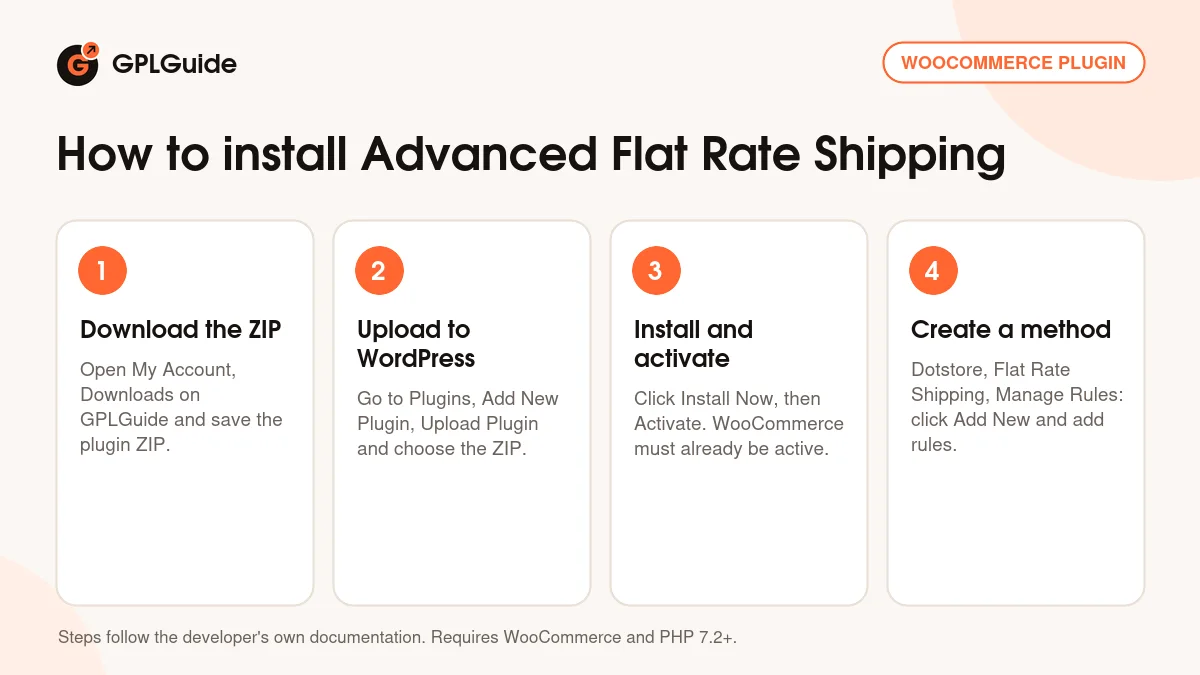
- Sign in to GPLGuide, open My Account, Downloads and save the Advanced Flat Rate Shipping ZIP.
- In WordPress go to Plugins, Add New Plugin, Upload Plugin and choose the ZIP.
- Click Install Now, then Activate. WooCommerce must already be active.
- Go to Dotstore, Flat Rate Shipping, Manage Rules and click Add New to create your first shipping method.
A good first method is a simple one. Give it a Shipping Title such as "Standard delivery", a Base Shipping Fee and one location rule for your home country. Save it and check that it shows at checkout. Then open the Master Settings and choose what happens when several methods match. Then add a free delivery method and test the two together.
Keeping it up to date
Updates from GPLGuide are manual. When a new version of Advanced Flat Rate Shipping is listed here, download it from your account and upload it under Plugins, Add New Plugin, Upload Plugin. WordPress offers to replace the installed copy. Exporting your shipping methods to CSV first gives you a backup. If you see a newer version that we haven't added, tell us on the Request Item/Update page.
Questions about Advanced Flat Rate Shipping
Does Advanced Flat Rate Shipping work with the WooCommerce Checkout Blocks? Yes. Dotstore says the plugin is fully compatible with the block based checkout.
Can I set a shipping method for one product? Yes. Add a product rule, for example on the product's SKU, and the method only shows when that product is in the cart.
Can I charge per item? Yes. Switch on Apply per Quantity, or use a formula such as $10*[qty] in the fee field.
What happens when several methods match the cart? You decide under Conflict Resolution in the Master Settings: Allow Customer to Choose, Apply Smallest, Apply Highest, or Force All to charge the total.
Can I offer a method only on certain days? Yes. Use Days of the Week, Time Range, or a Start Date and End Date for seasonal methods.
Will a coupon affect free shipping? Only if you want it to. Base the rule on the cart subtotal after discount and free shipping follows the amount the customer really pays.
Can I copy my rules to another store? Yes. Advanced Flat Rate Shipping can export your shipping methods to a CSV file and import them on the other store. Shipping zones can be exported too.
Do I need to enter a license key? No. The file from GPLGuide comes with the license key already activated.
Running a WooCommerce store? Browse more WooCommerce plugins on GPLGuide, or see what a GPLGuide membership includes. If basic flat rates are enough, the free edition is on WordPress.org.
Features & capabilities
- Unlimited shipping methods, each with its own title, fee and rules
- Conditions by location, product, category, tag, cart, user role and payment method
- Fixed, percentage, per quantity and formula based fees
- Advanced Shipping Price Rules by product, category, tag, shipping class, weight or subtotal
- Free shipping by threshold, product, quantity or user role, with a progress bar
- Scheduling by date range, day of the week and time of day
- Conflict Resolution: Allow Customer to Choose, Apply Smallest, Apply Highest or Force All
- Import and export of shipping methods (CSV) and shipping zones, plus logging