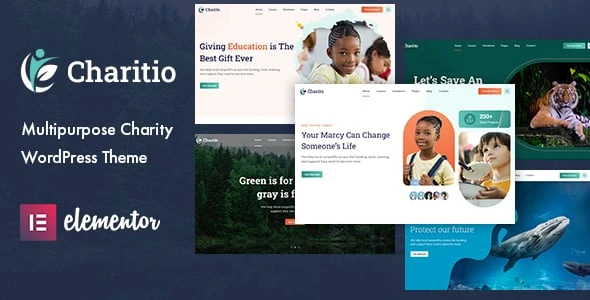
Charitio – Multipurpose Charity WordPress Theme
100% Original fileUnmodified copy of the developer's release
Developerwpoceans
Up to dateOriginal released Jan 6, 2026 · File last updated Oct 21, 2026
About this product
The Charitio theme is a WordPress theme for charities, nonprofits and fundraising campaigns, built on Elementor with GiveWP taking the donations. It suits small teams who need causes, events, volunteers and a working donate button, and who don't want to design those pages from a blank screen. The developer aims it at education projects, wildlife and environmental groups, ocean pollution campaigns and pandemic relief work. This page is for the Charitio theme 1.0.7, released on January 6, 2026. On GPLGuide you download the original theme file to install on your own websites.
Good for: local charities, NGOs and foundations, school and scholarship funds, wildlife rescue and conservation groups, beach clean-up and ocean campaigns, emergency relief appeals, and church or community fundraisers that want to take donations online through GiveWP.
Requirements: WordPress 5.9.x up to 7.0.x on the item page, while the theme's own style.css asks for PHP 7.4 or newer and says tested up to WordPress 6.9. Two plugins ship inside the theme, Charitio Core and the Codestar Framework, and install from the theme's plugin prompt. The rest are free: Elementor, GiveWP, Contact Form 7, WooCommerce, MailChimp for WordPress and One Click Demo Import. Elementor Pro and WPML are listed as compatible, not as required.
What the Charitio theme does
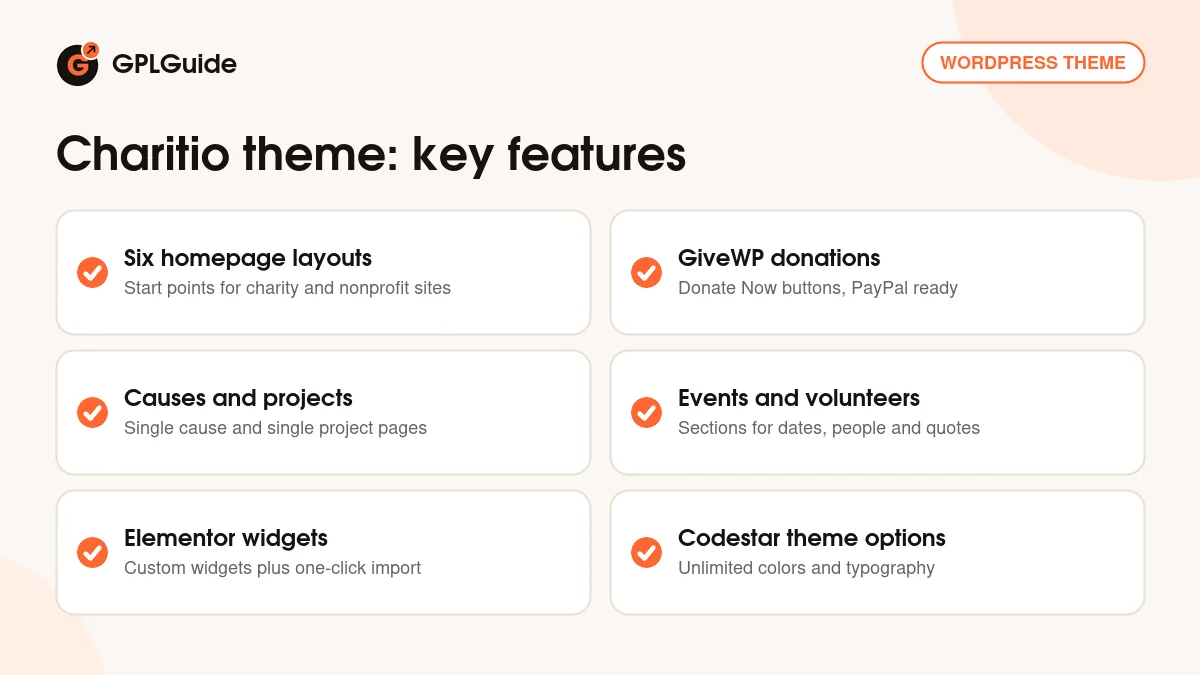
The Charitio theme gives a nonprofit the pages it actually uses. There are causes with their own single cause pages, events, volunteer profiles, testimonials, single project pages, a blog and a contact page. You start from one of six homepage layouts, bring in the demo with the one-click importer and swap the sample content for your own.
Editing happens in Elementor. The Charitio theme adds its own Elementor widgets for its sections, so a cause grid or a volunteer block is a widget you drop in and fill, not a stack of columns and text boxes you assemble by hand. Site-wide settings sit in the theme options panel, which runs on the Codestar Framework.
In the Charitio theme, GiveWP handles the money. In the item comments the developer explains that the theme uses GiveWP for fundraising, supports its features and works with PayPal. It's a sensible split: the theme does the pages and GiveWP does the payments.
Causes, donations and the GiveWP link
Causes are the centre of any charity site, and they get the most attention in the Charitio theme. Every cause has a single cause page where you tell the story behind the appeal, and the cause sections list your campaigns on the home page. The changelog shows this part getting care: 1.0.4 fixed a fundraising cause issue, and 1.0.5 fixed a post type selection error.
Donations run through GiveWP. You create the donation form there, set the suggested amounts and connect a payment gateway, and the theme's Donate Now buttons tie into that setup. The developer also says the Donate button can be removed or repurposed. Handy if you already take gifts on another platform.
Do a test donation before you announce a campaign. It catches a wrong currency or a missing thank you email before donors do. The item page doesn't say whether the demos rely on any GiveWP add-on. If monthly donors matter to you, check what the free GiveWP plugin covers before you plan the site around them.
Six homepage layouts, events and volunteers
The Charitio theme comes with six homepage layouts. The item page doesn't name them, but it does list the kinds of work the design is meant for: fundraising campaigns, education, wildlife, environmental protection, ocean pollution, pandemic relief and nature projects. Open the live preview from the item page, pick the layout closest to your own cause and import only that one. Importing several leaves a mess of sample pages to clean up.
Events and volunteers get their own sections in the Charitio theme. An events block fits fundraising dinners, sponsored walks or clean-up days, and the volunteer section puts real faces on the organisation, which donors like to see. The item page doesn't say which plugin, if any, powers the events. Treat them as content sections and check on a test install if you'll need ticketing or bookings from somewhere else.
Testimonials and single project pages complete the set. Project pages are where you report on finished work, such as a well that was dug or a classroom that reopened, with photos and numbers. Google Maps with multiple locations is listed too, handy for a charity with several branches.
Theme options, Elementor widgets and the design
The Charitio theme's options panel is built on the Codestar Framework, and it was improved in both 1.0.3 and 1.0.4. The item page lists unlimited colors and advanced typography among the design controls. Set your brand color and fonts before you edit a single page. Changing the palette after twenty pages are built is a slow afternoon.
By default the design pairs two Google Fonts, Roboto Slab and Mulish. Icons come from the Flaticon and Themify sets. The layout sits on Bootstrap 5.x, with a sticky menu on scroll, smooth animations and a responsive grid that goes to four columns and more.
Gutenberg optimized and widget ready are both ticked, so blog posts can be written in the block editor and sidebars take normal widgets. WPML is on the list for multilingual sites.
Site plans to copy with the Charitio theme
Gather the content before you open Elementor: three to six causes with a goal and a short story each, a handful of volunteer photos, upcoming events with dates, and two or three quotes from people you've helped or donors who give.
- Local food bank: one homepage layout, a cause for each appeal such as holiday hampers or school lunches, a GiveWP form with suggested amounts and a map with every drop-off point.
- Wildlife rescue: cause pages for each rescue project, volunteer profiles for the carers and single project pages that report each release.
- Beach and ocean clean-up group: events for clean-up days, project pages with before and after photos, a Contact Form 7 form for new volunteers and a MailChimp for WordPress sign-up for the next date.
- School or scholarship fund: one cause per scholarship, testimonials from students and a blog for term updates written in the block editor.
- Emergency relief appeal: a single urgent cause at the top of the home page, a large Donate Now button and short blog posts with news from the field.
- Church or community fundraiser: events for services and fundraising nights, plus one cause for the building or roof fund.
- Charity with a small shop: WooCommerce for T-shirts, calendars or tote bags next to the GiveWP donation forms.
Keep each cause story short and specific. "40 dollars feeds a family for a week" lands better than a paragraph about hunger. Repeat the Donate Now button at the end of every cause page.
What's new in the Charitio theme 1.0.7
The Charitio theme 1.0.7 was released on January 6, 2026. It's a maintenance release with four lines in the changelog: WordPress 6.9.x compatibility, fixes for PHP deprecated issues, improved comment styling and fixes for WooCommerce deprecated issues. No new layouts or widgets are listed.
Earlier releases show steady upkeep. Version 1.0.6 (April 17, 2025) added WordPress 6.8.x compatibility and more WooCommerce fixes. Version 1.0.5 (April 23, 2024) is the one that matters on newer hosting, with PHP 8.1 and 8.2 compatibility, WordPress 6.5.2 support, a core plugin update and the post type selection fix. Version 1.0.4 (August 5, 2023) fixed the fundraising cause issue and improved the theme options.
Good to know before you buy
Documentation for the Charitio theme is thin. The feature list calls the theme well documented, yet the documentation field on the item page reads "Some Help" and no public guide is linked. Expect to learn the theme options by clicking through them on a staging site.
Plan for eight plugins. Charitio Core and the Codestar Framework come inside the theme ZIP, and the theme's plugin prompt also asks for six free ones: Elementor, GiveWP, Contact Form 7, WooCommerce, MailChimp for WordPress and One Click Demo Import. The changelog updated Charitio Core in 1.0.4 and 1.0.5, so keep it in step with the theme. Payment gateways and any extra giving tools are set up inside GiveWP, not in the theme. The item page mentions no cloud library, AI tool or other service running on the developer's servers.
The item page lists WordPress up to 7.0.x, while the theme's own file says tested up to 6.9, so test on your WordPress version first. It also says nothing about demo images being part of the package. Use your own photos. Real pictures of your volunteers work better anyway.
Charitio theme from GPLGuide vs the official subscription
On ThemeForest the Charitio theme costs $39 for a Regular License, which covers one end product that isn't sold to end users. The Extended License is $1,600. Both include future updates through Envato and six months of item support from the developer, which you can extend to 12 months for $10.13. Under Envato's licence for this item, its PHP code is licensed under the GPL.
From GPLGuide you get the original Charitio 1.0.7 theme file, with the Elementor widgets, cause pages and theme options built into it, plus the Charitio Core and Codestar Framework plugin ZIPs that ship inside the theme. The license key is already activated in this file, so there's no purchase code to enter.
Item support, refunds under Envato's rules and updates through your Envato account come only with a ThemeForest purchase. Their support excludes customization and installation. If you want the developer to answer your questions, buy the licence there.
How to install the Charitio theme
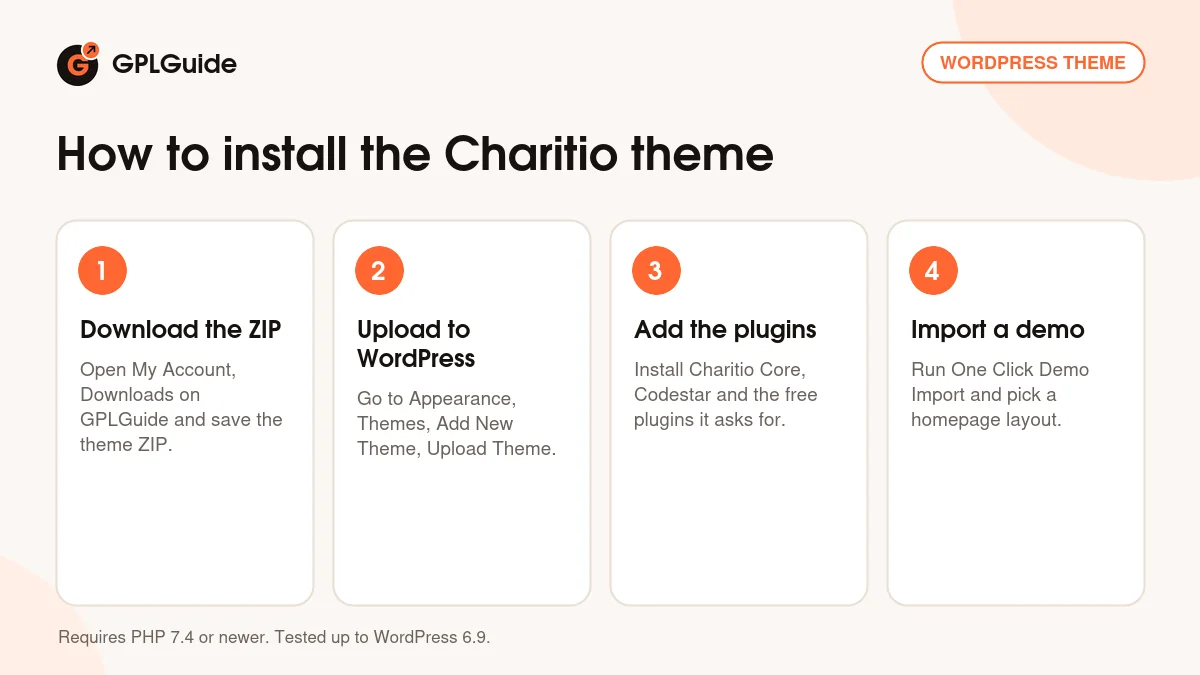
- Sign in to GPLGuide, open My Account, Downloads and save the Charitio theme ZIP.
- Go to Appearance, Themes, Add New Theme, Upload Theme, choose the ZIP and activate it.
- Install the plugins from the theme's prompt: Charitio Core and Codestar Framework from inside the theme, then the free Elementor, GiveWP, Contact Form 7, WooCommerce, MailChimp for WordPress and One Click Demo Import.
- Run One Click Demo Import and pick the homepage layout that fits your cause.
For a good first setup, set your colors and fonts in the theme options, then create one GiveWP donation form with three suggested amounts and your currency. Replace the demo causes with two or three real ones and link each to that form. Add your next event, a few volunteers and the contact page with its Contact Form 7 form. Send a test donation and a test message, then check every page on a phone.
Keeping it up to date
Updates from GPLGuide are manual. When a new version of the Charitio theme is listed here, download it from your account and upload it under Appearance, Themes, Add New Theme, Upload Theme. WordPress offers to replace the installed copy, and your Elementor pages, causes and GiveWP forms stay in the database. If you edit theme files, use a child theme. Spotted a newer release we haven't added? Tell us on the Request Item/Update page.
Questions about the Charitio theme
Which page builder does the Charitio theme use? Elementor. The theme adds its own Elementor widgets, and Elementor Pro is compatible but not required.
Can the Charitio theme take donations? Yes, through the GiveWP plugin. The developer confirms PayPal can be used.
Can I remove the Donate button? Yes. The developer says it can be removed or repurposed, for example to point at a giving platform you already use.
How many homepage layouts are there? Six. They're imported with the one-click demo importer, and you can keep just the one you need.
Which PHP version does it need? PHP 7.4 or newer, according to the theme's style.css. Version 1.0.5 added PHP 8.1 and 8.2 compatibility, and 1.0.7 fixed PHP deprecated issues.
Do I have to buy any extra plugins? No. Charitio Core and the Codestar Framework ship inside the theme, and the other six plugins it asks for are free.
Can I sell merchandise too? You can. WooCommerce is one of the plugins the theme asks for, so a small shop can sit next to the donation forms.
Can I run the site in two languages? Yes, with WPML, which is on the compatibility list. Try the setup on staging first.
Do I need a purchase code? No. The GPLGuide file comes with the license key already activated.
Looking for more nonprofit or business designs? Browse the WordPress themes on GPLGuide, or see what a GPLGuide membership includes if you build sites for several organisations. Elementor Pro also works with the Charitio theme.
Features & capabilities
- Charity and nonprofit design with six homepage layouts
- GiveWP donation support with PayPal and Donate Now buttons
- Causes with single cause pages, plus single project pages
- Events, volunteers and testimonial sections
- Custom Elementor widgets and a one-click demo importer
- Codestar Framework theme options with unlimited colors and typography
- Bootstrap 5.x, sticky menu, Google Maps with multiple locations
- WooCommerce 9.x.x, WPML and Contact Form 7 compatible