Rodich – A Restaurant WordPress Theme
100% Original fileUnmodified copy of the developer's release
DeveloperVictorThemes
Up to dateOriginal released Mar 17, 2025 · File last updated Oct 17, 2026
About this product
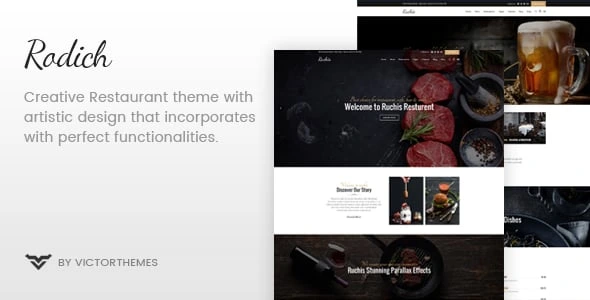
The Rodich theme is a WordPress theme by VictorThemes made for restaurants, cafes and other food businesses. It comes with five home page styles, food menu pages, an online reservation setup and WooCommerce support for selling food online, and it is built around the WPBakery page builder. This page is for Rodich 2.2.2, the newest version on its ThemeForest page, which shows a last update of March 17, 2025. On GPLGuide you download the original theme file to install on your own websites.
Good for: restaurants, cafes, bakeries, pizza and burger places, caterers and food shops that want a menu, a reservation form, a blog and an optional online shop on one site.
Requirements: WordPress 6.7 is the newest version the developer lists as tested, and WooCommerce 9.7 is the newest it names for the shop. The item page gives no minimum PHP version, but the changelog mentions PHP 7.3 and PHP 8 fixes. The docs list the Rodich Core plugin, WPBakery, Contact Form 7 and One Click Demo Import, plus Slider Revolution, MailChimp for WordPress, Open Table Widget and WooCommerce for the demo.
What the Rodich theme does
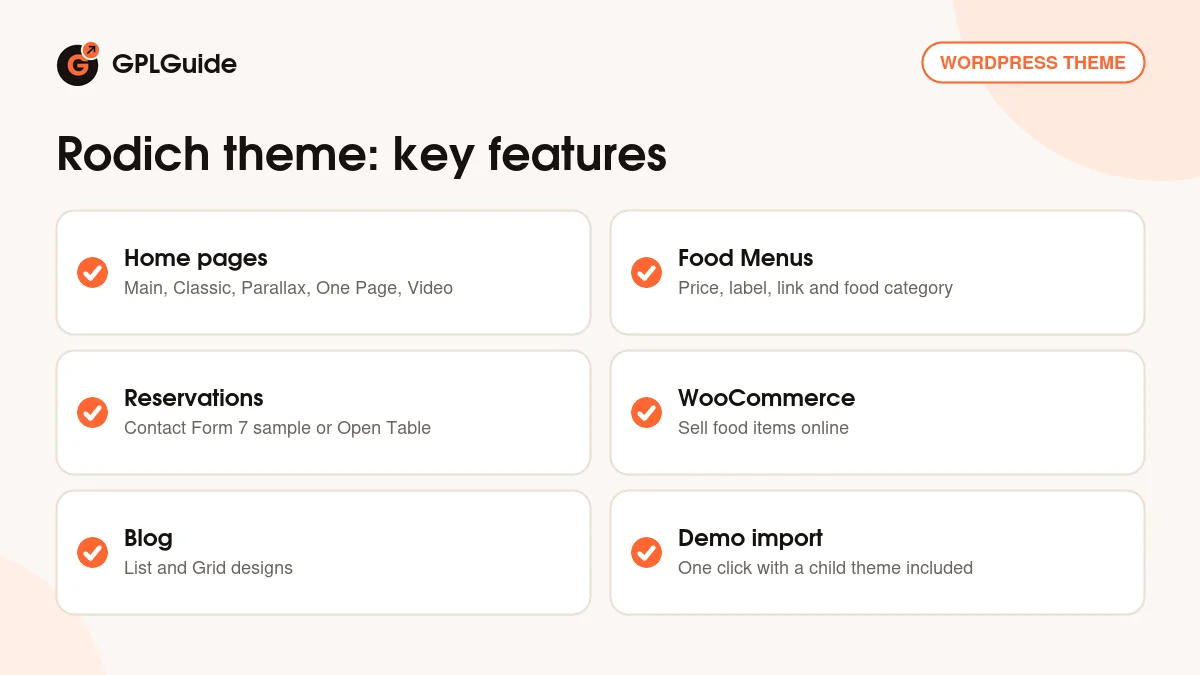
The Rodich theme gives a restaurant the pages it usually needs. The item page lists five home page styles called Main, Classic, Parallax, One Page and Video, food menu page styles, parallax scrolling and animation effects, and two blog designs, List and Grid. It also lists an online reservation system and WooCommerce integration, so a kitchen can take bookings and sell food items from the same site.
The look is controlled from the Rodich Options panel. The docs name its global settings as Logo, Favicon, Layout, Header, Footer and Fonts, and everything is saved with the Save All Changes button. Colours are changed under Appearance, Customizer with a live preview. Fonts come from a list of over 790 Google Fonts or your own uploads, Google Maps can be styled, and Font Awesome and Line Icons are built in.
The developer's package contains a theme ZIP and a child theme ZIP. The docs tell you to upload the theme file, not the whole package, and to use the child theme for code edits so an update does not overwrite them.
Food menus and reservations in the Rodich theme
The Food Menus content type is the heart of the Rodich theme, and it needs the Rodich Core plugin. Each menu item has a Title for the dish name, Content for a description and a Featured Image that should be cropped to the right ratio. A Food Menu Info box holds the Price, a Label and a Custom Link, and Food Category checkboxes sort the dishes into groups such as starters or desserts.
Because every dish is its own entry, a price change is a single edit in that dish. Keep the Content box for a short description and the ingredients, and keep the dish title short so the menu stays easy to scan on a phone.
For bookings, the docs point to two routes. The first is Contact Form 7, and the docs include a sample Reservation Form with fields for name, email, phone, time, date, persons and notes. The second is the Open Table Widget plugin, which the docs list for restaurant reservation forms. The docs link to each plugin's own guide for setup, so read those before you go live.
The same Company menu in the WordPress sidebar also holds Team and Testimonials, which are shown with WPBakery shortcodes. Team members have a name, a job position with an optional custom link, social profiles and a featured image. Testimonials have a client name, profession and links.
Pages, posts and the shop in the Rodich theme
Pages are built with WPBakery in its classic mode. Each page has Page Custom Options for the Menu Bar, Title Area, Content Area and Footer, and the layout can be full width or 100% width. The theme's own shortcodes appear in WPBakery under a VictorThemes filter, but only while the Rodich Core plugin is active.
Blog posts have Post Custom Options for the Menu Bar, Content Area, Header and Footer, with post formats Standard, Image Gallery, Audio and Video. To show them, set a Posts Page under Settings, Reading. A MailChimp for WordPress sign-up form is a good fit under a post, and the docs provide sample markup with an email field and a submit button. The theme also has a Mailchimp Widget, a Flickr Gallery widget and a Text Widget.
For the shop, WooCommerce handles the products. The docs list Simple, Variable, Grouped and External product types with Virtual and Downloadable options, and the WooCommerce Quantity Increment plugin adds plus and minus buttons for quantities. Products are placed on a page with the WPBakery Product shortcode, and the standard WooCommerce widgets such as Cart, Price Filter and Product Categories are available.
Ways to set up the Rodich theme
- Restaurant site: start from the Main or Classic home page, add your dishes as Food Menus with a Price and a Food Category, and show them on a menu page.
- Cafe with a story: choose the Parallax home page and add a Team section for the people behind the counter.
- Table bookings: build the Reservation Form from the docs sample in Contact Form 7, or use Open Table Widget if you already use that service.
- Takeaway or gift shop: turn on WooCommerce and sell sauces, gift cards or boxed meals as Simple or Variable products.
- Single page for a pop-up: use the One Page or Video home style with a short menu and a contact form.
- Blog with a side column: a left sidebar option arrived in version 1.9, so you can place categories or a newsletter box beside your posts.
- Header over a food photo: version 1.9 also added a transparent header slider, which lets the menu sit on top of a large picture.
- Newsletter: add a MailChimp for WordPress form under your posts to collect addresses for specials.
Start with the menu, because it is the page visitors open first. Add a few dishes with real prices and categories, check how they look on a phone, then build the rest of the site around them.
What's new in the Rodich theme 2.2.2
The Rodich theme 2.2.2 is the newest version on the ThemeForest page. The developer's changelog says it updates the WooCommerce file. The changelog has no dates, so the only date on the page is the item's last update, March 17, 2025.
Earlier versions are mostly compatibility work. Version 2.2.1 fixed a PHP 8 warning and updated translations, and version 2.2 upgraded the bundled plugin installer file for PHP 8. Version 2.1 fixed menu bar columns, the footer copyright text and styling. Version 2.0 added WordPress 5.6 and Bootstrap 4.x support, a Google Fonts library and a Twitter link update.
Older entries show how the layout grew. Version 1.5 added a sticky header and the WooCommerce cart, and version 1.9 added the transparent header slider, the left sidebar and column controls for the header. These are already part of version 2.2.2.
Good to know before you buy
The Rodich theme needs the Rodich Core plugin for Food Menus, Team and Testimonials. The docs also name WPBakery and Slider Revolution, which are commercial plugins we do not sell. The developer's package holds them in a Plugins folder. If the theme cannot install one for you, it has to come from you. The item page itself does not list required plugins, so follow the docs list.
Demo pictures and the splash page are not in the package, and the docs do not say whether the import adds images. The theme is 2.2.2 and the core plugin on the item page is 1.9.1, so the numbers differ. The item page marks the theme as not Gutenberg optimized, and the docs give no WordPress or PHP minimum.
Support from the developer covers installation, theme bugs and small fixes of a line or two of code. Larger custom work is not included. The Envato Account section in Rodich Options is the developer's own update route. Updates from GPLGuide are manual, as explained below.
Rodich from GPLGuide vs the official subscription
The Rodich theme is sold by VictorThemes on ThemeForest. The Regular licence costs $49 there and includes future updates through the marketplace and six months of item support from the developer, which can be extended to 12 months. Under Envato's licence for this item, its PHP code is licensed under the GPL.
From GPLGuide you get the original Rodich theme file. The file from GPLGuide comes with the license key already activated, so there is no key to enter. The home pages, food menus, shortcodes and shop settings work as in the developer's package.
What only the developer provides is the support desk, refunds under Envato's rules and updates through your own Envato account. If you want VictorThemes to help with a setup problem, buy the licence on ThemeForest.
How to install the Rodich theme
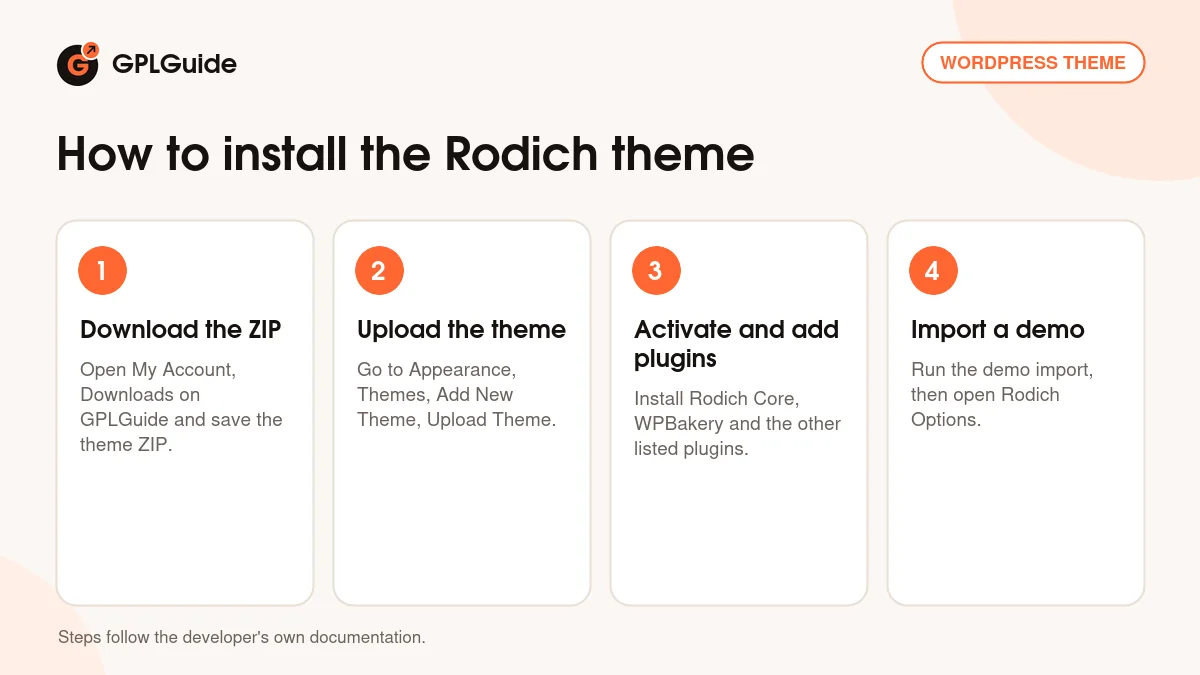
- Sign in to GPLGuide, open My Account, Downloads and save the Rodich theme ZIP.
- In WordPress go to Appearance, Themes, Add New Theme, Upload Theme and choose the ZIP, then click Install Now.
- Activate the theme and install the Rodich Core plugin, WPBakery, Contact Form 7, One Click Demo Import and the other listed plugins when prompted.
- Run the demo import, or open Rodich Options and set the logo, layout, header and footer.
If WordPress says the stylesheet is missing, the file you picked is not the theme ZIP itself, which the developer's docs name as the usual cause. For a good first setup, import the demo on a test site, open one Food Menu item to see its fields, then replace the dishes, prices and photos with your own.
Keeping it up to date
Updates from GPLGuide are manual. When a new version of the Rodich theme is listed here, download it from your account and upload it under Appearance, Themes, Add New Theme, Upload Theme. WordPress offers to replace the installed copy, and your menus, pages and settings stay in the database. Keep code edits in the child theme so an update never overwrites them. If you see a newer version that we have not added, tell us on the Request Item/Update page.
Questions about the Rodich theme
Which page builder does the Rodich theme use? WPBakery Page Builder. The item page lists version 8.3.x, and the docs build pages with it in classic mode.
Can I list my menu with prices? Yes. Food Menus have a Price, a Label, a Custom Link and Food Category checkboxes.
Does the Rodich theme take reservations? The item page lists an online reservation system, and the docs give a Contact Form 7 reservation form and Open Table Widget as options.
Can I sell food online? Yes, through WooCommerce. The item page lists WooCommerce integration for selling food items.
Does it have a demo import? The docs describe a one-click import through the One Click Demo Import plugin, using the demo content, theme options and widgets files.
Are the demo images included? No. The item page says the demo images are for demonstration and are not included.
Do I need to enter a purchase code? No. The license key is already activated in the file.
Is there a child theme? Yes, the developer's package includes one, and the docs recommend it for code edits.
Does the Rodich theme work with PHP 8? The changelog says PHP 8 fixes were made in versions 2.2 and 2.2.1.
Looking for more themes? Browse the WordPress themes in our shop, or see what a GPLGuide membership includes. The theme's forms use the free Contact Form 7 plugin on WordPress.org.
Features & capabilities
- Five home page styles: Main, Classic, Parallax, One Page and Video
- Food Menus with Price, Label, Custom Link and Food Category
- Reservation setup with a Contact Form 7 sample or Open Table Widget
- WooCommerce integration for selling food items online
- List and Grid blog designs with four post formats
- Rodich Options panel with live Customizer colours and over 790 Google Fonts
- Team and Testimonial content types with WPBakery shortcodes
- One-click demo import and a child theme in the developer's package