
Docly – Documentation And Knowledge Base WordPress Theme
100% Original fileUnmodified copy of the developer's release
DeveloperCreativeGigs
Up to dateOriginal released Aug 17, 2026 · File last updated Oct 27, 2026
About this product
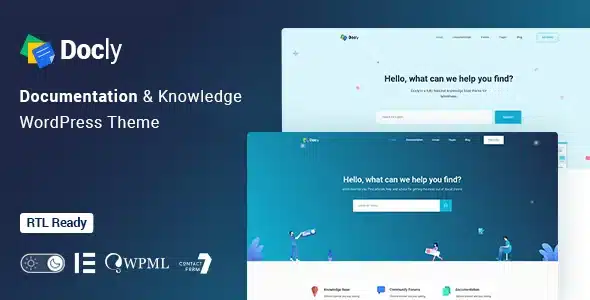
Docly Theme 2.4.1 is a WordPress theme for product documentation, knowledge bases, wikis and customer support sites. It suits software companies, plugin and theme authors, API providers and any team that needs to publish manuals and help articles that readers can search and follow without getting lost. Docs are written with the EazyDocs plugin and pages are built with Elementor, so the writing stays in normal WordPress screens rather than in code. The developer ships the theme with a child theme, demo import files for three home page layouts (two knowledge base styles and a help desk layout), the theme's core plugin, a bundled premium custom fields plugin and setup documentation.
How to install Docly Theme
- Log in to GPLGuide, open this product and click Download under Your downloads.
- In your WordPress dashboard go to Appearance, Themes, Add New Theme, Upload Theme, choose the theme ZIP and click Install Now, then Activate.
- After activation a notice asks for the required plugins. Click Begin Installing Plugins and install and activate them all: Elementor, EazyDocs, the forum plugin, the theme settings framework and the theme's core plugin.
- Activate every required plugin before you import a demo; the developer's docs say the import must not start without them.
- Go to Appearance, Import Demo Data, pick one of the three demos and click Import Demo Data. Afterwards set your home page under Settings, Reading.
- Global options such as colours, header, footer and dark mode live on the Theme Settings page, which appears once the settings framework plugin is active.
Features & capabilities
- Dark mode and font size switchers for readers, with sticky sidebar and sticky header options
- Article table of contents, footnotes and page preview tooltips inside long docs
- File tree navigation, property tables and a syntax highlighter for developer docs
- Conditional content, image hotspots and article feedback buttons
- Several knowledge bases on one site, each with its own doc tree
- Hero search with AJAX results that also lists FAQ entries
- Support forum built on bbPress through the forum plugin, with voting and private replies
- WooCommerce shop templates, WPML translation and RTL layouts
- Tabs, accordions, alerts, lightbox and carousel elements for Elementor
Frequently asked questions
Is this the original file?
Yes. Every product on GPLGuide is the developer’s own release, unchanged. The license key comes already activated. If a product does ask for a key, the activation steps appear on its page once you have it.
Is it legal to use a GPL plugin or theme from GPLGuide?
Yes. WordPress plugins and themes are released under the GPL, which lets anyone use, share and change the code. The developer’s support desk and the developer’s own update service are not part of the file; those stay with the developer.
How do I install it?
Log in, open the product page and click Download under Your downloads. For a plugin go to Plugins, Add New Plugin, Upload Plugin, choose the ZIP, then Install Now and Activate. For a theme go to Appearance, Themes, Add New Theme, Upload Theme.
How do updates work?
When a newer version is listed on GPLGuide, download it from the product page and upload it over the installed copy; WordPress offers to replace the old version. Updates are manual.
Can I use it on more than one site?
Yes. The GPL lets you use it on as many of your own sites as you like.
What if the file does not work or a newer version is out?
Tell us on the Request Item page or through Support. We check the file and add the newer version when we have it.