XTRM – Extreme Sports WordPress Theme
100% Original fileUnmodified copy of the developer's release
Developerfox-themes
Up to dateOriginal released Sep 15, 2026 · File last updated Oct 17, 2026
About this product
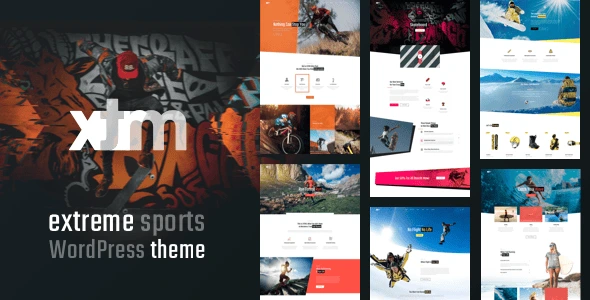
The XTRM theme is a WordPress theme by fox-themes for extreme sports and adventure businesses: surf and ski schools, bike parks, mountain guides and adventure tour operators. It is built for WPBakery Page Builder and comes with 14 home pages, event and shop pages, pricing and five blog types. This page is for XTRM 1.1.5, the newest version in the developer's changelog. On GPLGuide you download the original theme file to install on your own websites.
Good for: surf, ski and snowboard schools, mountain bike tour companies, climbing and outdoor guides, adventure travel agencies, sports clubs and gear shops that want a bold, photo-led site with events and an online store.
Requirements: WordPress, with the item page listing compatibility from 5.0 up to 7.0, and a PHP version the theme supports. Version 1.1.2 added support for PHP 8.0, 8.1 and 8.2, and no minimum is published. Pages are built with WPBakery Page Builder, a premium plugin. The free WooCommerce plugin is needed only if you want the shop pages, and Contact Form 7 runs the forms.
What the XTRM theme does
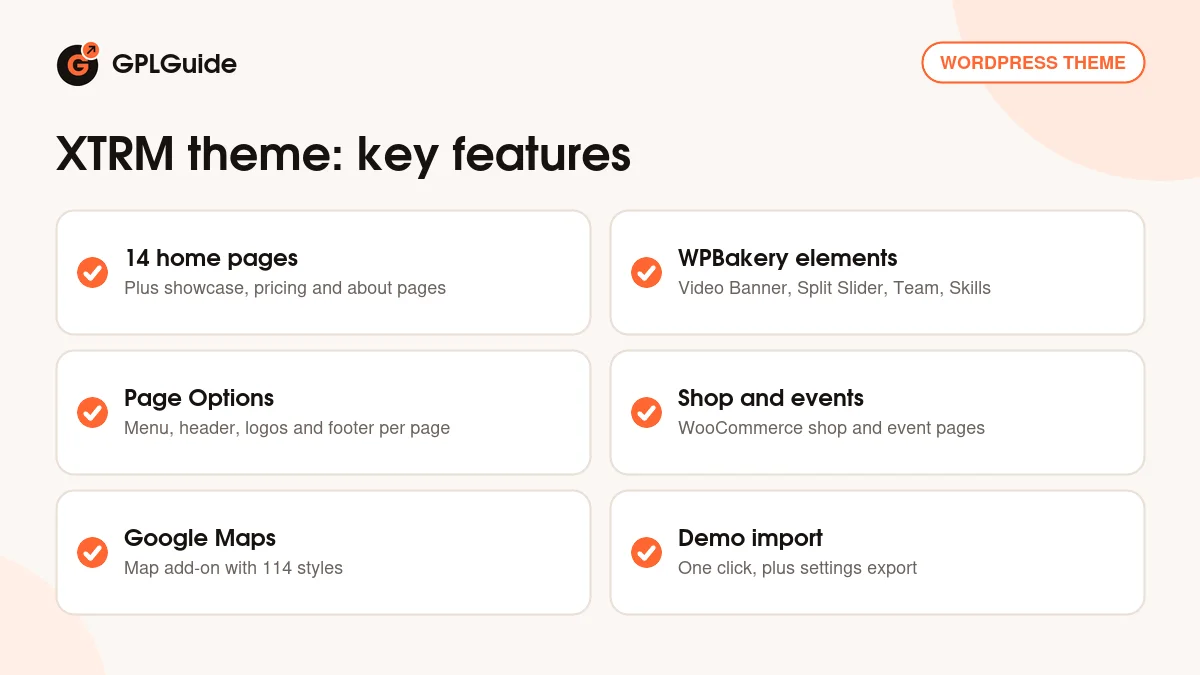
XTRM gives an adventure business a site that looks as energetic as the activity it sells. There are 14 home pages to start from, along with showcase pages, a pricing page, five blog types, event pages, shop pages, a contact page and several about us layouts. The demos use unique headers and footers, so they don't all look like the same page in different colors.
Under the design, the XTRM theme is built from reusable, customizable parts. You can set unlimited colors and skins, and use the page preloader and a custom 404 page. Theme settings can be exported and imported, which helps when you build a second site for another location or a sister business.
The theme is responsive and Gutenberg optimized, and it includes a child theme for your own code changes. A one-click demo importer loads the demo content, so you begin with complete pages instead of a blank screen.
Building pages with WPBakery in the XTRM theme
Pages in the XTRM theme are put together in WPBakery Page Builder. The docs say the backend and frontend editors only appear once the WPBakery Page Builder plugin is installed and activated. The theme then adds its own ready-made elements, which you place from the developer's shortcode manager, either on an empty page or by editing the pages you imported from the demo.
The docs list elements for a Video, a Video Banner, a Slider and a Split Slider, Services and a Services list, Single Media, Team, Testimonials and Skills. Two elements are made for the shop: Products Categories and Products Slider. Together they cover most of what an adventure site needs, from a full-width video of a big wave to a grid of instructors.
The Grid, a premium plugin for custom post type grids, is listed as compatible. A Google Maps add-on with 114 map styles lets you show meeting points or spots in a style that fits your design. The docs also explain how to create a detail page for each portfolio item.
Page options in the XTRM theme
Every page and post has a Page Options panel at the bottom of the editor, and anything you set there overrides the global theme options for that page. That makes it easy to give a landing page its own look without changing the rest of the site.
For the header you can choose a Page menu, tick Change the menu style for this page? and pick a Menu style, and switch on Show additional button in the menu? for a "Book now" button. Select header style changes the header itself, and Site logo, Site Logo on a scroll and Site Logo on mobile let you use a different logo in each state.
The footer has its own set: Footer style, Enable Footer additional info, Enable Footer copyright with Copyright align, and Enable Footer Socials with Socials align. Finally, Enable dark version for the page turns a single page dark, which suits night events or a gallery of evening shots. The docs add that page options also let you change the layout, assign a sidebar and create a custom title bar.
Shop, events and bookings
The XTRM theme includes shop pages built for WooCommerce. Version 1.1.4 added WooCommerce 8.8.3 compatibility and fixed an issue with variable product variations, which matters if you sell wetsuits or helmets in several sizes. Event pages can cover competitions, camps and open days.
For bookings, the original description mentions the Booked plugin, but version 1.1.3 replaced it with the Scheduled plugin. If you take lessons or tours by appointment, plan around Scheduled, and test the booking flow before you go live.
Contact Form 7 is listed for forms, so an enquiry form for group trips or private lessons takes only a few minutes to set up in the XTRM theme. Pair it with the footer Page Options to show extra info, such as opening hours and your social links, on the contact page.
Site setups to copy with the XTRM theme
These examples combine pages and elements that the developer lists, so you are not adding anything the theme wasn't built for.
- Surf school: a home page with a Video Banner, the Services list for lesson types, the pricing page and a styled Google Map of your beach.
- Ski and snowboard rental: WooCommerce shop pages with variable products for sizes, plus a Products Slider of this season's gear.
- Mountain bike tours: event pages for guided rides, the Team element for your guides and testimonials from past riders.
- Climbing gym: a dark version page for evening sessions, the Skills element for course levels and a Book now button in the menu.
- Adventure travel agency: showcase pages for each trip, a Split Slider for before and after shots and a blog for trip reports.
- Two locations, one look: export the theme settings from the first site and import them into the second.
Pick the home page that is closest to your sport, replace the demo images and text, and remove the sections you don't need before adding new ones. A short site with five strong pages usually works better for a small adventure business than all 14 demos at once.
What's new in the XTRM theme 1.1.5
The changelog has no dates. Version 1.1.5 is at the top. It added a theme license activation system with EDD and Envato purchase code verification, and it removed the Appsero client tracker and the theme updater. The ThemeForest page shows a last update of September 15, 2026, and lists WordPress compatibility up to 7.0.
Earlier, 1.1.4 added WooCommerce 8.8.3 compatibility and fixed variable product variations. Version 1.1.3 added WordPress 6.4.2 compatibility and swapped Booked for the Scheduled plugin. Version 1.1.2 checked compatibility with WordPress 6.3, added PHP 8.0, 8.1 and 8.2 support, updated the WooCommerce templates and fixed bugs, and 1.1.1 updated demo URLs and removed a JS error.
Good to know before you buy
The developer says all images in XTRM can be used only on the demo version, and that you need to upload your own images. For an action sports site that means planning a set of your own photos and videos before launch.
The theme depends on WPBakery Page Builder, and The Grid is listed for grid layouts. Both are premium plugins from other companies. The item page doesn't say whether licence keys for them are included, so don't count on support from their makers. The theme's own elements are shortcodes that come with the XTRM theme, so if you move to another theme later, pages built with them will need to be rebuilt.
Version 1.1.5 added a license activation system that checks purchase codes. The file from GPLGuide comes with the license key already activated, so this step is already done for you. We found no cloud template library, AI service or other tool on the developer's servers mentioned on the item page or in the docs.
XTRM theme from GPLGuide vs the official subscription
The XTRM theme is sold by fox-themes on ThemeForest. The Regular licence costs $79 and includes future updates through the marketplace and six months of item support from fox-themes. Support can be extended to 12 months, shown at $25.13 when we checked. Under Envato's licence for this item, its PHP code is licensed under the GPL.
From GPLGuide you get the original XTRM 1.1.5 theme file, with the same home pages, elements and page options as the developer's package. The license key is already activated, so the purchase code check added in 1.1.5 needs nothing from you.
What only fox-themes provides is item support, refunds under Envato's rules and updates through your Envato account. If you want the developer's help with setup or customization, buy the licence on ThemeForest.
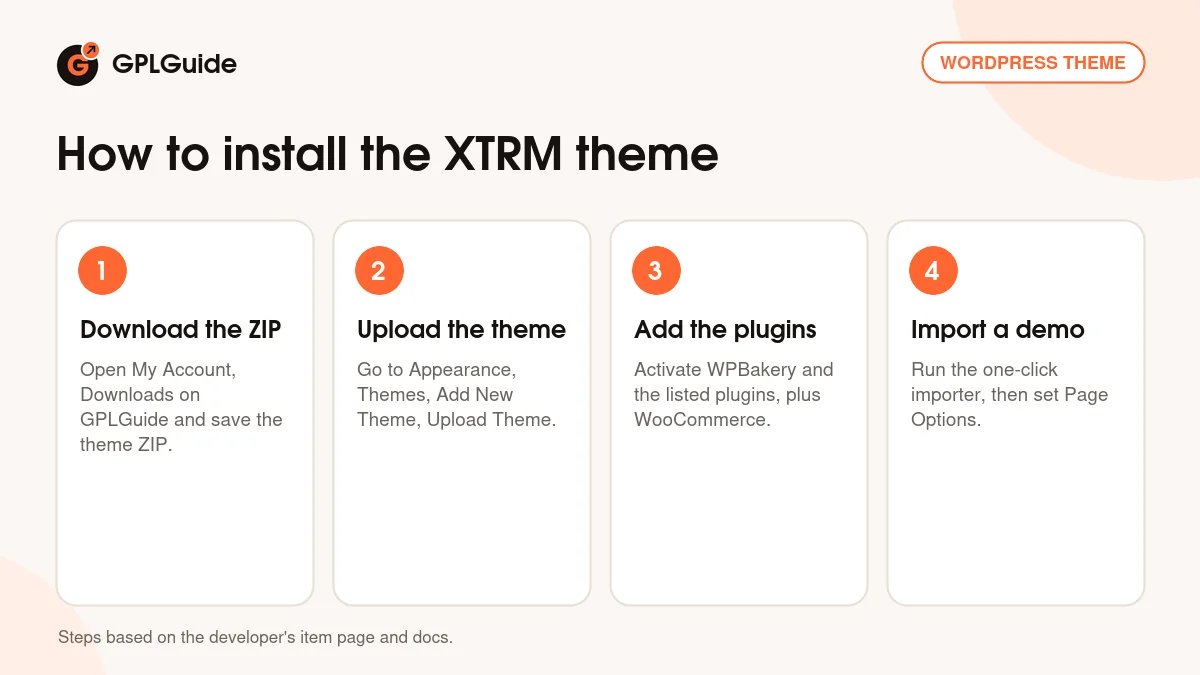
How to install the XTRM theme
- Sign in to GPLGuide, open My Account, Downloads and save the XTRM theme ZIP.
- Go to Appearance, Themes, Add New Theme, Upload Theme, choose the ZIP and activate the theme.
- Install and activate WPBakery Page Builder and the other plugins the theme asks for, plus WooCommerce if you want a shop.
- Run the one-click demo importer, then open a page and adjust its Page Options.
A good first setup is to import one home page that matches your sport and build out three pages from it: services, pricing and contact. Set your logo for the normal, scrolled and mobile header, choose a footer style, and add a Book now button with Show additional button in the menu?. Replace every demo image before you share the site. Add the shop and events later, once the core pages work on a phone.
Keeping it up to date
Updates from GPLGuide are manual. When a new version of the XTRM theme is listed here, download it from your account and upload it under Appearance, Themes, Add New Theme, Upload Theme. WordPress offers to replace the installed copy, and your pages and Page Options stay in the database. Use the child theme for code changes so an update doesn't overwrite them. If we haven't added a newer release yet, ask for it on the Request Item/Update page.
Questions about the XTRM theme
Which page builder does the XTRM theme use? WPBakery Page Builder. The theme's own elements are added from its shortcode manager inside WPBakery.
How many home pages are included? Fourteen, plus showcase, pricing, event, shop, contact and about us pages.
Is it only for one sport? No. It is a multipurpose design for extreme sports and adventure tours, so it fits surfing, skiing, biking and mountain sports alike.
Can I sell gear or rentals? Yes, with WooCommerce. The theme has shop pages and two product elements.
Does it work with PHP 8? Yes. Version 1.1.2 added support for PHP 8.0, 8.1 and 8.2.
Are the demo images included? No. The developer says they can be used only on the demo, so upload your own.
Can I take bookings? The theme moved from Booked to the Scheduled plugin in 1.1.3, so bookings run through Scheduled.
Does the XTRM theme work with current WordPress versions? The item page lists compatibility up to WordPress 7.0, and the page was last updated in September 2026.
Do I need to enter a purchase code? No. The license key is already activated in the file.
Browse more designs among the WordPress themes on GPLGuide, or see what a GPLGuide membership includes if you build sites for several clients. The theme's forms use the free Contact Form 7 plugin from WordPress.org.
Features & capabilities
- 14 home pages for extreme sports and adventure businesses
- Showcase, pricing, event, shop, contact and about us pages
- WPBakery Page Builder with the theme's own elements
- Page Options for menu, header, logos, footer and a dark version
- WooCommerce shop pages with Products Slider and Products Categories
- Google Maps add-on with 114 map styles
- Unlimited colors and skins, preloader and custom 404 page
- One-click demo import, settings export and child theme