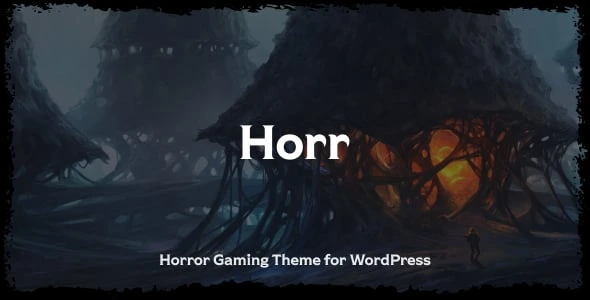
Horr – Gaming Horror Theme
100% Original fileUnmodified copy of the developer's release
DevelopernK
Up to dateOriginal released Sep 24, 2026 · File last updated Oct 17, 2026
About this product
The Horr theme is a gaming horror WordPress theme by nK for gaming sites, game streamers and horror fans. It is built on the WordPress block editor, so you build pages with blocks instead of a separate page builder. This page is for Horr theme version 1.1.7, released on September 24, 2026. On GPLGuide you download the original theme file to install on your own websites. The file from GPLGuide comes with the license key already activated, so there is no key to enter.
Good for: Horror game developers, streamers and YouTube or Twitch channels with a dark brand, gaming and boosting businesses, and writers who run a horror story, review or podcast blog with a small merchandise shop.
Requirements: WordPress. The ThemeForest listing shows compatibility with WordPress 6.3.x through 7.0.x and WooCommerce 7.x to 9.x, and lists no PHP version. nK's docs name Ghost Kit, Visual Portfolio, Advanced Backgrounds, Lazy Blocks, WooCommerce, SearchWP and Sociality as plugins the theme supports. A child theme is included.
What the Horr theme does
nK describes the Horr theme as a huge gaming theme. It targets gaming sites, game streamers and boosting businesses, and the docs add that it also suits blogs, news sites, WooCommerce stores and other shops without coding. Beyond the built-in demos, nK suggests YouTube, Twitch, portfolio and simple blog sites.
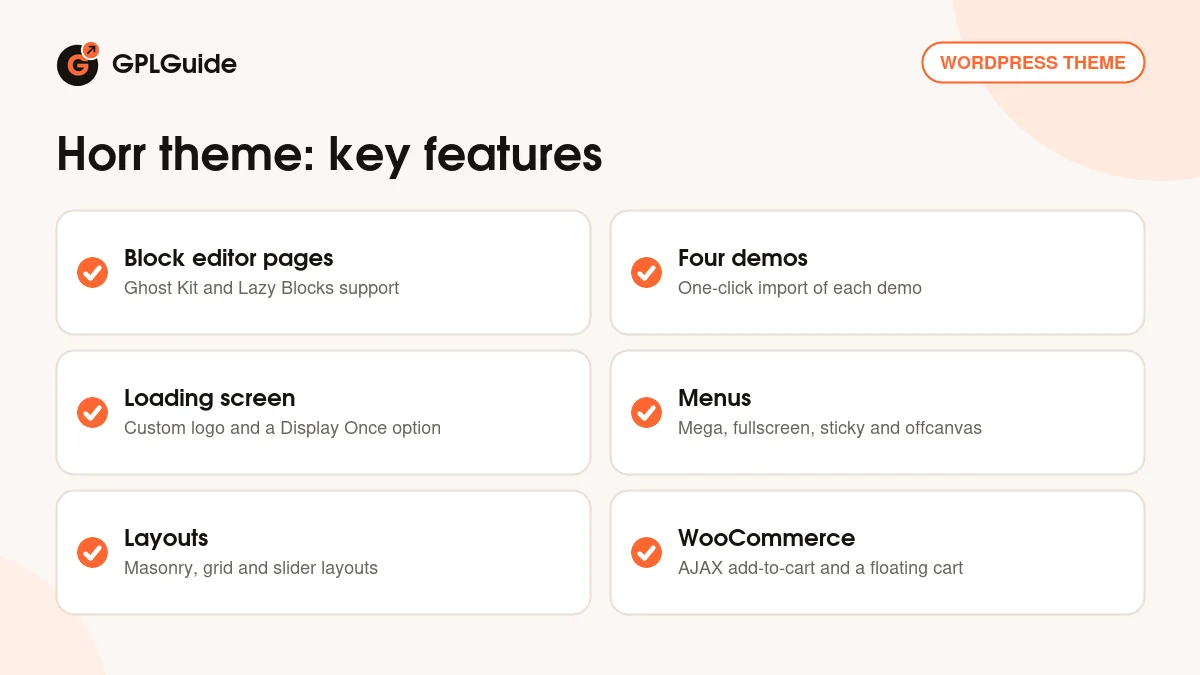
The listing counts four predesigned demos that you can import in one click. It also names a preloader with a custom loading-screen logo, a live AJAX search, a custom cursor, a scroll progress bar, support for WebP images and lazy loading, and more than 1000 Google Fonts. The changelog starts with the first release on March 1, 2023.
The Horr theme does not rely on a classic page builder. Its docs say it is built with the native WordPress page builder, Gutenberg, and a few block plugins add the extra pieces.
Building pages with blocks in the Horr theme
nK's docs name four plugins that extend the block editor. Ghost Kit gives you a collection of blocks, with grid, buttons, progress and tabs as examples. Advanced Backgrounds (AWB) adds image or video backgrounds, with parallax. Visual Portfolio builds portfolio and blog layouts such as masonry and tiles. Lazy Blocks lets you create your own custom blocks without coding.
The listing adds that the content blocks cover buttons, tabs, accordions, FAQs, pricing tables, countdowns and a contact form. Blog and portfolio layouts come as classic, masonry, grid and slider, with video and image post types and a lightbox gallery.
Widget areas follow the same idea. The docs say the widgets in the demo are mostly blocks, so you add blocks to the widgetized areas. If you already know the block editor, the Horr theme asks you to learn very little that is new.
A typical page goes together like this: start with a Ghost Kit grid, set an Advanced Backgrounds image or video as the section background, add a Visual Portfolio block for your latest posts and finish with a Ghost Kit button. Each plugin adds its own blocks to the editor, and nK's docs do not list the block names, so check the block inserter or each plugin's own documentation.
Menus, loading screen and site extras in the Horr theme
The listing names mega, hamburger, fullscreen and sticky menus, an offcanvas area and a ticker bar. Menus are managed under Appearance, Menus. nK's docs say there is a single menu location, used for both the main menu and the mobile menu, so one menu has to work for both. Tick the Mega Menu checkbox on a top-level item to build a multi-column dropdown.
The loading screen is a signature piece for a horror site. You can upload your own logo for it, and version 1.0.1 improved the SVG shapes and the loading screen animation. Version 1.1.0 added a Display Once option for the preloader, so returning visitors do not sit through it every time.
Smaller extras include live search, a custom cursor and a scroll progress indicator. They are small touches, but together they give a horror game page its atmosphere, and each one can be tested quickly after you import a demo.
Shop pages are covered by the WooCommerce styles in the theme. nK has kept them current: version 1.0.2 fixed the menu cart widget for WooCommerce 7.8, 1.1.0 fixed product list columns and product styles, and 1.1.1 and 1.1.4 updated the templates. Version 1.1.2 stopped the stars in the review form from showing as active by default. The docs also mention selling merchandise to fans through a store, which fits a game or channel brand.
Customizer, fonts and icons in the Horr theme
Open Appearance, Customize after installing the theme. The Horr theme supports a live preview of every change, and nK notes that the settings are commented and straightforward. Version 1.1.6 fixed the Kirki customizer controls, so the Customizer uses Kirki controls.
Fonts come from Ghost Kit. The docs say all of nK's Gutenberg themes use the Fonts feature of the Ghost Kit plugin. In version 1.1.1 nK changed the default font to Source Serif 4. Version 1.1.0 added an X icon to the social networks settings, and 1.1.3 added brand icons such as Bluesky, Signal Messenger, Webflow and Flutter to the icon selector.
For single pages, nK says you can change some layout elements with the Theme Options panel. The docs do not list those options by name, so open a page in the editor and look through the panel. For forms, the docs point to the contact forms in Ghost Kit and to the Ghost Kit documentation for the details.
Ideas to copy with the Horr theme
- Horror game launch page: import one of the four demos, use an Advanced Backgrounds video behind the hero block, add a countdown block to the release date and a Ghost Kit button for the wishlist link.
- Streamer or YouTube channel: a simple blog with video post types, a lightbox gallery for clips and the scroll progress indicator on long posts.
- Story and review blog: the masonry or grid layout from Visual Portfolio, tabs and accordions for episode guides and the Display Once preloader.
- Merchandise shop: WooCommerce with AJAX add-to-cart and the floating product cart.
- Boosting service: pricing tables and FAQ blocks, one of the uses nK names for this theme.
The advice is the same for each: import a demo, delete what you do not need and keep the blocks you like. Because the Horr theme is built on blocks, you can copy blocks from one page to another and rebuild a layout without touching code.
What's new in the Horr theme 1.1.7
Version 1.1.7 came out on September 24, 2026. nK says demo import now works without a purchase code. The changelog lists no other change, and no newer version was listed on the day we checked.
The versions before it: 1.1.6 (January 13, 2026) fixed WordPress 6.7 and newer compatibility and the Kirki customizer controls, plus some theme and WooCommerce CSS issues. Version 1.1.5 (November 26, 2025) fixed PHP 8.3 and newer notices. Version 1.1.4 (July 7, 2025) updated WooCommerce templates and styles. Version 1.1.3 (December 21, 2024) added the brand icons and fixed WordPress 6.7 compatibility. Version 1.1.2 (November 12, 2024) fixed the page frame size and the mobile menu toggle alignment. Version 1.1.1 (February 26, 2024) fixed the demo importer data and changed the default font.
Good to know before you buy
The listing tags the Horr theme as page builder compatible, but nK's docs only describe the block editor. Plan your pages around blocks. The listing does not name any required plugin, so read the notice the theme shows after activation to see what it asks for.
The seller states that it does not own the copyright for the images in the demo, so you must license demo pictures separately before using them on your own site. The ThemeForest listing also says item support from nK is not included. nK lists no PHP version, and the docs give no names for the four demos or the per-page options. The docs' Plugins page lists the supported plugins without saying which are required, and the Customizer page does not name its panels, so expect some exploring.
Horr theme from GPLGuide vs the official subscription
From GPLGuide you get the original Horr theme 1.1.7 file. Its blocks support, menus and Customizer options work as they do in nK's file, and the file comes with the license key already activated. The Horr theme is sold by nK on ThemeForest, where the Regular licence costs $69. nK states that its WordPress themes are licensed under the GNU GPL.
Buying on ThemeForest adds future updates through the marketplace and the marketplace's refund rules. The listing says nK does not support this item, so there is little vendor help to lose. Services that run on nK's own servers belong to nK.
How to install the Horr theme
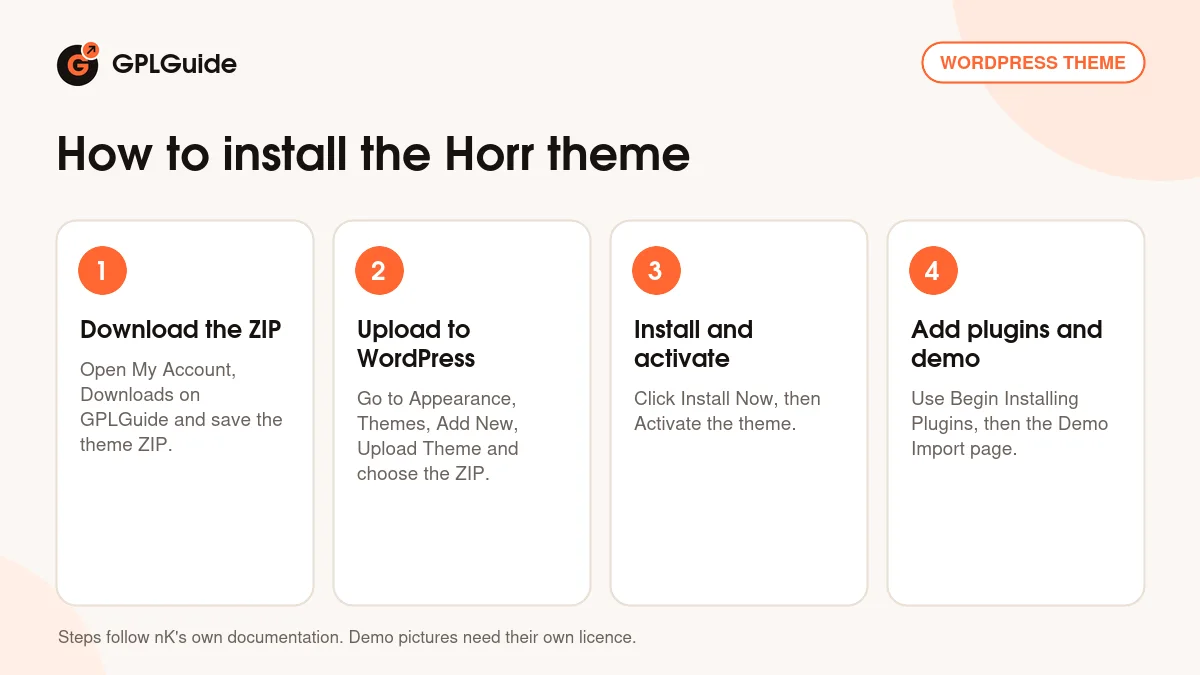
- Sign in to GPLGuide, open My Account, Downloads and save the Horr theme ZIP.
- In WordPress go to Appearance, Themes, Add New, Upload Theme and choose the ZIP.
- Click Install Now, then Activate.
- Follow the plugin notice: click Begin Installing Plugins, tick the plugins you want, choose Install and click Apply.
For a first setup, use a fresh WordPress site. Install the nK Themes Helper plugin, open the theme's Demo Import page, read the Important Notes and choose one of the four demos. When the import ends, nK recommends the Regenerate Thumbnails plugin. Then replace the demo images with ones you have the right to use. If you plan to add custom code or CSS, activate the included child theme first, so your changes survive the next upload of the parent theme.
Keeping it up to date
Updates from GPLGuide are manual. When a new version of the Horr theme is listed here, download it from your account and upload it under Appearance, Themes, Add New, Upload Theme. WordPress offers to replace the installed copy. Keep your own changes in the included child theme, because nK warns that edits to the theme's own files can be lost. If you see a newer version that we haven't added, let us know on the Request Item/Update page.
Questions about the Horr theme
Does the Horr theme need a page builder? No. It is built for the WordPress block editor, with extra blocks from plugins such as Ghost Kit.
How many demos can I import? The listing counts four predesigned demos.
How do I change the fonts? Through the Fonts feature of the Ghost Kit plugin. The default font became Source Serif 4 in version 1.1.1.
Can visitors skip the loading screen after the first time? Yes. The preloader has a Display Once option, added in version 1.1.0.
Can I use different menus on desktop and mobile? No. nK's docs say one menu location serves both.
Can I build a portfolio? Yes, with Visual Portfolio, which supports layouts such as masonry and tiles.
Does it have a shop? It works with WooCommerce, and the listing names AJAX add-to-cart and a floating product cart.
Is there a child theme? Yes, the listing says a child theme is included. Use it for your own changes.
Does it work with translation plugins? The listing names WPML and Loco Translate as compatible.
Browse more WordPress themes on GPLGuide, or see what a GPLGuide membership includes if you build several sites. Ghost Kit, which supplies blocks and the Fonts feature for the Horr theme, has a free version on WordPress.org.
Features & capabilities
- Built for the WordPress block editor, with no separate page builder
- Four predesigned demos with one-click import
- Ghost Kit, Advanced Backgrounds, Visual Portfolio and Lazy Blocks support
- Preloader with a custom loading-screen logo and a Display Once option
- Mega, hamburger, fullscreen and sticky menus, offcanvas area and ticker bar
- Classic, masonry, grid and slider blog and portfolio layouts
- WooCommerce with AJAX add-to-cart and a floating product cart
- Live AJAX search, custom cursor, scroll progress and 1000+ Google Fonts