
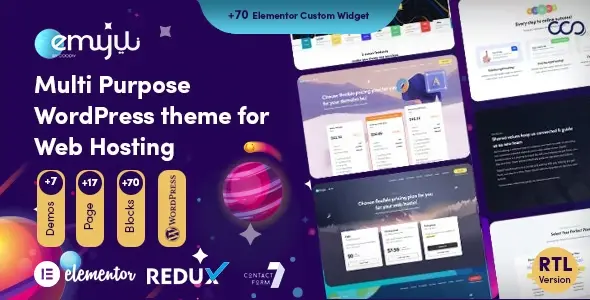
Emyui – Multipurpose Web Hosting WordPress Theme
100% Original fileUnmodified copy of the developer's release
Developerpdthemesde
Up to dateOriginal released Aug 17, 2023 · File last updated Oct 27, 2026
About this product
Emyui Theme 2.6 is a WordPress theme for web hosting businesses: shared, reseller, cloud and WordPress hosting, domain sales and DDoS protection offers. It suits hosting resellers and small providers who run billing in WHMCS and want a sales site with hosting plans, a domain search and support pages that sit in front of it. You build the pages in Elementor on a Bootstrap grid, and the theme keeps the domain search tied to your WHMCS domain registration. The developer ships it with its own set of Elementor widgets and importable demo content; the WHMCS client area template is a separate product from the developer.
How to install Emyui Theme
- Install and activate the free Elementor plugin under Plugins, Add New Plugin first, because the theme's custom page elements are Elementor widgets.
- Log in to GPLGuide, open this product and click Download under Your downloads.
- In WordPress go to Appearance, Themes, Add New Theme, click Upload Theme, choose the theme ZIP, click Install Now and then Activate.
- Check your WordPress version: the developer lists this release as updated for WordPress 6.3, with compatibility back to 5.5.
- After activation, edit your pages with Elementor and add the theme's hosting and domain search widgets. The domain search sync needs your own WHMCS installation to connect to.
Features & capabilities
- Domain search elements that sync with WHMCS domain registration.
- More than 15 custom Elementor widgets for hosting pages.
- Over 50 customizable page elements.
- Drag-and-drop mega menu that can also hold a domain section.
- Full RTL support for right-to-left languages.
- Extra background controls for the hero section.
- Scroll animations and particle effects.
- Font Awesome, Feather, Flaticon and fontilo icon sets.
- Responsive Bootstrap 4 grid and a .pot file for translation.
Frequently asked questions
Is this the original file?
Yes. Every product on GPLGuide is the developer’s own release, unchanged. The license key comes already activated. If a product does ask for a key, the activation steps appear on its page once you have it.
Is it legal to use a GPL plugin or theme from GPLGuide?
Yes. WordPress plugins and themes are released under the GPL, which lets anyone use, share and change the code. The developer’s support desk and the developer’s own update service are not part of the file; those stay with the developer.
How do I install it?
Log in, open the product page and click Download under Your downloads. For a plugin go to Plugins, Add New Plugin, Upload Plugin, choose the ZIP, then Install Now and Activate. For a theme go to Appearance, Themes, Add New Theme, Upload Theme.
How do updates work?
When a newer version is listed on GPLGuide, download it from the product page and upload it over the installed copy; WordPress offers to replace the old version. Updates are manual.
Can I use it on more than one site?
Yes. The GPL lets you use it on as many of your own sites as you like.
What if the file does not work or a newer version is out?
Tell us on the Request Item page or through Support. We check the file and add the newer version when we have it.