
Kindori – School Kindergarten WordPress Theme
100% Original fileUnmodified copy of the developer's release
DeveloperCMSSuperHeroes
Up to dateFile last updated Oct 28, 2026
About this product
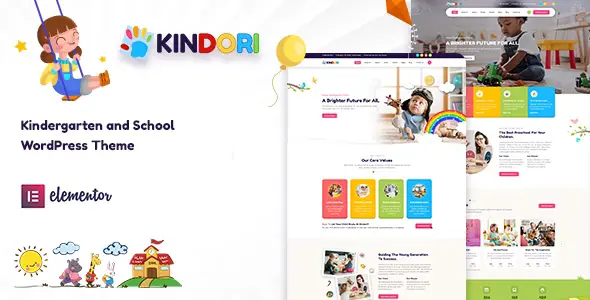
Kindori Theme 2.0.2 is a WordPress theme for kindergartens, preschools, nurseries, child care providers and other education projects aimed at young children. It suits a school owner or a small web agency that wants a bright, friendly site built with the Elementor page builder, with room for photo galleries, a blog and contact forms that parents can reach on their phones. If you run one small nursery or a group of child care centres, the demo pages give you a finished starting layout that you then edit block by block. The developer ships it with a child theme, importable demo content, a premium slider plugin and a grid plugin, plus written documentation and video tutorials.
How to install Kindori Theme
- Check your hosting first: the developer asks for PHP 7 or greater, a PHP memory limit of 256M, a max execution time of 300 seconds and max input vars of at least 4000.
- Log in to GPLGuide, open this product and click Download under Your downloads.
- If the download holds more than one ZIP, unzip it on the computer first and upload the theme's own ZIP, Kindori.zip, in the next step.
- In WordPress go to Appearance, Themes, Add New Theme, Upload Theme, choose Kindori.zip, click Install Now and then Activate. Install the child theme the same way if you plan to edit theme files.
- After activation, install and activate the theme's core plugin, then click its Install & Active button so every required plugin is in place before you import a demo.
- Go to Kindori, Import Demo, click Import Demo and wait until it finishes. If images are missing on the front end afterwards, open Elementor, Tools and run the fix described in the docs.
Features & capabilities
- Elementor page builder support, so every page is edited visually
- Boxed or full-width layout, set for the whole site or for one page
- Sidebars on the left, on the right or hidden, chosen globally or per page and post
- Unlimited color choices plus typography and font settings in the theme options
- Parallax image and video sections for banners and headers
- Several blog and portfolio layouts, including a blog carousel and four-column blog pages
- Gallery grid and single gallery templates for showing school life in photos
- Two one-page home layouts next to the standard home pages
- WooCommerce support for a small school shop
- Translation ready with WPML support, and Contact Form 7 forms styled to match
Frequently asked questions
Is this the original file?
Yes. Every product on GPLGuide is the developer’s own release, unchanged. The license key comes already activated. If a product does ask for a key, the activation steps appear on its page once you have it.
Is it legal to use a GPL plugin or theme from GPLGuide?
Yes. WordPress plugins and themes are released under the GPL, which lets anyone use, share and change the code. The developer’s support desk and the developer’s own update service are not part of the file; those stay with the developer.
How do I install it?
Log in, open the product page and click Download under Your downloads. For a plugin go to Plugins, Add New Plugin, Upload Plugin, choose the ZIP, then Install Now and Activate. For a theme go to Appearance, Themes, Add New Theme, Upload Theme.
How do updates work?
When a newer version is listed on GPLGuide, download it from the product page and upload it over the installed copy; WordPress offers to replace the old version. Updates are manual.
Can I use it on more than one site?
Yes. The GPL lets you use it on as many of your own sites as you like.
What if the file does not work or a newer version is out?
Tell us on the Request Item page or through Support. We check the file and add the newer version when we have it.