Kitty - Multipurpose Shopify Theme OS 2.0

100% Original fileUnmodified copy of the developer's release
Developerthemeforest
Up to dateOriginal released Dec 11, 2025 · File last updated Oct 23, 2026
About this product
The Kitty Shopify theme is an Online Store 2.0 theme built for fashion shops first, with demo styles for skincare, food, home decor, jewellery and chocolate stores as well. You get drag and drop sections, a mega menu with up to seven styles, an AJAX wishlist, product compare, variant swatches and a currency switcher, all set in the Shopify theme editor without code. This page is for the Kitty Shopify theme 1.4, released on December 11, 2025. On GPLGuide you download the original theme files to upload to your own Shopify store.
Good for: clothing and apparel stores, fashion boutiques, boho labels, jewellery shops, skincare brands, chocolate and vegan food sellers, home decor stores and dropshipping stores with lots of variants.
Requirements: a Shopify store with the Online Store sales channel, since that's where themes are uploaded and published. The item page lists Shopify 2.0 as the software version, names no particular Shopify plan and lists no required app. Compatible browsers, per the developer: Firefox, Safari, Opera, Chrome and Edge.
What the Kitty Shopify theme does
Kitty is a fashion theme at heart. The developer built it for stores where shoppers flick through many variants, filter by type and compare a few pieces before buying. It's written in HTML5, CSS3 and Sass for Shopify's Online Store 2.0, so every page is made of sections you add, remove and reorder in the theme editor.
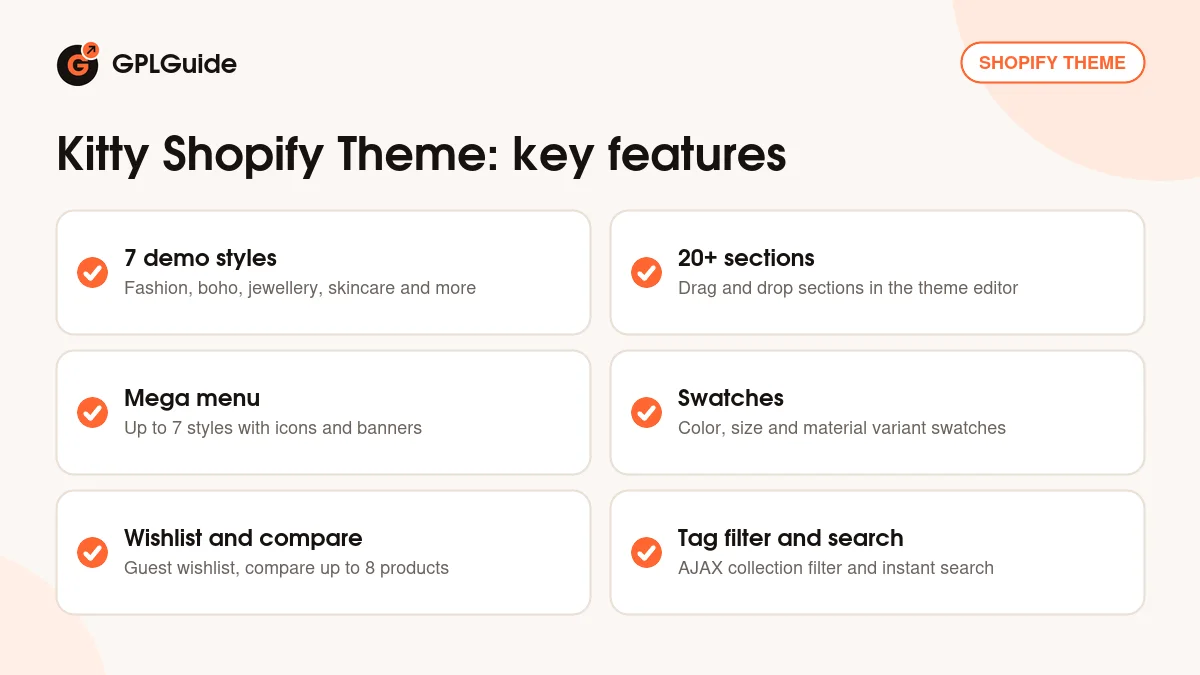
Most of the work went into the shopping side. The Kitty Shopify theme adds a wishlist that guests can use, product comparison, quick shop, a sidebar cart, a tag filter and instant search, all running as AJAX so the page doesn't reload. Product pages get swatches, custom tabs, a size chart, an Ask An Expert form and a countdown timer.
The download holds seven demo styles, each as its own Shopify theme ZIP: main home, skincare, vegan food, boho, home decor, jewellery and chocolate. That's the multipurpose part of the name. Every style shares the same toolset, including custom About Us, Contact and Service pages, a brands page sorted by letter, testimonials and popups for the newsletter, GDPR cookies and recent sales.
Homepage sections and the theme editor
Open Online Store, Themes and click Customize. That's the theme editor, and it's where the Kitty Shopify theme is set up. The developer lists more than 20 custom sections with multiple options: grid banners, product grids and carousels, featured collections, testimonials and content blocks. Click Add section to drop one in, then drag it up or down the left column.
Each section is made of blocks. A grid banner, for example, is a set of image blocks you add, delete and drag around, and the images can carry text overlays or hover effects. Theme settings, in the editor's sidebar, hold the global choices such as colors, typography and Google Fonts.
Because it's an Online Store 2.0 theme, the Kitty Shopify theme takes sections on collection, product and regular page templates. You can create a second product template for bridal pieces, with the size chart and the Ask An Expert form, and assign it only to the products that need it. One tip: build the home page last. Product and collection pages are where buyers make up their minds.
Product pages, swatches and checkout buttons
The product page is the busiest part of the Kitty Shopify theme. Variants show as swatches for color, size and material instead of plain dropdowns, and version 1.3 fixed a color swatch issue. Product cards can swap to a second image, and the product page has image zoom.
Custom product tabs come in two kinds. General tabs show on every product, which suits shipping and returns text. Product-specific tabs hold details that change from item to item, such as fabric or care notes. The item page doesn't say how those are filled, so check in the theme editor before you plan a big catalogue around them.
The size chart and the Ask An Expert form answer the two questions buyers ask most. Will it fit? Is there someone to ask?
Dynamic checkout buttons let a shopper skip the cart and go straight to checkout. The countdown timer can be set for specific products to show when a deal ends, and the sale label marks discounted items. Several product page layouts sit in the customization panel, so try each one with your own photos.
Mega menu, search and collection filters
Catalogues get big fast. The mega menu offers up to seven styles, with multi-level links, icons, background images and promo banners. Build the menu in your Shopify admin first, with collections nested under each top item, then pick the style in the theme editor. Do it the other way round and you build the dropdown twice.
Search is a pop-up with instant AJAX results with minimal product details. On collection pages the AJAX sidebar filter works on product tags and refreshes the results in place. Your tags do the filtering work, so settle on one tag style for colors, sizes and materials early. Fixing a thousand messy tags later is a miserable job.
Grid and list mode, AJAX pagination and quick shop round out the collection page in the Kitty Shopify theme. The alphabet brands page helps a multi-brand boutique, and the 1.3 release fixed a filter color issue and a discount code issue.
Store setups to copy with the Kitty Shopify theme
Each setup starts from one of the seven style ZIPs of the Kitty Shopify theme and uses parts the item page lists.
- Women's clothing boutique: main-home.zip, a grid banner of three collections, a featured product carousel, swatches and the size chart on every product.
- Boho fashion label: boho.zip, mega menu background images for each category, the tag filter for size and style, and the wishlist for return visits.
- Jewellery shop: jewellery.zip, image zoom for close-ups, product compare for similar rings and the Ask An Expert form for sizing questions.
- Skincare brand: skincare.zip, product tabs for ingredients and how to use, testimonials and the newsletter popup.
- Chocolate or vegan food shop: chocolate.zip or vegan-food.zip, countdown timers on seasonal boxes, sale labels and dynamic checkout buttons.
- Home decor store: home-decor.zip, room categories in the mega menu, grid and list mode and the currency switcher for buyers abroad.
Start with fewer sections than you think you need. A banner grid, one carousel, one featured collection and a row of testimonials load quicker than twelve stacked sections.
What's new in the Kitty Shopify theme 1.4
The Kitty Shopify theme 1.4 came out on December 11, 2025, and it's a small release: the changelog lists minor CSS fixes to the chocolate demo, which is chocolate.zip in the download. The item page shows a later listing update on December 26, 2025.
The release before it matters more. Version 1.3 (September 15, 2025) fixed a discount code issue, a color swatch issue and a filter color issue, updated the review app code and fixed many functionality and design issues. Version 1.2 (May 10, 2024) brought a placeholder update, cartType fixes and a quantity update. Version 1.1 (March 1, 2024) had minor fixes and design enhancements, and 1.0 was the initial submission on February 12, 2024.
Good to know before you buy
The Kitty Shopify theme download is a package, not a single theme. Unzip it first: inside are seven theme ZIPs, one per demo style, plus two small text files. Shopify won't take the outer ZIP, because it has no theme at its top level, so upload the ZIP of the style you want. The item is marked as well documented, but the page gives no public documentation link.
Demo images aren't included. The developer says the demo photos are copyrighted and offers links to buy licences for them, so plan your own product and banner shots. Right to left support appears only in the tags (right to left, RTL Arabic), so test an Arabic storefront before you commit.
Customer reviews are listed, and 1.3 updated the code for a review app the page doesn't name. Shopify has its own cookie banner under Settings, Customer privacy, so run either that or the theme's GDPR popup, not both. The item page also says the checkout can carry your logo, colors and text styles. On Shopify that styling lives in Settings, Checkout, Customize. Nothing on the page points to a service on the developer's servers.
Kitty Shopify theme from GPLGuide vs the official subscription
The Kitty Shopify theme is sold on ThemeForest. The Regular License costs $55 for one end product that end users aren't charged for, and the Extended License is $1,750. A purchase there includes future updates through the marketplace and six months of support from the developer, which you can extend to 12 months for $15 at the time of writing.
From GPLGuide you get the original Kitty 1.4 theme files, all seven style ZIPs, with the sections, mega menu styles, swatches and AJAX tools that are in them. They come with the license key already activated, so there's no purchase code to paste in.
Developer support, refunds under Envato's rules and updates through an Envato account come only with a ThemeForest purchase. If you want the developer to look at a problem in your store, buy the licence there.
How to install the Kitty Shopify theme
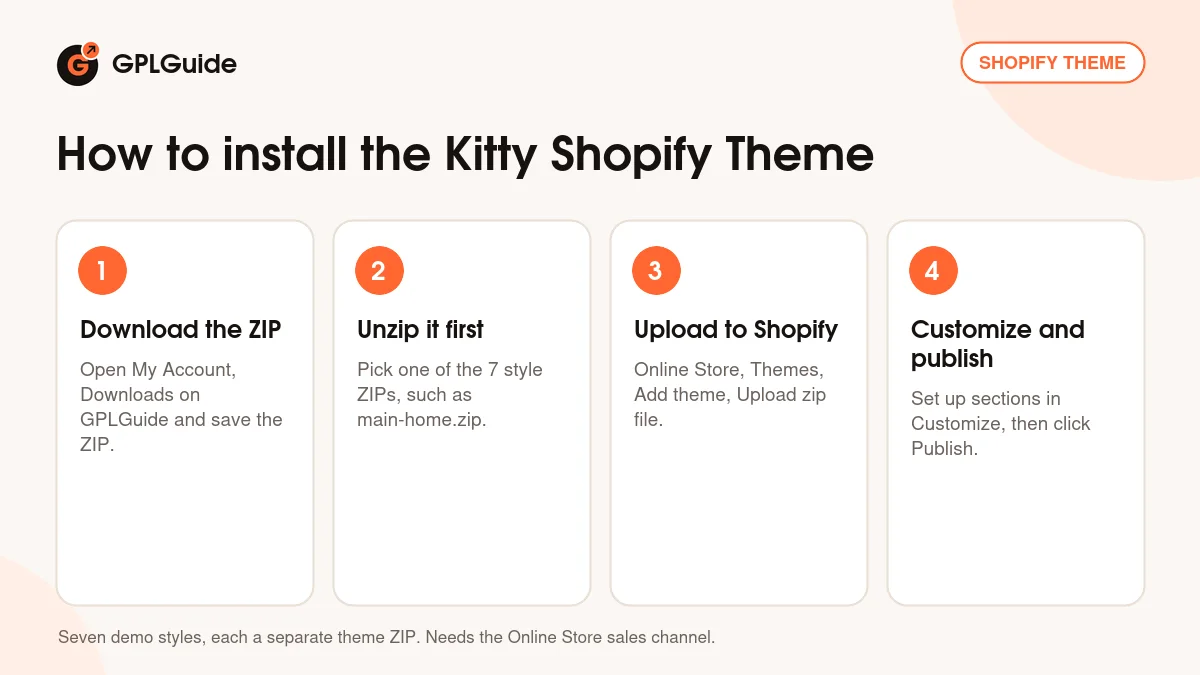
- Sign in to GPLGuide, open My Account, Downloads and save the Kitty ZIP.
- Unzip it on your computer and pick the style you want, such as main-home.zip, boho.zip or jewellery.zip.
- In your Shopify admin, go to Online Store, Themes, click Add theme, choose Upload zip file and select that style's ZIP.
- Click Customize to set up sections, menus and theme settings, check the preview on desktop and mobile, then click Publish.
Not sure which style fits? Upload two or three and preview each with your own products before you choose. Then add real products with their variants and tags, build the main menu, choose a mega menu style and set colors and fonts in Theme settings. Set up one product template with swatches, tabs and the size chart, test the tag filter, and build the home page last. Place a test order before you publish.
Keeping it up to date
Updates from GPLGuide are manual. When a new version of the Kitty Shopify theme is listed here, download it from your GPLGuide account, unzip it and upload the ZIP of your style under Online Store, Themes, Add theme, Upload zip file. Shopify adds it as a new theme and keeps the old one in your theme library. Move your settings over in the theme editor, or copy config/settings_data.json and your JSON templates in Edit code. Then publish. Spot a newer release we haven't added? Tell us on the Request Item/Update page.
Questions about the Kitty Shopify theme
Is Kitty an Online Store 2.0 theme? Yes. The item page lists Shopify 2.0 as the software version, so you build pages from sections and blocks.
How many demo styles come with it? Seven. Main home, skincare, vegan food, boho, home decor, jewellery and chocolate each come as a separate theme ZIP.
Which Shopify plan do I need? None is named. You need a store with the Online Store sales channel, because that's where themes are uploaded.
Do I need any apps? No. None is listed as required, and the wishlist, product compare, currency switcher and popups are part of the theme. For reviews, the page doesn't name the app its review code is written for.
Can shoppers filter collections by size and color? Yes, through product tags. The AJAX sidebar filter reads tags, so tag each product with its sizes and colors.
Are the demo photos included? No. The developer says they're copyrighted and can share links where you can buy licences for them.
Does the Kitty Shopify theme work for right to left stores? Possibly. Its tags say right to left and RTL Arabic, but the description doesn't explain the setup, so test it on an unpublished copy first.
Shopify won't accept my upload. What should I check? Which ZIP you picked. Unzip the download and upload one of the seven style ZIPs inside, such as main-home.zip, not the outer file.
What changed in Kitty 1.4? Minor CSS fixes to the chocolate demo, released December 11, 2025. The bigger fixes for discount codes, swatches and filters came in 1.3.
Want to compare other designs first? Browse the themes on GPLGuide, or see what a GPLGuide membership includes if you look after several stores.
Features & capabilities
- Kitty Shopify theme with seven demo styles, each its own theme ZIP
- More than 20 custom sections with drag and drop ordering
- Mega menu with up to seven styles, icons and promo banners
- AJAX wishlist, quick shop, sidebar cart and pagination
- Product compare for up to eight products on the same page
- Color, size and material swatches with image swap and zoom
- Custom product tabs, size chart and an Ask An Expert form
- Tag filter, instant search, currency switcher and countdown timer