
Lilnest - Kids Toys eCommerce Shopify

100% Original fileUnmodified copy of the developer's release
Developerthemeforest
Up to dateOriginal released Sep 30, 2025 · File last updated Oct 23, 2026
About this product
The Lilnest Shopify theme is a kids store theme for Shopify shops that sell toys, baby clothing, gifts and children's books. It's built for Shopify 2.0, so you put the homepage together from drag and drop sections in the theme editor, and it brings the tools a toy store tends to need: a mega menu, an AJAX wishlist, product compare and variant swatches. This page is for the Lilnest Shopify theme 1.1, released on September 30, 2025. On GPLGuide you download the original theme file to upload to your own Shopify stores.
Good for: baby clothing boutiques, toy shops, gift stores, kids educational material shops, board game and activity kit sellers, small kids fashion labels and single product stores that want a bright, colorful storefront they can edit without code. The developer also names sports shops and phone case stores as a fit.
Requirements: the Lilnest Shopify theme needs a Shopify store. The item page lists Shopify 2.0 as the software version and doesn't name a Shopify plan or any required app. Firefox, Safari, Opera, Chrome and Edge are the compatible browsers, and the layout is responsive.
What the Lilnest Shopify theme does
The Lilnest Shopify theme is a storefront for children's products. The developer pitches it at stores that sell fun activity kits, board games, plastic and sturdy toys and books. The look is soft and playful. Underneath, it's a full ecommerce theme with a shop page, several product page layouts, a sidebar cart and ready inner pages.
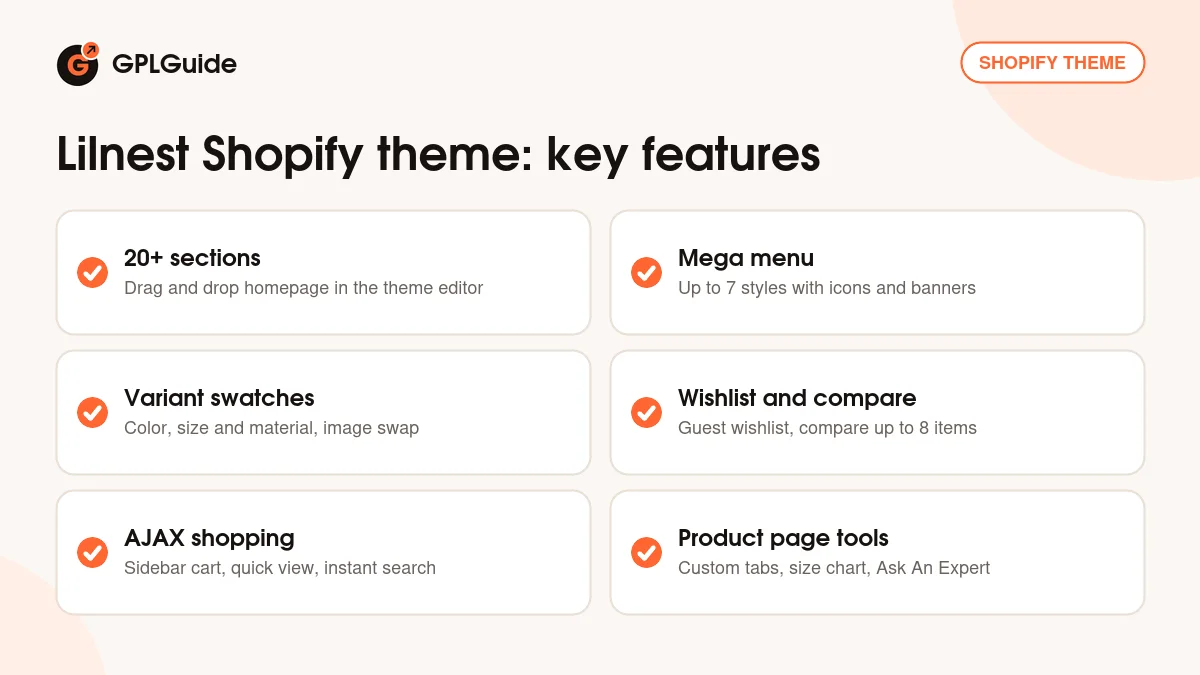
You edit everything in Shopify's theme editor. Open the homepage, add sections, drag them into the order you want and fill in their blocks. The developer counts more than 20 custom sections with multiple options each, from grid banners and product carousels to testimonials and featured collections. Inner pages have their own built-in layouts too: About, Contact, Services, Blog and FAQ.
Most of the shopping tools work without a full page refresh. Add to cart, quick view, the wishlist, compare, search, tag filters and pagination all run on AJAX, which keeps a parent on the same page instead of waiting for reloads on a phone. The code is HTML5, CSS3 and Sass, with lazy loading for images.
Homepage sections and the seven mega menu styles
Shopify 2.0 themes build pages from sections and blocks, and this is where the Lilnest Shopify theme puts most of its effort. You place the available sections in any order, and each one has its own settings. Predefined structures mix grid banners, product displays, carousels and content blocks, so a first homepage can come together in an afternoon.
The slider is built on Swiper. In a toy shop the product carousel is the section you'll use most, with one row for new arrivals, one for best sellers and one for a single collection such as wooden toys. Sale labels mark discounted items, and a testimonials section puts parents' kind words next to the products.
The mega menu in the Lilnest Shopify theme gives you up to 7 styles. It handles multi-level menus and can show icons, background images and promotional banners inside the dropdown. A menu with Baby, Toddler and Big Kids columns plus a banner for the current gift guide is easy to scan. Keep the top level short, though. Five or six items is plenty on a phone.
A brands page sorted by alphabet helps if you stock many toy makers, and Google Fonts and Font Awesome icons cover headings and badges.
Product pages: swatches, tabs and compare
Product pages are where a kids clothing store wins or loses the sale, and the Lilnest Shopify theme gives you several product detail layouts to choose from in the theme editor. Variants can show as color, size and material swatches, so a romper in three colors and five sizes reads as a row of clear choices instead of a dropdown. Image swap brings in a second product photo, and zoom lets a parent check the fabric or the small parts on a toy.
Custom product tabs come in two kinds. Some appear on every product, which suits shipping and returns or a safety note. Others belong to one product only, like a care guide for a knitted blanket. The theme also lists a size chart integration and an Ask An Expert form, so a parent who isn't sure about sizing can ask before buying two sizes and sending one back.
Product compare in the Lilnest Shopify theme handles up to 8 products at a time without leaving the page. It's handy for bigger buys like ride-on toys or play tents. The wishlist runs on AJAX too, and guests can use it without an account. Version 1.1 improved swatches for variants that use metafields, which matters if your color names or swatch images live there.
Search, filters, cart and checkout
AJAX search in the Lilnest Shopify theme shows results with minimal item details, and the pop-up search keeps the box out of the way until someone wants it. On collection pages the sidebar tag filter narrows results without a reload, and shoppers can switch between grid and list mode. Tags drive the filter, so plan them early: age-0-2, wooden, educational, gift-under-25. Consistent tags make the filter useful. Messy ones make it confusing.
The cart opens as an AJAX sidebar cart, so adding a toy doesn't pull the shopper off the product page. Version 1.1 dealt with a sticky cart issue and a discount code issue, good news if you run promo codes for birthdays or school holidays. Dynamic checkout buttons let a buyer skip the cart, and the developer says the checkout page can carry your logo, colors and text styles.
For sales there's a countdown timer for deals, recent sales popups, a newsletter popup, sale labels, social sharing and a GDPR cookie popup, plus a currency switcher for stores that sell in more than one currency. Go easy on the popups. Three of them on a first visit is a lot for a parent holding a toddler and a phone.
Store setups to copy with the Lilnest Shopify theme
Each setup below uses parts the developer lists for the Lilnest Shopify theme. Pick the one closest to your shop.
- Baby clothing boutique: color and size swatches, a size chart on every product, a shared tab for fabric care and shipping, and a carousel of new arrivals.
- Toy and game shop: a mega menu split by age and category, the alphabet brands page, tag filters for age and toy type, and compare for the bigger items.
- Educational materials store: Services and FAQ pages for schools and tutors, the Ask An Expert form and a blog with activity ideas.
- Birthday and holiday gift shop: a countdown timer on a seasonal deal, a featured gift collection and the guest wishlist so relatives can save ideas.
- Single product store: one hero slide, product tabs for the details, testimonials and dynamic checkout buttons.
- Kids fashion label selling abroad: the currency switcher, a multi-level mega menu and grid and list mode on collections.
Before you build, collect sharp product photos on a plain background. Toy shops sell on pictures.
What's new in the Lilnest Shopify theme 1.1
Lilnest 1.1 came out on September 30, 2025, and the item page shows a last update of October 3, 2025. It's a fix release with four changelog lines: better handling of variant swatches for metafields, work on a sticky cart issue and a discount code issue and updated code for the rating app. If you show swatches from metafields or depend on discount codes, you'll want this version.
Before that, version 1.0 was the first release on October 21, 2024, so the theme is still fairly young.
Good to know before you buy
The demo images aren't included. The developer says they're copyrighted and can point you to where they can be bought, so plan on your own photos from day one.
The item page doesn't name a reviews app for the Lilnest Shopify theme. Customer reviews are on the list and the changelog mentions updated rating app code, but check which app the theme expects before you count on stars in your product rows. The size chart is listed as an integration, and the page doesn't say whether it needs an app either.
The GPLGuide download is the full package, not the theme alone. At its top level you'll find the developer's Documentation folder, lilnest.zip and two text files. Only lilnest.zip goes into Shopify. Upload the whole download and Shopify refuses it, because there's no layout/theme.liquid at its root.
That Documentation folder is the place to look for setup details, since there's no public documentation page. The item page doesn't say how many homepage presets ship with the Lilnest Shopify theme. With 36 sales so far the user base is small. Nothing on the page points to a service on the developer's servers.
Lilnest Shopify theme from GPLGuide vs the official subscription
Lilnest is sold on ThemeForest, where the Regular License costs $59. That includes future updates through the marketplace and 6 months of support from the developer, which you can extend to 12 months for $16.50. The developer's support covers questions about the theme's features and help with bugs. It doesn't cover customization or installation.
From GPLGuide you get the original Lilnest 1.1 theme file, with the same sections, mega menu styles and product page tools. The theme file comes with the license key already activated, so there's nothing to enter before you start building.
The developer's help, refunds under Envato's rules and updates through your Envato account only come with a ThemeForest purchase. If you want the developer to look at your store, buy it there.
How to install the Lilnest Shopify theme
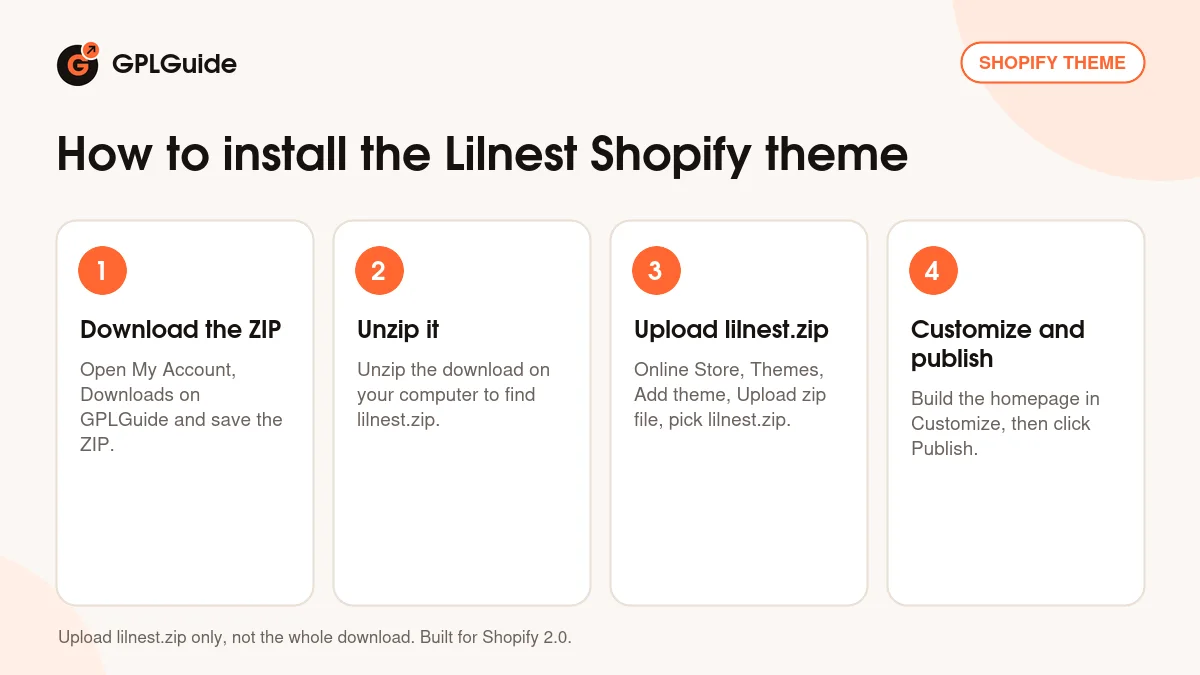
- Sign in to GPLGuide, open My Account, Downloads and save the Lilnest ZIP.
- Unzip the download on your computer. Inside are the Documentation folder, lilnest.zip and two text files.
- In your Shopify admin go to Online Store, Themes, Add theme, Upload zip file and choose lilnest.zip, not the whole download.
- Click Customize, build the homepage from its sections, check it on a phone, then click Publish.
A good first setup for the Lilnest Shopify theme starts with theme settings, not the homepage. Set your colors, fonts and logo first. Then add a slideshow, two product carousels and testimonials, and leave other sections out until you have content for them. Set up your main menu in the Shopify admin, then pick a mega menu style. Finally, place a test order with a discount code to check the sidebar cart and checkout.
Keeping it up to date
Updates from GPLGuide are manual. When a new version of the Lilnest Shopify theme is listed here, download it from your GPLGuide account, unzip it and upload the lilnest.zip inside as a new theme under Online Store, Themes, Add theme, Upload zip file. Shopify keeps your current theme in the library, so the live store doesn't change until you publish. Move your settings over first by copying config/settings_data.json and your JSON templates under Edit code. Products, collections and menus belong to the store, so they stay put. Spotted a newer release we haven't added? Tell us on the Request Item/Update page.
Questions about the Lilnest Shopify theme
Is the Lilnest Shopify theme built for Online Store 2.0? Yes. The item page lists Shopify 2.0, and you build pages from sections and blocks in the theme editor.
Do I need to know code? No. The developer says the Lilnest Shopify theme is made to be used without coding.
How many products can shoppers compare? Up to 8 at a time, without leaving the page.
Can guests use the wishlist? They can. The AJAX wishlist works for guests, so nobody needs an account to save products.
Are the demo images included? No. The developer says they're copyrighted and not part of the download.
Which reviews app does it work with? The item page doesn't say. Version 1.1 updated the rating app code, so check the Documentation folder in the download for the app it expects.
Can I sell in more than one currency? Yes. There's a currency switcher, and the developer lists multi-currency support.
Will my customizations carry over when I update? Not by themselves. A new version uploads as a separate theme, so copy your settings across before you publish it.
Want to compare more store designs first? Browse the themes on GPLGuide, or see what a GPLGuide membership includes if you build stores for more than one client.
Features & capabilities
- Kids, baby and toy store design for Shopify 2.0
- More than 20 drag and drop homepage sections
- Mega menu with up to 7 styles, icons and banners
- Color, size and material swatches with image swap and zoom
- AJAX wishlist for guests and product compare for up to 8 items
- AJAX sidebar cart, quick view, instant search and tag filters
- Custom product tabs, size chart and Ask An Expert form
- Countdown timer, sales popups, currency switcher and GDPR cookie popup