GlideX - Single Product Shopify Theme

100% Original fileUnmodified copy of the developer's release
Developerthemeforest
Up to dateFile last updated Oct 23, 2026
About this product
The GlideX theme is a single product WooCommerce theme for WordPress, made for stores that sell one hero product or a small range, like an electric scooter, a gadget, a toy line, an ebook or a course. It's built for Elementor, comes with a one-click demo import and adds shop extras such as live product search, a sticky add to cart option and countdown timers. This page is for GlideX 1.0.4. On GPLGuide you download the original theme file to install on your own websites.
Good for: e-scooter, segway and bike shops, gadget and electronics brands, toy and doll makers, app and software launches, authors with one book or ebook, course creators and small sports or accessories stores that want a product-first home page.
Requirements: WordPress 6.0 to 6.8 (the versions named on the item page), WooCommerce 5 to 9 and the free Elementor plugin, plus the theme's core features plugin, One Click Demo Import and Contact Form 7. No PHP version is published for the GlideX theme. The developer's general server requirements ask for at least a 256MB memory_limit, a max_execution_time of 600, upload_max_filesize of 128MB, post_max_size of 64MB and max_input_vars of 5000.
What the GlideX theme does
The GlideX theme has one job: putting a single product front and centre. The item page describes it as a single product ecommerce theme with a single item home page and a single listing design. That suits a store built around one scooter model, one app or one book far better than a general shop theme with dozens of category tiles.
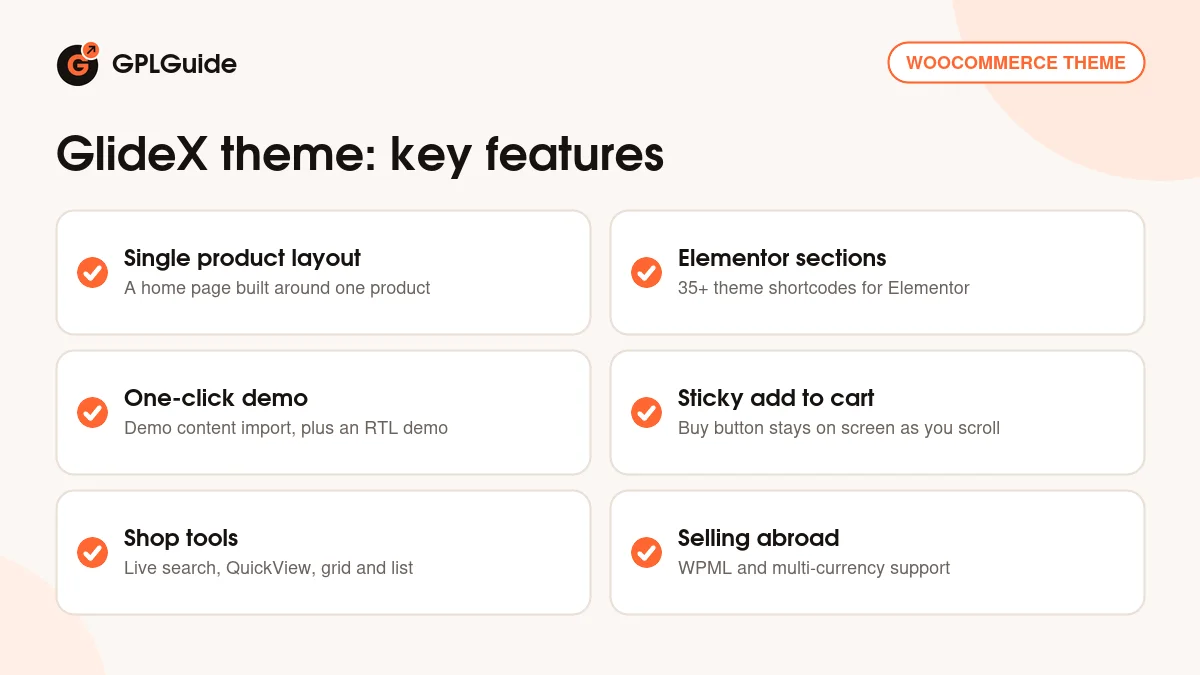
Pages are built in Elementor. Through its core features plugin, the GlideX theme adds more than 35 shortcodes for Elementor, and you can make as many headers and footers as you like in the same builder. Everyday edits, like swapping a product photo or changing a price line, happen visually. You won't need to touch code.
Behind the home page sits a full WooCommerce shop, so you aren't stuck with one product forever. Grid and list views, infinite scroll, a load more button, QuickView and live product search are all there, with WPML and multi-currency support. There's an RTL demo too, added in version 1.0.1, for right-to-left languages.
Shop pages, product pages and the cart
The product page is where a one-product store wins or loses the sale, and it gets the most tools in the GlideX theme. A sticky add to cart option keeps the buy button on screen while visitors scroll through specs and photos. Product images open in a popup with zoom. Tabs and accordions hold specs, shipping and warranty, so the page doesn't turn into a wall of text.
Version 1.0.3 gave the GlideX theme a global product template for the single product page. In plain terms, you design the product page once and every product uses it. That matters the day you add a second model or spare parts. Countdown timers can be switched on for selected products, which is handy for a launch price or a preorder deadline.
Add to cart and the wishlist both run over AJAX, so shoppers stay where they are. Recently viewed products come as shortcodes you can drop into any Elementor section. For category pages the developer points to Appearance, Customize, GlideX WooCommerce, Category Page. The shop sidebar is switched on by editing the Shop page itself, and a site-wide sidebar sits under Appearance, Customize, Site Sidebar, Global Sidebar.
Elementor, headers and the theme's core plugin
Most of what makes the GlideX theme look the way it does comes from its core features plugin. It's the developer's own plugin, bundling the shortcodes and custom post types, and it works with Elementor and some third-party APIs. Install it when the theme asks, since the demo layouts are built from its shortcodes.
Headers and footers are made in Elementor, and the item page promises unlimited ones, so a launch landing page can get a stripped-down header while the full menu stays elsewhere. Drop-down menus and a mega menu are both available. Google Fonts come with a live preview, the blog can show posts in list, grid or masonry style, and the 404 page is fully customizable.
Two settings from the developer's replies help early on. A map section needs a Google Maps API key, which goes in the theme's own tab under Elementor, Settings. If the Elementor editor hangs while loading, open Elementor, Settings, Advanced and enable the Switch Editor Loader Method option. Clearing your cache plugin (WP Rocket, if you run it) and regenerating Elementor's files is the other usual fix.
Demo import, images and server limits
Demo import runs through the free One Click Demo Import plugin. The developer's steps, from the item page: upload and activate the theme, install and activate the required plugins it lists, then go to Appearance, Import Demo Data and install the demo content. When it's done, open Settings, Reading and choose the demo page you want as your home page.
A big Elementor demo is heavy, and on cheap shared hosting the import can stall. When a buyer's imported page wouldn't load, the developer told them to ask the host for a memory_limit of 512M and a post_max_size and upload_max_filesize of 216M. Send that email before you start. It beats cleaning up a half-finished import.
Demo images are not included. The developer says the photos are copyrighted and not part of the download, though they'll send links where you can buy licences for the same pictures. Your imported GlideX theme pages need your own images before launch, which for a single product store is no real loss. A stock photo of someone else's scooter was never going to sell yours.
Store setups to copy with the GlideX theme
Before you import anything, gather what a one-product page needs: eight or so sharp product photos, a short spec list, shipping and returns text and the five questions people always ask before buying. Having that ready turns a GlideX theme build from a weekend into an afternoon.
- Electric scooter or e-bike brand: one product page with the sticky add to cart bar, specs in tabs, warranty in an accordion and a countdown on the launch price.
- Single gadget launch: a home page built around the product, the newsletter popup to collect preorder interest and a second product added later for accessories.
- Toy or doll maker: a small shop in grid view with QuickView, so parents can compare a handful of items without leaving the page.
- Author with one book: the print book as the hero product, the ebook as a downloadable WooCommerce product and a masonry blog for news and events.
- Course or app seller: a landing page with a stripped-down Elementor header, a single buy button and the FAQ in accordions.
- Store selling abroad: WPML for a second language, multi-currency prices, or the RTL demo for a right-to-left market.
Keep the home page to one product and one call to action, and let the shop page with load more or infinite scroll handle accessories. Building for a client? Do it on a subdomain first. The developer confirms that works, and Duplicator Pro can move the finished site to the main domain.
What's new in the GlideX theme 1.0.4
We can't say yet. The item page shows its last update on June 13, 2026, but the changelog stops at 1.0.3 and has no notes for 1.0.4, so we won't guess at what changed.
The earlier releases are listed without dates. Version 1.0.3 fixed a notice error and minor bugs, added the global product template for the single product page and brought compatibility with the latest Elementor and WordPress versions. Version 1.0.2 fixed the demo import. Version 1.0.1 added the RTL demo, updated Elementor compatibility and fixed a menu warning. Version 1.0.0 was the first release.
Good to know before you buy
The GlideX theme is young: four documented releases, none of them dated. The item page lists WordPress 6.0 to 6.8 and WooCommerce 5 to 9, so if your site runs newer versions, test on a staging copy first. Gutenberg Optimized is marked No, so plan to build your pages in Elementor.
You'll install the free Elementor and WooCommerce, the theme's core features plugin, One Click Demo Import and Contact Form 7. The item page doesn't say which plugin powers the wishlist or multi-currency prices, so check what the GlideX theme prompts for after activation. WPML is listed for translation, and the developer says TranslatePress works with Elementor and WooCommerce pages.
We found no GlideX theme guide on the developer's documentation site, only general articles and server requirements, though the item page says detailed documentation exists. Nothing on the item page points to a service on the developer's servers. A Google Maps API key for a map is Google's, not the developer's.
GlideX theme from GPLGuide vs the official subscription
The GlideX theme is sold on ThemeForest, where the Regular licence costs $59 and the Extended licence $1,600. A purchase there includes future updates through your Envato account and six months of support from the developer, which you can extend to 12 months. Under Envato's licence for this item, its PHP code is licensed under the GPL.
From GPLGuide you get the original GlideX 1.0.4 theme file, with the same demo import, Elementor sections and shop tools that are in the package. It comes with the license key already activated, so there's no purchase code to hunt for.
Support from the developer and refunds under Envato's rules only come with a ThemeForest purchase. That support covers feature questions and bug reports, not customisation or installation, so buy the licence there if you'll lean on their help.
How to install the GlideX theme
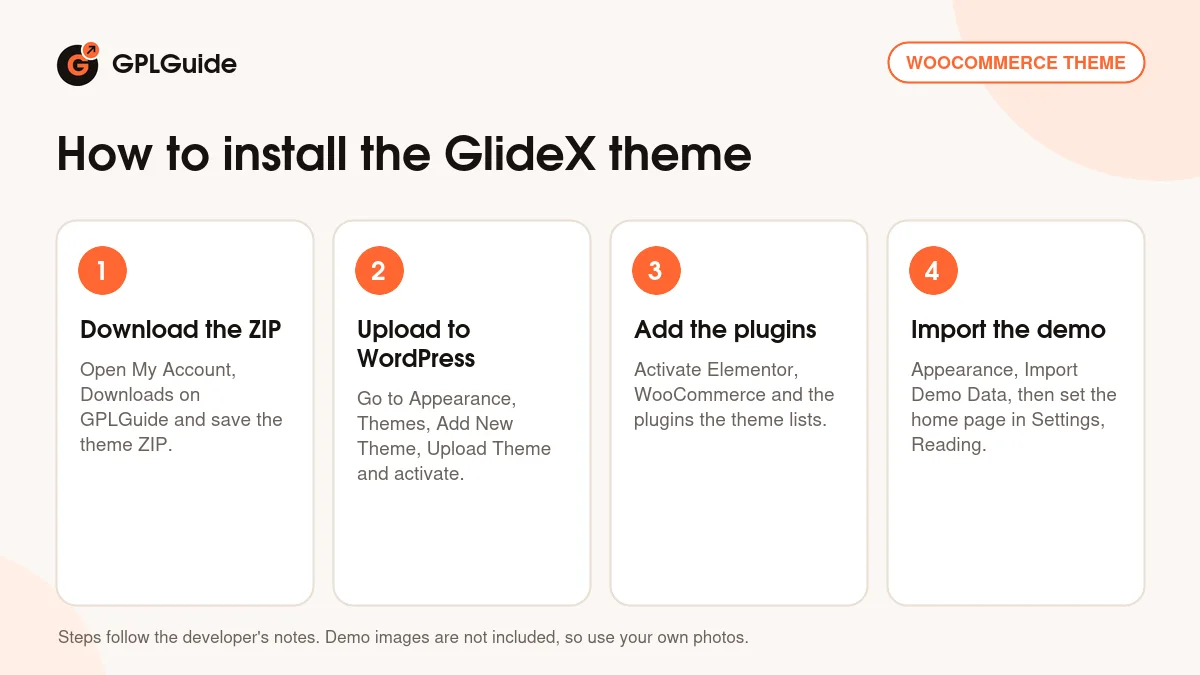
- Sign in to GPLGuide, open My Account, Downloads and save the GlideX theme ZIP.
- Go to Appearance, Themes, Add New Theme, Upload Theme, choose the ZIP and activate it.
- Install and activate the plugins the theme asks for: Elementor, WooCommerce, the core features plugin, One Click Demo Import and Contact Form 7.
- Open Appearance, Import Demo Data, install the demo, then set your home page under Settings, Reading.
A good first setup starts before the import: ask your host to raise the PHP limits listed above. Then replace the demo product with yours, upload your photos and set the price. Switch on the sticky add to cart option, put shipping and warranty text in the product tabs and decide whether a countdown suits your launch. Place one test order to check the emails under WooCommerce, Settings, Emails. Last, open the product page on a phone, where most buyers will see your GlideX theme store.
Keeping it up to date
Updates from GPLGuide are manual. When a newer version of the GlideX theme is listed here, download it from your account and upload it under Appearance, Themes, Add New Theme, Upload Theme. WordPress offers to replace the installed copy, and your Elementor pages, products and Customizer settings stay in the database. Update the core features plugin too if the package has a new copy, and keep code edits in a child theme. Spotted a newer release we haven't added? Tell us on the Request Item/Update page.
Questions about the GlideX theme
Which page builder does the GlideX theme use? Elementor. The theme adds more than 35 shortcodes for it, and headers and footers are built there too.
Do I need Elementor Pro? No. The item page lists Elementor Pro as compatible, not as required.
How does the demo import work? With one click, through the One Click Demo Import plugin. After the required plugins are active, go to Appearance, Import Demo Data, then pick your home page under Settings, Reading.
Are the demo images included? No. The developer says they're copyrighted and not part of the download, so you'll add your own product photos.
Can the GlideX theme sell more than one product? Yes. It's a full WooCommerce theme with grid and list shop views, QuickView and load more, so the store can grow past its first product.
Does it work for right-to-left languages? Yes. An RTL demo arrived in version 1.0.1, and WPML is listed for multilingual stores.
Is GlideX 1.0.4 in the changelog? Not yet. The changelog ends at 1.0.3, so the changes in this release aren't documented.
Do I need a purchase code? No. The license key is already activated in the file.
Want more shop designs? Browse the WordPress themes on GPLGuide, or see what a GPLGuide membership includes. The GlideX theme runs on WooCommerce and the free Elementor page builder.
Features & capabilities
- Single product WooCommerce design with a single item home page
- Built for Elementor, with more than 35 theme shortcodes
- Unlimited Elementor headers and footers, plus a mega menu
- One-click demo import, including an RTL demo
- Sticky add to cart, countdown timers and popup image zoom
- Live product search, QuickView and grid or list shop views
- AJAX add to cart and wishlist, load more and infinite scroll
- WPML multilingual and multi-currency support