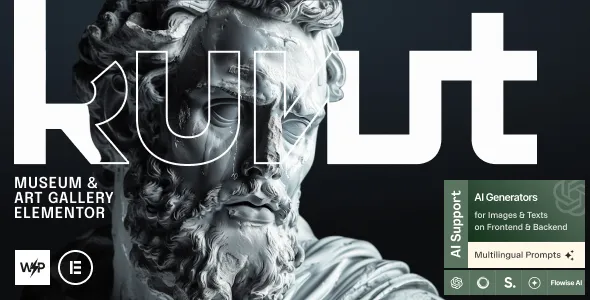
Kunst – Museum & Art Gallery Elementor WordPress Theme
100% Original fileUnmodified copy of the developer's release
DeveloperAncoraThemes
Up to dateOriginal released Mar 27, 2026 · File last updated Oct 23, 2026
About this product
Kunst Theme 1.1.0 is an Elementor WordPress theme for museums, art galleries and exhibition spaces. The developer also pitches it for an art blog, an online museum shop, a convention or expo center, a public library or a publishing house. Those are places that need to show collections and news, list what's coming up, sell online and sometimes take donations, all from one site that you edit in Elementor.
What's in the Kunst Theme download
Our download is the original Kunst package for version 1.1.0, with the license key already activated. It holds the parent theme, kunst.zip, and the child theme, kunst-child.zip. After activation the theme asks for its core addons plugin, the only plugin the docs call required, and Elementor builds every demo page. The Events Calendar, Event Tickets, GiveWP and WooCommerce are optional. Elementor Pro is supported but not included.
Good to know
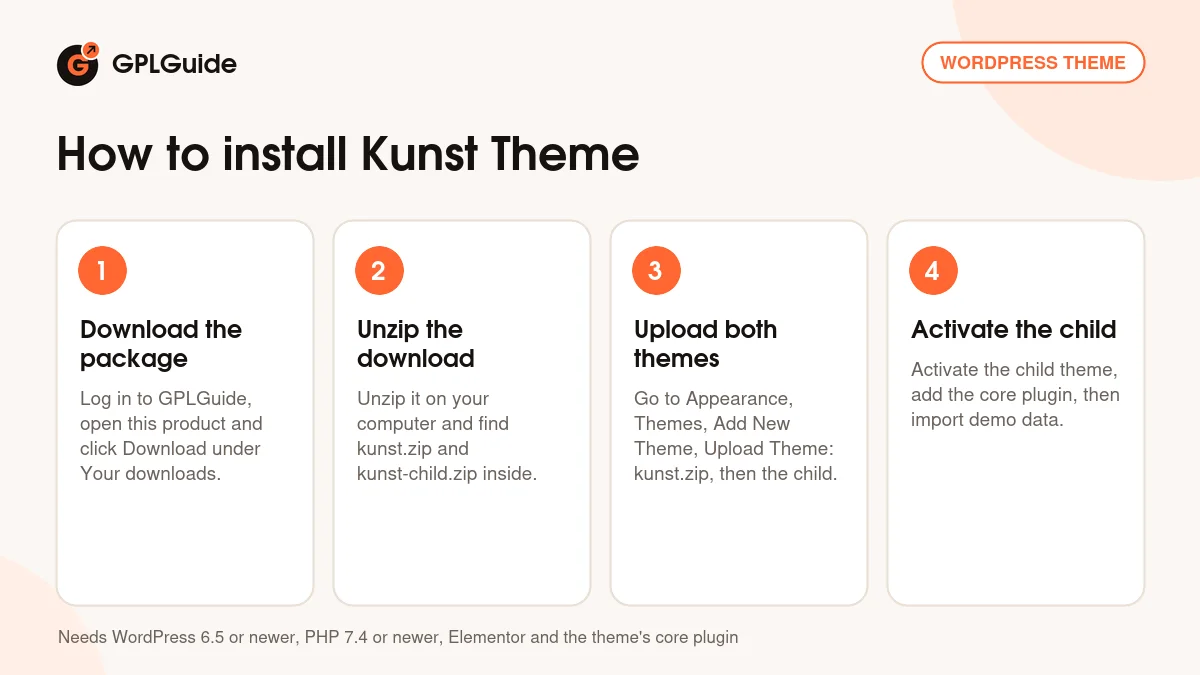
Unzip the download on your computer first and upload kunst.zip, then kunst-child.zip, not the whole package. The theme asks for PHP 7.4 or newer, and the current docs ask for WordPress 6.5 or newer with a 256M memory limit. Install the child theme before you import demo data, or your theme options get reset. A full import replaces existing content, so keep it for a fresh site. WordPress 7.0 and Elementor V4 support came later, in the developer's 1.3.0 release.
How to install Kunst Theme
Features & capabilities
- Several homepage styles, imported in one click under Theme Panel, Theme Dashboard, Demo Data.
- Partial import that adds demo content without overwriting yours, or a full import for a new site.
- Headers and footers designed in Elementor, with flexbox containers and grids.
- Event listings through The Events Calendar, with Event Tickets for ticketed events.
- Donations through GiveWP and a WooCommerce shop for the museum store.
- Blog with several styles, 20+ post animations, related posts, views, likes and sharing.
- More than 750 Customizer options with a setting inheritance and override system.
- Ajax search, retina images, boxed or full-width layouts and Google Fonts.
Frequently asked questions
Is this the original file?
Yes. Every product on GPLGuide is the developer’s own release, unchanged. The license key comes already activated. If a product does ask for a key, the activation steps appear on its page once you have it.
Is it legal to use a GPL plugin or theme from GPLGuide?
Yes. WordPress plugins and themes are released under the GPL, which lets anyone use, share and change the code. The developer’s support desk and the developer’s own update service are not part of the file; those stay with the developer.
How do I install it?
Log in, open the product page and click Download under Your downloads. For a plugin go to Plugins, Add New Plugin, Upload Plugin, choose the ZIP, then Install Now and Activate. For a theme go to Appearance, Themes, Add New Theme, Upload Theme.
How do updates work?
When a newer version is listed on GPLGuide, download it from the product page and upload it over the installed copy; WordPress offers to replace the old version. Updates are manual.
Can I use it on more than one site?
Yes. The GPL lets you use it on as many of your own sites as you like.
What if the file does not work or a newer version is out?
Tell us on the Request Item page or through Support. We check the file and add the newer version when we have it.