
Lumise Product Designer WooCommerce WordPress
100% Original fileUnmodified copy of the developer's release
DeveloperWooCommerce
Up to dateFile last updated Nov 25, 2026
About this product
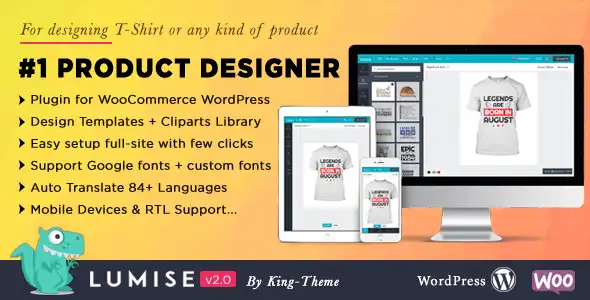
Lumise Product Designer 2.2.0 adds an online design tool to a WooCommerce store, so customers can personalise a product themselves before they buy it. It suits shops that sell printed or decorated goods, such as T-shirts and apparel, business cards, stickers, signage and promotional items, where every order carries the customer's own artwork or text. Instead of sending files back and forth by email, the shopper opens the designer, works on each side of the item, sees the price for the chosen print method and adds the design to the cart. On your side, you build each printable item as a product base from the WordPress dashboard and link it to a WooCommerce product, and the print file reaches you with the order.
How to install Lumise Product Designer
- If the site doesn't run WooCommerce yet, install and activate it under Plugins, Add New Plugin. The developer lists WooCommerce 9.x and WordPress 6.9.x as compatible.
- Log in to GPLGuide, open this product and click Download under Your downloads.
- In WordPress go to Plugins, Add New Plugin, Upload Plugin, choose the ZIP, click Install Now, then Activate.
- Open Products Base, Add New Product Base from the dashboard and fill in the Details tab: name, base price, the linked CMS product and the printing techniques it allows.
- On the Design tab add the stages your item needs, such as front and back, set the design area and printing size, then save and keep the Active toggle on.
Features & capabilities
- Customers design any printable product themselves, from apparel to business cards and stickers.
- Several stages per product base, so a T-shirt can carry separate front, back, left and right designs.
- Design area, printing size, export options, crop marks and bleed set for each stage.
- Pricing per print method, including DTG, silk, sublimation, screen, digital and embroidery.
- Attributes such as colours, dropdowns, text inputs and quantity, each with its own extra price.
- Variations generated from those attributes, which you can open and edit one by one.
- Admin sections for design templates, clipart, shapes, fonts, languages and orders.
- Designing and ordering work on phones and tablets as well as desktops.
- Print ready files at 300 DPI attached to the order after checkout, with improved PDF print DPI in this release.
Frequently asked questions
Is this the original file?
Yes. Every product on GPLGuide is the developer’s own release, unchanged. The license key comes already activated. If a product does ask for a key, the activation steps appear on its page once you have it.
Is it legal to use a GPL plugin or theme from GPLGuide?
Yes. WordPress plugins and themes are released under the GPL, which lets anyone use, share and change the code. The developer’s support desk and the developer’s own update service are not part of the file; those stay with the developer.
How do I install it?
Log in, open the product page and click Download under Your downloads. For a plugin go to Plugins, Add New Plugin, Upload Plugin, choose the ZIP, then Install Now and Activate. For a theme go to Appearance, Themes, Add New Theme, Upload Theme.
How do updates work?
When a newer version is listed on GPLGuide, download it from the product page and upload it over the installed copy; WordPress offers to replace the old version. Updates are manual.
Can I use it on more than one site?
Yes. The GPL lets you use it on as many of your own sites as you like.
What if the file does not work or a newer version is out?
Tell us on the Request Item page or through Support. We check the file and add the newer version when we have it.


