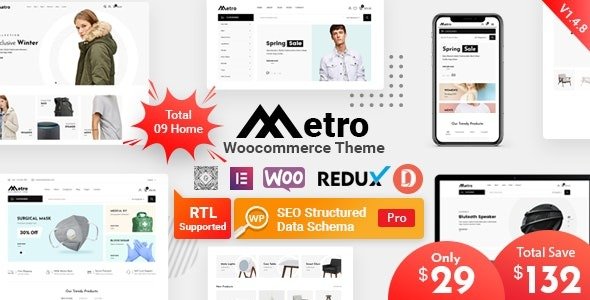
Metro Minimal WooCommerce WordPress Theme
100% Original fileUnmodified copy of the developer's release
DeveloperThemeForest
Up to dateOriginal released Jun 29, 2026 · File last updated Nov 23, 2026
About this product
Metro Theme 2.15.2 is a minimal WooCommerce theme for WordPress shops that want the products to do the talking: fashion and clothing stores, beauty, electronics, furniture and other lifestyle shops, from a single brand store to a Dokan multi-vendor marketplace. It suits store owners who would rather pick a ready home page and adjust it in Elementor than build a shop layout from nothing. The developer ships a child theme, a one-click demo importer with 13 home pages, the theme's core plugin and several bundled premium plugins for sliders, variation swatches, variation image galleries and structured data, with an admin options panel and Customizer settings on top.
How to install Metro Theme
- Install and activate WooCommerce under Plugins, Add New Plugin first; the theme's shop, cart and checkout layouts all build on it.
- Install and activate Elementor the same way, since the theme is built on it and the home pages are Elementor layouts.
- Log in to GPLGuide, open this product and click Download under Your downloads.
- In WordPress go to Appearance, Themes, Add New Theme, Upload Theme, choose the theme ZIP, click Install Now and then Activate.
- After activation install and activate the plugins the theme asks for: its core plugin, the demo importer and the bundled slider, variation swatch, variation gallery and structured data plugins.
- Use the one-click demo importer to load one of the 13 home pages, then set colours, header style and shop layouts in the theme options panel or under Appearance, Customize.
Features & capabilities
- 13 ready home pages and a choice of header styles, all editable in Elementor
- AJAX shop filters in the sidebar and above the grid, with load more, grid or list view and sale percentage badges on variable products
- Offcanvas cart, wishlist, compare and quick view through the bundled shop builder plugin
- Live product search in the header that shows product images as you type
- Bundled premium plugins for variation swatches, variation image galleries, LayerSlider sliders and structured data schema
- 7 category and archive layouts, 2 product page layouts and 3 blog layouts
- Dokan support for multi-vendor marketplaces with front-end vendor stores
- Vertical category menu, countdown and feature boxes with product links, and a mega menu module added in this version
- Admin options panel built on Redux plus Customizer controls, with a text or image logo option and a preload setting for speed
- WPML ready with a POT file, RTL support, and a child theme for your own tweaks
Frequently asked questions
Is this the original file?
Yes. Every product on GPLGuide is the developer’s own release, unchanged. The license key comes already activated. If a product does ask for a key, the activation steps appear on its page once you have it.
Is it legal to use a GPL plugin or theme from GPLGuide?
Yes. WordPress plugins and themes are released under the GPL, which lets anyone use, share and change the code. The developer’s support desk and the developer’s own update service are not part of the file; those stay with the developer.
How do I install it?
Log in, open the product page and click Download under Your downloads. For a plugin go to Plugins, Add New Plugin, Upload Plugin, choose the ZIP, then Install Now and Activate. For a theme go to Appearance, Themes, Add New Theme, Upload Theme.
How do updates work?
When a newer version is listed on GPLGuide, download it from the product page and upload it over the installed copy; WordPress offers to replace the old version. Updates are manual.
Can I use it on more than one site?
Yes. The GPL lets you use it on as many of your own sites as you like.
What if the file does not work or a newer version is out?
Tell us on the Request Item page or through Support. We check the file and add the newer version when we have it.