Minera Minimalist WooCommerce WordPress Theme
100% Original fileUnmodified copy of the developer's release
DeveloperBoostifyThemes
Up to dateFile last updated Oct 28, 2026
About this product
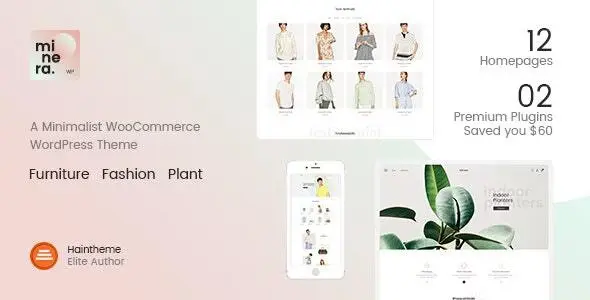
Minera Theme 2.9.7 is a minimalist WooCommerce theme for shops that sell things people want to look at closely: clothing, furniture, plants, ornaments and accessories. The design keeps the interface out of the way, with plenty of white space and large product photos, so it suits small and mid-sized stores that want a calm catalogue rather than a busy marketplace look. Pages are put together with a drag and drop builder, so you can change a home page without writing code. The developer ships it with more than ten ready home page layouts, one click demo content, and bundled page builder, slider and wishlist plugins, and lists WordPress 4.5 or higher as the baseline.
How to install Minera Theme
- Install and activate WooCommerce under Plugins, Add New Plugin; the theme is made for WooCommerce shops and its product, cart and checkout templates need it. The developer lists WordPress 4.5 or higher.
- Log in to GPLGuide, open this product and click Download under Your downloads.
- In WordPress go to Appearance, Themes, Add New Theme, Upload Theme, choose the ZIP, click Install Now and then Activate.
- After activation install and activate the plugins bundled with the theme: the WPBakery page builder (which the developer still calls Visual Composer), Revolution Slider and the wishlist plugin. Add Contact Form 7 if you want the demo's contact form.
- Load one of the home page demos with the theme's one click demo content import, then set the imported home page as your front page under Settings, Reading.
- The theme's own settings, such as the WooCommerce product columns, header type and footer layout, live in the WordPress Customizer under Appearance, Customize, where you see each change live before you publish it.
Features & capabilities
- Quick view popup and Ajax add to cart, with an option to switch off the cart animation
- Colour and image swatches on variable products, plus sale and out of stock badges
- Several single product page styles, including a sticky product summary that follows the scroll
- Shop layouts in full width, boxed or with sidebar, and a shop page header option
- Six header types, five or more footer layouts and a mega menu with sticky navigation
- Six blog styles, a testimonials slider and a home page Instagram section
- Checkout message bar and a newsletter checkbox styled to match the store
- RTL support for right to left languages and Google Fonts typography
- More than ten home page demos covering different store types, imported with one click
Frequently asked questions
Is this the original file?
Yes. Every product on GPLGuide is the developer’s own release, unchanged. The license key comes already activated. If a product does ask for a key, the activation steps appear on its page once you have it.
Is it legal to use a GPL plugin or theme from GPLGuide?
Yes. WordPress plugins and themes are released under the GPL, which lets anyone use, share and change the code. The developer’s support desk and the developer’s own update service are not part of the file; those stay with the developer.
How do I install it?
Log in, open the product page and click Download under Your downloads. For a plugin go to Plugins, Add New Plugin, Upload Plugin, choose the ZIP, then Install Now and Activate. For a theme go to Appearance, Themes, Add New Theme, Upload Theme.
How do updates work?
When a newer version is listed on GPLGuide, download it from the product page and upload it over the installed copy; WordPress offers to replace the old version. Updates are manual.
Can I use it on more than one site?
Yes. The GPL lets you use it on as many of your own sites as you like.
What if the file does not work or a newer version is out?
Tell us on the Request Item page or through Support. We check the file and add the newer version when we have it.