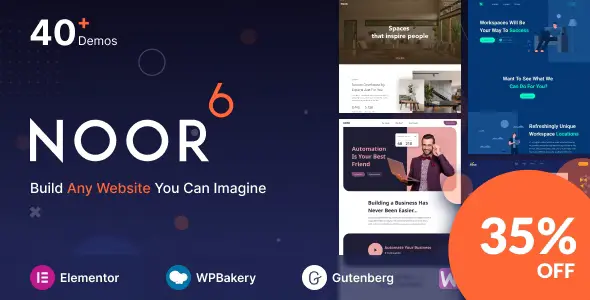
Noor Multi-Purpose & Fully Customizable Creative AMP Theme
100% Original fileUnmodified copy of the developer's release
DeveloperPixelDima
Up to dateFile last updated Oct 28, 2026
About this product
Noor Theme 6.0.39 is a minimal multi-purpose WordPress theme for people who want one theme to carry a niche site, whether that is a personal blog, a creative portfolio or a small business page, without heavy design work. It stands out on two points that many general themes skip: it can serve AMP versions of your pages for faster mobile loading, and it supports right-to-left languages such as Arabic, so a site in Arabic or Hebrew does not need a separate layout. The developer ships it with an assistant plugin that adds the theme's dashboard pages and a starter templates plugin that imports a complete sample site, including the plugins, content and images it needs, from inside the theme menu.
How to install Noor Theme
- Check your hosting first: the developer asks for WordPress 4.7 or newer, PHP 5.6 or newer, a PHP memory limit of 128M, an upload limit of 64M and a max execution time of 180 seconds.
- Log in to GPLGuide, open this product and click Download under Your downloads.
- In your WordPress dashboard go to Appearance, Themes, Add New Theme, Upload Theme, choose the ZIP, click Install Now and then Activate.
- Install and activate the theme's assistant plugin when the dashboard asks for it; the theme's own pages and its bundled premium plugins page depend on it.
- Open Noor, System Status to confirm your server values match the limits from step one before you import anything.
- To load a sample site, open Noor, click the Starter Templates tab, click Install Noor Starter Templates, choose a template and pick Full Site; do this on a blank install, because the import replaces your Customizer settings and takes a minute or two.
Features & capabilities
- Minimal, multi-purpose layout meant for niche sites rather than one fixed industry.
- AMP output for your pages, so mobile visitors get a lighter version of the same content.
- Right-to-left language support built into the theme layout.
- Starter templates imported as a full site, with the plugins, posts, pages and images the demo uses.
- Theme settings live in the WordPress Customizer, so you see each change live before saving.
- A System Status page under the Noor menu that lists your PHP limits next to the values the developer recommends.
- An assistant plugin that adds the theme's dashboard pages and a single place to manage the bundled premium plugins.
Frequently asked questions
Is this the original file?
Yes. Every product on GPLGuide is the developer’s own release, unchanged. The license key comes already activated. If a product does ask for a key, the activation steps appear on its page once you have it.
Is it legal to use a GPL plugin or theme from GPLGuide?
Yes. WordPress plugins and themes are released under the GPL, which lets anyone use, share and change the code. The developer’s support desk and the developer’s own update service are not part of the file; those stay with the developer.
How do I install it?
Log in, open the product page and click Download under Your downloads. For a plugin go to Plugins, Add New Plugin, Upload Plugin, choose the ZIP, then Install Now and Activate. For a theme go to Appearance, Themes, Add New Theme, Upload Theme.
How do updates work?
When a newer version is listed on GPLGuide, download it from the product page and upload it over the installed copy; WordPress offers to replace the old version. Updates are manual.
Can I use it on more than one site?
Yes. The GPL lets you use it on as many of your own sites as you like.
What if the file does not work or a newer version is out?
Tell us on the Request Item page or through Support. We check the file and add the newer version when we have it.