Nord – Minimal and Clean WordPress Personal Blog Theme
100% Original fileUnmodified copy of the developer's release
DeveloperNordStudio
Up to dateOriginal released Jan 21, 2025 · File last updated Oct 21, 2026
About this product
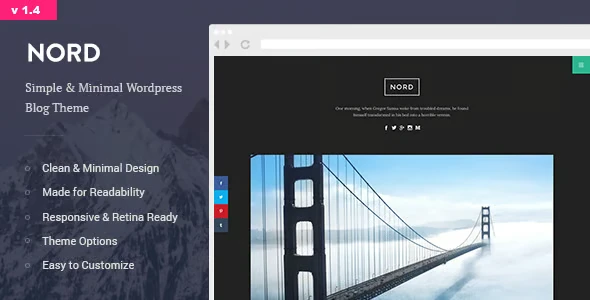
The Nord theme is a minimal, one column WordPress theme for personal blogs, built around a boxed layout and a hidden sidebar menu that slides in from the side. It suits writers, photographers and travellers who want their words and pictures to do the talking, with no busy header or crowded columns. This page is for Nord 1.4.4, released on January 21, 2025. On GPLGuide you download the original theme file to install on your own websites.
Good for: personal and diary blogs, travel journals, photo blogs with gallery posts, writers who publish long essays, video bloggers using YouTube or Vimeo embeds, and anyone who wants a quiet, text first site with one strong column.
Requirements: WordPress, with versions 5.0.x through 6.2.x named as tested on the item page. No minimum PHP version is published, but version 1.4.3 made the theme PHP 8 compatible. No plugins are listed as required. The share buttons and the recent posts widget live in companion plugins, and Instagram feeds use the free Smash Balloon Social Photo Feed plugin.
What the Nord theme does
The Nord theme gives you a boxed blog. Your posts sit in a single centred column inside a frame, and the menu and widgets are tucked away in an off-canvas sidebar that opens when a reader taps the menu button. Nothing competes with the post. That's the whole idea, and it's why the item page calls the design content focused.
On top of that layout you get the usual tools of a personal blog: a custom header image and logo, a tagline, social profile icons, gallery and video post formats, share buttons on single posts, numeric pagination and an author box. Colors are open in the WordPress Customizer, so links, text and background can match your own taste instead of the demo's.
The Nord theme has been around since December 2015, and the changelog shows steady upkeep since then: Gutenberg optimization in 2018, a design and typography refresh in 2020, PHP 8 compatibility in 2023 and the 1.4.4 release in January 2025. It's marked Gutenberg optimized, so you write posts in the block editor.
The boxed layout and the hidden sidebar menu
The side panel is the part people notice first. Sidebar widgets you add under Appearance, Widgets go into that hidden panel, not next to your posts. Readers open it with a menu button and close it again when they're done. Your content keeps the full width of the box.
The Nord theme has a neat trick here. The developer explains that if you remove all widgets, the side panel isn't displayed at all. So a bare blog with no side panel is only a few clicks away. A sidebar that stays open all the time isn't supported, though, and the developer says it would take big code changes.
The top menu is separate. You build it under Appearance, Menus and assign it to the Primary Navigation location. On screens narrower than about 991 pixels it folds into a toggle. The header takes a logo image with a Max width setting in the Logo Image tab, plus the site title and tagline from the Site Identity tab.
Social profile icons sit in the header too. You add the links in the Customizer, and they show in the order you added them. Plan that order before you start, because the developer says it can't be rearranged later from the Customizer.

Colors, type and the Customizer
Most of the Nord theme's settings live in Appearance, Customize. The item page lists unlimited colors, a custom background and a custom header image. In Post Options you can untick Display post date if your posts are evergreen and you'd rather not show when they went up.
Some things have no switch. The developer is open about it: there's no option for the sidebar color and no background setting in the Content tab, and the answer for both is a few lines of Additional CSS. If you're comfortable with simple CSS, the Nord theme bends a long way. If you aren't, stick with the colors the Customizer offers and you'll still get a clean result.
The typefaces are Montserrat and Lora from Google Fonts, one sans serif and one serif. To change them, the developer suggests the free Easy Google Fonts plugin, which adds font controls to the Customizer. Change one font at a time and read a long post after each change. Small type shifts feel bigger on a one column page.
Post formats, galleries and share buttons
Two post formats get special treatment: gallery and video. For a gallery post you pick Gallery in the post's Format setting, add your images with Create Gallery and insert it. The theme has two gallery types. For a wide photo, the developer's tip is a single image gallery set to the Wide List type, and the carousel suits slideshow style posts.
Video posts in the Nord theme take self-hosted files as well as YouTube and Vimeo links, using the standard WordPress embed. Featured images should be at least 1100 pixels wide, which is the minimum the developer gives, so export your photos a little larger than that to stay sharp on retina screens.
In the Nord theme, share buttons appear on single posts only, not on the home page. Since version 1.3 they come from a companion plugin, and the 1.4.4 release updated that social buttons plugin and added new social follow buttons. The recent posts widget with thumbnails moved to a plugin at the same time. In Widgets, pick the theme's own Recent Posts widget, not the core one, if you want the small images.
Blog setups you can copy with the Nord theme
Before you install anything, gather a logo or a short site title, one wide header image, a two line tagline and links to the social profiles you actually use. With those ready, the setups below take an afternoon each.
- Writer's journal: no widgets, so the side panel disappears, the default fonts, post dates hidden in Post Options and the More block for short teasers on the home page.
- Travel blog: gallery posts with the Wide List type for each trip, a header image from your best shot and an Instagram feed in the hidden sidebar.
- Photo diary: one gallery post a week, featured images exported at 1600 pixels wide and a dark background color in the Customizer.
- Video blog: video format posts with YouTube or Vimeo links, share buttons on each post and the recent posts widget with thumbnails in the side panel.
- Static home page plus blog: a welcome page as the front page and the blog on its own page, which the developer confirms works.
- Bilingual blog: the theme is localization ready, and the developer suggests the free Loco Translate plugin for strings like "Posted on".
Keep the menu short. Four or five items is plenty for a personal blog on the Nord theme, and the toggle on phones stays tidy.
What's new in the Nord theme 1.4.4
The Nord theme 1.4.4 came out on January 21, 2025. The changelog lists an updated social buttons plugin, an updated icon pack, new social follow buttons, page speed optimization, updated JS and CSS libraries and bug fixes. If you use the share buttons, update the companion plugin along with the theme.
Before that, 1.4.3 (June 11, 2023) made the theme PHP 8 compatible, and 1.4.2 (July 28, 2021) restored the classic widget manager. Version 1.4.1 (October 29, 2020) brought the code in line with newer WordPress standards and refreshed the design and typography. Version 1.4 (January 13, 2020) dropped the theme's own Instagram feed plugin, which the developer recommends removing, in favour of Smash Balloon Social Photo Feed.
Good to know before you buy
The Nord theme is deliberately simple, and some limits come with that. It's one column only. The developer has said there's no masonry or multi column grid, no portfolio section and no RTL support. Elementor works inside posts and pages but can't restyle the whole site layout. If you need a magazine grid, this isn't the theme.
The software versions on the item page stop at WordPress 6.2.x, even though 1.4.4 is from 2025. Test it on a staging copy of your site with your current WordPress and PHP first. The developer has said future updates will come for critical bugs, so expect fixes rather than big new layouts.
Demo content isn't a one click import. In older replies the developer sent a demo XML file by email on request, and we couldn't confirm that the current package includes it. Plan to build your pages by hand. The demo photos are credited to Unsplash and other sources and aren't stated as included. Nothing on the item page points to a service on the developer's servers.
Nord theme from GPLGuide vs the official subscription
The Nord theme is sold on ThemeForest, where the Regular License costs $19. That includes future updates through Envato and six months of item support from the developer, and support can be extended to 12 months for a small fee. Under Envato's licence for this item, its PHP code is licensed under the GPL.
From GPLGuide you get the original Nord 1.4.4 theme file with the same layout, post formats and Customizer options. The file comes with the license key already activated, so there's nothing to enter before you start.
What a ThemeForest purchase adds is the developer's own item support, refunds under Envato's rules and updates through your Envato account. If you want the developer's help with custom CSS questions, buy the licence there.
How to install the Nord theme
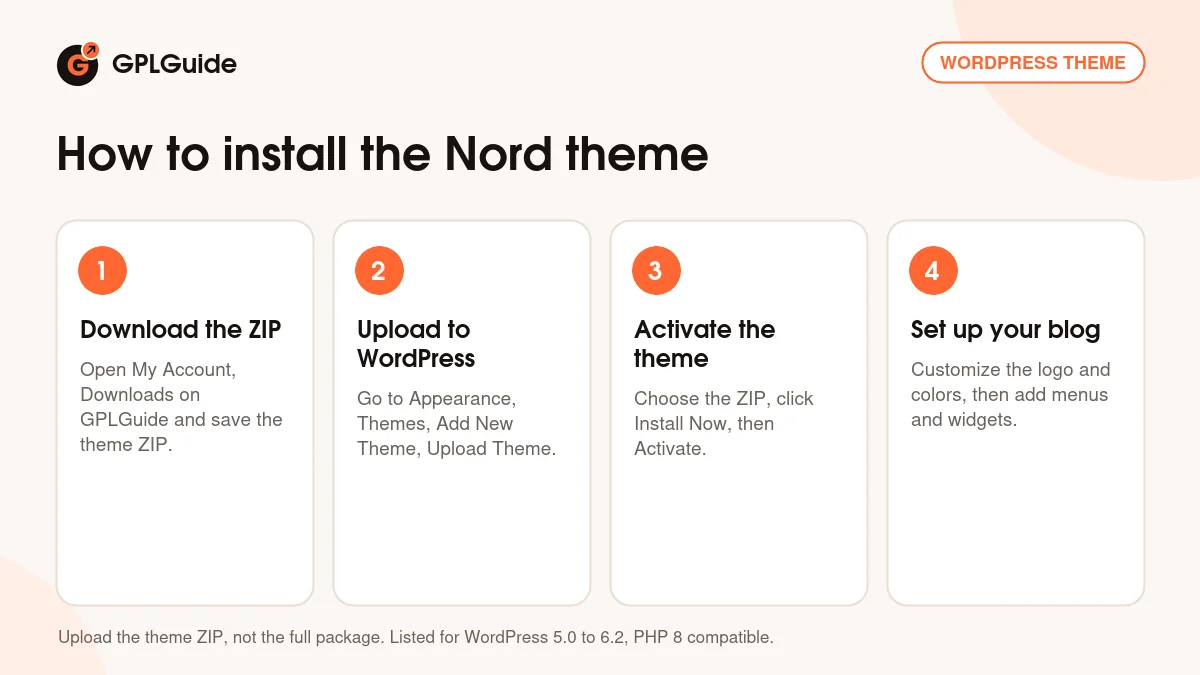
- Sign in to GPLGuide, open My Account, Downloads and save the Nord theme ZIP.
- Go to Appearance, Themes, Add New Theme, Upload Theme, choose the ZIP and activate it.
- Open Appearance, Customize and set your logo, tagline, colors and social profiles.
- Build the Primary Navigation menu and add widgets for the hidden sidebar.
One catch: if WordPress says style.css is missing, the ZIP you chose is the full package. In the developer's package, the installable theme is nord-theme.zip inside the Theme Files folder, next to a Documentation folder. For a good first setup, write two or three real posts before you touch colors, including one gallery post and one video post. Then set the header image, pick your widgets and decide if you want the side panel at all. Check the result on a phone last.
Keeping it up to date
Updates from GPLGuide are manual. When a new version of the Nord theme is listed here, download it from your account and upload it under Appearance, Themes, Add New Theme, Upload Theme. WordPress offers to replace the installed copy. Your Customizer settings stay, but edits made directly to theme files are lost, so put custom code in a child theme or in Additional CSS. If you spot a newer release we haven't added yet, tell us on the Request Item/Update page.
Questions about the Nord theme
Does the Nord theme have more than one column? No. It's a one column theme, and the developer has said masonry and grid layouts aren't supported.
Can I hide the sidebar menu? Yes. Remove all widgets from the sidebar and the side panel isn't displayed.
Does it work with the block editor? Yes. It's marked Gutenberg optimized, and version 1.4.2 also restored the classic widget manager.
Is there a one click demo import? Not that we could confirm. The developer used to send a demo XML file on request, so plan to set up your pages yourself.
Can I use Elementor with it? Partly. Elementor works inside post and page content, but it won't change the theme's header, sidebar or page layout.
How do I add an Instagram feed? Install the free Smash Balloon Social Photo Feed plugin and add its feed to the hidden sidebar. The theme's older Instagram plugin was retired in 1.4.
Is the theme translation ready? Yes. It's localization ready, and the developer suggests Loco Translate for changing theme strings.
Will it run on PHP 8? Yes. Version 1.4.3 made the Nord theme PHP 8 compatible, and 1.4.4 keeps that.
Do I need a purchase code? No. The license key is already activated in the file from GPLGuide.
Looking for other blog and portfolio designs? Browse the WordPress themes on GPLGuide, or see what a GPLGuide membership includes if you run several sites. On speed, the developer has said the Nord theme demo ran with a single caching plugin.
Features & capabilities
- Minimal one column design in a boxed layout
- Off-canvas sidebar menu that hides when it has no widgets
- Gallery and video post formats with Wide List and carousel galleries
- Share buttons and social follow buttons through a companion plugin
- Unlimited colors, custom background, header image and logo
- Recent posts widget with thumbnails and numeric pagination
- Gutenberg optimized, localization ready and child theme support
- Retina ready, responsive and PHP 8 compatible