Nursico – Medical & Nursing WordPress Theme
100% Original fileUnmodified copy of the developer's release
DeveloperKodeSolution
Up to dateOriginal released May 27, 2026 · File last updated Oct 17, 2026
About this product
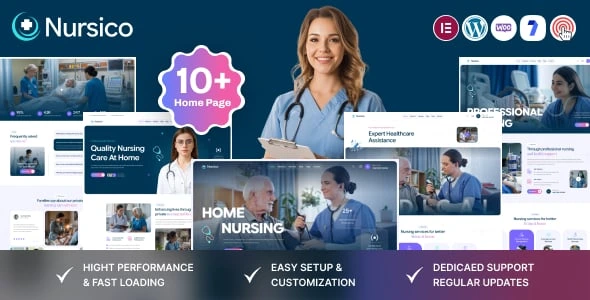
The Nursico theme is a medical and nursing WordPress theme by KodeSolution for home care agencies, private nursing services and small clinics. It runs on the Elementor page builder, with slider, video and single-page home layouts and a set of KodeSolution shortcodes. This page is for Nursico 2.0, released on May 27, 2026. On GPLGuide you download the original theme file to install on your own websites.
Good for: home care and private nursing agencies, elderly care providers, physiotherapy and wellness practices, and small clinics that want to explain their care, show the team behind it and make it easy for families to get in touch.
Requirements: PHP 8.0 or newer and MySQL 5 or MariaDB 10.0 or newer, according to the developer's docs. The item page lists WordPress 6.5 up to 7.0 and WooCommerce 9. The docs mark eight plugins as required: Mascot Core - Nursico, One Click Demo Import, Elementor, Meta Box, Meta Box Bundle (Mascot), Redux Framework, WooCommerce and Contact Form 7. Slider Revolution is needed for the sliders.
What the Nursico theme does
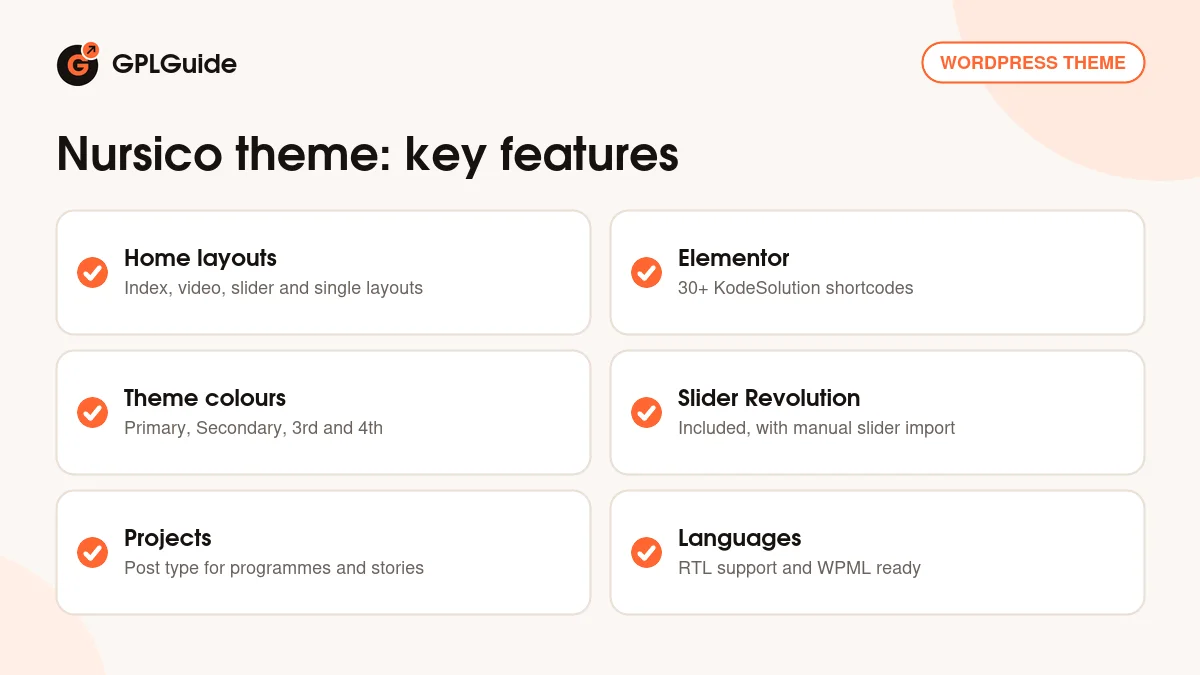
Families looking for a nurse or a carer want to feel safe before they call. The Nursico theme is built to give that calm first impression, with a clean and simple design and a clear path to a contact form. Every page is built in Elementor, and KodeSolution adds more than 30 of its own Elementor shortcodes.
The first release of the Nursico theme listed two index home layouts, two with a video background, two with a slider and two single home layouts. Version 2.0 added eight new home layouts on top. The demo pairs Playfair Display for headings with Inter and Google Sans for text, and more than 800 Google Fonts are available if your brand uses something else.
Five icon sets come with the Nursico theme, including Font Awesome, Elegant Icon Fonts, 7 Stroke, IcoMoon and Ion Icons, and the demo also uses Flaticon. Parallax sections and smooth animation add movement. The theme supports right-to-left languages, is listed as WPML ready and works with WPForms as well as Contact Form 7.
Theme colours and page settings
The Nursico theme keeps its global settings under Theme Option in the left sidebar of your dashboard. The docs walk through Theme Color Settings, where you set a Primary, a Secondary, a 3rd and a 4th theme colour. Click Save Changes, then clear your browser cache. If the new colours don't show, the docs suggest a hard refresh with Ctrl and F5.
Four colour slots give you enough for a calm care palette: for example a soft teal as primary, a deep navy as secondary, a light grey for backgrounds and a warm accent for buttons. Set them first, before you edit pages, so every layout follows the same scheme.
The header, the footer and the page title area work in three steps. You create and design them, choose a default for the whole site in Theme Option, and override it on single pages through the page meta box from the Meta Box plugins. A careers page, for instance, can get its own page title banner while the rest of the site keeps the standard one.
Sliders, demo import and server settings
The slider home layouts of the Nursico theme use Slider Revolution, which the item page lists as included. The developer's package holds the slider files in a folder of their own. To add them, open the Slider Revolution tab in your dashboard, choose Manual Import, the third large button, and select a slider file. When the upload ends, the slider appears in the list.
The rest of the Nursico theme demo comes in through One Click Demo Import. Activate all required plugins, go to Appearance, Import Demo Data, click Import Demo Data and confirm with Continue and Import. Stay on the page until the notice says it is done, which can take several minutes. Your host must allow .xml, .wie and .json files, since some servers block them with a 403 error.
The docs also list server limits to set before you start: max_execution_time and max_input_time of 600, memory_limit of 256M, post_max_size and upload_max_filesize of 128M, and max_input_vars of 3000. Your host's values may be lower, so check them first.
Projects and building pages in Elementor
The Nursico docs describe one custom post type, Projects, with its own menu in the dashboard. On a care site it works well for programmes, community work or case stories, such as a hospital discharge support scheme or a dementia care service, each with its own page.
Home pages are edited by opening Pages, choosing the home layout and clicking Edit with Elementor. From there you swap text and images, move sections and add KodeSolution shortcodes. The docs link a short video for most of these steps, from plugin installation to the header and footer setup.
A good Project page in the Nursico theme has a short title, one paragraph on who the programme helps, a photo and a link to the contact form. Keep the tone plain and warm, because families often read these pages while they decide who to trust with a parent or partner.
Care site setups you can copy
These ideas use only the Nursico theme layouts, post type and plugins the developer names. Adapt them to your service.
- Home care agency: Use a slider home layout with three slides for personal care, companionship and night care, and a short Contact Form 7 form asking for a name, phone number and the best time to call.
- Private nursing service: Start from a single home layout so families see the whole offer on one page, from the care you provide to the areas you cover.
- Physiotherapy or wellness practice: Choose a video home layout with a calm clip of a session and list each treatment further down the page.
- Recruiting carers: Give the careers page its own page title banner and a form for applicants with their availability and qualifications.
- Two-language community clinic: Add WPML for a second language and use the RTL support for Arabic or Hebrew.
- Care supplies shop: WooCommerce is a required plugin, so you can sell mobility aids or care packs alongside your services.
Keep enquiry forms short and ask only for what you need to call someone back. Personal health details are better discussed by phone than typed into a website form.
What's new in Nursico 2.0
Version 2.0 came out on May 27, 2026, less than three weeks after the first release on May 8, 2026. It adds eight new home layouts and updates the core and theme plugins. The item page shows a last update of October 13, 2026, but its changelog lists no version after 2.0, so 2.0 is the newest release we can confirm.
With two releases in its first month, the Nursico theme is a new product. That brings a current base, with PHP 8 required by the docs, but there is not yet a long record of updates to judge it by.
Good to know before you buy
The Nursico theme is a presentation theme. The item page and docs do not mention appointment booking, doctor profiles, departments or a services post type; only Projects is documented. If patients should book a time online, plan for a separate booking plugin. Slider Revolution is a commercial plugin that we do not sell. The item page lists it as included, and the docs use it for the slider layouts.
Demo images for the Nursico theme are for preview only and not included; the item page credits Freepik, Pixabay and Photodune. The theme is marked as not Gutenberg optimized, so build pages in Elementor. The docs do not cover updates or translation, and they do not name the plugin behind the MailChimp signup forms. We found no services on the developer's servers among the parts listed.
Item support for the Nursico theme comes from KodeSolution through your ThemeForest account, for six months with the Regular licence. Updates from our shop are manual, as explained below.
Nursico from GPLGuide vs the official subscription
The Nursico theme is sold by KodeSolution on ThemeForest. The Regular licence costs $89 there and includes future updates through the marketplace and six months of item support from the developer, with an option to extend support to 12 months. Under Envato's licence for this item, its PHP code is licensed under the GPL.
From GPLGuide you get the original Nursico theme file, with the home layouts, Elementor shortcodes, Theme Option settings and Projects post type that are in the file. The file from GPLGuide comes with the license key already activated, so there is no key to enter.
What only KodeSolution provides is item support, refunds under Envato's rules and updates through the marketplace. The item page gives its live support hours as 4 AM to 6 PM GMT, with Friday off. If you want that help, buy the licence on ThemeForest.
How to install the Nursico theme
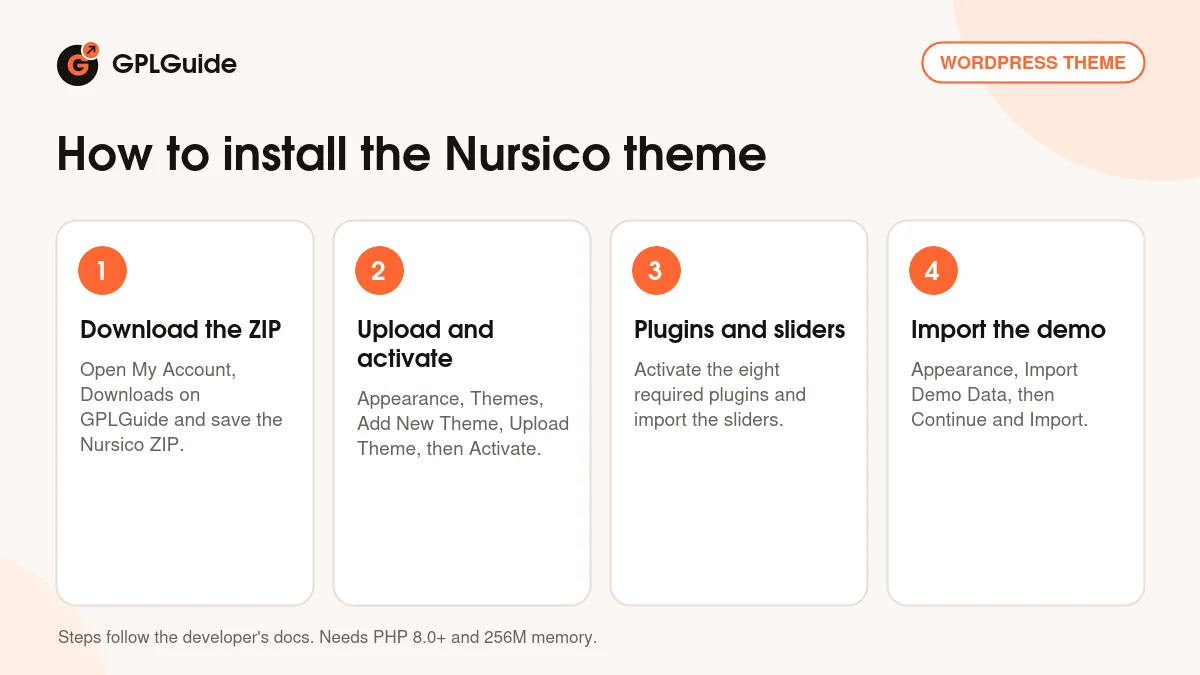
- Sign in to GPLGuide, open My Account, Downloads and save the Nursico ZIP.
- In WordPress go to Appearance, Themes, Add New Theme, Upload Theme, choose the ZIP and click Install Now, then Activate.
- Install and activate the eight required plugins and Slider Revolution, then import the slider files.
- Go to Appearance, Import Demo Data, click Import Demo Data, then Continue and Import.
For a good first setup, raise the server limits, run the import on a fresh site and set your four theme colours in Theme Color Settings. Replace the home slider photos with pictures of your own team, then set your home page under Settings, Reading and your menus under Appearance, Menu.
Keeping it up to date
Updates from GPLGuide are manual. When a new version of the Nursico theme is listed here, download it from your account and upload it under Appearance, Themes, Add New Theme, Upload Theme. WordPress offers to replace the installed copy, and your pages, projects and colour settings stay in the database. Version 2.0 also updated the core and theme plugins, so update those from the same release. The developer's package includes a child theme for code changes. If you see a newer version that we haven't added, let us know on the Request Item/Update page.
Questions about the Nursico theme
Can patients book appointments with the Nursico theme? No booking feature is named on the item page or in the docs. Use a Contact Form 7 enquiry form, or add a booking plugin.
How many theme colours can I set? Four: Primary, Secondary, 3rd and 4th, under Theme Option, Theme Color Settings.
Why don't my sliders appear after the import? The sliders are imported separately. Open Slider Revolution, choose Manual Import and upload each slider file from the developer's package.
Which PHP version do I need? PHP 8.0 or newer, with MySQL 5 or MariaDB 10.0 or newer.
Does it have doctor or staff profiles? The docs only document a Projects post type. You can still add team details to a page in Elementor, but no staff post type is described.
Are the demo photos included? No. The item page says all images are for preview only.
Is the Nursico theme ready for WordPress 7.0? Yes. The item page lists WordPress 6.5 to 7.0 as compatible.
Can I run the site in Arabic? The item page lists RTL support and WPML compatibility.
Looking for other designs? Browse the WordPress themes in our shop, or see what a GPLGuide membership includes. The Nursico theme is built with the free Elementor page builder on WordPress.org.
Features & capabilities
- Index, video, slider and single home layouts, plus eight more added in version 2.0
- Elementor page builder with more than 30 KodeSolution shortcodes
- Theme Color Settings with Primary, Secondary, 3rd and 4th colours
- Header, footer and page title with per-page overrides
- Slider Revolution included, with manual slider import
- Projects custom post type for programmes and case stories
- RTL support, WPML ready and WooCommerce 9 compatible
- Over 800 Google Fonts, five icon sets and parallax sections