
WooCommerce Canada Post Shipping Method
100% Original fileUnmodified copy of the developer's release
DeveloperWooCommerce
Up to dateOriginal released Oct 2, 2026 · File last updated Oct 23, 2026
About this product
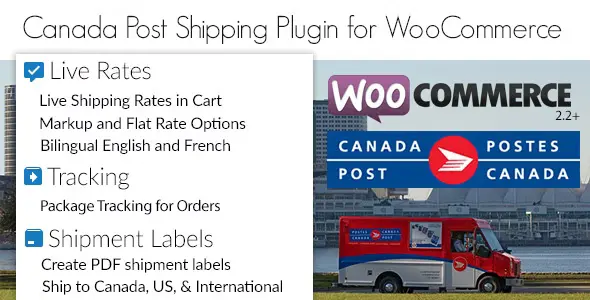
WooCommerce Canada Post Shipping Method 3.3.5 adds Canada Post as a shipping method in your store, so customers see live Canada Post prices in the cart and at checkout instead of a flat rate you guessed. It is made for shops based in Canada that sell in Canadian dollars and mail orders with Canada Post, within Canada, to the USA or abroad. If flat fees keep costing you on heavy parcels, the price now follows the real weight, size and address.
What's in the WooCommerce Canada Post Shipping Method download
Our download is the original WooCommerce Canada Post Shipping Method ZIP for version 3.3.5, with the license key already activated. You still need your own Canada Post account, which you connect during setup. Registering with Canada Post costs nothing, but Canada Post may ask for a credit card for its own charges. The developer's pages cover rates only and say nothing about printing labels or tracking parcels.
Good to know
The extension needs WordPress 7.0 or newer, WooCommerce 10.9 or newer and PHP 7.4 or newer, plus SimpleXML and fsockopen or cURL on the server. Your store's base country must be Canada and its currency Canadian dollars (WooCommerce, Settings, General), or no rates come back. Switch to pretty permalinks before connecting Canada Post, or authorization can end on a page showing only "1". Every physical product needs a weight and dimensions, and if lookups time out, ask your host to open port 30000.
How to install WooCommerce Canada Post Shipping Method
- If your site doesn't run WooCommerce yet, install and activate it first under Plugins, Add New Plugin.
- Log in to GPLGuide, open this product and click Download under Your downloads.
- In WordPress, go to Plugins, Add New Plugin, Upload Plugin, choose the ZIP, click Install Now, then Activate.
- Click Register/Connect in the notice at the top of the admin screen and log in to your Canada Post account, or register one.
- Open WooCommerce, Settings, Shipping, Shipping zones, click Edit on a zone, then Add shipping method, pick Canada Post and click Continue.
- Click Edit next to Canada Post in the Shipping methods table to set the origin postcode, quote type, packing method and services.
Features & capabilities
- Live Canada Post quotes for domestic, USA and international parcels.
- Commercial quotes use your own account's rates and discounts; Counter quotes show regular retail prices.
- Turn each service on or off, rename or reorder it and add a fixed or percentage adjustment.
- Pack per item, by weight in parcels up to 30 kg, or with a box packer using your own box sizes.
- Standard and Registered Lettermail at set prices for light items up to 500 g per parcel.
- Optional extra coverage, signature required, proof of age and card for pickup.
- Delivery time estimates in days, and a choice to offer every rate or only the cheapest one.
- Works with the cart and checkout blocks and HPOS; debug mode logs API requests and responses.
Frequently asked questions
Is this the original file?
Yes. Every product on GPLGuide is the developer’s own release, unchanged. The license key comes already activated. If a product does ask for a key, the activation steps appear on its page once you have it.
Is it legal to use a GPL plugin or theme from GPLGuide?
Yes. WordPress plugins and themes are released under the GPL, which lets anyone use, share and change the code. The developer’s support desk and the developer’s own update service are not part of the file; those stay with the developer.
How do I install it?
Log in, open the product page and click Download under Your downloads. For a plugin go to Plugins, Add New Plugin, Upload Plugin, choose the ZIP, then Install Now and Activate. For a theme go to Appearance, Themes, Add New Theme, Upload Theme.
How do updates work?
When a newer version is listed on GPLGuide, download it from the product page and upload it over the installed copy; WordPress offers to replace the old version. Updates are manual.
Can I use it on more than one site?
Yes. The GPL lets you use it on as many of your own sites as you like.
What if the file does not work or a newer version is out?
Tell us on the Request Item page or through Support. We check the file and add the newer version when we have it.


