
ARPrice Responsive WordPress Pricing Table Plugin

100% Original fileUnmodified copy of the developer's release
DeveloperCode Canyon
Up to dateOriginal released Nov 18, 2025 · File last updated Oct 23, 2026
About this product
ARPrice is a WordPress pricing table plugin with a visual editor, roughly 300 ready-made designs and a price toggle for monthly and yearly plans. It suits anyone selling plans, packages or memberships, and it builds team showcase layouts too. This page is for ARPrice 4.2.2, released on November 18, 2025. On GPLGuide you download the original plugin file to install on your own WordPress websites.
Good for: SaaS and software sellers, web hosts, agencies building client sites, membership sites, WooCommerce shops that want plan tables with add to cart buttons, and anyone testing two prices against each other.
Requirements: WordPress 4.0 or newer and PHP 5.6 or newer, per the developer's getting started guide. The CodeCanyon item page lists compatibility with WordPress 4.9.x up to 6.8.x, and the changelog records PHP 8 and PHP 8.1 fixes. The Gutenberg block needs WordPress 5.0 or higher. No other plugin is required. The ARPrice file from GPLGuide comes with the license key already activated.
What ARPrice does
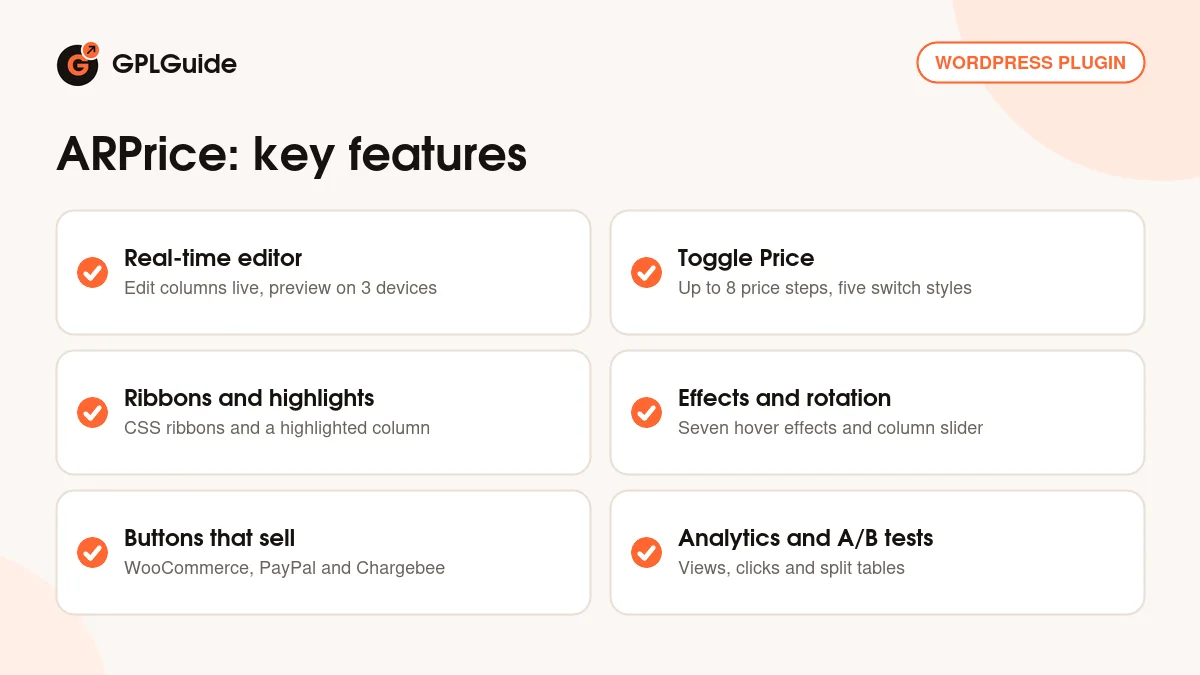
Every table starts from a template. Under ARPrice, Create New you browse the Select Pricing Table list, hover a design for its Preview icon, then click Select or double-click it. The plugin clones that design into a table of your own and opens the real-time editor. The developer counts 20 base templates, each in 13 to 14 color options, and more than 300 ready designs in all, including team showcase layouts for staff pages.
Saved tables sit under My Pricing Tables with their Title, Last modified date, Statistics and Shortcode. To publish one, paste the shortcode, add the ARPrice block in the Gutenberg editor, drop the ARPrice Shortcode element into an Elementor Pro layout, or use the ARPrice widget. Version 4.1 added dedicated blocks for Beaver Builder and Fusion Builder.
The plugin also counts views and clicks for each table, which is what the Statistics column shows, and it can split traffic between tables for A/B testing. Buttons point to a link or run an embed script, so a plan button can add a WooCommerce product to the cart, open a PayPal Buy Now form or start a Chargebee checkout.
Building responsive pricing tables in the ARPrice editor
Start with width. In the right corner of the editor you set the Template Width in pixels, and a line shows where the columns wrap. A 1000px template with 200px columns gives five columns per row. Column Options holds Column Width, Space between Columns and a Responsive Column checkbox. With it on, the width is shared between the columns you pick under Display Columns for mobile and tablet. With it off, every column keeps its fixed width.
Hover any column and a small toolbar appears. Column Settings has Background Image, Highlight Column and Add Ribbon. Ribbons are plain CSS with their own text, colors and position, or you can upload a Custom Ribbon image. Next to it sit Hide/Show Column, Duplicate Column, Delete Column and Background and Font Colors for normal and hover states.
Rows can be dragged into a new order, duplicated or added with Add New Row, and each one can carry a tooltip. Tooltips have Display Style Normal, Alert or Glass, an animation (grow, fade, swing, slide or fall), Show On click or hover and a position of top, left, right or bottom. Show Info Icon moves the trigger to a small icon.
Buttons get a Button Type (Flat, Classic, Border, Reverse Border, Modern or Shadow), a width from 80 to 200px, a height from 30 to 60px, a Button Link, Open in New Tab and Add Nofollow Link. The Preview icon at the top right shows Desktop View, Tablet View and Mobile View without saving first. Type broken HTML into a field and the editor warns you as you leave it, with Fix and Ignore buttons. Click Fix.
Monthly and yearly prices with Toggle Price
Turn on enable toggle price and every header, price, ribbon and footer gets its own version per step. You can have up to 8 Toggle Steps, so monthly, yearly and a two-year deal fit with room to spare. Each step has a Tabs Label, an optional icon and a Set As Default radio button for the step visitors see first. The Copy button fills the other tabs with the first tab's content. Use it before you start editing tab two.
The switch comes in five looks: Switch Style, Radio Style, Border Button Style, Slide Button Style and Stepy Style. On phones, Mobile view style shows the steps as a Stack or a Dropdown. Since 4.2 you can also hide or show a whole column per toggle step. That's handy when the yearly plan has a tier the monthly one doesn't.
For a bit of movement, tick Price (Number) Spin Effect On Toggle under Effects and wrap each number in a span with the class arp_price_amount. Add arp_comma_decimal if your prices use a decimal comma. Only numbers spin, so keep the currency sign outside the span.
Effects, media and A/B testing
Select Hover Effect offers Hover Effect, Shadow effect, Pulse, Shake, Swing, Hang and Wobble, and Column Shadow adds five shadow styles. Column Rotation turns a wide table into a slider, with Visible Columns, Columns to scroll, Transition Speed in milliseconds, Auto play and navigation or pagination buttons. Sticky Header keeps column headers in view while people scroll, with a top margin so it clears a sticky menu bar.
In templates that support media, the header's Media Settings has an Add Media dialog. It builds an image that can open in a lightbox, a YouTube, Vimeo, Dailymotion or Metacafe video by its ID, HTML5 video and audio, SoundCloud, Mixcloud or Beatport tracks, or a Google Map with an address, zoom level and marker.
A/B testing is switched on in Global Settings, which adds its own menu under ARPrice. Pick a Primary table, add variation tables, give each one a percentage of impressions and place [ARPrice_ab] on the page. With variations at 20% and 30%, the primary table gets the remaining 50%. A/B Testing Analytics then lists views and clicks per table.
Setups you can copy with this pricing table builder
Swap in your own plan names and prices.
- SaaS plans: three columns, Highlight Column on the middle plan with a CSS ribbon reading Most popular, Toggle Price with Monthly and Yearly steps, Yearly set as default and the spin effect on.
- WooCommerce packages: one WooCommerce product per plan and WooCommerce's add to cart shortcode in each button's Embed Script. Turn on Hide Default Button to show the WooCommerce button instead.
- Hosting comparison: a template with a caption column, Column Rotation with Visible Columns set to 3, Sticky Caption Column on, and Show Info Icon tooltips on rows such as bandwidth.
- Team page: a team showcase template with Media Settings on Circle (Solid), Hide Price ticked under Hide Column Sections, and each Button Link pointing to a profile page.
- Price test: duplicate a table under My Pricing Tables, lower the yearly price in the copy, give the variation 50% and put [ARPrice_ab] on your pricing page for a few weeks.
What's new in ARPrice 4.2.2
Version 4.2.2 came out on November 18, 2025. It adds a way to stop the plugin storing visitor analytics data for pricing tables, plus minor bug fixes. The changelog doesn't name the option, so check the settings after you update. Global Settings, where the click tracking switch lives, is the first place to look.
Before it, 4.2.1 (July 8, 2025) added an aria-label for the tooltip icon, alt text for the image shortcode in some templates and other accessibility work. 4.2 (March 10, 2025) let you hide or show a column per toggle step, and 4.1 (November 26, 2024) redesigned the Gutenberg block with a live preview. At the time of writing, 4.2.2 is the newest version in the developer's changelog.
Good to know before you buy
Some options don't mix. Sticky Header doesn't work while Column Rotation is on. Picking a Column Shadow style disables Column Radius, and the Shadow hover effect isn't available once a column shadow is set. Sticky Caption Column works only on desktop and tablet.
Two actions can't be undone. Import Data in the editor copies another saved table into the current one, and the docs say your current data is overwritten and won't be restored. Saving the A/B testing settings again resets the A/B analytics. Export the table before you try either.
The Install Free Samples list under Create New comes from the developer, so what's offered there is their service. Google Maps blocks need your own Google Maps API key in Global Settings. Chargebee checkout needs a Chargebee account plus their script in your theme's header.php, which a theme update will overwrite.
On speed, you can switch off icon libraries you don't use (Font Awesome, Material Design Icons, Ionicons, Typicons). Leave Load JS & CSS in all pages off unless your theme has a loading conflict. The CodeCanyon page lists compatibility up to WordPress 6.8.x, so test on a staging copy before a big WordPress upgrade.
ARPrice from GPLGuide vs the official subscription
From GPLGuide you get the original ARPrice 4.2.2 plugin ZIP to install on your own websites. It has the editor, built-in templates, Toggle Price, analytics, A/B testing and page builder blocks in the file, and the license key already activated. Under Envato's licence for this item, its PHP code is licensed under the GPL.
Only the developer gives you their help desk support (6 months with a CodeCanyon purchase, extendable to 12), refunds under the marketplace's rules, and services on their servers such as the free samples library. The developer sells ARPrice on CodeCanyon with a Regular License at $27.
How to install ARPrice
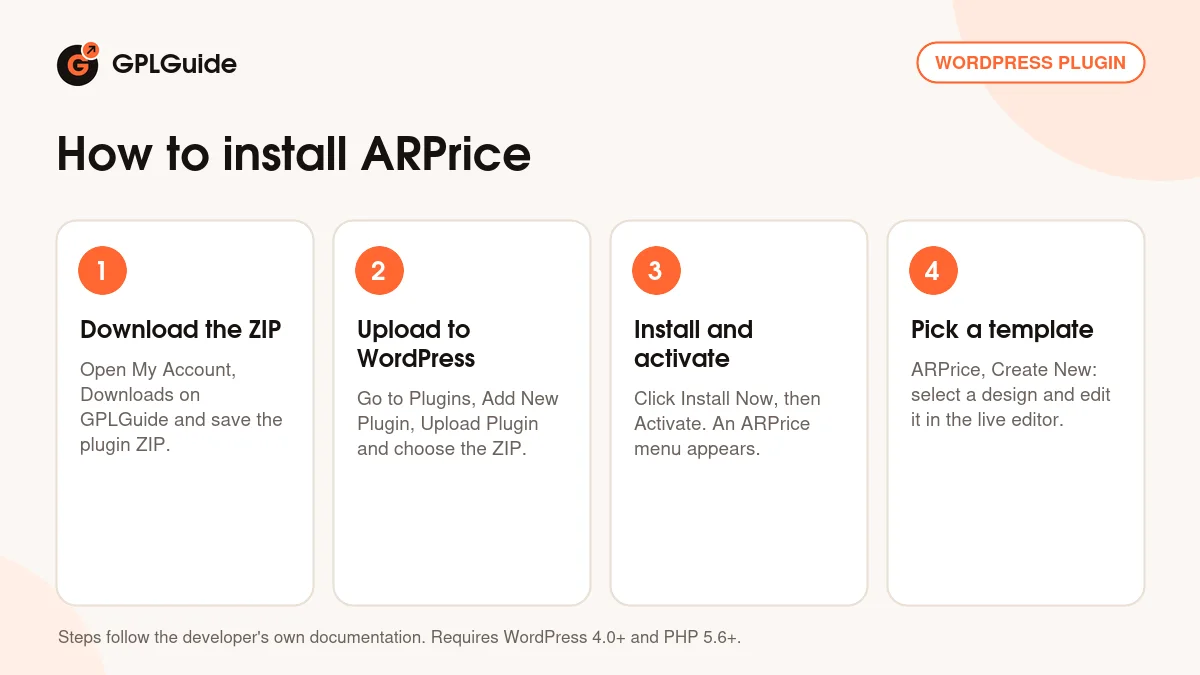
- Sign in to GPLGuide, open My Account, Downloads and save the ARPrice ZIP.
- In WordPress go to Plugins, Add New Plugin, Upload Plugin and choose the ZIP.
- Click Install Now, then Activate. An ARPrice menu appears in the admin sidebar.
- Open ARPrice, Create New and pick a design in Select Pricing Table. The license key is already activated, so you can start editing right away.
For a good first setup, open Global Settings and check the Responsive Settings widths. With Mobile View at 520px, for example, columns stack into one on smaller screens. Then build one three-column table, set the Template Width to match your content area, turn on Toggle Price with two steps and save. Preview it in all three views before it goes on a page.
Keeping it up to date
Updates from GPLGuide are manual. When a new version of ARPrice is listed here, download it from your account and upload it under Plugins, Add New Plugin, Upload Plugin. WordPress offers to replace the installed copy. The developer advises backing up your database and the uploads/arprice folder first. Spotted a newer version we haven't added? Tell us on the Request Item/Update page.
Questions about ARPrice
Do I need to enter a license key? No. The file comes with the license key already activated, so you can build, publish and track tables as soon as the plugin is active.
How many price options can one table switch between? Up to 8. Each toggle step has its own label, icon and content, and one of them can be the default.
Will it work with my page builder? Most likely. There's a Gutenberg block, an Elementor element and dedicated Beaver Builder and Fusion Builder blocks, and the shortcode works almost anywhere else.
Can a plan button add a product to the WooCommerce cart? Yes. Put WooCommerce's add to cart shortcode in the button's Embed Script. The product has to exist in WooCommerce first.
Can I stop the plugin collecting visitor data? Yes. Turn off Track button click of pricing table in Global Settings, and version 4.2.2 adds an option to stop storing visitor analytics data.
Can I move tables to another site? Yes. Export the tables you choose to a text file and import it on the other site. Only files exported from ARPrice are accepted.
I use the free Lite version. Can I bring my tables over? Yes. Keep ARPrice Lite 2.0 or newer active and import its tables from the Import/Export page.
Does it handle right-to-left languages? Yes. RTL support arrived in 3.0, and the developer describes the plugin as WPML ready.
Putting together a sales or membership site? Browse more WordPress plugins on GPLGuide, or see what a GPLGuide membership includes if you use several premium plugins.
Features & capabilities
- About 300 ready designs from 20 base templates in 13 to 14 colors each
- Real-time editor with desktop, tablet and mobile preview
- Toggle Price with up to 8 steps, five switch styles and a spin effect
- CSS ribbons, highlighted columns and seven column hover effects
- Column Rotation slider, sticky header and sticky caption column
- Video, audio, image and Google Map media in column headers
- Button embed scripts for WooCommerce, PayPal and Chargebee
- View and click analytics plus A/B testing with [ARPrice_ab]


