
WooCommerce Product Catalog Mode & Enquiry Form
100% Original fileUnmodified copy of the developer's release
DeveloperweLaunch
Up to dateFile last updated Oct 26, 2026
About this product
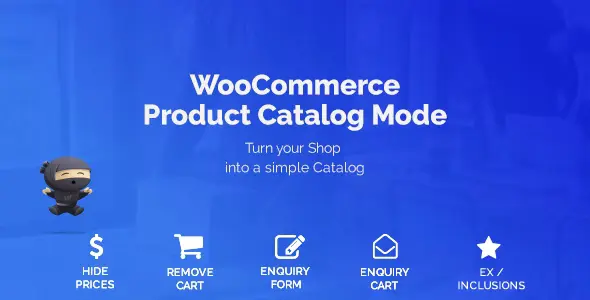
WooCommerce Catalog Mode 1.8.10 turns a WooCommerce store into a catalog by hiding prices, removing the Add to Cart button, or both. It suits shops that want to show products without taking online orders, such as stores that quote by request, showrooms that sell in person and sellers who prefer enquiries to checkouts. Visitors can send an enquiry from a pop-up form or from an enquiry cart that you connect to your own contact form. You switch it on and choose what to hide on the Catalog Mode screen under WooCommerce in the WordPress sidebar, and you can leave chosen products, categories, countries or user roles untouched.
How to install WooCommerce Catalog Mode
- Install and activate WooCommerce under Plugins, Add New Plugin if your site doesn't run it yet, and add the products you want to show.
- The developer's setup guide says the Redux Framework plugin must be active, or the Catalog Mode settings menu doesn't appear. Install and activate it under Plugins, Add New Plugin.
- Log in to GPLGuide, open this product and click Download under Your downloads.
- In WordPress go to Plugins, Add New Plugin, Upload Plugin, choose the ZIP you downloaded, click Install Now, then click Activate.
- Only if you want enquiry forms: install a form plugin first. The developer's examples use Contact Form 7, and product details are passed in form fields named product and sku (products for the enquiry cart), which you can rename in the settings.
- Open WooCommerce, Catalog Mode in the WordPress sidebar. Enable the plugin under General Settings, choose whether to remove the Add to Cart button, the prices or both, then save your changes.
Features & capabilities
- Hide prices on product and category pages, or show your own text in place of the price, such as available in store.
- Remove the Add to Cart button, or swap it for a Read More button or a custom button with your own text and link.
- Enquiry pop-up on single product pages, with its own title and button position, filled with a Contact Form 7 shortcode, another shortcode or a custom HTML form.
- Enquiry cart that keeps the normal Add to Cart button but replaces checkout, so visitors collect products and send one enquiry.
- Exclude chosen products, categories or countries, or flip the lists so that only the items you pick are affected.
- Limit catalog mode to logged-in or logged-out visitors, or leave certain user roles out.
- Show variable products as a dropdown or as a table with image, SKU or title.
- Redirect the cart and checkout pages so visitors can't reach them.
- Custom CSS and JavaScript boxes, plus hard-remove options for themes that still show a price or button.
Frequently asked questions
Is this the original file?
Yes. Every product on GPLGuide is the developer’s own release, unchanged. The license key comes already activated. If a product does ask for a key, the activation steps appear on its page once you have it.
Is it legal to use a GPL plugin or theme from GPLGuide?
Yes. WordPress plugins and themes are released under the GPL, which lets anyone use, share and change the code. The developer’s support desk and the developer’s own update service are not part of the file; those stay with the developer.
How do I install it?
Log in, open the product page and click Download under Your downloads. For a plugin go to Plugins, Add New Plugin, Upload Plugin, choose the ZIP, then Install Now and Activate. For a theme go to Appearance, Themes, Add New Theme, Upload Theme.
How do updates work?
When a newer version is listed on GPLGuide, download it from the product page and upload it over the installed copy; WordPress offers to replace the old version. Updates are manual.
Can I use it on more than one site?
Yes. The GPL lets you use it on as many of your own sites as you like.
What if the file does not work or a newer version is out?
Tell us on the Request Item page or through Support. We check the file and add the newer version when we have it.


