Admin Menu Editor Pro + All Addons

100% Original fileUnmodified copy of the developer's release
DeveloperAdmin Menu Editor
Up to dateOriginal released Oct 3, 2026 · File last updated Oct 23, 2026
About this product
Admin Menu Editor Pro is a WordPress plugin for rebuilding the dashboard menu: you rename, reorder and hide items, add your own links, and decide which roles or single users see each one. It's made for freelancers and agencies who hand sites over to clients. This file is the main plugin only: the developer's Branding and Toolbar Editor add-ons are separate plugins and aren't in it. This page is for Admin Menu Editor Pro 2.37.1, released on October 3, 2026. On GPLGuide you download the original plugin file to install on your own WordPress websites.
Good for: agencies building client sites, membership and multi-author sites with several roles, and WooCommerce stores where staff only need a few screens.
Requirements: WordPress 5.9 or greater and PHP 7.4 or greater, according to the developer. Version 2.37.1 is tested up to WordPress 7.1.2. No other plugin or theme is required.
What Admin Menu Editor Pro does
Every plugin you install adds its own menu, and most assume the person logged in is an administrator. Admin Menu Editor Pro pulls the whole admin menu into one editor under Settings, Menu Editor Pro. You drag items into a new order, rename them, change icons and colours, and hide whatever a role or user shouldn't touch. Nothing changes on the live menu until you click Save Changes.
The free Admin Menu Editor handles titles, icons, order and simple hiding. The Pro version adds per-role and per-user permissions, links that open in a new tab or a frame, shortcodes in menu fields and import and export. Around it sit a role editor, redirects, content permissions, widget control, an admin customizer and hide tweaks. And Quick Search, opened by pressing Shift twice, finds any menu item in a second.
Menus and permissions in Admin Menu Editor Pro
The editor lists top-level items in one column and the submenu of the selected item beside it. Drag an item to move it, or drop it onto another top-level menu when that menu turns green. The Sort buttons leave the first item of each menu in place, because a top-level menu usually links to the same page as its first visible item.
To add something, click New menu and pick a Target page. < Custom URL > takes any address, < Embed WP page > shows a page or post inside the admin, and < None > gives you a heading that isn't clickable. Under show advanced options, Open in sends the link to a new tab or a frame. URLs accept shortcodes such as [ame-wp-admin] and [ame-user-info], which prints a field like display_name for whoever is logged in.
Permissions are why most people buy Admin Menu Editor Pro. Click a role at the top of the editor, then tick or untick each item for it. For finer control, open an item's Permissions field and click Edit. The window shows Roles, the Required capability (read only) and an Extra capability. That last field takes a capability such as manage_options, user:bob for one login, not:user:bob to shut one person out, edit_posts+publish_posts when every check must pass, or a comma list when any one will do.
Two habits save trouble. A top-level menu stays visible while any of its submenu items is visible, so hide the children too. And giving a role a menu also grants it that menu's capability, which matters with manage_options.
Roles, redirects and content rules
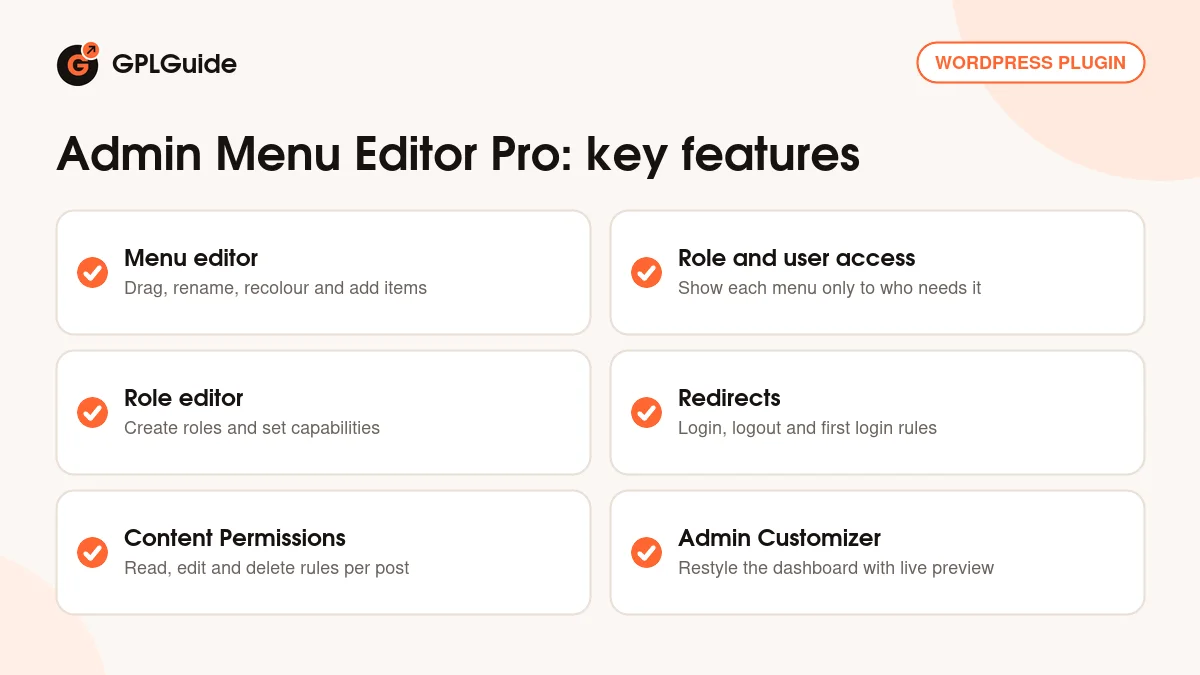
Roles. The Roles tab in Admin Menu Editor Pro is a full role editor. Create and delete roles, and give or deny capabilities to a role or one user. Highlight unsaved changes, off by default, marks new capabilities green and removed ones red. Editable Roles decides which roles a user may hand out. In the default Automatic mode a role can only assign roles with the same or fewer capabilities, so an Editor who can edit users still can't make anyone an Administrator.
Redirects. There are Login, Logout, Registration and First Login redirects, each for a role, a user or everyone. Drag role rules to set their priority. If a redirect ever traps you, add define('AME_DISABLE_REDIRECTS', true); to wp-config.php and every custom redirect stops.
Content Permissions. Since 2.27, posts, pages and most custom post types get a Content Permissions (AME) box. Its Advanced tab sets Read, Edit and Delete per role, plus View in lists. On the Protection tab you write the Replacement Content message and choose what a direct link does: show that message, show the 404 page, show an error or redirect. Locked out? Tick Disable content permissions enforcement in the Settings tab.
Tweaks and widgets. The Tweaks tab holds switches for chosen roles or users: hide Screen Options and Help, admin notices, profile fields, TinyMCE buttons or Gutenberg blocks, and add Admin CSS snippets. On the Dashboard Widgets tab, Override user order locks your widget order and Force number of columns sets the layout.
Styling the dashboard with Admin Menu Editor Pro
The Style button in the menu editor opens live-preview settings for menu bar width and shadow, a full-height layout, font size, a logo above the menu and your own collapse button text. Separators get their own button with colour, line style and margins, and menu colours work for the whole menu or a single item. The icon picker in Admin Menu Editor Pro has over 600 icons from Dashicons and Font Awesome, or you upload your own image.
Settings, Admin Customizer works like the theme Customizer, with a live preview. It styles Boxes, Buttons, Headings, Tables and the Toolbar. My favourite touch is the gear next to Save Changes: Download as admin theme builds a small standalone plugin with your visual settings that runs without Admin Menu Editor Pro. Per-role settings and permissions don't go into it, so treat it as a skin.
Setups you can copy with Admin Menu Editor Pro
Each one uses only the settings above.
- Client hand-off: untick Tools, Settings and the plugin menus for Editor, rename Posts to News, and hide admin notices for that role.
- Shop staff role: a new role from the Roles tab with a short menu, plus a < Custom URL > item for your courier's portal that opens in a new tab.
- Help in the dashboard: a menu item set to < Embed WP page > that shows a private page of instructions.
- Login routing: a Login Redirect that sends Subscribers to their account page and a First Login Redirect to a welcome post.
- Members-only post: allow Read only for your member role and redirect direct links to your pricing page.
- Ten sites, one setup: save a JSON file on the Export tab and load it on the Import tab of each site, or use wp admin-menu-editor export filename.json --all.
What's new in Admin Menu Editor Pro 2.37.1
Version 2.37.1 started rolling out on October 3, 2026. The developer built it on 2.34, the last version they consider safe, and added two things. The first is optional checksum and signature verification for plugin updates, in the Settings tab under Update verification, where you can switch it to Required. It's optional for now because it hasn't been tried on many hosting setups, and Required will become the default later.
The second is Block URLs on the Tweaks tab. It blocks chosen dashboard or front-end addresses for chosen roles, so it only affects logged-in users. This release is tested up to WordPress 7.1.2. Before it, 2.37 (rolled out from September 30, 2026) was 2.34 with a new number. The 2.35 and 2.36 builds of September 14, 2026 are the ones to avoid.
Good to know before you buy
Read this if you've run Admin Menu Editor Pro before. On September 14, 2026 the developer found that an attacker had uploaded a malicious 2.35 to their server, and some 2.36 downloads were tampered with too. Their incident notice says to delete both and lists signs to check, such as a hidden user whose login starts with wp_ and hex characters, hex-named files in mu-plugins, or a WP-Cron event called _wp_cconsent_tick. If a site ever ran 2.35 or 2.36, work through that notice first.
Permissions have limits. The plugin grants only the main capability a page needs, and some screens need more, which you add in the Roles tab. Be careful with the Menu Editor item itself, because you can lock yourself out. License activation and update delivery run on the developer's own servers.
The two add-ons are not part of this download. The developer sells a Branding add-on (your logo, login page, colour scheme, footer text and email sender) and a Toolbar Editor add-on (hide, reorder, rename and add Admin Bar items) as separate plugins. The main plugin still covers Admin Bar colours in the Admin Customizer and a logo above the menu, which is enough for many client sites.
Admin Menu Editor Pro from GPLGuide vs the official subscription
From GPLGuide you get the original Admin Menu Editor Pro 2.37.1 plugin file with the license key already activated. Menu permissions, the role editor, redirects, Content Permissions and the Admin Customizer are all in that file and ready once you install it. The Branding and Toolbar Editor add-ons are not included.
Buying from the developer gets you their support, their refunds and updates from their server. The developer lists Personal at $49 for one site, Plus at $99 for five sites and Agency at $179 for unlimited sites with all add-ons, each with one year of free updates. Lifetime plans run from $149 to $599 for Agency. If you want the add-ons, they come with the developer's Agency plan, and licence holders can buy Branding alone for $20.
How to install Admin Menu Editor Pro
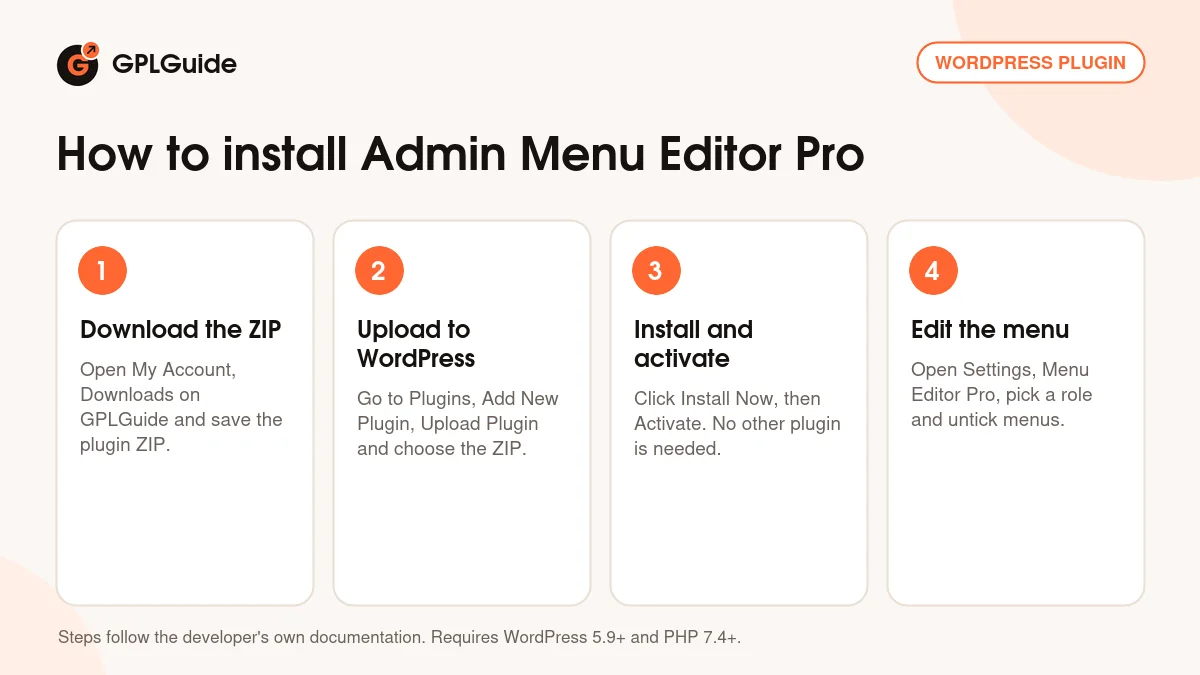
- Sign in to GPLGuide, open My Account, Downloads and save the Admin Menu Editor Pro ZIP.
- In WordPress go to Plugins, Add New Plugin, Upload Plugin and choose the ZIP.
- Click Install Now, then Activate. No other plugin is needed.
- Open Settings, Menu Editor Pro, pick a role at the top of the editor and untick the menus it doesn't need.
For a good first setup, create a test user with the Editor role. Hide two or three menus for Editor, click Save Changes and log in as that user in a private window. Then save a copy from the Export tab. That JSON file is your way back if something goes wrong, and your head start on the next client site.
Keeping it up to date
Updates from GPLGuide are manual. When a newer Admin Menu Editor Pro is listed here, download it from your account and upload it under Plugins, Add New Plugin, Upload Plugin. WordPress offers to replace the installed copy, and your menu settings stay, since they're kept in the database. If you spot a newer release we haven't added, tell us on the Request Item/Update page.
Questions about Admin Menu Editor Pro
Can I hide a menu from everyone except me? Yes. Untick it for every role, then tick it in the Current user view.
Do I need to enter a license key? No. The file on GPLGuide comes with the license key already activated, so per-role permissions, redirects and the Admin Customizer work right after you install it.
Why did a menu I deleted come back? That's by design. Default menus reappear after saving, so hide the item or change its permissions instead.
Can I copy my Admin Menu Editor Pro setup to another site? Yes. Export a JSON file, then on the other site choose it on the Import tab and pick which parts to bring in.
Does Admin Menu Editor Pro work with the block editor? Yes. The Hide Gutenberg Blocks section of the Tweaks tab hides single blocks from chosen roles or users.
Are the Branding and Toolbar Editor add-ons included? No. This download is Admin Menu Editor Pro on its own. Admin Bar colours are still covered by its Admin Customizer, and the add-ons themselves are sold by the developer.
Where do I get help if something breaks? From the developer, if you hold an official license. Their support and refunds come only with a purchase from them.
Building more client sites? Pair this with ACF Pro for custom fields, browse more WordPress plugins on GPLGuide, or see what a GPLGuide membership includes if you use several premium plugins.
Features & capabilities
- Drag and drop admin menu editor with rename, icons, colours and sorting
- Menu permissions per role or per user, with an Extra capability field
- Role editor with Editable Roles and per-user capabilities
- Login, Logout, Registration and First Login redirects
- Content Permissions box for posts, pages and custom post types
- Tweaks to hide notices, blocks, profile fields and chosen URLs
- Admin Customizer with live preview and Download as admin theme
- Menu styling with logo, width, colours and over 600 icons