
Iconic WooCommerce Product Configurator
100% Original fileUnmodified copy of the developer's release
DeveloperIconic
Up to dateOriginal released Apr 21, 2026 · File last updated Oct 27, 2026
About this product
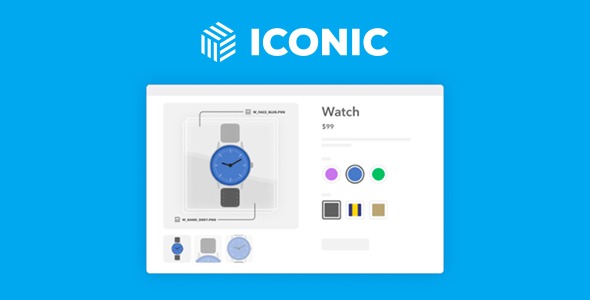
WooCommerce Product Configurator 1.27.2 turns a variable product into a visual builder: as the shopper picks options, the product image is rebuilt from stacked layers, so they see the exact combination before they buy. It suits shops that sell customisable goods with many visible options, such as watches with different faces and straps, furniture in several finishes or printed apparel, where photographing every combination is not realistic. In the developer's own example, a watch with 5 faces, 3 cases and 11 straps would need 165 photos, while the configurator gets by with 20 layer images. You set it up on the product edit screen, in a Configurator tab inside the Product Data box, and the composed image updates on the product page each time an option changes.
How to install WooCommerce Product Configurator
- If your site doesn't run WooCommerce yet, install and activate it under Plugins, Add New Plugin; the developer lists WooCommerce 2.1, PHP 5.3 and the PHP GD library as requirements.
- Log in to GPLGuide, open this product and click Download under Your downloads.
- In WordPress, go to Plugins, Add New Plugin, Upload Plugin, choose the ZIP, click Install Now, then Activate.
- Create or edit a variable product with its attributes and variations, give every variation a price and stock, and save the product once.
- Open the Configurator tab in the Product Data box, switch on the toggle next to Update, add a transparent PNG layer for each attribute value and update the product.
Features & capabilities
- Layered product images: one transparent PNG or WebP image per attribute value, stacked into a single picture.
- Far fewer images to produce, because layers are combined instead of shot for every variation.
- Drag and drop layer order, where layers higher in the list sit on top of the ones below.
- An optional background layer, which can be a plain colour saved as an image.
- Conditional groups that swap a layer's images based on another attribute, built from an attribute, is equal to and a value.
- More than one condition per group through the Add Condition button.
- The product's featured image stays in shop listings and acts as a fallback.
- Image cache settings for the composed images.
- Works alongside the developer's separate attribute swatches plugin, with improved compatibility in this release.
Frequently asked questions
Is this the original file?
Yes. Every product on GPLGuide is the developer’s own release, unchanged. The license key comes already activated. If a product does ask for a key, the activation steps appear on its page once you have it.
Is it legal to use a GPL plugin or theme from GPLGuide?
Yes. WordPress plugins and themes are released under the GPL, which lets anyone use, share and change the code. The developer’s support desk and the developer’s own update service are not part of the file; those stay with the developer.
How do I install it?
Log in, open the product page and click Download under Your downloads. For a plugin go to Plugins, Add New Plugin, Upload Plugin, choose the ZIP, then Install Now and Activate. For a theme go to Appearance, Themes, Add New Theme, Upload Theme.
How do updates work?
When a newer version is listed on GPLGuide, download it from the product page and upload it over the installed copy; WordPress offers to replace the old version. Updates are manual.
Can I use it on more than one site?
Yes. The GPL lets you use it on as many of your own sites as you like.
What if the file does not work or a newer version is out?
Tell us on the Request Item page or through Support. We check the file and add the newer version when we have it.


