
WooCommerce Role-O-Matic
100% Original fileUnmodified copy of the developer's release
Developervanquish
Up to dateOriginal released Aug 6, 2025 · File last updated Oct 30, 2026
About this product
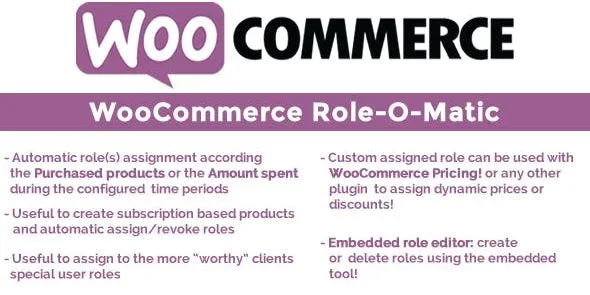
WooCommerce Role-O-Matic 9.2 gives customers a WordPress role automatically, based on what they buy or how much they spend. It suits shops with wholesale tiers, VIP levels or role-based pricing, where nobody wants to edit user accounts by hand each time an order comes in. You write assignment rules, either by amount spent over a period or by products purchased, and the plugin applies them as orders are placed or edited. A pricing or discount plugin can then use those roles. You work with it from its own WooCommerce Role-O-Matic entry in the WordPress sidebar.
How to install WooCommerce Role-O-Matic
- Install and activate WooCommerce under Plugins, Add New Plugin if your shop doesn't run it yet. The developer's stated range starts at WordPress 4.9 and WooCommerce 6.
- Log in to GPLGuide, open this product and click Download under Your downloads.
- Go to Plugins, Add New Plugin, Upload Plugin, choose the downloaded ZIP file, click Install Now, then click Activate.
- Open WooCommerce Role-O-Matic in the WordPress sidebar. Create the roles you need in the embedded role editor first, because a rule can only use a role that already exists.
- Add your rules under the Amounts configurator or the Products configurator, then check General options for the allowed order statuses and the My Account display switches.
Features & capabilities
- Amount-based rules that assign a role once a customer's spend, excluding taxes, passes a minimum over a fixed or moving time period
- Product-based rules that give a role when a customer buys chosen products
- Role expiry for product rules, either a set time after purchase or a fixed date
- Optional role removal, deferred assignment and email notifications on amount rules
- Amount rules can be limited to certain products or categories
- Roles update automatically on new and edited orders, and a re-calculator tool recomputes amount-based roles on demand
- Embedded role editor to create and delete roles without another plugin
- My Account sections that show a customer's current roles and the next roles they can reach
- Works with WooCommerce Subscriptions and WPML, and supports high-performance order storage
- General options for which order statuses count toward a rule
Frequently asked questions
Is this the original file?
Yes. Every product on GPLGuide is the developer’s own release, unchanged. The license key comes already activated. If a product does ask for a key, the activation steps appear on its page once you have it.
Is it legal to use a GPL plugin or theme from GPLGuide?
Yes. WordPress plugins and themes are released under the GPL, which lets anyone use, share and change the code. The developer’s support desk and the developer’s own update service are not part of the file; those stay with the developer.
How do I install it?
Log in, open the product page and click Download under Your downloads. For a plugin go to Plugins, Add New Plugin, Upload Plugin, choose the ZIP, then Install Now and Activate. For a theme go to Appearance, Themes, Add New Theme, Upload Theme.
How do updates work?
When a newer version is listed on GPLGuide, download it from the product page and upload it over the installed copy; WordPress offers to replace the old version. Updates are manual.
Can I use it on more than one site?
Yes. The GPL lets you use it on as many of your own sites as you like.
What if the file does not work or a newer version is out?
Tell us on the Request Item page or through Support. We check the file and add the newer version when we have it.


