WP All Import Pro WooCommerce Addon
Note
Note: This is an Addon for WP All Import Pro
100% Original fileUnmodified copy of the developer's release
DeveloperSoflyy
Up to dateFile last updated Oct 23, 2026
About this product
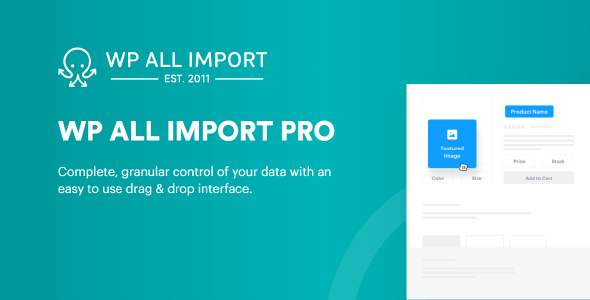
WP All Import Pro WooCommerce Addon 4.0.8 lets WP All Import bring WooCommerce data in from CSV, Excel, XML or Google Sheets files. It's for store owners who move a shop from another platform, load a supplier's product feed, or keep prices and stock in step with a file that changes every day. Instead of typing products in one at a time, you match the columns of your file to WooCommerce fields on a drag and drop screen, and the import creates or updates the products for you.
What's in the WP All Import Pro WooCommerce Addon download
Our download is the original WP All Import Pro WooCommerce Addon ZIP for version 4.0.8. The add-on is the WooCommerce part of the developer's import tools: it adds the WooCommerce fields to the import screens of the core plugin. WP All Import Pro itself, the User Import Add-On that customer imports also need, and WP All Export Pro are separate plugins and are not in this file.
Good to know
You need WooCommerce and the core import plugin. The developer's docs say this add-on must be active alongside WP All Import, and it's sold in packages with WP All Import Pro. If the free WooCommerce import add-on from the plugin directory is on the site, deactivate and delete it before you upload this one; the developer says that won't change your imports or settings. No minimum WooCommerce, WordPress or PHP version is given. Order imports skip any order that matches no customer unless you allow guest customers.
How to install WP All Import Pro WooCommerce Addon
- If the site doesn't run WooCommerce yet, install and activate it first under Plugins, Add New Plugin.
- Install and activate WP All Import Pro, and deactivate and delete the free WooCommerce import add-on if the site has it.
- Log in to GPLGuide, open this product and click Download under Your downloads.
- Go to Plugins, Add New Plugin, Upload Plugin, choose the add-on ZIP, click Install Now and then Activate Plugin.
- Start an import under All Import, New Import, choose your file and pick WooCommerce Products to reach the WooCommerce Add-On section.
Features & capabilities
- Imports simple, variable, grouped and external or affiliate products
- Variations matched to their parent by Parent SKU, a group ID, the product title or child XML elements
- Mapping tabs for prices, stock, shipping, linked products, attributes and advanced product options
- Price clean-up on import: strip currency symbols, fix decimal separators, adjust prices
- Featured images and product galleries from a URL, your computer or the media library
- Re-run an import to update existing products or delete the ones missing from the file
- Order imports with billing, shipping, payment, items, fees, coupons, refunds and notes
- Product reviews and coupons can come in from a file too
Frequently asked questions
Is this the original file?
Yes. Every product on GPLGuide is the developer’s own release, unchanged. The license key comes already activated. If a product does ask for a key, the activation steps appear on its page once you have it.
Is it legal to use a GPL plugin or theme from GPLGuide?
Yes. WordPress plugins and themes are released under the GPL, which lets anyone use, share and change the code. The developer’s support desk and the developer’s own update service are not part of the file; those stay with the developer.
How do I install it?
Log in, open the product page and click Download under Your downloads. For a plugin go to Plugins, Add New Plugin, Upload Plugin, choose the ZIP, then Install Now and Activate. For a theme go to Appearance, Themes, Add New Theme, Upload Theme.
How do updates work?
When a newer version is listed on GPLGuide, download it from the product page and upload it over the installed copy; WordPress offers to replace the old version. Updates are manual.
Can I use it on more than one site?
Yes. The GPL lets you use it on as many of your own sites as you like.
What if the file does not work or a newer version is out?
Tell us on the Request Item page or through Support. We check the file and add the newer version when we have it.