Arena Products Store – WordPress Plugin
100% Original fileUnmodified copy of the developer's release
DeveloperWebStudio55
Up to dateOriginal released Apr 17, 2025 · File last updated Oct 16, 2026
About this product
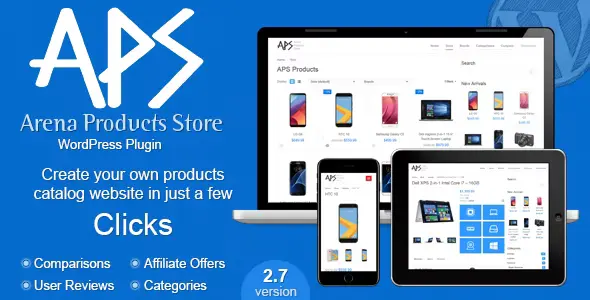
Arena Products Store is a WordPress plugin by WebStudio55 for building a product catalog and comparison site, where visitors browse phones, laptops or cameras by brand, check the specs and compare models side by side. It adds its own product type with categories, brands, attributes, filters, user reviews and affiliate offers, while your theme keeps the header and footer. This page is for Arena Products Store 3.2, released on April 17, 2025. On GPLGuide you download the original plugin file to install on your own websites.
Good for: bloggers who run spec and comparison sites for phones, laptops, cameras or other products, review sites that want tidy spec tables and user ratings, and affiliate sites that list offers from several online stores next to each product.
Requirements: WordPress 5.0 to 6.9. No minimum PHP version is given, and the author says the current version runs on PHP 8.x. You need a classic theme, because the plugin's templates load your theme's header and footer. The author says block themes such as Twenty Twenty-Five do not work, and recommends themes built on Bootstrap 3. No other plugin is required.
What Arena Products Store does
Arena Products Store gives WordPress a product database of its own, kept apart from your posts. Each product gets a category, a brand, a price, a gallery, main features, a specs table, rating bars and reviews. The plugin builds the pages around that data: a catalog, category and brand archives, search results, comparison pages and a single product view.
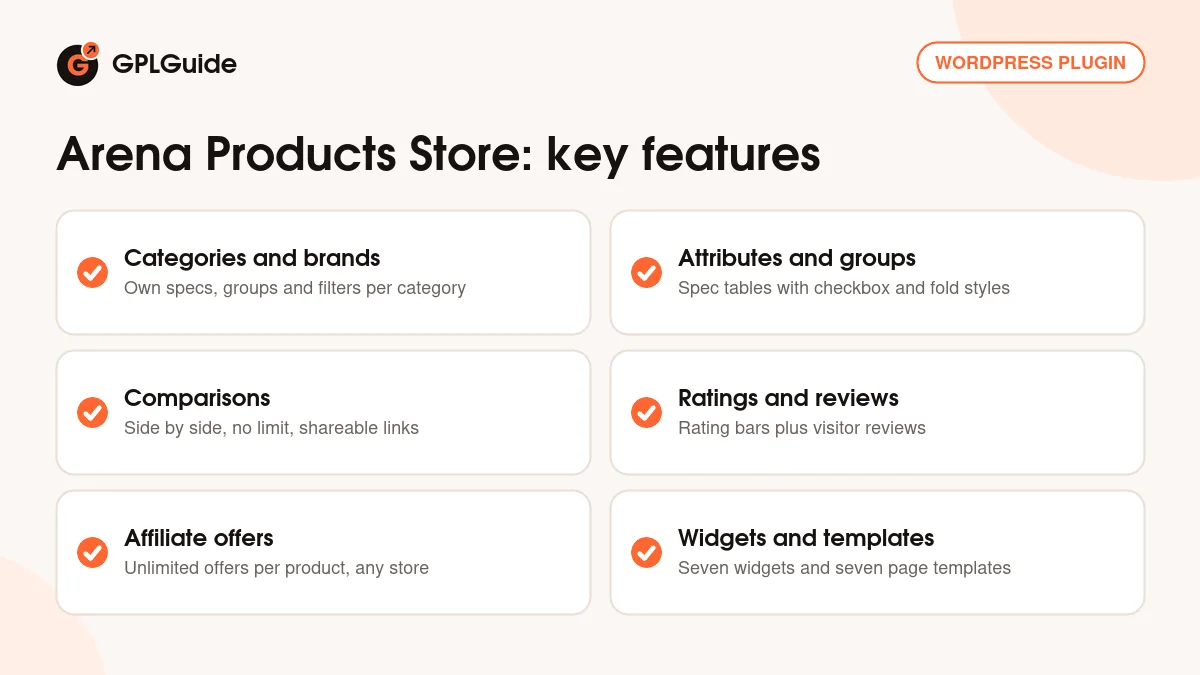
These pages come from seven templates inside the plugin. Your theme supplies the header and footer, and Arena Products Store fills the space in between. As it is not a theme, you may need a little CSS to match your site. Nine colour skins and a colour picker help with that, and the responsive layout can be switched on or off.
There are seven sidebar widgets: Ajax Search, New Arrivals, Product Filters, Top Rated Products, Recent Comparisons, Categories List and Brands List. A More Products by Brand box shows on single product pages. You add products by hand or import them from a JSON data file, and you can export your data the same way.
Categories, attributes and filters in Arena Products Store
Everything starts with categories. A category such as Mobiles or Laptops holds its own main features, attribute groups, attributes, rating bars and filters, so a phone and a camera each show the specs that matter for them. The author says there is no limit on how many of these you add.
Attributes are the rows of your specs table, such as screen size or battery capacity, and groups bundle them into sections such as Display or Camera. An attribute can use the checkbox type, which shows a green tick or a red cross, handy for showing whether a phone has NFC. Since version 2.6 attribute sections can fold open and closed.
Main features are the short list of headline specs for each product, and they can use an icon style. Rating bars show scores for named criteria, such as Design or Battery. Brands work across all categories, each with a logo and its own archive page. You create the filters yourself, and since version 3.0 they work independently of category and brand from the Product Filters widget in your sidebar.
Comparisons, reviews and product pages
Comparisons are what most buyers want Arena Products Store for. Visitors tick the compare checkbox on the products they like, a comparison list panel collects them, and from there they open a side-by-side table. There is no limit on how many products go into one comparison, but they must come from the same category.
You can also publish your own comparisons, each with its own title. The Custom Comparisons List template lists them, their links can be shared, and a comparison shortcode places one inside any post. The Recent Comparisons widget shows the latest ones.
The single product page has a gallery with a thumbnail carousel and touch-friendly zoom, videos with a title and duration, and tabbed product data. In the Tabs management system you can add your own tabs, rename the specs tab and drag tabs into a new order. Breadcrumbs can be switched off, and product microdata is added for search engines. Visitors can rate and review each product, and the Top Rated Products widget lists the best scores.
Prices, store settings and affiliate offers
Each product has a price and an SKU in its General data. Enter the price as a plain number with no currency symbol, and set the currency and store location in Store Settings. If you set a price to 0, the product shows "upcoming" text instead, and you can change that wording in Store Settings.
The Affiliates management system under APS Settings holds the online stores you send visitors to, and you can add new ones such as eBay or AliExpress. Each product can carry as many offers as you like. You earn commission through your own affiliate links. Arena Products Store has no cart or buy button of its own, so the sale happens on the store's site.
The rest of the setup lives in APS Settings, in tabs such as Design, Typography, General and Permalinks. Typography, added in version 3.0, sets the font size and colour of headings and text. A sidebar manager adds extra sidebars, all text can be translated, and right-to-left languages are supported.
Catalog ideas you can build with Arena Products Store
The same tools fit very different sites. Here are a few setups to copy and adjust.
- Phone spec site: a Mobiles category with groups such as Display, Camera and Battery, checkbox attributes for NFC or wireless charging, and filters for the specs readers ask about most.
- Laptop buying guide: rating bars for Performance, Battery and Build, the new Pros and Cons list on each laptop, and two or three offers per model.
- Camera review blog: reader scores from the reviews system and the Top Rated Products widget in the sidebar.
- Launch tracker: new models entered with a price of 0 so they show your "upcoming" text until the real price is known.
- Comparison hub: custom comparisons with clear titles, linked from your posts and listed by the Custom Comparisons List template.
Whatever you build, fill in every product completely, including its category and brand. The author points out that products with missing data do not display properly.
What's new in Arena Products Store 3.2
Version 3.2 came out on April 17, 2025, and it is the newest release on the item page at the time of writing. Arena Products Store 3.2 adds a Pros and Cons list for each product, product status badges and a dashboard widget with statistics. The old icon font is gone, replaced by an SVG icon set that the developer says loads up to 83% faster. Comparisons were improved again, along with small fixes.
Version 3.1 (September 26, 2023) fixed minor issues. Version 3.0 (August 28, 2023) reworked the comparison layout, brought the new filters widget and a compact product teaser shortcode, added Typography settings and gave videos a title and duration. Version 2.7 (May 24, 2021) improved the attributes and comparison tables.
Good to know before you buy
Data entry is manual. Arena Products Store has no product data feed, no CSV import and no connection to Amazon or any other store's API. You add products by hand or import a JSON data file. Offer prices do not update by themselves, and for automatic affiliate product updates the author suggests another plugin. It needs no outside service or API key, but to earn commission you need your own affiliate account with each store you list.
It is a catalog, not a shop. There is no cart, no buy button, no product variants (such as a price per storage size) and no downloadable products, and it does not work with WooCommerce. Images must be uploaded to your Media Library, because the plugin makes its own image sizes. AMP pages are not supported.
The last update was in April 2025, about 18 months ago, though the listing shows compatibility up to WordPress 6.9 and the author still answers comments. The full guide, a help.html file, ships in the CodeCanyon download package, not on a public website.
Arena Products Store from GPLGuide vs the official subscription
From GPLGuide you get the original Arena Products Store 3.2 plugin file. Everything in the file works the same way: categories, specs, comparisons, reviews, offers, widgets and templates. The file from GPLGuide comes with the license key already activated, so there is no key to enter. Under Envato's licence for this item, its PHP code is licensed under the GPL.
The plugin is sold by WebStudio55 on CodeCanyon, where the Regular licence costs $43. Buying there adds future updates through the marketplace and 6 months of item support from WebStudio55 by email, which can be extended to 12 months. The author does not help buyers whose support has expired. Support and refunds come only from WebStudio55 and the marketplace. The author's add-ons, such as APS Carousel ($19), APS Currency Switcher and APS Ads Manager, are sold separately there and are not part of this file.
If you want help from the author, buy it there. If you need the plugin for your own sites, you can get it here on its own or with a membership.
How to install Arena Products Store
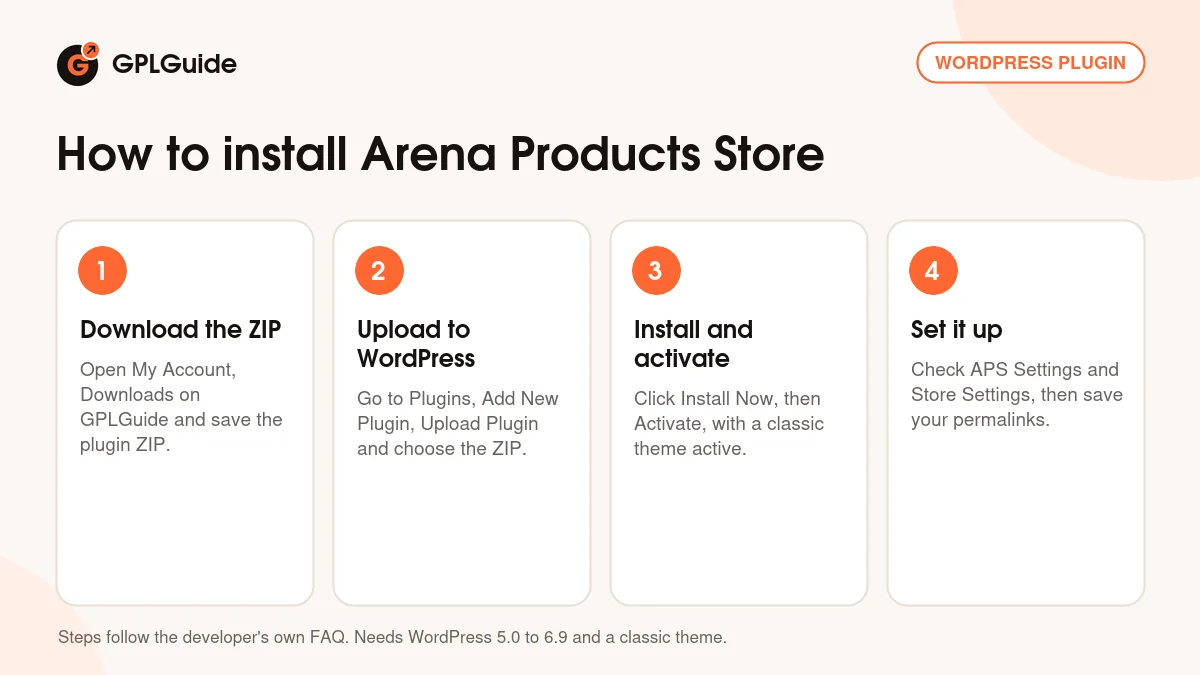
- Sign in to GPLGuide, open My Account, Downloads and save the Arena Products Store ZIP.
- In WordPress go to Plugins, Add New Plugin, Upload Plugin and choose the ZIP.
- Click Install Now, then Activate. Make sure a classic theme, not a block theme, is active.
- Open APS Settings, go through the Design and General tabs, set your currency in Store Settings, then go to Settings, Permalinks and click Save Changes.
A good first setup in Arena Products Store is one category done properly. Create a category, add two or three attribute groups with their attributes, a few rating bars and one brand, then add three products with every field filled in. Put the Product Filters and Ajax Search widgets in your sidebar and build one custom comparison. If a product page shows a 404 error, saving your permalinks again usually fixes it.
Keeping it up to date
Updates from GPLGuide are manual. When a new version of Arena Products Store is listed here, back up your database, download the new file from your account and upload it under Plugins, Add New Plugin, Upload Plugin. WordPress offers to replace the installed copy, and your products and settings stay in your database. Afterwards, the author advises opening APS Settings, checking any new options and clicking Save Changes. If you see a newer version that we haven't added, let us know on the Request Item/Update page.
Questions about Arena Products Store
Does Arena Products Store work with WooCommerce? No. It has its own product type and no cart or checkout, and the author confirms it does not work with WooCommerce.
Can I import products from Amazon or a CSV file? No. Products are added by hand or imported from a JSON data file, and offer prices do not update by themselves.
Can visitors compare products from different categories? No. Comparisons work within one category, with no limit on the number of products.
Will Arena Products Store work with my theme? With most classic themes, yes, sometimes with a few CSS changes. Block themes such as Twenty Twenty-Five do not work, because they lack the header and footer templates the plugin uses.
Does it support other languages? Yes. Every text string can be translated, and right-to-left languages such as Arabic are supported.
Can I list a product before it has a price? Yes. Enter 0 as the price and the product shows "upcoming" text, which you can reword in Store Settings.
Do I need to enter a license key? No. The Arena Products Store file you download here comes with the license key already activated, so you can start adding products straight away.
Building a different kind of site? Browse more WordPress plugins on GPLGuide, or see what a GPLGuide membership includes if you need several premium plugins alongside Arena Products Store.
Features & capabilities
- Product catalog with categories, brands, galleries, videos and a single product view
- Attributes, attribute groups, main features and rating bars set per category
- Side-by-side comparisons with no product limit, plus shareable custom comparisons
- Built-in user ratings and reviews with a Top Rated Products widget
- Affiliate offers from as many stores as you like, managed in APS Settings
- Seven widgets, including Ajax Search and Product Filters
- Pros and Cons lists, status badges and a statistics dashboard widget in Arena Products Store 3.2
- Nine colour skins, typography settings, JSON import and export, translation and RTL support