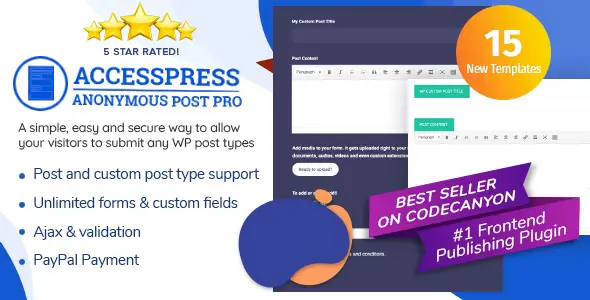
AccessPress Anonymous Post Pro
100% Original fileUnmodified copy of the developer's release
DeveloperCode Canyon
Up to dateFile last updated Oct 23, 2026
About this product
AccessPress Anonymous Post Pro 3.2.6 is the paid edition of the AccessPress Anonymous Post plugin. It puts a submission form on the front end of your site so visitors can send you posts without a WordPress account, or while logged in if you prefer. It suits blogs, news sites, community sites and directories that want guest stories, reviews or listings from readers instead of typing everything in the dashboard.
What's in the AccessPress Anonymous Post Pro download
Our download is the original AccessPress Anonymous Post Pro ZIP for version 3.2.6, with the license key already activated. The developer lists these as the Pro side of the plugin: unlimited forms, unlimited custom fields, custom post types and taxonomies, a drag and drop form builder, four form templates and a form styler. The plain free edition of the plugin is a separate listing and is not part of this file.
Good to know
The developer's pages for the free edition ask for WordPress 4.5 or newer and name no PHP version. Submitted posts arrive in the dashboard as pending or draft posts that a moderator reviews, so plan who approves them. Posting to custom post types and taxonomies is a Pro feature. You place the form on a page or post with the plugin's shortcode.
How to install AccessPress Anonymous Post Pro
- Log in to GPLGuide, open this product and click Download under Your downloads.
- In your WordPress dashboard, go to Plugins, Add New Plugin, then click Upload Plugin.
- Choose the ZIP you downloaded and click Install Now.
- When the install finishes, click the Activate Plugin link to switch the plugin on.
- Open the plugin's own item in the WordPress admin menu to set up your form and its options.
- Add the plugin's shortcode to the page or post where the submission form should appear, then save it.
Features & capabilities
- Visitors can submit posts from a front-end form with or without logging in.
- Unlimited forms and unlimited custom fields, including text, textarea, checkbox, radio, select, date picker and file upload.
- Drag and drop form builder, plus four ready-made form templates and a form styler to match your theme.
- Custom post types and taxonomies can receive the submissions.
- Multiple images, videos and audio files can be uploaded without logging in.
- Customizable admin and user email notifications, including the email addresses they go to.
- Google captcha to cut down on spam submissions.
- Inline login option and suggested text or tooltips on the form fields.
Frequently asked questions
Is this the original file?
Yes. Every product on GPLGuide is the developer’s own release, unchanged. The license key comes already activated. If a product does ask for a key, the activation steps appear on its page once you have it.
Is it legal to use a GPL plugin or theme from GPLGuide?
Yes. WordPress plugins and themes are released under the GPL, which lets anyone use, share and change the code. The developer’s support desk and the developer’s own update service are not part of the file; those stay with the developer.
How do I install it?
Log in, open the product page and click Download under Your downloads. For a plugin go to Plugins, Add New Plugin, Upload Plugin, choose the ZIP, then Install Now and Activate. For a theme go to Appearance, Themes, Add New Theme, Upload Theme.
How do updates work?
When a newer version is listed on GPLGuide, download it from the product page and upload it over the installed copy; WordPress offers to replace the old version. Updates are manual.
Can I use it on more than one site?
Yes. The GPL lets you use it on as many of your own sites as you like.
What if the file does not work or a newer version is out?
Tell us on the Request Item page or through Support. We check the file and add the newer version when we have it.