AIT Citadela Pro
Note
This plugin requires AIT Citadela Theme to work Properly. Click to Download Free Theme
100% Original fileUnmodified copy of the developer's release
DeveloperAitThemes
Up to dateFile last updated Oct 16, 2026
About this product
Citadela Pro is the premium add-on plugin for the Citadela block theme, made by AitThemes, a European WordPress company that has built themes since 2009. It adds layout, header, colour and font settings to the WordPress Customizer, a set of extra blocks for the block editor, an announcements bar, a cookie notice and a layout exporter. AitThemes now sells it under the name CitadelaWP Pro. This page is for Citadela Pro version 6.2.7. On GPLGuide you download the original plugin file to install on your own websites.
Good for: restaurants, shops and service firms that need opening hours, price tables and service boxes; bloggers who want a List, Box or Simple blog layout; directory owners who run Citadela Listing and want more design control; and anyone who builds pages in the block editor rather than a page builder.
Requirements: the Citadela theme by AitThemes must be active. The developer's current install guide says the plugin works only with its CitadelaWP theme, the newer name for Citadela. The hosting page asks for WordPress 5.8 or later, recommends PHP 7.2 or later and says the theme and plugins are fully compatible with PHP 8.x. It also asks for a memory_limit of at least 96MB and max_input_vars of at least 3000. Citadela Listing is needed only for directory parts, and WooCommerce is optional.
What Citadela Pro does
The Citadela theme on its own gives you a clean, light block theme. Citadela Pro is the part that adds most of the design control. Once it is active, new sections appear under Appearance, Customize: a General Layout panel, more header choices, colours, fonts and an Announcements bar. The developer marks these as Pro only, so you won't find them in the free theme.
It also adds blocks to the block editor. In December 2021 AitThemes merged its separate Citadela Blocks plugin into Citadela Pro, so blocks such as Cluster, Price Table, Service and Opening Hours now come with it. If the old Blocks plugin is still installed, updating Pro switches it off.
Everything works through standard WordPress tools, the Customizer and the block editor, so no page builder is needed. The plugin ships with 83 translations, and when WooCommerce is active it styles the shop pages and WooCommerce blocks to match the theme.
Citadela Pro settings in the Customizer
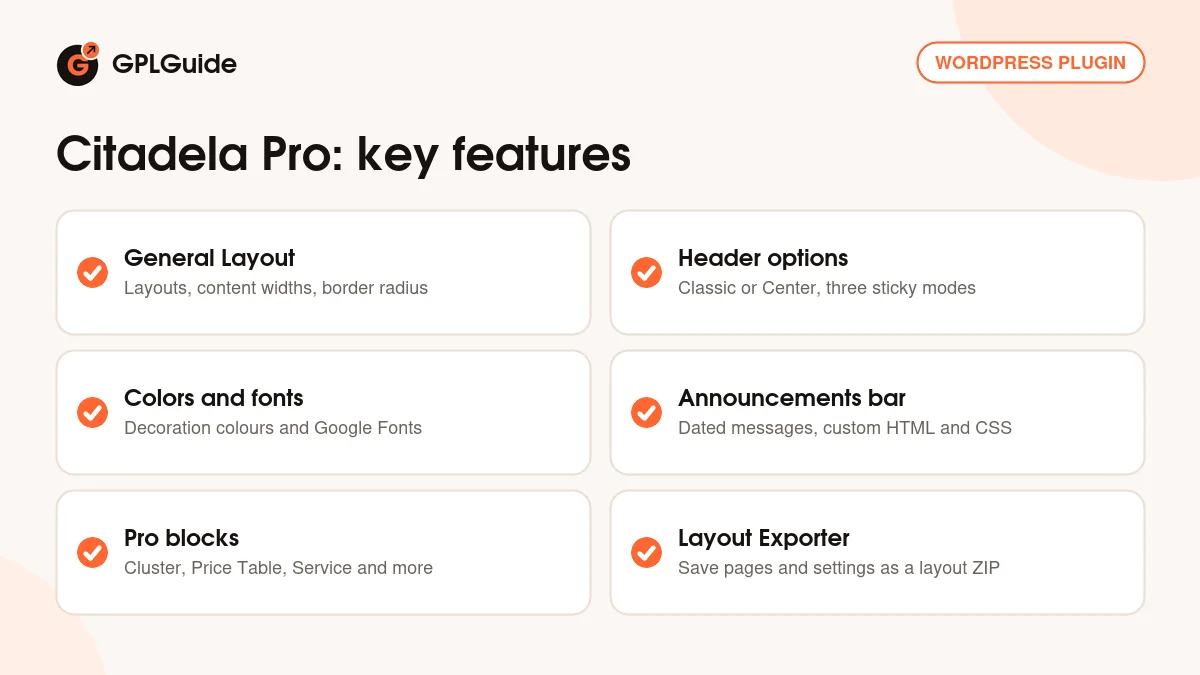
General Layout. This tab holds the Theme Layout, Header Layout and Theme Design settings, with predefined layouts to start from. You set three content widths, content, wide and full, plus a General Border Radius and a Buttons Border Radius that round corners across the site. Rules for collapsing footer widgets on small screens live here too.
Header and background. The header comes as Classic or Center, set separately for desktop and mobile. The sticky header has three options: None, Burger only or Full sticky. Under Appearance, Header Background takes an image with a colour overlay, plus repeat, size, position and fixed background settings.
Colors and Typography. Colors covers the Decoration, Page and Footer colours, picked with a colour picker or typed as a HEX value. Typography sets a Text font and a Title font from the full Google Fonts list, with a custom title font weight. AitThemes suggests using no more than two fonts, which keeps pages tidy and quick to load.
Announcements bar. A message bar with your text, a button URL, display dates and its own colours. The Advanced type accepts custom HTML and CSS and can show the bar at timed intervals. An Additional CSS box sits in the Customizer too, for small style tweaks.
The extra blocks in Citadela Pro
Cluster is a container block. Put other blocks inside it and give the group alignment, a background, a border, a shadow and a responsive background image. Use it for a hero area or a coloured band across the page.
Opening Hours lists time slots for each day and can hide days that have no hours. Service shows an icon, title, subtitle, description and an optional link. Price Table has a title, a price, a discount price field, a featured mark and a call to action button, with its own colour and button styling.
Custom Page Title copies the page title and adds a subtitle, alignment, bold or italic text and an optional link. Responsive Spacer sets a height in px, vw, vh, rem, em or %, with a separate value for mobile. Responsive Text gives you Google Fonts, the HTML tag, size, line height, letter spacing and colours, again with separate desktop and mobile settings. The Posts block shows your articles on any page, with filter options.
Headers, blog layouts and site tools
Each page gets its own header settings in the editor's Inspector panel. You can make the header transparent, place it over the content and use a different logo on a subpage. That suits a landing page with a large photo at the top.
Blog layout settings let you build the blog page in the block editor and show posts as List, Box or Simple. A simplified typography option adds extra spacing to blog posts. The Infobar adds a cookie notice at the top or bottom of the site, with a cookie expiry period you choose, and the Comments extension adds help text to each comment form field as a help for GDPR.
In the general settings you can paste a Google Analytics tracking ID, with an option to anonymize visitor IP addresses, and add custom JavaScript or HTML code to the header and footer.
The Layout Exporter saves your Citadela pages, posts and configuration as a ZIP layout that you can import on another site. Images are downloaded during the import. Content and settings from other plugins are not included, and AitThemes says a layout is not a migration tool. It suits a draft site for a client, a design you want to reuse or moving a design between servers.
If you run Citadela Listing, Citadela Pro adds design settings for its blocks, such as Listing items list, Listing search results and Advanced Filters, plus a half layout with the listing map on the left or right and an optional GPX route.
Setups you can copy with Citadela Pro
Each setup below uses only the options described above.
- Restaurant or cafe: an Opening Hours block on the home and contact pages, Service blocks for catering and events, and the Announcements bar with display dates for holiday hours.
- Agency or freelancer: a pricing page with three Price Table blocks inside a Cluster, the middle plan given the featured mark.
- Photo landing page: a transparent header placed over the content, a different logo on that page and a Cluster with a responsive background image.
- Blog: the Box layout for the blog page, Responsive Text for big headings that shrink on phones, and a Posts block on the home page for your latest articles.
- Directory site: Citadela Listing plus the half layout with the map on the right and your own accent colour for search results.
- Client build: design on localhost or a test domain, export the layout and import it on the client's server, then set up any other plugins there.
Keep to two fonts and let the border radius and Decoration colour carry through every block, so a site built with Citadela Pro looks consistent without custom CSS.
What's new in Citadela Pro 6.2.7
AitThemes does not publish a public changelog for this plugin on its website, and we could not find release notes for version 6.2.7 there. We would rather say so than guess at the changes.
Two dated changes from AitThemes explain the current setup. On December 17, 2021 it merged the Citadela Blocks plugin into Citadela Pro. On August 29, 2024 it announced the move from Citadela to CitadelaWP, saying both share the same code base and that new updates and support now go to the CitadelaWP products.
Good to know before you buy
Citadela Pro needs the Citadela theme from AitThemes, and the developer's current install guide says it is compatible only with its CitadelaWP theme. The free Citadela theme is still on WordPress.org, but that listing (version 5.9.0) was last updated in April 2023, while AitThemes says new updates now go to CitadelaWP. Check which theme version you will run before you buy.
The directory parts are not inside Citadela Pro. Listing items, maps and search forms come from the separate Citadela Listing plugin, and Pro only adds design settings for those blocks. The Starter Layouts and the Ait Blocks Builder appear on the developer's pricing page as parts of its packages, not of this plugin.
Citadela Pro from GPLGuide vs the official subscription
From GPLGuide you get the original Citadela Pro 6.2.7 plugin file, released under GPL v3 like all AitThemes themes and plugins. Every option and block in the file works the same way: the Customizer panels, the Pro blocks, the Announcements bar, the Infobar and the Layout Exporter. The file comes with the license key already activated, so there is no key to enter.
Buying from AitThemes adds things we can't pass on: 12 months of standard support from their team, Monday to Friday from 9 a.m. to 5 p.m. CET, the 14-day money-back guarantee and updates through their own API key system. Their Basic Plan costs $89 per year, or $197 as a one-time payment, in USD excluding VAT, for one website. It includes the CitadelaWP theme, Pro, Listing and Starter Layouts, and higher plans add the Ait Blocks Builder. If you need the plugin itself, we offer the same file on its own or with a membership.
How to install Citadela Pro
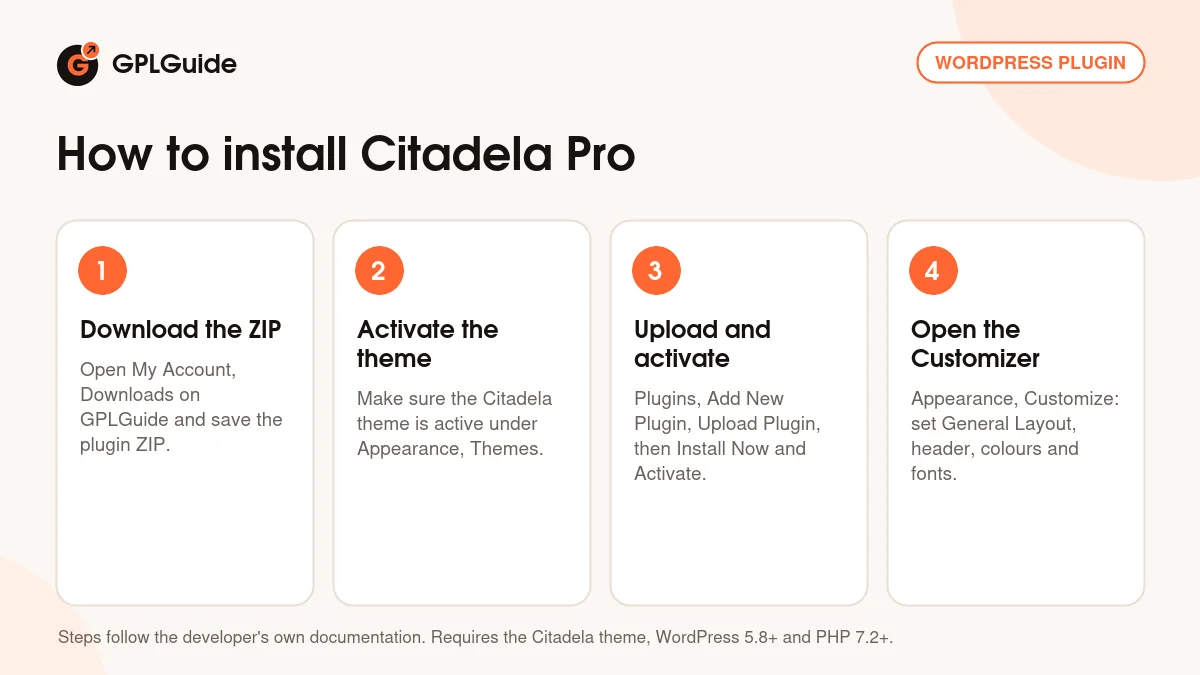
- Sign in to GPLGuide, open My Account, Downloads and save the Citadela Pro ZIP.
- Make sure the Citadela theme is installed and active under Appearance, Themes.
- Go to Plugins, Add New Plugin, Upload Plugin, choose the ZIP, click Install Now and then Activate.
- Open Appearance, Customize and work through the new General Layout, Appearance and Announcements bar sections.
A good first setup starts in General Layout. Pick a predefined layout, set the content width and choose a border radius. Next set your Decoration colour and two fonts, pick a header layout for desktop and mobile, and publish. Then open your home page in the editor, add a Cluster with two Service blocks, and an Opening Hours block if you have a shop or office. Then check how Citadela Pro has shaped the page on a phone.
Keeping it up to date
Updates from GPLGuide are manual. When a new version of Citadela Pro is listed here, download it from your account and upload it under Plugins, Add New Plugin, Upload Plugin. WordPress offers to replace the installed copy, and your Customizer settings and page blocks stay in place because they are saved in your database. If you see a newer version that we haven't added, let us know on the Request Item/Update page.
Questions about Citadela Pro
Does Citadela Pro work with other themes? No. The developer's install guide says it works only with its own CitadelaWP theme.
Do I still need the Citadela Blocks plugin? No. Since December 2021 the blocks from Citadela Blocks are part of Citadela Pro, and updating Pro switches the old Blocks plugin off.
Does Citadela Pro add directory listings? No. Listings, maps and search come from Citadela Listing. Pro adds design settings for the Listing blocks and the half layout with a map.
Does it work with WooCommerce? Yes. With Pro active, WooCommerce shop pages and WooCommerce blocks pick up the Citadela styling.
Can I copy a design to another site? Yes. The Layout Exporter saves pages, posts and configuration as a ZIP to import elsewhere. Other plugins' settings are not included.
Do I have to enter a license key? No. The file you download comes with the license key already activated.
Which PHP version does it need? AitThemes recommends PHP 7.2 or later and says its theme and plugins are fully compatible with PHP 8.x.
Building with the block editor? Browse more WordPress plugins on GPLGuide, or see what a GPLGuide membership includes if you use several premium plugins. The free Citadela theme by AitThemes is on WordPress.org.
Features & capabilities
- General Layout tab with predefined layouts, three content widths and border radius settings
- Classic or Center header for desktop and mobile, with three sticky header options
- Decoration, Page and Footer colours and Google Fonts for text and titles
- Announcements bar with display dates and an Advanced type for custom HTML and CSS
- Pro blocks: Cluster, Opening Hours, Price Table, Service, Custom Page Title, Responsive Spacer and Responsive Text
- Per-page transparent header, header over content and subpage logo
- Infobar cookie notice, Comments extension, custom header and footer code and Google Analytics field
- Layout Exporter that saves pages, posts and configuration as a reusable layout ZIP