Astra Pro Addon

100% Original fileUnmodified copy of the developer's release
DeveloperBrainstorm Force
Up to dateOriginal released Sep 23, 2026 · File last updated Oct 16, 2026
About this product
Astra Pro is the premium addon plugin for the free Astra WordPress theme, made by Brainstorm Force. It adds a Site Builder, mega menus, a sticky header, extra blog layouts and many WooCommerce options, each one switched on as a separate module. This page is for Astra Pro 4.13.10, released on September 23, 2026. On GPLGuide you download the original Astra Pro Addon plugin file to install on your own websites.
Good for: site owners already on the free Astra theme who want more control over headers, menus and layouts, WooCommerce stores that want a cleaner checkout, bloggers who want grid archives, and agencies that brand client sites as their own.
Requirements: the free Astra theme must be installed and active. The developer's system requirements for Astra are WordPress 5.3 or newer, PHP 7.4 or newer, MySQL 5.7 or MariaDB 10.3 or newer, and a memory limit of at least 128 MB, with 256 MB preferred. The WooCommerce module also needs WooCommerce. Brainstorm Force advises keeping the theme and the addon on their latest versions.
What Astra Pro does
Astra on its own is a light, free theme. Astra Pro sits on top of it as a separate plugin called Astra Pro Addon. It does not replace the theme. It adds new Customizer panels and a list of modules under Astra, Dashboard, where you switch on only the parts you need.
The developer's docs sort the modules into three groups. Core modules cover Typography, Colors & Background, Spacing, Blog Pro and White Label. Pro modules include Nav Menu, Site Layouts, Sticky Header and Page Headers, and the Site Builder is switched on from the same list. Integration modules add settings for WooCommerce, Easy Digital Downloads, LearnDash and LifterLMS.
The header and footer builder gets more room too. The Clone option is only available with Astra Pro, so you can add more HTML elements, buttons and menus, with up to 10 widget areas. Site Layouts adds Full Width, Max Width, Fluid and Padded layouts under Customize, Global, Container.
The Site Builder in Astra Pro
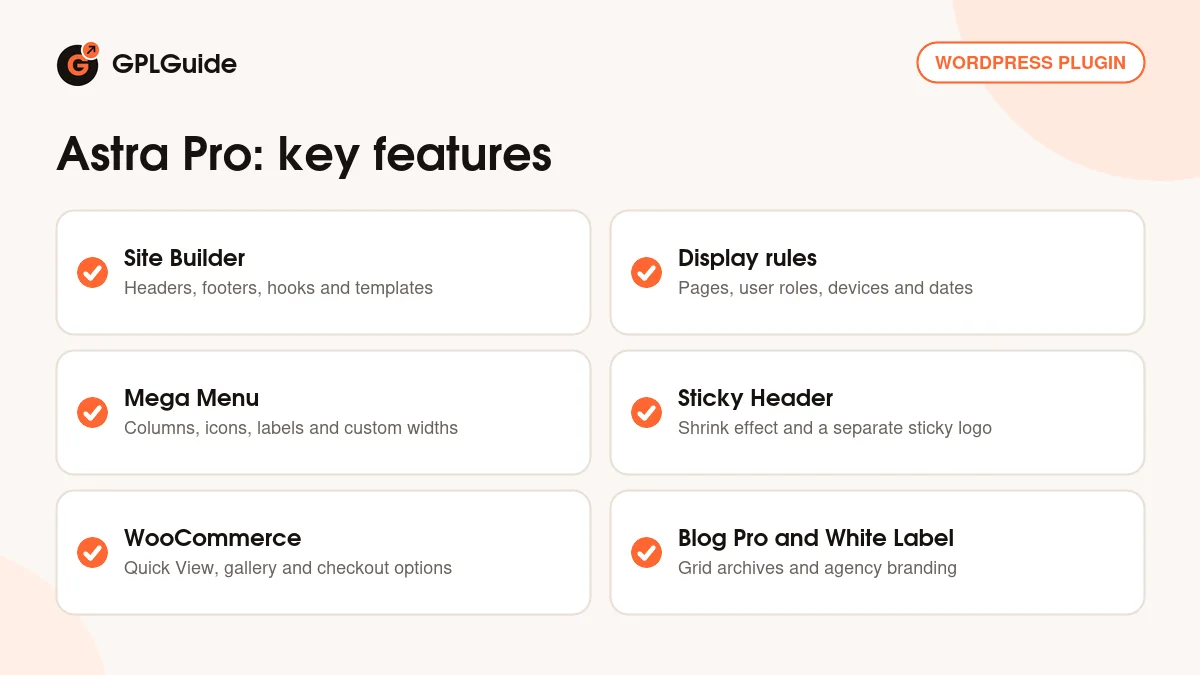
The Site Builder is the biggest part of the addon. Turn it on under Astra Pro Modules, then open Astra, Site Builder. From All Layouts you can create a Header, Footer, Hooks, Inside Post/Page, Single, Archive or 404 Page layout. You can build each one in the block editor or with a page builder such as Elementor or Beaver Builder, once that builder is enabled for the Site Builder post type.
Every layout has a settings panel, opened from the Astra icon in the top right corner of the editor. Display On picks where it shows, such as Entire Website. Do Not Display On sets exclusions. User Roles limits it to, for example, Logged Out visitors. Device Visibility covers Desktop, Tablet and Mobile, and a start and end time lets you schedule a layout. When a scheduled custom header ends, the Customizer header comes back.
Hooks layouts place content at a fixed point in the theme, chosen under Placement, with a Priority where lower runs first. Click Enable Code Editor to paste PHP, CSS or other code with its opening and closing tags. Putting one Hooks layout on several hooks at once came in 4.13.11, which is newer than the file on this page.
Astra Pro mega menus, sticky headers and page headers
The Nav Menu module turns WordPress menus into mega menus. Activate it, go to Appearance, Menus and open Astra Menu Settings on a top-level item. Switch on Mega Menu and choose a width: Content, Menu Container Width, Full Width, Full Width Stretched or Custom Width. A child item can become a column title with As a Heading, lose its link with Disable Link, or show a template, widget or custom text through Content Source. Highlight Labels add tags such as New or Sale.
One limit: mega menus only work with the default Astra header, not with a header built in Elementor or Beaver Builder.
Sticky Header lives under Customize, Header, Sticky Header. You can stick the primary header or all three header rows, hide it while scrolling down, use Enable Shrink Effect, add an animation, pick desktop, mobile or both under Enable On, and upload a separate sticky logo with its own Sticky Logo Width.
Page Headers gives chosen pages a banner with a Layout choice, an optional breadcrumb and a color or image background with overlay and Parallax. Merge Page Header with Site Header makes the main header transparent over it, and Display Rules decide where it shows.
WooCommerce settings that Astra Pro adds
With WooCommerce active, switch on the WooCommerce module and new options appear under Appearance, Customize, WooCommerce. The shop page gets Quick View, which opens On Image, On Image Click or After Summary, plus infinite scroll, an off-canvas sidebar for filters and extra shop card layouts.
The Single Product panel adds a Gallery Layout choice between First Image Large/Vertical Slider and Horizontal Slider, Enable Image Zoom Effect, Enable Sticky Product Image, Enable Sticky Product Summary, Product Navigation, Sticky Add To Cart and four tab styles: Vertical, Horizontal, Accordion and Distributed.
Checkout options include Two-Step Checkout, Distraction Free Checkout, which hides the header menu and first footer, Use Labels as Placeholders, Display Order Note, Display Apply Coupon Field and Persistent Checkout Form Data, which keeps what a customer typed if the page reloads. The changelog also names the Modern Checkout, the Slide In Cart and the Modern My Account View. The [astra_woo_mini_cart] shortcode shows a mini cart anywhere.
Setups you can copy with Astra Pro
These setups use only the settings described above.
- Sale bar with an end date: create a Hooks layout with a short message, set Display On to Entire Website and add a start and end time so it disappears when the sale ends.
- Shop mega menu: enable Mega Menu on your Shop item, choose Full Width, make each category a column with As a Heading and give new arrivals a New label.
- Quicker checkout: turn on Distraction Free Checkout and Persistent Checkout Form Data so buyers have fewer ways out and lose nothing on a reload.
- Magazine style blog: under Post Types, Blog / Archive, pick a three column grid, turn on Masonry Effect and Highlight First Post, and set Post Pagination to Infinite Scroll.
- Client handover: fill in White Label with your agency name and URL, then tick Enable White Label so the client no longer sees those settings.
Check each layout in a private browser window too, because User Roles rules mean you and a logged-out visitor can see different things.
What's new in Astra Pro 4.13.10
Astra Pro 4.13.10 came out on September 23, 2026, and the developer calls it a faster cart release. A duplicate cart refresh request was removed, so the Slide In Cart opens straight after a product is added. Saved checkout details restore properly again, including unnamed fields from other plugins and the State field after a country change, and that data is cleared from the browser once the order is complete.
Smaller fixes: Vertical and Horizontal Slider galleries no longer show a stray thumbnail when the main image is also in the gallery, a Mega Menu console error on mobile header rows is gone, and The Events Calendar archive width is corrected.
Before it, 4.13.9 (September 8, 2026) was a security release that limits the Page Header layout setting to the addon's own templates. Version 4.13.8 (August 19, 2026) prepared for WordPress 7.1 and added a Retry button when a Site Builder layout fails to load. Version 4.13.7 (August 11, 2026) tightened Site Builder security and fixed several sticky header issues.
Good to know before you buy
This is not a theme. You still need the free Astra theme installed and active. If you upload the theme ZIP where the plugin should go, WordPress says no valid plugins were found, so check which file you are uploading.
The official Astra bundles hold more than this one plugin. Premium starter templates, Spectra Pro and an Elementor addon pack come with the Essential Toolkit and Business Toolkit, and SureForms Agency and the AI Site Planner are Business extras. AI site generation, hosted sites and the free domain run on the ZipWP platform. None of these are inside the Astra Pro Addon file, and Elementor Pro is not part of any Astra plan.
The file from GPLGuide comes with the license key already activated, so there is nothing to enter under Astra, Dashboard. Premium support from Brainstorm Force still comes only with their own subscription. The developer has also released 4.13.11 on October 15, 2026, with several security fixes that are not in 4.13.10.
Astra Pro from GPLGuide vs the official subscription
From GPLGuide you get the original Astra Pro Addon 4.13.10 plugin file, released under the GPL, to use on your own websites. The modules in the file work the same way: Site Builder, Nav Menu, Sticky Header, Page Headers, Site Layouts, Blog Pro, White Label and the WooCommerce, LearnDash, LifterLMS and Easy Digital Downloads options.
The official subscription adds what we can't pass on: updates through your Brainstorm Force license, their support team, their 14-day refund, and the AI, hosting and template services in bigger plans. The Astra Pro Addon Only plan costs $69 per year or $249 lifetime for 3 websites, and Astra Pro + AI starts at $99 for the first year. If you rely on vendor support, buy there. If you need the plugin itself, GPLGuide offers it on its own or in a membership.
How to install Astra Pro
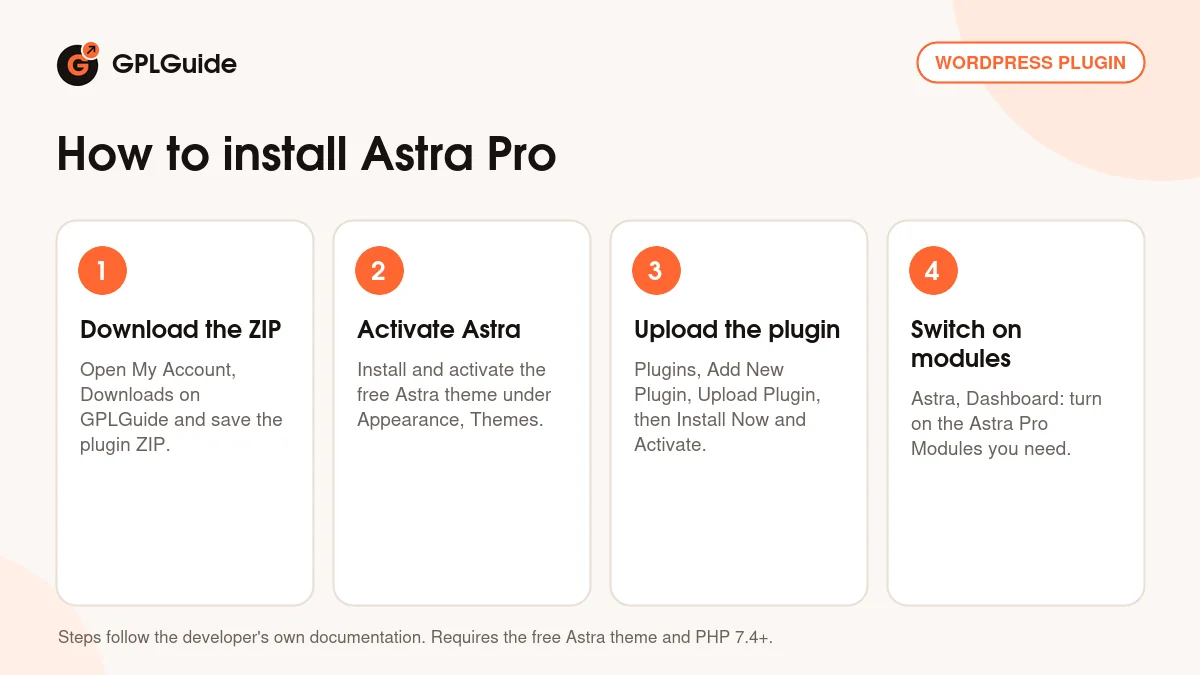
- Sign in to GPLGuide, open My Account, Downloads and save the Astra Pro ZIP.
- Check that the free Astra theme is installed and active under Appearance, Themes.
- Go to Plugins, Add New Plugin, Upload Plugin, choose the ZIP, click Install Now and then Activate Plugin.
- Open Astra, Dashboard and switch on the Astra Pro Modules you need, such as Site Builder or WooCommerce.
For a good first setup, turn on only Sticky Header and Nav Menu. Set the sticky header with Enable Shrink Effect and build one mega menu for your main section. Then add the Site Builder and create a single Hooks layout, such as a notice bar above the header. Adding modules one at a time keeps the Customizer tidy.
Keeping it up to date
Updates from GPLGuide are manual. When a new version of Astra Pro is listed here, download it from your account and upload it under Plugins, Add New Plugin, Upload Plugin. WordPress offers to replace the installed copy. Keep the free Astra theme updated from WordPress.org as well, since the developer advises running the latest versions of both. If you see a newer version we haven't added, tell us on the Request Item/Update page.
Questions about Astra Pro
Do I need the free Astra theme? Yes. The developer lists it as the only prerequisite. Astra Pro is a plugin that adds modules and settings to that theme.
Are the premium starter templates included? No. Brainstorm Force includes Premium Starter Templates with the Essential Toolkit and Business Toolkit. They are a separate product.
Is Spectra Pro included? No. Spectra Pro is a separate plugin that comes with the Essential Toolkit and higher plans.
Can I use it with Elementor or Beaver Builder? Yes. Site Builder layouts can be designed with either one once the builder is enabled for the Site Builder post type. Mega menus still need the default Astra header.
Does it work with WooCommerce? Yes. The WooCommerce module adds Quick View, gallery layouts, Sticky Add To Cart, Two-Step Checkout and more under Customize, WooCommerce.
Can I white label Astra for clients? Yes. White Label changes the Plugin Name, Agency Author, Agency Author URL, Plugin Description and theme name, and Enable White Label hides those settings.
Is 4.13.10 the newest release? No. The developer released 4.13.11 on October 15, 2026. This page covers Astra Pro 4.13.10.
Do I need to enter a license key? No. The Astra Pro file from GPLGuide comes with the license key already activated. Premium support from Brainstorm Force is part of their own subscription.
Looking for more tools for your site? Browse more WordPress plugins on GPLGuide, or see what a GPLGuide membership includes if you use several premium plugins. The free Astra theme that Astra Pro needs is on WordPress.org.
Features & capabilities
- Site Builder for Header, Footer, Hooks, Inside Post/Page, Single, Archive and 404 Page layouts
- Display On, Do Not Display On, User Roles, device and date rules for every layout
- Mega menus with column headings, icons, Highlight Labels and custom widths
- Sticky header with shrink effect, hide on scroll and a separate sticky logo
- Page Headers with breadcrumbs, background images, overlay and Parallax
- Blog Pro grid and masonry archives with Infinite Scroll
- WooCommerce Quick View, Two-Step and Distraction Free Checkout, Sticky Add To Cart
- White Label for agencies, plus LearnDash, LifterLMS and Easy Digital Downloads modules