
AccessPress Social Login
100% Original fileUnmodified copy of the developer's release
DeveloperCode Canyon
Up to dateFile last updated Oct 23, 2026
About this product
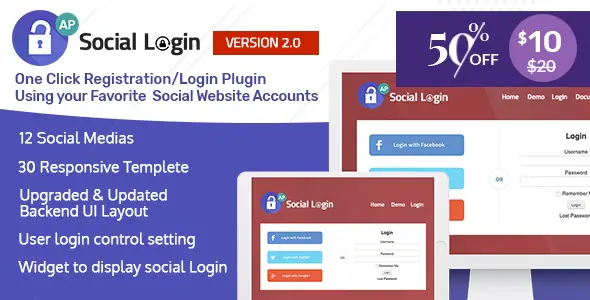
AccessPress Social Login 2.1.0 lets visitors register and sign in to your WordPress site with accounts they already have on social networks, so nobody has to invent another username and password. It is made for membership sites, blogs with comments, online shops and community sites where a long sign-up form costs you users. You decide which networks are on and where the login buttons show up.
What's in the AccessPress Social Login download
Our download is the original AccessPress Social Login ZIP for version 2.1.0, with the license key already activated. The plugin connects to networks including Facebook, Twitter, Google, LinkedIn, VKontakte, Instagram, Foursquare, WordPress and Buffer. The developer's separate Lite plugin, which covers only Facebook, Twitter and Google, is a different product and is not part of this file.
Good to know
Facebook login needs PHP 5.4 or later. You create an app on every network you switch on and enter its authorization details, such as API keys, in the plugin, because it asks for them network by network. Buttons show only where you enable them: the login form, the registration form or comments, or anywhere through the shortcode or widget. If the download holds more than one ZIP, unzip it on your computer first and upload the plugin's own ZIP.
How to install AccessPress Social Login
- Log in to GPLGuide, open this product and click Download under Your downloads.
- If the download holds more than one ZIP, unzip it on your computer first and keep the plugin's own ZIP for the next steps.
- In your WordPress dashboard, go to Plugins, Add New Plugin, then click Upload Plugin and choose the plugin's own ZIP.
- Click Install Now, and when the install finishes, click Activate Plugin.
- Open the plugin's own item in the WordPress admin menu, switch on the networks you want and enter the authorization details you got from each network.
- On the same screen, choose where the login buttons appear and which button design to use.
Features & capabilities
- One-click registration and login for visitors who already have a social account.
- Turn each network on or off on its own, with a global switch for the whole feature.
- Choose where the buttons show: login form, registration form or comments.
- Several button and icon designs, with a button order you set yourself.
- Put the buttons in posts, pages and templates with a shortcode, or in a sidebar with a widget.
- Edit the button texts, strings and icon title attributes.
- Option to email login details to the new user.
- Works with WordPress users, BuddyPress and WooCommerce, and is translation ready.
Frequently asked questions
Is this the original file?
Yes. Every product on GPLGuide is the developer’s own release, unchanged. The license key comes already activated. If a product does ask for a key, the activation steps appear on its page once you have it.
Is it legal to use a GPL plugin or theme from GPLGuide?
Yes. WordPress plugins and themes are released under the GPL, which lets anyone use, share and change the code. The developer’s support desk and the developer’s own update service are not part of the file; those stay with the developer.
How do I install it?
Log in, open the product page and click Download under Your downloads. For a plugin go to Plugins, Add New Plugin, Upload Plugin, choose the ZIP, then Install Now and Activate. For a theme go to Appearance, Themes, Add New Theme, Upload Theme.
How do updates work?
When a newer version is listed on GPLGuide, download it from the product page and upload it over the installed copy; WordPress offers to replace the old version. Updates are manual.
Can I use it on more than one site?
Yes. The GPL lets you use it on as many of your own sites as you like.
What if the file does not work or a newer version is out?
Tell us on the Request Item page or through Support. We check the file and add the newer version when we have it.


