ACF for AMP

100% Original fileUnmodified copy of the developer's release
DeveloperAMP
Up to dateOriginal released Dec 30, 2022 · File last updated Oct 23, 2026
About this product
ACF for AMP 2.9 puts your Advanced Custom Fields data on the AMP version of your WordPress site. It's for sites that are built around custom fields and also serve AMP pages, like the real estate listing site with many property fields that the developer uses as its example. Rather than rewriting your AMP templates, you add a few lines of field code and choose where that output should appear on the AMP page.
What's in the ACF for AMP download
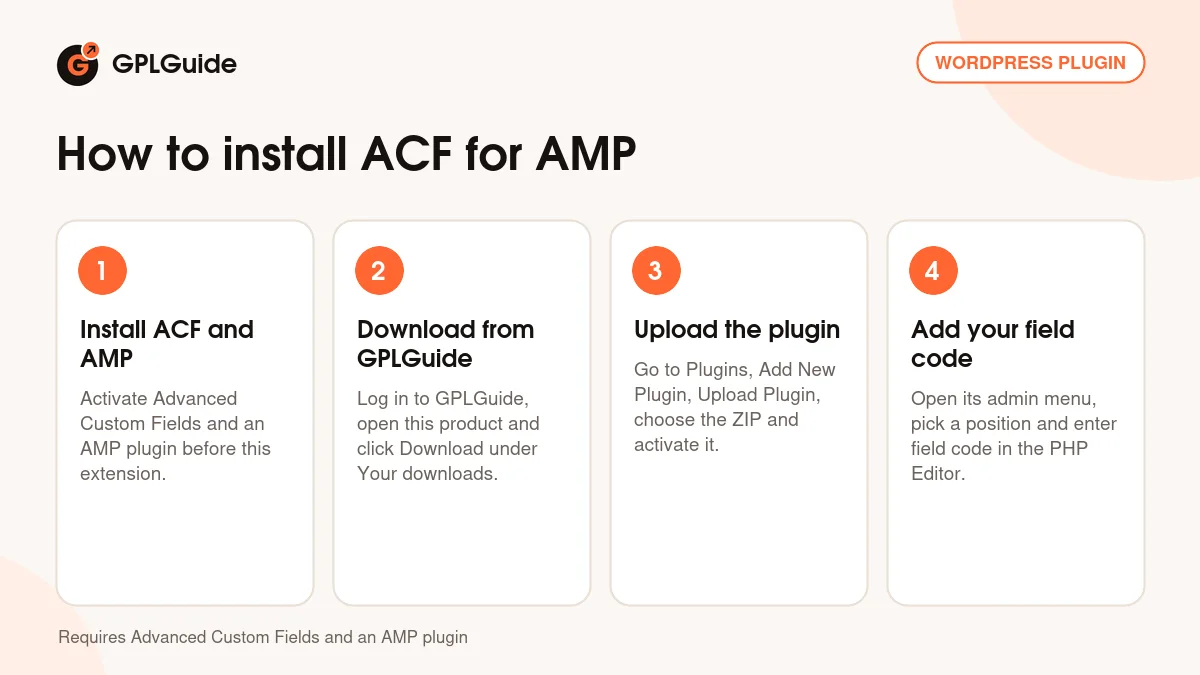
Our download is the original ACF for AMP ZIP for version 2.9, with the license key already activated. It is the extension only. Advanced Custom Fields and an AMP plugin are not part of the file and have to be installed on your site. The developer sells its other AMP extensions separately, and none of them comes with this download.
Good to know
ACF for AMP needs Advanced Custom Fields and an AMP plugin; the developer says it runs with its own AMP plugin or with just the default AMP plugin. You write the output yourself in the PHP Editor box, using ACF template functions and your own field names. The sample code in the developer's guide prints nothing until you swap in real field names. Only AMP components such as amp-carousel need extra script in the AMP Javascript box.
How to install ACF for AMP
Features & capabilities
- Shows ACF field values on AMP pages through a short PHP snippet, not a rewritten template
- Place output after the header, around the featured image or post meta, before or after the content, or in the footer
- A Shortcode (Manual) position gives you a shortcode to drop into a single post or page
- Show data on posts, the homepage, archives or across the whole site
- Conditional logic to target certain pages, post types or taxonomies
- Works with checkbox, select, relationship and repeater values through simple loops
- An AMP Javascript box for components such as amp-carousel
- Runs with the default AMP plugin, with or without the developer's own AMP plugin
Frequently asked questions
Is this the original file?
Yes. Every product on GPLGuide is the developer’s own release, unchanged. The license key comes already activated. If a product does ask for a key, the activation steps appear on its page once you have it.
Is it legal to use a GPL plugin or theme from GPLGuide?
Yes. WordPress plugins and themes are released under the GPL, which lets anyone use, share and change the code. The developer’s support desk and the developer’s own update service are not part of the file; those stay with the developer.
How do I install it?
Log in, open the product page and click Download under Your downloads. For a plugin go to Plugins, Add New Plugin, Upload Plugin, choose the ZIP, then Install Now and Activate. For a theme go to Appearance, Themes, Add New Theme, Upload Theme.
How do updates work?
When a newer version is listed on GPLGuide, download it from the product page and upload it over the installed copy; WordPress offers to replace the old version. Updates are manual.
Can I use it on more than one site?
Yes. The GPL lets you use it on as many of your own sites as you like.
What if the file does not work or a newer version is out?
Tell us on the Request Item page or through Support. We check the file and add the newer version when we have it.